Manual Pengguna Tetikus Permainan Tanpa Wayar Lamzu Maya X
Model: Maya X
pengenalan
The Lamzu Maya X is an ultra-lightweight wireless gaming mouse designed for high-performance gaming. Featuring a symmetrical shape, optical switches, and a high-precision PAW3950 sensor, it offers exceptional responsiveness and comfort for various grip styles. This manual provides detailed instructions for setting up, operating, maintaining, and troubleshooting your Lamzu Maya X mouse.

Figure 1: Lamzu Maya X Wireless Gaming Mouse and 8K Polling Dongle.
Kandungan Pakej
Sebelum anda memulakan, sila pastikan semua item terdapat dalam pakej:
- Lamzu Maya X Wireless Gaming Mouse
- 8K Polling Dongle
- 1.8m Type-C Paracord Cable (for wired connection and charging)
- PTFE Feet (extra set)
- Beg Baldu
- MAYA X Mouse Grip Tape
Persediaan
1. Mengecas Tetikus
The Lamzu Maya X mouse comes with a built-in Lithium Ion battery. For optimal performance, it is recommended to fully charge the mouse before first use.
- Connect the supplied 1.8m Type-C paracord cable to the USB-C port on the front of the mouse.
- Connect the other end of the cable to an available USB port on your computer or a USB wall adapter.
- The mouse's indicator light will show charging status. Once fully charged, the light will change or turn off.
The mouse can be used in wired mode while charging.
2. Menyambung Tetikus
The Lamzu Maya X supports both 2.4G wireless and wired connectivity.
Wireless Connection (2.4G with 8K Polling Dongle)
- Locate the 8K Polling Dongle.
- Plug the 8K Polling Dongle into an available USB port on your computer. For best performance, use a USB port on the front of your computer or a USB hub placed close to the mouse to minimize interference.
- Turn on the mouse using the On/Off switch located on the bottom of the mouse.
- The mouse should automatically connect to the dongle. If connection is not established, refer to the troubleshooting section.

Figure 2: Wireless Connection with 8K Polling Dongle.
Sambungan Berwayar
- Connect the supplied 1.8m Type-C paracord cable to the USB-C port on the front of the mouse.
- Sambungkan hujung kabel yang lain ke port USB yang tersedia pada komputer anda.
- The mouse will automatically switch to wired mode. In wired mode, the polling rate is 1000 Hz.

Figure 3: Dual Mode Connectivity (2.4G Wireless and Wired).
3. Pemacu dan Pemasangan Perisian
The Lamzu Maya X mouse is plug-and-play for basic functionality. For advanced customization, including DPI settings, button remapping, macros, and polling rate adjustments, you can download the official Lamzu Aurora Web Driver from the Lamzu webtapak. ini web-based software eliminates the need for local installation.
- Visit the official Lamzu webtapak (www.lamzu.com) to access the Aurora Web Pemandu.
- Follow the on-screen instructions to connect your device and customize settings.
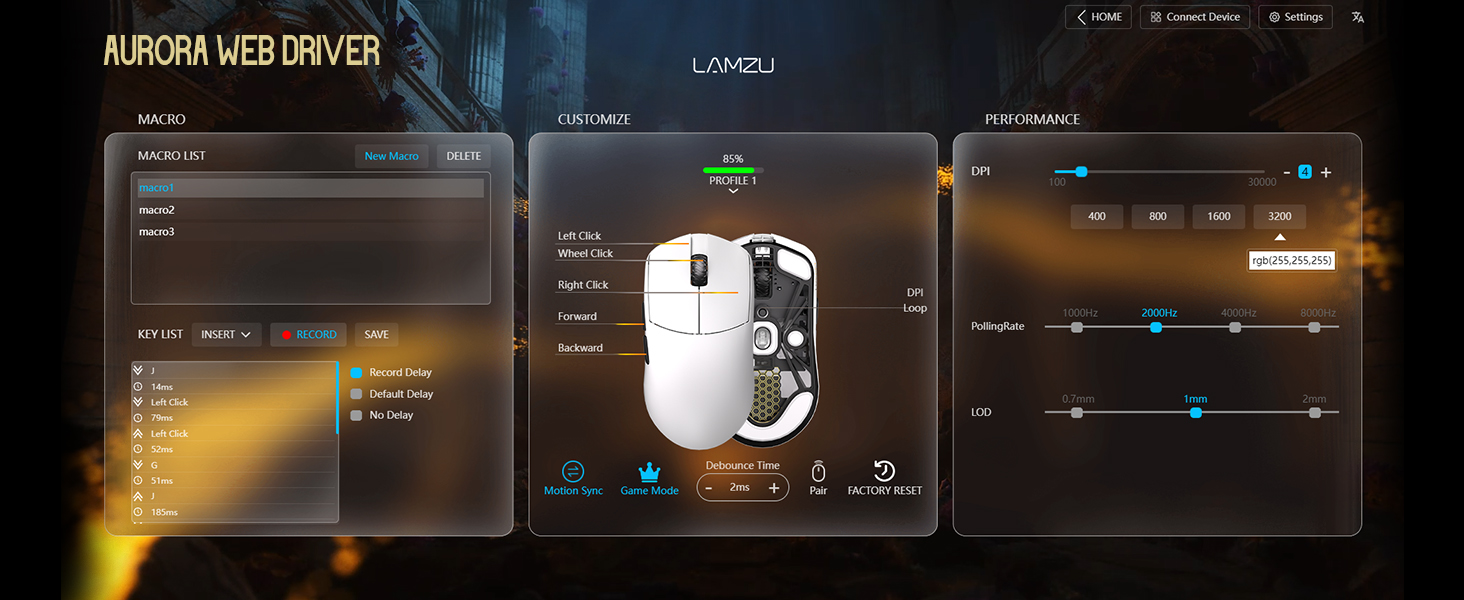
Figure 4: Lamzu Aurora Web Driver Interface.
Mengendalikan Tetikus
Fungsi Butang
The Lamzu Maya X is a 6-button gaming mouse. The default functions are as follows:
| Butang | Fungsi Lalai |
|---|---|
| Klik Kiri | Fungsi klik utama |
| Klik Kanan | Fungsi klik sekunder |
| Scroll Wheel (Click) | Middle click / Universal scroll |
| Scroll Wheel (Up/Down) | Scroll content up/down |
| DPI Button (Bottom) | Cycle through preset DPI levels |
| Butang Sisi Hadapan | Navigate forward in web browsers/applications |
| Butang Sebelah Belakang | Navigate backward in web browsers/applications |
| On/Off Switch (Bottom) | Power on/off the mouse |
All buttons, except the On/Off switch, can be remapped using the Aurora Web Driver software.

Figure 5: Lamzu Maya X Button Layout.
Adjusting DPI (Dots Per Inch)
The Lamzu Maya X features a Pixart PAW 3950 sensor, supporting up to 30,000 DPI. You can adjust the DPI sensitivity to match your preference and gaming style.
- On-the-fly Adjustment: Press the DPI button located on the bottom of the mouse to cycle through pre-configured DPI stages. The LED indicator on the mouse may change color to indicate the current DPI stage.
- Pelarasan Perisian: For precise control and custom DPI stages, use the Lamzu Aurora Web Driver. You can set specific DPI values and assign them to different profiles.
Kadar Mengundi
The polling rate determines how often the mouse reports its position to the computer. A higher polling rate results in smoother and more responsive cursor movement.
- Wireless (2.4G): The Maya X supports up to 8,000 Hz polling rate when using the included 8K Polling Dongle. This can be configured via the Aurora Web Pemandu.
- Berwayar (USB-C): In wired mode, the mouse operates at a 1,000 Hz polling rate.
Grip Styles
The symmetrical shape of the Lamzu Maya X is designed to accommodate various grip styles, providing comfort and control for different hand sizes and preferences.
- Cengkaman Tapak Tangan: The entire palm rests on the mouse, offering maximum stability.
- Cengkaman Cakar: Fingers are arched, and the palm makes minimal contact with the rear of the mouse, allowing for quick, precise movements.
- Cengkaman Hujung Jari: Only the fingertips touch the mouse, providing the highest degree of maneuverability.

Figure 6: Supported Grip Styles.
Penyelenggaraan
Proper maintenance ensures the longevity and optimal performance of your Lamzu Maya X mouse.
- Pembersihan: Gunakan kain lembut dan kering untuk mengelap permukaan tetikus. Untuk kotoran degil, gunakan sedikit kainamp cloth can be used, but ensure no moisture enters the mouse. Avoid harsh chemicals or abrasive materials.
- Penjagaan Sensor: Keep the optical sensor on the bottom of the mouse clean and free of dust or debris. Use a cotton swab or compressed air if necessary.
- Mouse Feet (PTFE Skates): The PTFE feet are designed for smooth gliding. If they become worn or damaged, replace them with the extra set provided in the package.
- Storan: When not in use for extended periods, store the mouse in a cool, dry place, ideally in the provided velvet bag to protect it from dust and scratches.
- Penjagaan Bateri: Avoid fully discharging the battery frequently. For long-term storage, charge the mouse to about 50% to preserve battery health.
Menyelesaikan masalah
If you encounter issues with your Lamzu Maya X mouse, refer to the following common problems and solutions:
| Masalah | Kemungkinan Punca / Penyelesaian |
|---|---|
| Tetikus tidak bertindak balas (Tanpa Wayar) |
|
| Tetikus tidak bertindak balas (Berwayar) |
|
| Pergerakan kursor tidak menentu atau gelisah |
|
| Buttons not responding or double-clicking |
|
| Bateri cepat habis |
|
Spesifikasi
| Ciri | Perincian |
|---|---|
| Model | Maya X |
| Dimensi (L x W x H) | 4.88 x 2.52 x 0.04 inci (124 x 64 x 40 mm) |
| Berat badan | 1.66 auns (lebih kurang 47g) |
| Sensor | Pixart PAW 3950 Optical Sensor |
| DPI maksimum | 30,000 DPI |
| MCU | Nordik 52840 |
| Kadar Mengundi | Up to 8,000 Hz (Wireless with 8K dongle), 1,000 Hz (Wired) |
| Suis | Omron Optical Switches (Left/Right buttons) |
| Pengekod | Dust-Proof Encoder with 30-grid roller |
| Ketersambungan | 2.4G Wireless, USB-C Wired |
| Jenis Bateri | 1 bateri Lithium Ion (termasuk) |
| warna | Hitam (mengikut varian produk) |
| Negara Asal | China |
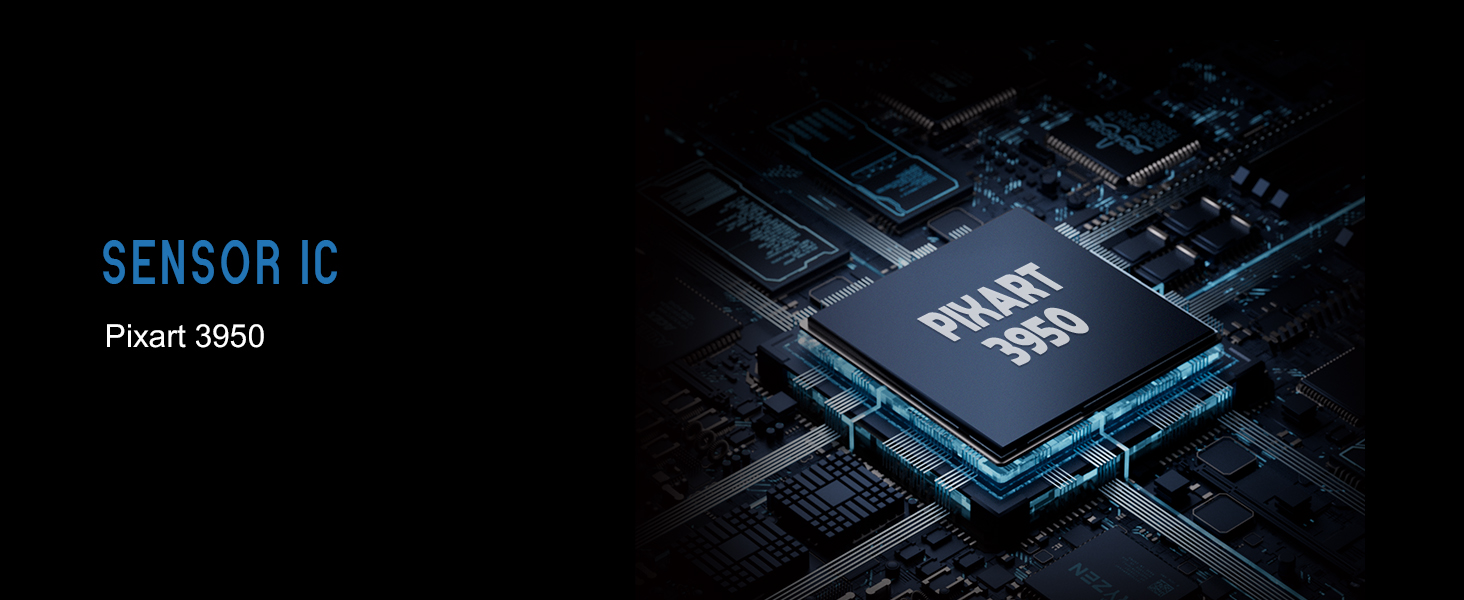
Figure 7: Lamzu Maya X Detailed Specifications.
Waranti dan Sokongan
Lamzu products are manufactured to the highest quality standards. For information regarding warranty coverage, technical support, or service inquiries, please visit the official Lamzu webtapak atau hubungi bahagian perkhidmatan pelanggan mereka.
- rasmi Webtapak: www.lamzu.com
- Perkhidmatan Pelanggan: Rujuk maklumat perhubungan yang diberikan pada pegawai webtapak.
Sila simpan bukti pembelian anda untuk tuntutan waranti.