
1. Pengenalan
Thank you for choosing the Milex Mist Breeze Fan MMF002. This product combines the functionality of a fan with a humidifier to provide a refreshing and comfortable environment. Please read this manual carefully before operating the appliance to ensure safe and efficient use. Keep this manual for future reference.
2. Arahan Keselamatan Penting
Semasa menggunakan peralatan elektrik, langkah berjaga-jaga keselamatan asas harus sentiasa dipatuhi untuk mengurangkan risiko kebakaran, renjatan elektrik dan kecederaan kepada orang ramai. Ini termasuk:
- Baca semua arahan sebelum menggunakan perkakas ini.
- Pastikan voltage yang ditunjukkan pada label penilaian sepadan dengan vol utama andatage.
- Jangan rendam perkakas, palam atau kord dalam air atau cecair lain.
- Pengawasan rapi diperlukan apabila sebarang perkakas digunakan oleh atau berhampiran kanak-kanak.
- Cabut plag dari soket apabila tidak digunakan, sebelum memasang atau membuka bahagian-bahagiannya, dan sebelum membersihkan.
- Jangan kendalikan sebarang perkakas dengan kord atau palam yang rosak, atau selepas perkakas tidak berfungsi atau rosak dalam apa jua cara.
- Do not use outdoors. This appliance is for indoor use only.
- Jangan biarkan kord itu tergantung di tepi meja atau kaunter, atau menyentuh permukaan panas.
- Jangan letakkan pada atau berhampiran gas panas atau penunu elektrik, atau dalam ketuhar yang dipanaskan.
- Always operate the appliance on a stable, flat surface.
- Do not insert fingers or any objects into the fan guard or mist outlet during operation.
- Ensure the water tank is securely in place before operating the mist function.
- Only use clean tap water in the water tank. Do not add essential oils or other chemicals directly into the water tank as this may damage the unit.
3. Kandungan Pakej
Carefully unpack your Milex Mist Breeze Fan and check that all items are present and in good condition. If any items are missing or damaged, please contact your retailer.
- 1 x Milex Mist Breeze Fan Unit (MMF002)
- 1 x Alat Kawalan Jauh
- 1 x Manual Pengguna (dokumen ini)
4. Produk Lebihview
Familiarize yourself with the components of your Milex Mist Breeze Fan.

Rajah 4.1: Depan view of the Milex Mist Breeze Fan. This image shows the fan head, control panel, main body, water tank, and base with rollers.

Rajah 4.2: sebelah view of the Milex Mist Breeze Fan. This image highlights the overall profile and the position of the water tank at the base.
Panel Kawalan
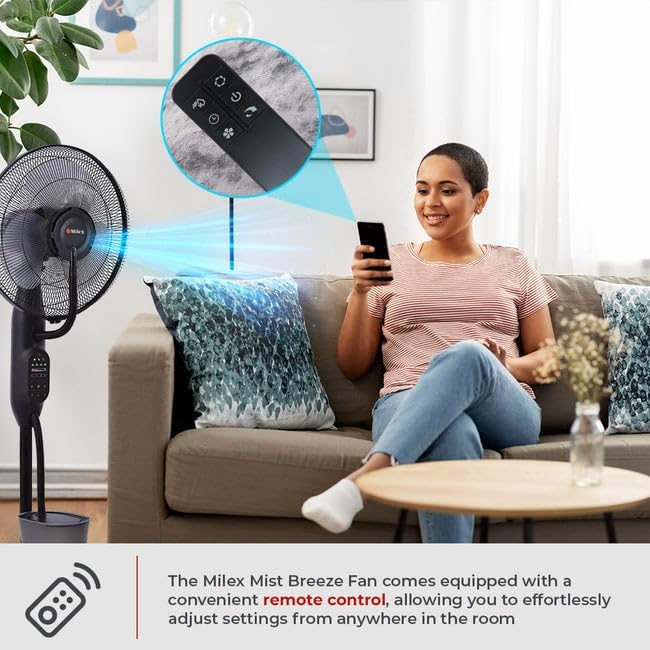
Rajah 4.3: Terperinci view of the control panel. This panel features buttons for power, speed, mode, oscillation, timer, and mist functions.
Alat Kawalan Jauh
Rajah 4.4: The remote control for the Milex Mist Breeze Fan. It allows for convenient adjustment of all fan settings from a distance.
5. Persediaan
Follow these steps to set up your Milex Mist Breeze Fan:
- Bongkar: Tanggalkan semua bahan pembungkusan dan pastikan semua komponen ada.
- Kedudukan: Place the fan on a firm, level surface. The five rollers on the base allow for easy movement. Ensure there is adequate space around the fan for optimal air circulation and mist dispersion.
- Isi Tangki Air:
- Carefully remove the water tank from the base.
- Tanggalkan penutup di bahagian bawah tangki.
- Fill the tank with clean, cool tap water. Do not exceed the maximum fill line. The water capacity is 2.8 Litres.
- Securely screw the cap back on.
- Letakkan tangki air yang telah diisi semula ke atas tapak, pastikan ia diletakkan dengan betul.
- Sambungkan Kuasa: Plug the power cord into a standard 220-240V, 50/60 Hz electrical outlet.
6. Operasi
Your Milex Mist Breeze Fan can be operated using the control panel on the unit or the included remote control.
6.1 Hidupkan/Mati Kuasa
- Tekan ke KUASA button once to turn the fan on.
- Tekan ke KUASA button again to turn the fan off.
6.2 Tetapan Kelajuan
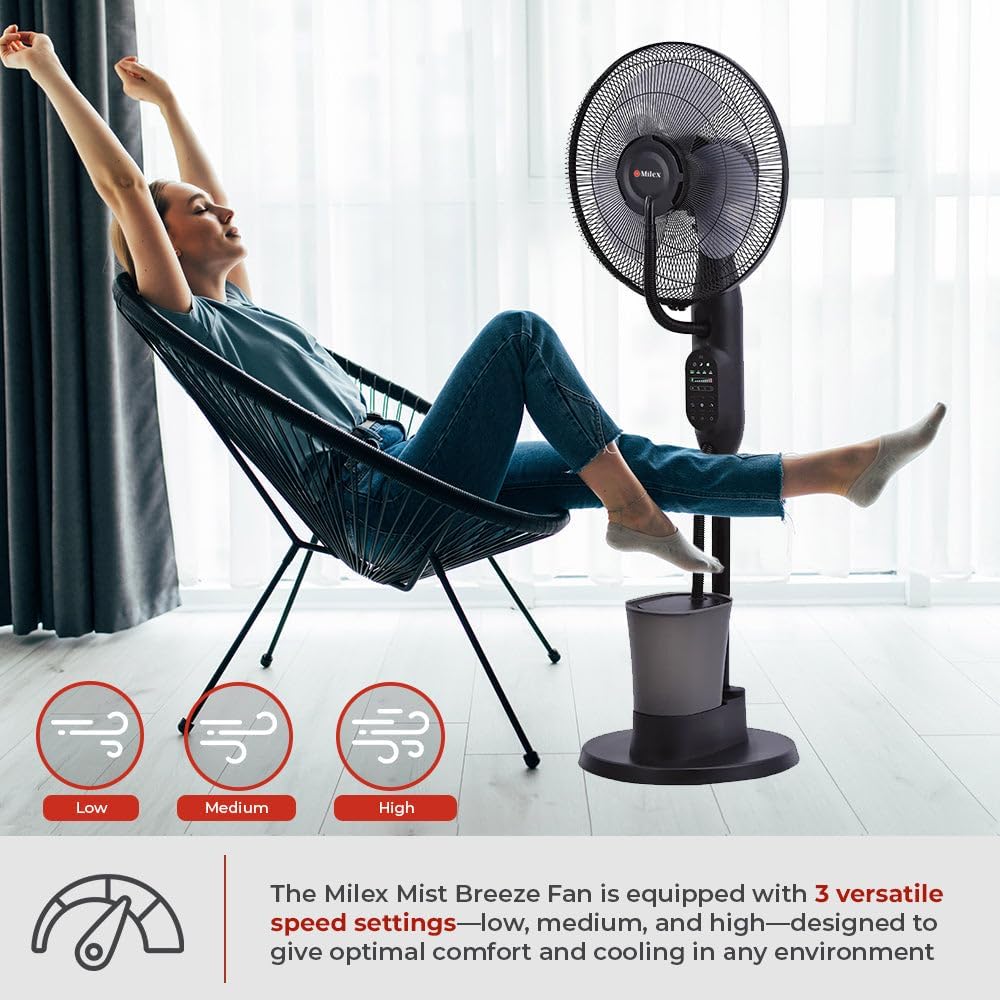
The fan has three speed settings: Low, Medium, and High.

Rajah 6.1: Visual representation of the three speed settings: Low, Medium, and High.
- Tekan ke LAJU button repeatedly to cycle through the speeds: Low → Medium → High → Low.
6.3 Mod Breeze
Choose from three distinct breeze modes: Natural, Normal, and Sleep.
- Tekan ke MODE button repeatedly to select your desired mode.
- Mod Biasa: Memberikan aliran udara yang malar pada kelajuan yang dipilih.
- Mod Semula Jadi: Mensimulasikan angin semula jadi dengan mengubah kelajuan kipas secara berselang-seli.
- Mod tidur: Operates at a lower, quieter speed, ideal for nighttime use.
6.4 Pengayun
The fan features a 70-degree oscillation function to distribute air and mist evenly.
- Tekan ke OSC button once to activate oscillation. The fan head will move from side to side.
- Tekan ke OSC button again to stop oscillation at the current position.
6.5 Fungsi Pemasa
Tetapkan kipas supaya mati secara automatik selepas tempoh yang ditentukan.
- Tekan ke PEMASA button repeatedly to set the desired operating time, from 30 minutes up to 7 hours and 30 minutes, in 30-minute increments.
- The display will show the selected time. The fan will automatically turn off once the timer expires.
6.6 Mist Function (Adjustable Humidifier)
Activate the mist function to add humidity to the air.
Rajah 6.2: The Milex Mist Breeze Fan producing a fine mist for humidification.
- Pastikan tangki air diisi sebelum mengaktifkan fungsi kabus.
- Tekan ke KABUB button once to turn on the mist function.
- Tekan ke KABUB button again to turn off the mist function.
- The mist output is approximately 180ml/h.
7. Penyelenggaraan dan Pembersihan
Regular cleaning and maintenance will ensure the longevity and optimal performance of your Milex Mist Breeze Fan.
7.1 Pembersihan Am
- Sentiasa cabut plag kipas dari salur keluar kuasa sebelum membersihkan.
- Gunakan yang lembut, damp kain untuk mengelap permukaan luar kipas. Jangan gunakan pembersih atau pelarut yang melelas.
- For the fan blades, carefully remove the front grill (refer to assembly instructions if needed) and wipe the blades with a soft cloth. Ensure the blades are completely dry before reassembling.
7.2 Water Tank and Mist Nozzle Cleaning
- Empty any remaining water from the tank after each use, especially if the fan will not be used for an extended period.
- Rinse the water tank with clean water. For thorough cleaning, use a soft brush to remove any mineral deposits or residue.
- Wipe the mist nozzle gently with a soft cloth to prevent mineral buildup, which can affect mist output.
- Pastikan semua bahagian kering sebelum dipasang semula dan disimpan.
8. Penyelesaian masalah
If you encounter any issues with your Milex Mist Breeze Fan, please refer to the following troubleshooting guide:
| Masalah | Kemungkinan Punca | Penyelesaian |
|---|---|---|
| Kipas tidak dihidupkan. | Tiada bekalan kuasa. | Periksa sama ada kord kuasa dipasang dengan selamat ke soket yang berfungsi. |
| No mist is being produced. | Water tank is empty or incorrectly placed. | Fill the water tank with water and ensure it is correctly seated on the base. |
| Keluaran kabus lemah. | Mineral buildup on the mist nozzle. | Clean the mist nozzle as described in the Maintenance section. |
| Alat kawalan jauh tidak berfungsi. | Bateri mati atau tidak dimasukkan dengan betul. | Replace the batteries in the remote control. Ensure they are inserted with correct polarity. |
| Kipas bising. | Fan blades or grill are dirty or loose. | Clean the fan blades and ensure the front grill is securely attached. |
Jika masalah berterusan selepas mencuba penyelesaian ini, sila hubungi sokongan pelanggan.
9. Spesifikasi
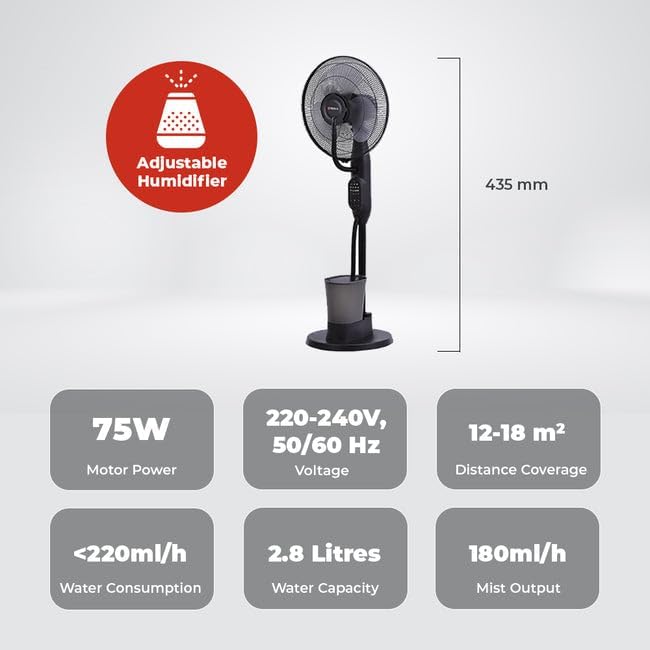
Technical specifications for the Milex Mist Breeze Fan MMF002:
- model: MMF002
- Voltage: 220-240V, 50/60 Hz
- Kuasa: 75W
- Keluaran Kabus: 180ml/j
- Kapasiti Air: 2.8 Liter
- Penggunaan Air: <220ml/j
- Liputan Jarak: 12-18 m²
- Pengayun: 70 darjah
- Tetapan Kelajuan: Rendah, Sederhana, Tinggi
- Breeze Modes: Semula Jadi, Biasa, Tidur
- Pemasa: 30 minit hingga 7 jam 30 minit
- Dimensi (D x W x H): 60D x 30W x 46H centimetres (approximate)
- warna: Hitam
Rajah 9.1: sebelah view illustrating the approximate dimensions of the Milex Mist Breeze Fan.
10. Waranti dan Sokongan
For warranty information or technical support, please refer to the warranty card included with your purchase or contact your retailer. Keep your proof of purchase for any warranty claims.