
iZEEKER iG220, iG500
iZEEKER Solar Trail Camera iG220 & 4G LTE Cellular Trail Camera iG500 User Manual
Models: iG220, iG500
1. Pengenalan
This manual provides detailed instructions for the iZEEKER Solar Trail Camera iG220 and the iZEEKER 4G LTE Cellular Trail Camera iG500. This bundle offers advanced features for capturing wildlife and monitoring remote areas, combining solar power efficiency with cellular connectivity for comprehensive surveillance.

Figure 1: The iZEEKER iG220 Solar Trail Camera (left) and iG500 4G LTE Cellular Trail Camera (right) bundle, including a SIM card and 32GB SD card.
2. Kandungan Pakej
iG220 Package:
- 1 x iG220 Trail Camera
- 1 x Kabel USB
- 1 x Manual Pengguna
- 1 x Tali
iG500 Package:
- 1 x iG500 Trail Camera
- 1 x SIM Card
- 1 x Kad SD Mikro
- 1 x Panel Suria
- 1 x Manual Pengguna
- 1 x Kabel USB
- 1 x Outdoor Mount
- 1 x Pelekat Penentuan Kedudukan
- 1 x Pendakap Pemasangan
3. Spesifikasi
iG220 Specifications:
| Ciri | Perincian |
|---|---|
| Kecepatan Pencetus | 0.1an~0.3an |
| Resolusi Foto | 36MP |
| Resolusi Video | 1520P, 1080P, 720P, 480P |
| Jarak Penglihatan Malam | 65 kaki (20m) |
| Denyar IR | 36 no glow LEDs (940nm) |
| Sudut Pengesanan | 90° |
| Sudut Kanta | 55° |
| Skrin | 2.0'' LCD Screen |
| Penilaian Kalis Air | IP66 |
iG500 Specifications:
| Ciri | Perincian |
|---|---|
| Kecepatan Pencetus | 0.1~0.3s |
| Resolusi Video | 2K (15FPS) |
| Denyar IR | 940nm Low Glow Infrared LEDs |
| Sudut Pengesanan | Kuali 336°, senget 90° |
| Sudut Kanta | 360° |
| Bateri | 2 bateri Lithium Ion (termasuk) |
| Penilaian Kalis Air | IP65 |

Figure 2: The iG220 camera offers 36MP photo resolution and 1520P video resolution, providing clear images in both day and night conditions.

Figure 3: The iG500 camera provides a 360-degree panoramic view with 336-degree pan and 90-degree tilt functionality, allowing for extensive coverage.
4. Panduan Persediaan
4.1 Pemasangan Bateri
Both cameras are designed for efficient power usage. The iG220 uses standard AA batteries (not included), while the iG500 includes two Lithium Ion batteries. Ensure batteries are inserted with correct polarity.

Figure 4: Both iG220 and iG500 models can utilize solar power for extended battery life, reducing the need for frequent battery replacement.
4.2 Penyisipan Kad SD
Insert the provided Micro SD card (for iG500) or your own SD card (for iG220) into the designated slot. Ensure the card is formatted before first use for optimal performance. The iG220 supports continuous loop recording, overwriting old files apabila kad penuh.
4.3 SIM Card Installation (iG500 Only)
For the iG500 cellular trail camera, insert the provided SIM card into its slot. The camera is designed to auto-connect to cellular networks with strong signals (Verizon, T-Mobile, AT&T compatible).

Figure 5: The iG500 camera features 4G Auto Connect Technology, allowing it to automatically connect to cellular networks without requiring Wi-Fi.
4.4 Memasang Kamera
Use the provided strap (iG220) or outdoor mount and installation bracket (iG500) to secure the camera to a tree or pole. Position the camera to capture the desired area, considering the detection and lens angles.

Figure 6: The iG500 can be paired with its solar panel for continuous charging, extending battery life significantly.
5. Arahan Operasi
5.1 Powering On and Basic Modes
Turn on the camera using the power switch. Navigate through the menu on the LCD screen (iG220) or via the mobile app (iG500) to select desired modes: Photo, Video, or Photo+Video. Adjust settings such as resolution, trigger speed, and PIR sensitivity.

Figure 7: Both cameras feature a rapid 0.1-0.3 second trigger speed, ensuring minimal delay in capturing fast-moving subjects.
5.2 Night Vision Operation
Both cameras are equipped with 940nm no-glow infrared LEDs for discreet night vision. The iG500 also features 4 white LEDs for color images at night. Ensure the camera is positioned to avoid obstructions that might reflect IR light.

Figure 8: The 940nm no-glow infrared LEDs ensure the camera remains stealthy during night operation, preventing disturbance to wildlife.
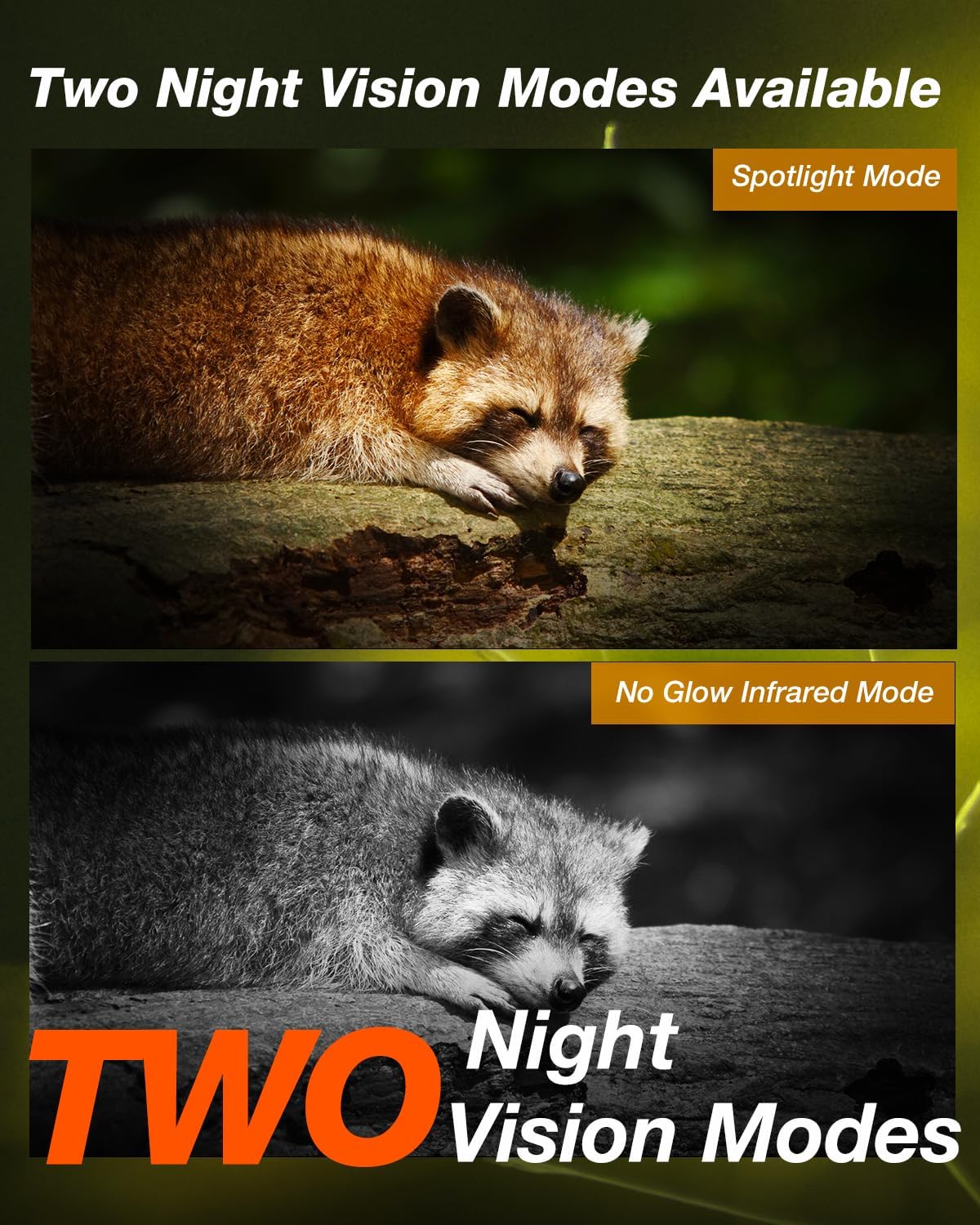
Figure 9: The iG500 offers two night vision modes: a spotlight mode for color images and a no-glow infrared mode for discreet black and white capture.
5.3 Advanced Features (iG220)
- Selang Masa: Tetapkan kelewatan antara pencetus berturut-turut.
- Pemasa: Schedule the camera to operate only during specific hours.
- Selang Masa: Capture images at set intervals over a long period.
- Rakaman Gelung: Menimpa yang tertua secara automatik files semasa kad SD penuh.
- Sensitiviti PIR: Adjust the motion sensor's sensitivity to prevent false triggers.
- Perlindungan Kata Laluan: Secure your camera settings with a password.
5.4 Advanced Features (iG500)
- Akses & Kawalan Jauh: Use your smartphone to access and control the camera remotely.
- Interkom dua hala: Communicate through the camera (if supported by app/firmware).
- Perkongsian Berbilang Pengguna: Share camera access with multiple users.
- Pemasa Penggera: Set specific times for alerts.
- Kaedah Penyimpanan: Choose between SD card and cloud storage options.
- Pan & Miring: Laraskan kamera dari jauh viewing angle (336° pan, 90° tilt).
6. Penyelenggaraan
- Pembersihan: Regularly clean the camera lens and PIR sensor window with a soft, dry cloth. Avoid abrasive materials.
- Pemeriksaan Bateri: Periodically check battery levels, especially if not using solar charging. Replace or recharge as needed.
- Pengurusan Kad SD: Format the SD card regularly to maintain optimal performance and prevent data corruption. Back up important files sebelum memformat.
- Kemas kini Firmware: Check the iZEEKER website for any available firmware updates to ensure your camera has the latest features and bug fixes.
- Storan: When not in use, store the camera in a cool, dry place, away from direct sunlight and extreme temperatures. Remove batteries if storing for extended periods.
7. Penyelesaian masalah
Kamera Tidak Dihidupkan:
- Pastikan bateri dimasukkan dengan betul dengan kekutuban yang betul.
- Check battery charge level. Replace or recharge batteries.
- Sahkan suis kuasa berada dalam kedudukan "HIDUP".
Kualiti Imej/Video Lemah:
- Bersihkan lensa kamera.
- Pastikan kamera stabil dan tidak terdedah kepada getaran.
- Check resolution settings in the camera menu.
- For night vision, ensure no reflective surfaces are too close to the camera.
Tiada Pengesanan Gerakan:
- Adjust PIR sensitivity settings (increase if needed).
- Ensure the PIR sensor window is clean and unobstructed.
- Verify the camera is positioned within the detection angle.
- Check for environmental factors like extreme heat or cold that might affect sensor performance.
iG500 Cellular Connectivity Issues:
- Pastikan kad SIM dimasukkan dengan betul dan diaktifkan dengan pelan data.
- Check cellular signal strength in the camera's location. Relocate if signal is weak.
- Mulakan semula kamera.
- Verify APN settings if manual configuration is required (refer to your cellular provider's instructions).
8. Waranti & Sokongan
iZEEKER products come with a standard manufacturer's warranty. For specific warranty details, technical support, or service inquiries, please visit the official iZEEKER weblaman web atau hubungi khidmat pelanggan mereka secara langsung. Simpan resit pembelian anda sebagai bukti pembelian untuk tuntutan jaminan.
You can visit the iZEEKER Store on Amazon for more information: iZEEKER Amazon Store
Ask a question about this manual
Ask about setup, troubleshooting, compatibility, parts, safety, or missing instructions. Manuals+ will review the question and use this page’s manual context to help answer it.