
1. Produk Lebihview
The Tymate TM5 Tire Pressure Monitoring System (TPMS) is designed to enhance driving safety by providing real-time monitoring of your vehicle's tire pressure and temperature. This system features a large, colorful display and external sensors, suitable for a variety of vehicles including RVs, SUVs, and sedans.

Image: The Tymate TM5 TPMS display unit with its large colorful screen, accompanied by four external tire pressure sensors.
Ciri-ciri Utama:
- Skrin Berwarna Besar: Provides clear visibility with oversized icons and bold fonts for easy reading of tire conditions.
- Five Alert Modes: Notifies drivers of high pressure, low pressure, high temperature, rapid air leakage, and low sensor power.
- Pengecasan Fleksibel: Supports dual power sources via car cigarette lighter and USB-C interface.
- Low Power Consumption Sensors: Four external sensors are energy-efficient, accurate (within 3 PSI error margin), and designed for durability in various conditions.
- Pre-paired Sensors: All sensors are factory-paired with the monitor for immediate use upon installation.

Image: A person installing a Tymate TM5 external sensor onto a tire valve, emphasizing the precision of the device.
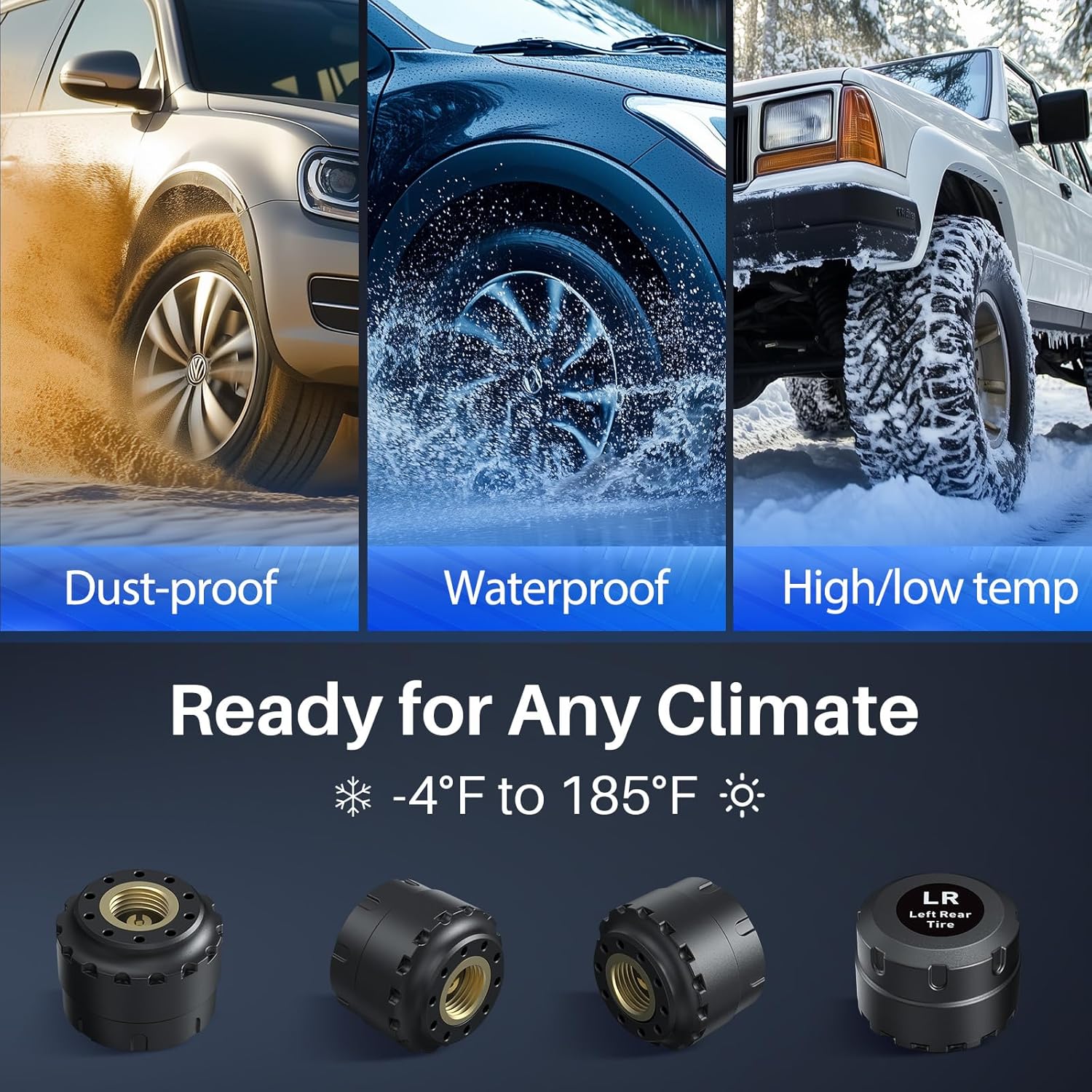
Image: A collage of three images depicting vehicles in dusty, wet, and snowy conditions, demonstrating the sensors' resilience to various climates.
2. Persediaan dan Pemasangan
2.1 Kandungan Pakej
Sebelum memulakan pemasangan, pastikan semua komponen ada:
- 1 x Tymate TM5 Display Monitor
- 4 x Penderia Tekanan Tayar Luaran
- 1 x Kabel Pengecasan USB-C
- 1 x Penyesuai Pemetik Rokok Kereta
- Mounting Accessories (e.g., suction cup mount, anti-slip mat)
- Manual Pengguna
2.2 Langkah Persediaan Awal
- Power On Monitor: Turn on the TM5 display monitor first. Ensure it is charged or connected to a power source.
- Pasang Penderia: Install the external sensors onto your vehicle's tire valves. Each sensor is pre-labeled (e.g., LR for Left Rear) and factory-paired, so no manual pairing is required.

Image: A visual guide demonstrating the correct method for installing the external tire pressure sensors onto a tire valve stem.
- Paparan Pemasangan: Place the display monitor in a location that provides clear visibility without obstructing your view of the road. Use the provided mounting accessories.
- Paparan Data: After installing the sensors and powering on the monitor, drive for 5-10 minutes. The system will automatically begin displaying tire pressure and temperature data.
- Tekanan Rujukan: The system automatically sets the current pressure as the reference point after sensor installation. Alarm thresholds are then set within an alarming range of +25% PSI to -15% PSI of this reference pressure.
3. Operasi
3.1 Antara Muka Paparan
The TM5 monitor features a large, colorful HD screen that displays real-time tire pressure and temperature for all four tires. The display includes oversized icons and bold fonts for enhanced readability.

Image: The Tymate TM5 display unit showing clear, large readouts for tire pressure in PSI and temperature in Fahrenheit, along with a vehicle diagram.
3.2 Mod Penggera
The system is equipped with five distinct alarm modes to alert you to potential tire issues:
- Penggera Tekanan Tinggi: Alerts when tire pressure exceeds the set upper limit.
- Penggera Tekanan Rendah: Alerts when tire pressure falls below the set lower limit.
- Penggera Suhu Tinggi: Alerts when tire temperature exceeds the set upper limit.
- Rapid Air Leakage Alarm: Alerts to a sudden and significant drop in tire pressure.
- Low Sensor Power Alarm: Indicates that a sensor's battery is low and requires replacement.

Image: The Tymate TM5 display unit highlighting an alarm condition with a red exclamation mark, indicating a detected tire issue.
3.3 Mengecas Monitor
The TM5 monitor offers flexible charging options to ensure continuous operation:
- Pemetik Api Rokok Kereta: Connect the monitor using the provided car charger.
- Antara Muka USB-C: Use a standard USB-C cable to charge the device.
A power alert function will notify you when the monitor's battery needs recharging.

Image: The Tymate TM5 monitor connected for charging, illustrating both USB-C and car cigarette lighter power options.
3.4 Pemilihan Unit
You can select your preferred units for tire pressure and temperature:
- Unit Tekanan: Bar or PSI
- Unit Suhu: Celsius (℃) atau Fahrenheit (℉)
Refer to the detailed instructions in the included manual for how to change these settings using the monitor's buttons.
4. Penyelenggaraan
4.1 Penggantian Bateri Sensor
The external sensors are designed for long working life. When a low sensor power alarm is triggered, the sensor battery (CR1632) needs to be replaced.
- Carefully unscrew the sensor cap.
- Keluarkan bateri CR1632 lama.
- Masukkan bateri CR1632 baharu, memastikan kekutuban yang betul.
- Securely re-attach the sensor cap.
Image: A three-step illustration showing how to open the sensor, remove the old battery, and insert a new CR1632 battery.
4.2 Penjagaan Am
- Keep the monitor and sensors clean and free from excessive dirt or debris.
- Avoid exposing the monitor to extreme temperatures for prolonged periods when not in use.
- Ensure sensor caps are tightly secured to prevent moisture ingress.
5. Penyelesaian masalah
This section addresses common issues you might encounter with your Tymate TM5 TPMS.
5.1 Intermittent Data Display
If the data displayed is intermittent or inconsistent:
- Move the display monitor away from potential sources of electromagnetic interference within your vehicle.
- If the problem persists, a signal repeater may be necessary, especially for longer vehicles like RVs or trailers, to ensure consistent signal transmission from the sensors to the monitor.
5.2 Tire Blowout or Puncture
The TPMS cannot prevent punctures caused by sharp objects or damaged tires. It also cannot monitor instantaneous changes. While the system provides rapid air leakage alerts, it is crucial to understand its limitations regarding sudden, catastrophic tire failures.
5.3 Post-Installation Tire Inspection
The TPMS is a monitoring tool, not a replacement for regular tire maintenance. It is recommended to perform a comprehensive tire inspection at least once a month and consult a tire technician for any faulty tires.
5.4 Sensors Not Pairing / Frozen Readings
Although sensors are pre-paired, if you experience issues with sensors not connecting or readings appearing frozen:
- Ensure the monitor is powered on before installing sensors.
- Drive the vehicle for at least 5-10 minutes to allow the system to initialize and receive signals.
- Check sensor batteries and replace if necessary (refer to Section 4.1).
- Verify that sensors are installed on the correct tire positions as indicated by their labels.
- Jika masalah berterusan, hubungi sokongan pelanggan untuk mendapatkan bantuan lanjut.
6. Spesifikasi
| Ciri | Perincian |
|---|---|
| Nombor Model | TM5 |
| Jenama | Tymate |
| Pengeluar | Shenzhen Huatai Electronics Co.,Ltd |
| Berat Barang | 11.7 auns |
| Dimensi Pakej | 6.38 x 4.92 x 2.32 inci |
| Julat Tekanan | 0-87 PSI |
| Ketepatan Sensor | Within 3 PSI error margin |
| Jenis Bateri Sensor | CR1632 |
| Julat Suhu Operasi | -4°F hingga 185°F |
7. Waranti dan Sokongan
7.1 Sokongan Pelanggan
If you encounter any issues or have questions regarding your Tymate TM5 TPMS, please do not hesitate to reach out to our customer support team. Contact information can typically be found on the last page of the user manual included in your product packaging or on the official Tymate webtapak.
For online support and additional resources, you may visit the Tymate brand store:
Visit the Tymate Store on Amazon
7.2 Maklumat Waranti
Specific warranty details are typically provided with your product documentation. Please refer to the warranty card or the full user manual for information regarding warranty coverage, terms, and conditions.