
1. Produk Lebihview
The QRD Wireless Controller (Model: US-T5-JB02) is a high-performance replacement controller designed for Nintendo Switch, Switch Pro, Lite, and OLED models. It features advanced technologies such as Hall Effect joysticks for precise, drift-free control, dual vibration motors for immersive feedback, and a 6-axis gyroscope for accurate motion sensing. This controller also includes programmable back buttons and customizable LED backlighting, enhancing your gaming experience.
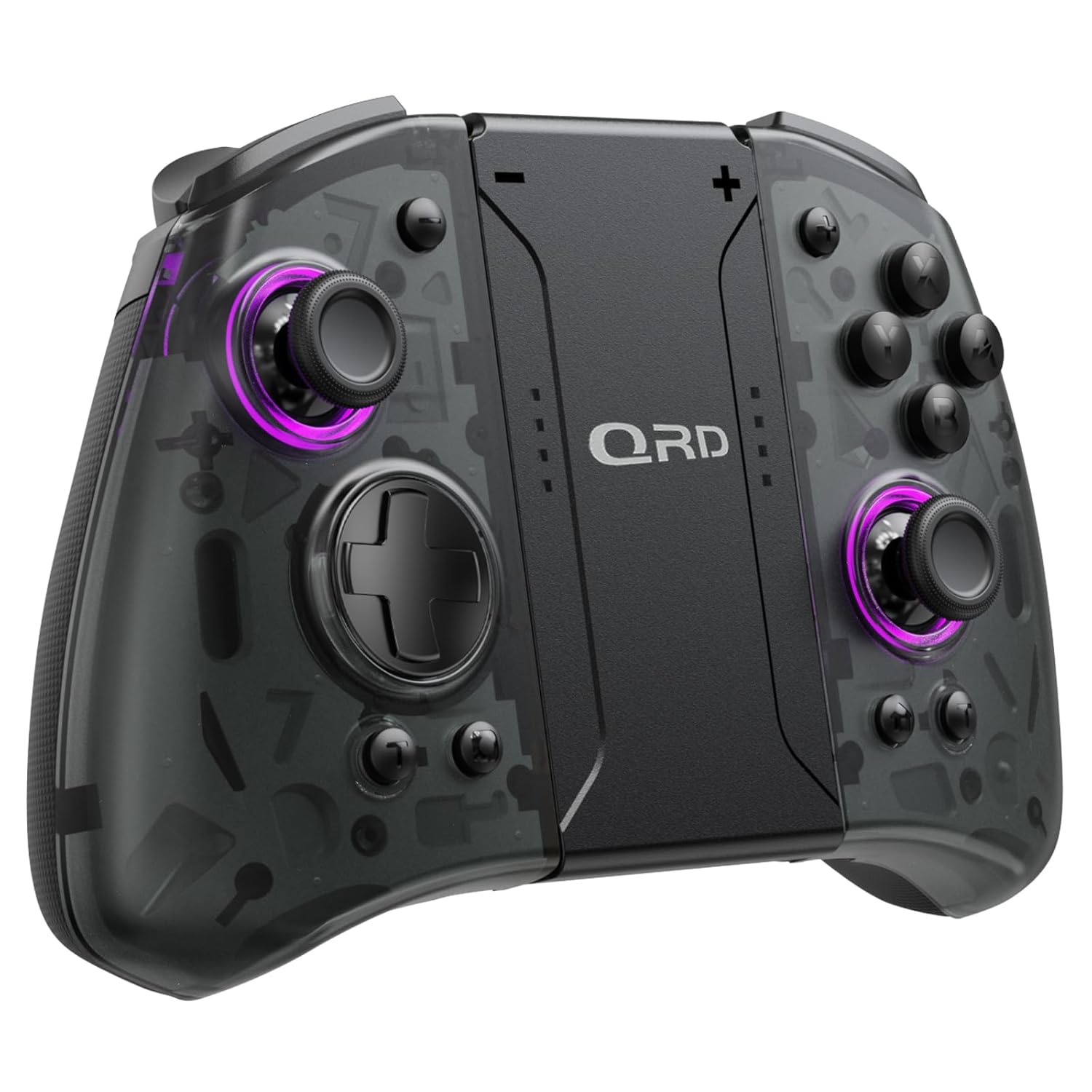
Imej 1.1: Depan view of the QRD Wireless Controller, showcasing reka bentuk ergonomik dan susun atur butangnya.
2. Ciri-ciri Utama
- Kesambungan Bluetooth 5.3 Tanpa Wayar: Ensures stable, lag-free connection for seamless gameplay.
- Kayu Joy Kesan Dewan: Provides 360° precise, drift-free control and extended lifespan.
- Motor Getaran Dwi: Offers 3 levels of adjustable vibration for enhanced tactile feedback.
- 6-Axis Gyroscope Motion Sensing: Enables accurate tilt detection for precise aiming and movement in compatible games.
- Butang Kembali Boleh Diprogram: Customize controls with single or multiple mappings for efficient combo execution.
- Fungsi Turbo: Allows for rapid firing of buttons.
- Lampu Belakang LED: Features 8 different colors with static, breathing, and flashing modes for personalized aesthetics.
- Hayat Bateri yang Panjang: Up to 10 hours of uninterrupted gameplay on a single charge (2 hours charging time).
- Reka bentuk ergonomik: Comfortable grip for extended gaming sessions, includes a screenshot function.

Image 2.1: Diagram highlighting key features such as Bluetooth 5.3, Dual Vibration, 6-Axis Gyro, Turbo, Macro Back Paddles, and Colorful Options.

Image 2.2: Illustration demonstrating the Hall Effect Joysticks, emphasizing drift-free and accurate control.
3. Persediaan dan Sambungan
3.1 Initial Pairing with Nintendo Switch
- Ensure your Nintendo Switch console is powered on and updated to the latest system version.
- Daripada Menu UTAMA, pilih "Pengawal" > "Tukar Cengkaman/Pesanan".
- On the QRD Wireless Controller, press and hold the butang HOME (usually located in the center) for 3-5 seconds until the LED indicators start flashing rapidly.
- Once the controller is successfully paired, the corresponding player LED(s) on the controller will light up solid.
- The controller can also be connected by sliding it into the Nintendo Switch Dock while the console is attached.
3.2 Reconnecting the Controller
To reconnect a previously paired controller, simply press the butang HOME once. The controller will automatically attempt to connect to the last paired console.
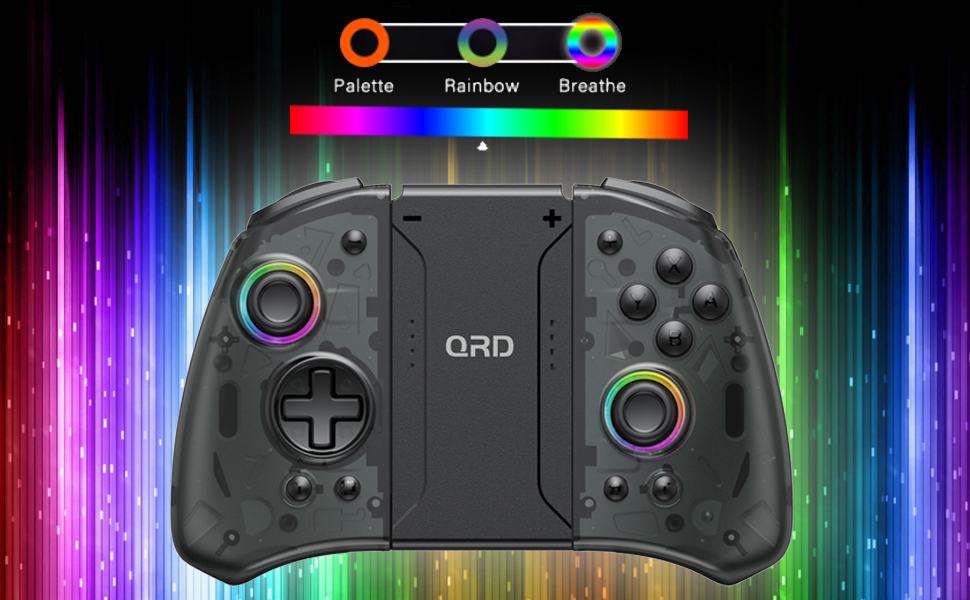
Image 3.1: Visual representation of controller compatibility with Nintendo Switch and Switch OLED models. Note: Not compatible with Switch Lite.
4. Arahan Operasi
4.1 Susun atur butang
Biasakan diri anda dengan susun atur butang pengawal:
- Kayu Joy Kiri: Movement control.
- Joystick Kanan: Kamera atau kawalan sasaran.
- D-Pad: Input arah.
- Butang A/B/X/Y: Butang tindakan.
- Butang L/R: Butang bahu.
- Butang ZL/ZR: Butang pencetus.
- Butang rumah: Returns to the HOME Menu, powers on/off the controller.
- Butang Tangkapan Skrin: Menangkap tangkapan skrin.
- +/- Butang: Plus and Minus buttons for in-game functions.
- M1/M2 (Back Buttons): Programmable macro buttons.
4.2 Melaraskan Keamatan Getaran
The controller supports 3 levels of vibration intensity. To adjust, press and hold the Butang turbo dan kemudian tekan Pad D Atas or Pad D ke Bawah to cycle through intensity levels (Low, Medium, High, Off).
4.3 Persediaan Fungsi Turbo
To set a button to Turbo mode:
- Tekan dan tahan butang Butang turbo.
- While holding Turbo, press the desired action button (e.g., A, B, X, Y, L, R, ZL, ZR). The button will now continuously register input when held down.
- To clear Turbo for a specific button, repeat the process. To clear all Turbo settings, press and hold the Butang turbo selama 5 saat.
4.4 Programming Back Buttons (Macro)
The M1 and M2 back buttons can be programmed to execute a sequence of button presses (macro). Each macro can store up to 16 button presses.
- Tekan dan tahan butang M1 or M2 button you wish to program.
- While holding the M button, press the butang SET (refer to manual diagram for location, typically a small button on the back). The indicator light will flash slowly.
- Enter the desired sequence of button presses (e.g., A, B, X, Y, D-Pad directions).
- Tekan ke butang SET again to save the macro. The indicator light will stop flashing.
- To clear a macro, press and hold the programmed M button and then press the butang SET dua kali.
4.5 LED Backlight Adjustment
The controller features customizable RGB lighting. To cycle through modes and colors:
- Tekan ke Butang LED (refer to manual diagram for location) to change between static color, breathing, and flashing modes.
- In static mode, press the Butang LED repeatedly to cycle through the 8 available colors.

Image 4.1: Display of the controller's LED backlight options, including Palette (static colors), Rainbow, and Breathe modes.
5. Pengecasan dan Hayat Bateri
The QRD Wireless Controller is equipped with a built-in rechargeable Lithium Polymer battery. A 2.5m USB-C cable is included for charging.
- Connect the USB-C end of the cable to the controller's charging port and the USB-A end to a power source (e.g., Nintendo Switch Dock, USB wall adapter, computer USB port).
- Pengecasan mengambil masa kira-kira 2 jam untuk pengecasan penuh.
- A full charge provides up to 10 hours of continuous gameplay.
- The LED indicators on the controller will show charging status and battery level.
6. Penyelenggaraan
To ensure the longevity and optimal performance of your QRD Wireless Controller, follow these maintenance guidelines:
- Pembersihan: Gunakan kain lembut dan kering untuk mengelap pengawal. Untuk kotoran degil, sedikit dampen kain dengan air. Elakkan daripada menggunakan bahan kimia yang keras, pelarut atau pembersih yang melelas.
- Storan: Simpan pengawal di tempat yang sejuk dan kering, jauh daripada cahaya matahari langsung, suhu yang melampau dan kelembapan yang tinggi.
- Pengendalian: Avoid dropping the controller or subjecting it to strong impacts. Do not disassemble the controller, as this may void the warranty and cause damage.
- mengecas: Do not leave the controller charging for excessively long periods after it is fully charged.
7. Penyelesaian masalah
| Masalah | Kemungkinan Punca | Penyelesaian |
|---|---|---|
| Controller does not connect. | Low battery; Not paired; Interference. | Charge the controller; Re-pair the controller following Section 3.1; Move closer to the console or away from other wireless devices. |
| Input lag or disconnection during gameplay. | Wireless interference; Distance from console; Low battery. | Ensure no strong wireless signals are nearby; Reduce distance to console; Charge the controller. |
| Joysticks drift or are unresponsive. | Calibration issue; Physical debris. | Go to Switch System Settings > Controllers and Sensors > Calibrate Control Sticks. Clean around the joystick base. |
| Butang tidak bertindak balas. | Stuck button; Software glitch. | Ensure buttons are not physically stuck. Try resetting the controller (if a reset button is present, otherwise power cycle). |
| Getaran tidak berfungsi. | Vibration setting off; Game does not support vibration. | Adjust vibration intensity (Section 4.2). Verify game compatibility. |
8. Spesifikasi
| Ciri | Perincian |
|---|---|
| Nombor Model | US-T5-JB02 |
| Ketersambungan | Bluetooth 5.3 |
| Keserasian | Nintendo Switch, Switch Pro, Switch OLED |
| Jenis Kayu Ria | Kesan Dewan |
| Getaran | Dual Motors, 3 adjustable levels |
| Kawalan Pergerakan | Giroskop 6-Paksi |
| Butang Boleh Aturcara | Yes (Back Buttons) |
| Jenis Bateri | Polimer Litium |
| Masa Mengecas | lebih kurang 2 jam |
| Masa Main | Sehingga 10 jam |
| Port Pengecasan | USB-C |
| Dimensi | 7.95 x 5.51 x 2.36 inci (lebih kurang) |
| Berat badan | 12.35 auns (lebih kurang) |
9. Waranti dan Sokongan
9.1 Maklumat Waranti
QRD products are manufactured with high-quality materials and undergo rigorous testing. This product comes with a standard manufacturer's warranty against defects in materials and workmanship. Please refer to the product packaging or the official QRD webtapak untuk terma dan tempoh jaminan tertentu.
9.2 Sokongan Pelanggan
For technical assistance, troubleshooting, or warranty claims, please contact QRD Customer Support. Have your product model number (US-T5-JB02) and purchase information ready when contacting support.
- Sokongan dalam talian: Visit the official QRD website for FAQs, updated manuals, and support contact forms.
- Sokongan E-mel: [Insert QRD Support Email Address Here - if available, otherwise omit]
- Sokongan Telefon: [Insert QRD Support Phone Number Here - if available, otherwise omit]
We are committed to providing excellent customer service and ensuring your satisfaction with QRD products.