
Loewe 63409D90
Manual Pengguna Televisyen Loewe Callas 43
Model: 63409D90
1. Pengenalan
Thank you for choosing the Loewe Callas 43 Television. This manual provides essential information for setting up, operating, maintaining, and troubleshooting your new television. Please read it carefully before use and keep it for future reference.
The Loewe Callas 43 is a sophisticated Smart TV designed and engineered in Germany, offering a premium viewing and audio experience. It features a 43-inch Full HD LED display with HDR10 and Dolby Vision support for stunning visuals, an integrated front soundbar for immersive sound, and comprehensive smart TV functionalities for easy access to your favorite content.
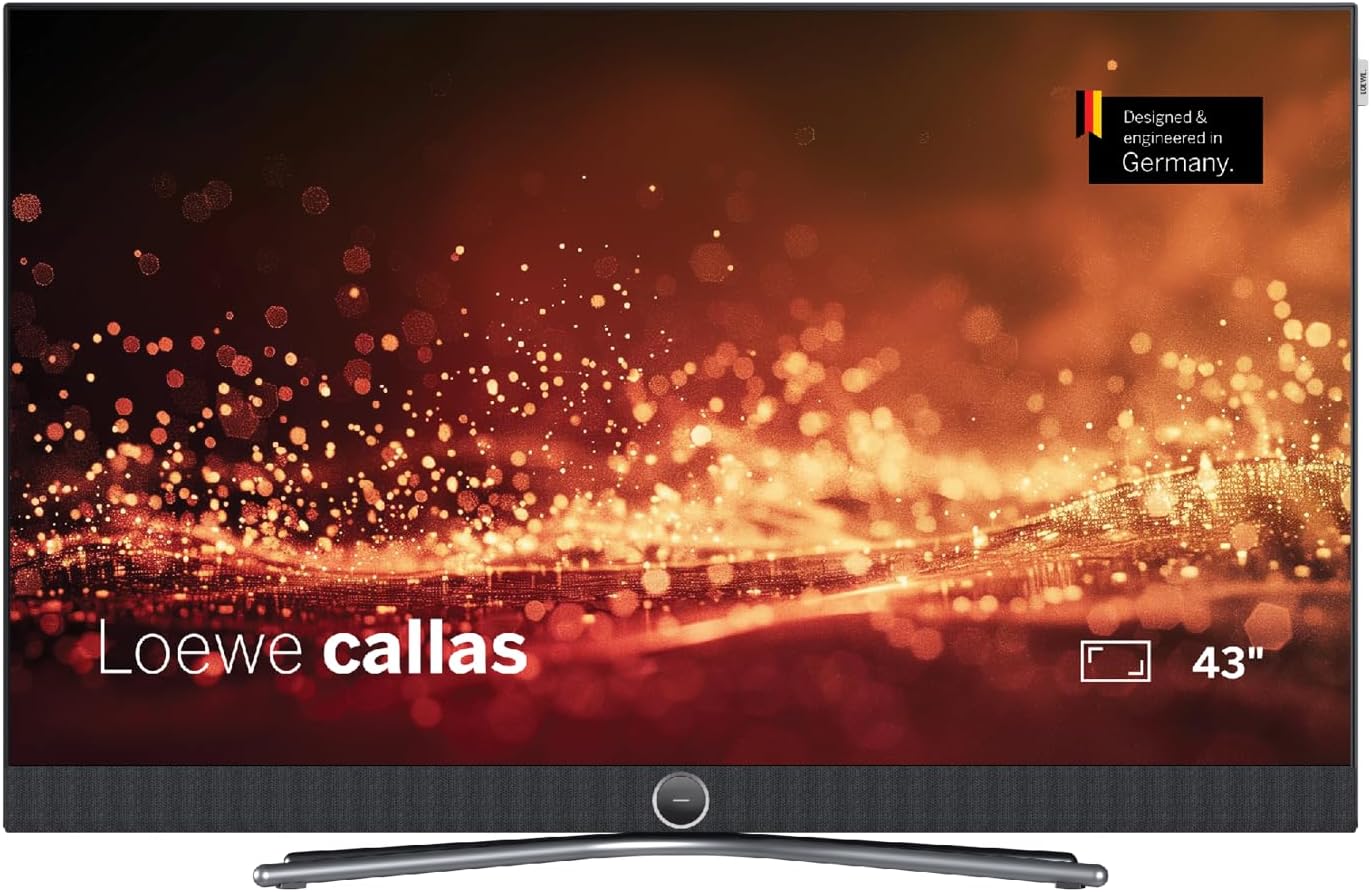
Rajah 1: Depan view of the Loewe Callas 43 Television, showcasing its sleek design and integrated soundbar.
2. Apa yang ada di dalam Kotak
Sila semak bahawa semua komponen berikut disertakan dalam pakej anda:
- Loewe Callas 43 Television Unit
- Loewe remote alu silver (Remote Control)
- Netzkabel (2.5 m, black) (Power Cable)
- Manual Pengguna (dokumen ini)

Rajah 2: Pro sampinganfile of the Loewe Callas 43 Television, highlighting its slim and elegant design.
3. Persediaan Awal
3.1 Membongkar dan Meletakkan
- Carefully remove the television and all accessories from the packaging.
- Place the television on a stable, flat surface or mount it securely using a compatible VESA wall mount (sold separately). Ensure adequate ventilation around the TV.
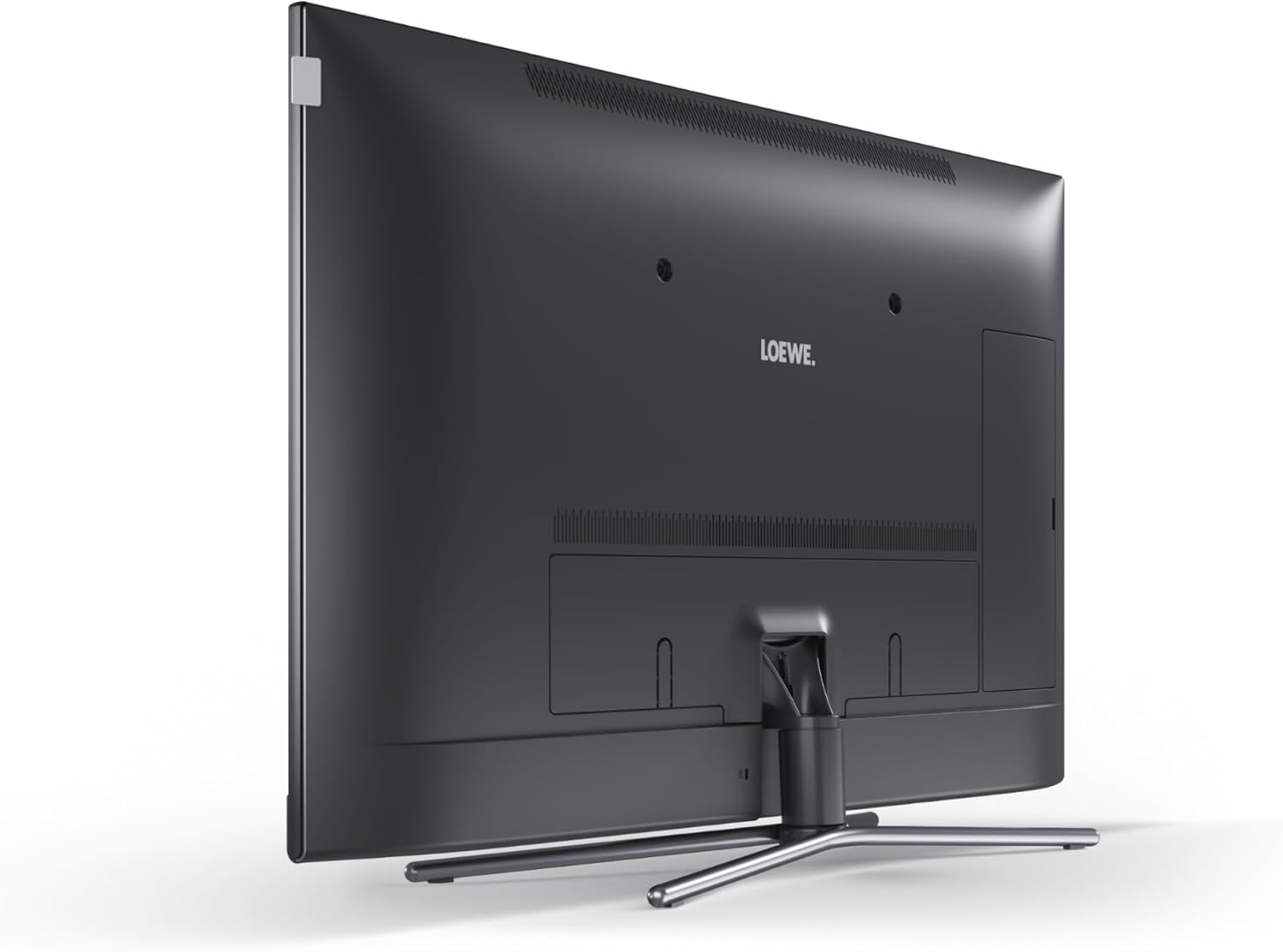
Rajah 3: Belakang view of the Loewe Callas 43 Television, showing the stand attachment point and general back panel layout.
3.2 Kuasa Penyambung
- Connect the provided power cable to the AC input port on the back of the television.
- Palamkan hujung kabel kuasa yang lain ke salur keluar dinding.
3.3 Menyambung Peranti Luaran
The Loewe Callas 43 features multiple connectivity options:
- Port HDMI: Sambungkan pemain Blu-ray, konsol permainan, kotak set-top atau peranti lain yang didayakan HDMI.
- Port USB: Connect USB storage devices for media playback or recording.
- Input Antena/Kabel: Sambungkan antena atau sumber TV kabel anda.
- Rangkaian (LAN/Wi-Fi): Connect to your home network for Smart TV features and internet access.
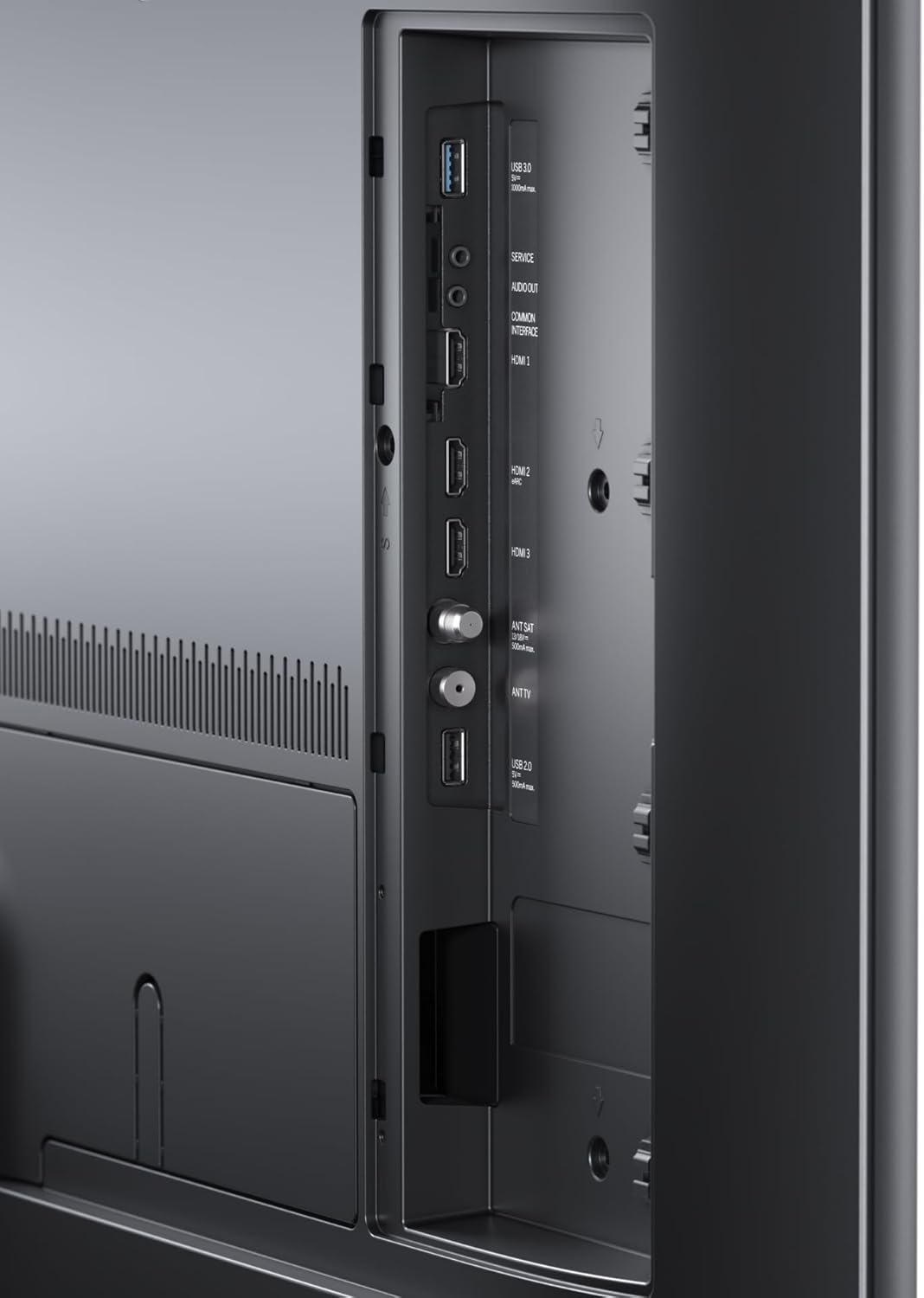
Rajah 4: Terperinci view of the connectivity ports on the Loewe Callas 43 Television, including HDMI and USB inputs.
3.4 Wizard Persediaan Kali Pertama
Setelah dihidupkan pertama, TV akan membimbing anda melalui wizard persediaan awal:
- Pilih bahasa pilihan anda.
- Configure network settings (Wi-Fi or wired connection).
- Imbas saluran TV yang tersedia.
- Agree to terms and conditions for Smart TV services.
- Complete the setup to access all features.
4. Mengendalikan Televisyen
4.1 Fungsi Kawalan Jauh
The Loewe remote alu silver provides full control over your television. Key functions include:
- Butang Kuasa: Menghidupkan/mematikan TV atau bersedia.
- Butang Navigasi: Up, Down, Left, Right, and OK/Enter for menu navigation.
- Jilid +/-: Melaraskan tahap bunyi.
- Saluran +/-: Menukar saluran TV.
- Sumber/Input: Memilih sumber input (HDMI, USB, TV).
- Smart TV/Home Button: Mengakses antara muka TV Pintar.
- Butang angka: Pemilihan saluran langsung.
4.2 Ciri TV Pintar
The Loewe Callas 43 is a Smart TV, providing access to a wide range of online content and applications. Connect your TV to the internet via Wi-Fi or Ethernet to enjoy:
- Popular streaming services (e.g., Netflix, Amazon Prime Video, YouTube).
- Web melayari.
- Access to various apps from the app store.
- Media playback from network devices.

Figure 5: The Loewe Callas 43 Television integrated into a modern living space, demonstrating its use with a gaming console.
5. Penyelenggaraan dan Penjagaan
5.1 Membersihkan Televisyen
- Sentiasa cabut plag TV sebelum membersihkan.
- Gunakan kain lembut, kering dan bebas serabut untuk mengelap skrin dan kabinet.
- Untuk tanda degil, ringankan dampen kain dengan air atau pembersih skrin yang lembut dan tidak melelas. Jangan sembur cecair terus ke skrin.
- Avoid using harsh chemicals, abrasive pads, or solvents as they can damage the surface.
5.2 Kemas Kini Perisian
Periodically check for software updates to ensure optimal performance and access to the latest features. Updates can usually be found in the TV's settings menu under 'System' or 'Software Update'. Ensure your TV is connected to the internet for this feature.
6. Penyelesaian masalah
If you encounter issues with your Loewe Callas 43 Television, refer to the following common problems and solutions:
| Masalah | Kemungkinan Punca / Penyelesaian |
|---|---|
| Tiada Kuasa | Ensure the power cable is securely connected to both the TV and the wall outlet. Check if the outlet is working. Try a different outlet. |
| Tiada Gambar / Skrin Hitam | Check the selected input source (HDMI, TV). Ensure external devices are powered on and connected correctly. Try restarting the TV. |
| Tiada Bunyi | Check the volume level and ensure mute is not activated. Verify audio cables for external sound systems. Check TV audio output settings. |
| Alat Kawalan Jauh Tidak Berfungsi | Gantikan bateri. Pastikan tiada halangan antara alat kawalan jauh dan penderia IR TV. |
| Tidak Dapat Menyambung ke Wi-Fi | Check your router and internet connection. Re-enter the Wi-Fi password. Move the TV closer to the router or use an Ethernet cable. |
7. Spesifikasi Teknikal
| Ciri | Spesifikasi |
|---|---|
| Jenama | Loewe |
| Nama Model | callas |
| Nombor Model | 63409D90 |
| Teknologi Skrin | LCD + E-LED |
| Pepenjuru Skrin Kelihatan | 109.3 cm (43 inci) |
| Resolusi | 4K (3840 x 2160 piksel) |
| Kadar Segar Semula | 60 Hz |
| Teknologi Ketersambungan | WLAN (Wi-Fi), HDMI, USB |
| Dimensi Produk (D x W x H) | 6.8 x 97 x 63.3 cm |
| Berat badan | 19 Kilogram |
| Kelas Kecekapan Tenaga | G |

Figure 6: Energy efficiency label for the Loewe Callas 43 Television. For more details, visit the Pangkalan data EPREL.
8. Waranti dan Sokongan
Loewe products are designed for durability and reliability. Your Loewe Callas 43 Television comes with a standard manufacturer's warranty. Please refer to the warranty card included in your packaging or visit the official Loewe webtapak untuk terma dan syarat waranti terperinci khusus untuk wilayah anda.
For technical support, service requests, or further inquiries, please visit the official Loewe support website or contact their customer service. Keep your model number (63409D90) and purchase information ready when contacting support.
Ask a question about this manual
Ask about setup, troubleshooting, compatibility, parts, safety, or missing instructions. Manuals+ will review the question and use this page’s manual context to help answer it.