1. Lebihview
The AKCISOT Atomic 10 Inch Wall Clock is designed for precise timekeeping, automatically synchronizing with the atomic clock via radio signals. Its silent sweep movement ensures a quiet environment, making it suitable for various indoor settings. The large, high-contrast display offers excellent readability from a distance.

Imej: Depan view of the AKCISOT Atomic 10 Inch Wall Clock, highlighting its clear display and modern design.
2. Kandungan Pakej
- 1 x AKCISOT Atomic 10 Inch Wall Clock
- 1 x Wall Mounting Hook (small plastic hook with metal pins)
3. Ciri-ciri Produk
- Penyegerakan Masa Atom: The clock automatically receives radio signals to ensure exact time accuracy, eliminating the need for manual time adjustments.
- Pergerakan Sapu Senyap: The second hand moves continuously without any ticking sound, providing a peaceful environment ideal for bedrooms, offices, or quiet living spaces.
- Clear and Easy-to-Read Display: Features a large, high-contrast dial with bold, black numbers against a white background for effortless readability from a distance.
- Easy Time Zone and DST Setting: A switch on the back allows for easy selection of time zones (PT-Pacific, MT-Mountain, CT-Central, ET-Eastern). Daylight Saving Time (DST) can also be manually toggled for convenience.
- Dikendalikan Bateri: Requires one (1) AA alkaline battery (not included) for operation.
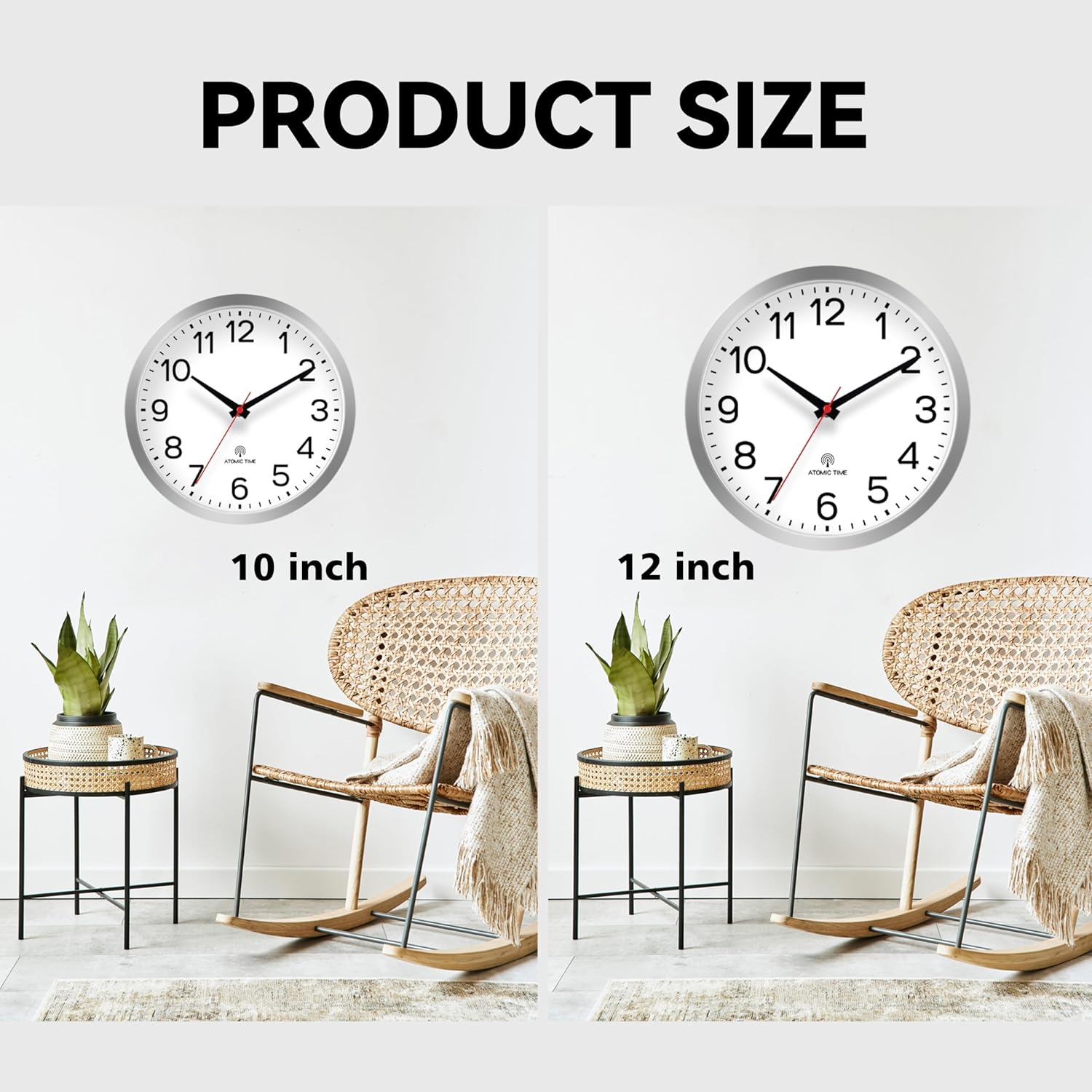
Image: Detail of the clock face, indicating its atomic time feature and manual DST option.

Imej: Belakang view of the clock, detailing the battery compartment and control buttons for setting the clock.
4. Persediaan
- Masukkan Bateri: Open the battery compartment cover on the back of the clock. Insert one (1) fresh AA alkaline battery, ensuring the polarity (+/-) matches the indicators inside the compartment. Close the cover securely.
- Penyegerakan Awal: After inserting the battery, the clock will automatically attempt to receive the atomic time signal. This process may take several minutes, especially if the clock is in an area with weak signal reception. Place the clock near a window for best reception during initial setup.
- Tetapkan Zon Masa: Locate the 'ZONE' switch on the back of the clock. Select your desired time zone (PT, MT, CT, ET).
- Waktu Penjimatan Siang (DST): If your region observes DST, use the 'DST' switch to toggle the function ON or OFF as needed.
- Manual Time Adjustment (Optional): In rare cases where atomic signal reception is consistently poor, you can manually set the time using the 'M.SET' button. Press and hold 'M.SET' to advance the hands.
- Pemasangan: Use the integrated hanging hole on the back of the clock to mount it securely on a wall. The included wall mounting hook can be used for drywall installation.
5. Arahan Operasi
Once set up, the AKCISOT Atomic Wall Clock operates automatically. It will periodically check and synchronize with the atomic time signal to maintain accuracy. No further daily adjustments are typically required.
- Pelarasan Masa Automatik: The clock will automatically adjust for standard time changes (e.g., end of DST) if the DST function is set correctly for your region.
- Manual Forced Reception: If you suspect the clock is not receiving the signal or want to force a sync, press the 'REC' button on the back. The clock hands will move to 12:00 and then attempt to resynchronize.
6. Penyelenggaraan
- Pembersihan: Wipe the clock face and frame with a soft, dry cloth. Do not use abrasive cleaners or solvents, as they may damage the finish.
- Penggantian Bateri: Replace the AA battery annually or when the clock hands stop moving or begin to lose time. Always use a fresh, high-quality alkaline battery.
- Keadaan Persekitaran: Avoid placing the clock in direct sunlight or in areas with extreme temperature fluctuations, as this may affect its accuracy and lifespan.
7. Penyelesaian masalah
| Masalah | Kemungkinan Punca | Penyelesaian |
|---|---|---|
| Clock not setting to correct time. | Weak atomic signal, incorrect time zone setting, low battery. | Relocate clock near a window. Ensure correct time zone is selected. Replace battery. Press 'REC' for forced sync. |
| Jarum jam tidak bergerak. | Dead or low battery, hands obstructed. | Replace battery. Check for any obstructions preventing hand movement. |
| Jam semakin hilang atau semakin bertambah masa. | Low battery, interference with atomic signal. | Replace battery. Move clock away from electronic devices or large metal objects that may cause interference. |
| DST not adjusting automatically. | DST switch set incorrectly. | Ensure the 'DST' switch is set to the appropriate position for your region's DST observance. |
8. Spesifikasi
| Ciri | Perincian |
|---|---|
| Jenama | AKCISOT |
| Nombor Model | AKCISOT486 |
| warna | Atomic_silver |
| Jenis Paparan | Analog |
| Gaya | moden |
| Ciri Khas | Silent Clock, Atomic Clock |
| Dimensi Produk | 10"W x 1.38"H |
| Sumber Kuasa | Dikuasakan Bateri (1 bateri AA, tidak termasuk) |
| Jenis Bilik | Bilik air, Bilik Tidur, Pejabat Rumah, Dapur, Ruang Tamu |
| bentuk | Bulat |
| Penggunaan Dalaman/Luar | Dalaman, Luaran |
| bahan | plastik |
| Pergerakan Tonton | Kuarza |
| Berat Barang | 1.12 paun |
9. Waranti dan Sokongan
This product is listed with Tiada Waranti information available. For any product inquiries or support, please contact the seller directly through your purchase platform. Ensure to provide your order details for efficient assistance.