
pengenalan
This manual provides essential instructions for the setup, operation, and maintenance of your BLOW Portable Internet Radio RI 1. Please read this manual thoroughly before using the device to ensure proper functionality and to prevent damage.
Maklumat Keselamatan Penting
- Jangan dedahkan peranti kepada hujan atau lembapan.
- Jangan buka peranti. Rujuk semua servis kepada kakitangan yang berkelayakan.
- Gunakan hanya penyesuai kuasa yang disediakan.
- Elakkan suhu yang melampau dan cahaya matahari langsung.
- Jauhkan peranti daripada medan magnet yang kuat.
Kandungan Pakej
Pastikan semua item ada dalam pakej:
- BLOW Internet Radio RI 1
- Penyesuai Kuasa
- User Manual (in Polish and English)

Image: The BLOW Internet Radio RI 1 packaging, showing the radio unit, power adapter, and user manual.
Produk Selesaiview
The BLOW Portable Internet Radio RI 1 offers a wide range of features for an enhanced audio experience. It includes internet radio access, FM tuner, Bluetooth connectivity, and a clear LCD display.

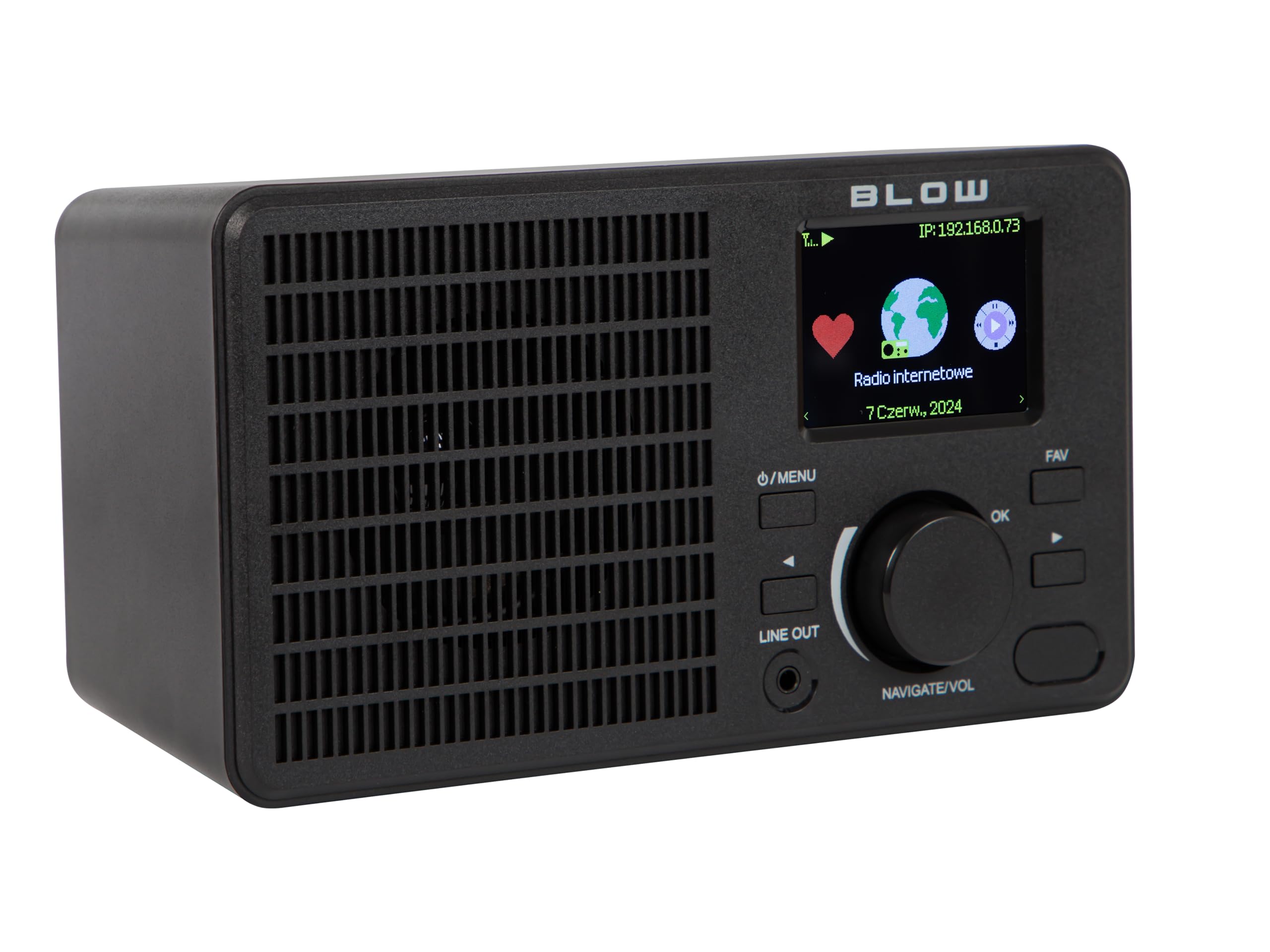
Imej: Depan view of the BLOW Internet Radio RI 1, showcasing the display, speaker grille, and control buttons.
Ciri-ciri Utama:
- Radio Internet: Access thousands of stations worldwide via Wi-Fi.
- Kesambungan Wi-Fi: Wireless access to internet radio and network features.
- Bluetooth: Stream music from mobile devices.
- Paparan Warna TFT 2.4 inci: Shows station information and track details.
- Dual Alarm with Snooze: Wake up to music or news.
- Beratur: Sambung ke sebuah amplifier or external audio system.
- Reka bentuk padat: Elegant black design suitable for various interiors.
- Penala FM: For local radio broadcasts.
Imej: Belakang view of the BLOW Internet Radio RI 1, showing the DC 5V power input and product information label.
Persediaan
1. Sambungan Kuasa
- Connect the provided power adapter to the DC 5V input port on the back of the radio.
- Palamkan penyesuai kuasa ke soket elektrik standard.
- Radio akan dihidupkan secara automatik atau memasuki mod siap sedia.

Image: The power adapter included with the BLOW Internet Radio RI 1, showing the plug and DC connector.
2. Initial Wi-Fi Setup
- Upon first power-on, the radio will guide you through the initial setup process.
- Use the navigation dial and OK button to select your preferred language.
- Radio akan mengimbas rangkaian Wi-Fi yang tersedia. Pilih rangkaian anda daripada senarai.
- Enter your Wi-Fi password using the navigation controls. Confirm with the OK button.
- Sebaik sahaja disambungkan, radio akan memaparkan mesej pengesahan.

Image: The BLOW Internet Radio RI 1 display showing the internet radio interface with network status.
Arahan Operasi
Kawalan Asas
- Butang Kuasa/Menu: Press to turn on/off or access the main menu.
- Navigate/Volume Dial: Rotate to navigate menus or adjust volume. Press to confirm selection.
- Butang OK: Mengesahkan pilihan.
- Butang FAV: Accesses favorite stations.
- Beratur: 3.5mm jack for connecting to external audio systems.

Imej: Dari dekat view of the BLOW Internet Radio RI 1's control panel, highlighting the display and buttons.
Mod Radio Internet
- From the main menu, select "Internet Radio".
- Layari stesen mengikut lokasi, genre atau cari mengikut nama.
- Select a station and press OK to start playback.
- To save a station as a favorite, navigate to the station and press the FAV button.
Mod Radio FM
- Dari menu utama, pilih "Radio FM".
- Use the navigation dial to tune to a frequency or perform an auto-scan for stations.
- Press OK to select a station.
Mod Bluetooth
- From the main menu, select "Bluetooth". The radio will enter pairing mode.
- On your mobile device (smartphone, laptop), enable Bluetooth and search for "BLOW RI 1".
- Select the radio to pair. Once connected, you can stream audio from your device to the radio.

Image: The BLOW Internet Radio RI 1 shown alongside a smartphone, illustrating Bluetooth connectivity for music streaming.
Fungsi Jam Penggera
- Access the "Alarm" settings from the main menu.
- Tetapkan sehingga dua penggera bebas.
- Configure alarm time, source (buzzer, internet radio, FM), and snooze duration.
- Ensure the radio is connected to power for the alarm to function reliably.
Penyelenggaraan
- Pembersihan: Use a soft, dry cloth to clean the radio's surface. Do not use liquid cleaners or abrasive materials.
- Storan: Apabila tidak digunakan untuk tempoh yang lama, simpan radio di tempat yang sejuk dan kering.
- Kemas Kini Perisian: Periodically check for firmware updates through the radio's system settings to ensure optimal performance and access to new features.
Menyelesaikan masalah
| Masalah | Penyelesaian yang Mungkin |
|---|---|
| Tiada kuasa | Check if the power adapter is securely connected to the radio and the electrical outlet. Try a different outlet. |
| Tidak dapat menyambung ke Wi-Fi | Ensure your Wi-Fi password is correct. Check if your router is working. Try restarting the radio and your router. Ensure the radio is within range of your Wi-Fi signal. |
| Internet radio stations not playing | Verify your internet connection is active. Some stations may be temporarily offline. Try other stations. |
| Penggandingan Bluetooth gagal | Ensure the radio is in Bluetooth pairing mode. Make sure Bluetooth is enabled on your mobile device and it's within range. Try unpairing and re-pairing. |
| Penerimaan FM yang lemah | Adjust the radio's position. Ensure there are no strong interference sources nearby. |
Spesifikasi
| Ciri | Perincian |
|---|---|
| Jenama | tiup |
| Model | 5900804137467 |
| Teknologi Ketersambungan | Wi-Fi, Bluetooth, Aux, Line Out |
| Teknologi Penala | FM |
| Jenis Paparan | LCD (2.4-inch TFT Color Display) |
| Sumber Kuasa | Corded Electric (AC: 100-240V, 50/60Hz; DC: 5V/1A) |
| Peranti Serasi | Smartphone, Laptop, Headphones |
| Ciri Khas | Lightweight, Portable, Dustproof, Built-in Clock, Dual Alarm with Snooze |
| Dimensi Produk | 19.4 sm (L) x 8.8 sm (W) x 11 sm (H) |
| warna | Hitam |
Waranti dan Sokongan
For warranty information and technical support, please refer to the contact details provided in the separate warranty card included with your product or visit the official BLOW webtapak.
Pengeluar: TIupan
Webtapak: www.blow.pl