
1. Pengenalan
This user manual provides detailed instructions for the LongPlus Security Cameras Wireless Bundles, Model X83. It covers the installation, operation, and maintenance of your indoor and outdoor WiFi cameras, designed for home security with features such as AI motion detection, two-way talk, and flexible storage options. Please read this manual thoroughly before using the product to ensure proper setup and functionality.

Image 1.1: LongPlus Security Camera Bundle. This image displays the LongPlus security camera bundle, featuring one indoor pan-tilt camera and one outdoor bullet camera, along with their retail packaging and a smartphone screen showing live camera feed.
2. Apa yang ada di dalam Kotak
Sila sahkan bahawa semua komponen terdapat dalam pakej anda:
- 2 x Camera with Power Cable
- 2 x Pendakap pemasangan
- 2 x Kit Skru
- 1 x Manual Pengguna
3. Produk Lebihview
The LongPlus Security Cameras offer advanced features for comprehensive home surveillance:
- Video Definisi Tinggi: Capture clear 1080p video and images with a wide-angle view.
- Penglihatan Malam Lanjutan: Choose between full-color night vision and infrared night vision, with visibility up to 33ft.
- Wire-Free and Rechargeable: Enjoy flexible placement with a rechargeable battery providing 1 to 5 months of use on a single charge.
- Reka Bentuk Kalis Cuaca: IP65 waterproof rating ensures functionality in various weather conditions.
- Pengesanan Gerakan AI: Intelligent analysis and recognition of people, vehicles, pets, and packages, sending real-time notifications.
- Audio Dua hala: Built-in microphone and speaker for real-time communication via the Vicohome app.
- Smart Siren & Light: Deter intruders with an integrated siren and flashing white light.
- Storan Fleksibel: Supports both SD card and cloud storage, including free 3-day cycled cloud storage.
- Integrasi Rumah Pintar: Works with the Vicohome app and Alexa for convenient control and monitoring.

Image 3.1: LongPlus Security Cameras Features. This composite image shows an indoor camera monitoring a baby and an outdoor camera mounted on a wall overlooking a scenic view. Below, a row of icons highlights features like 1080P image quality, wireless networking, two-way audio, activity zones, night vision, phone monitoring, AI recognition, and event cloud storage.
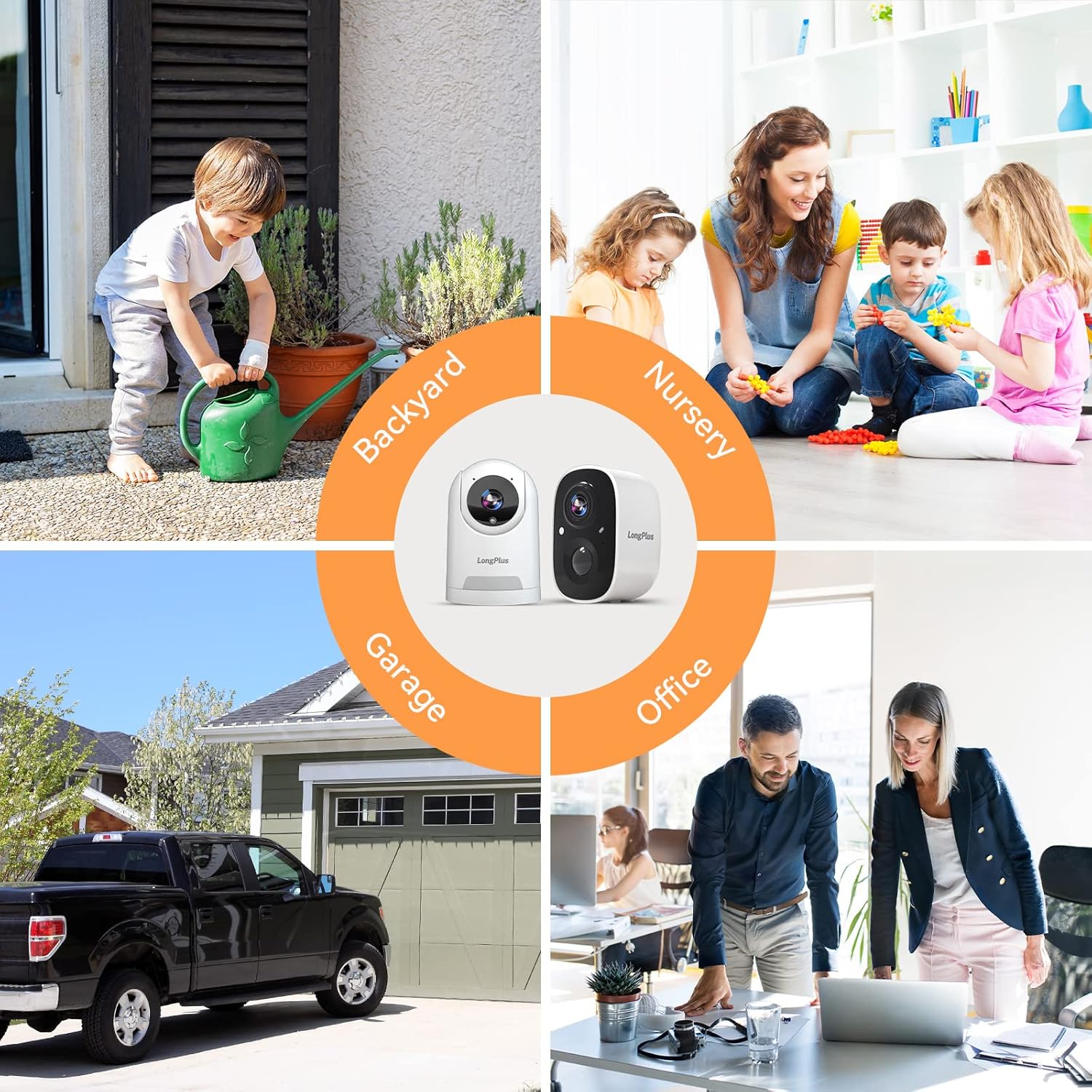
Image 3.2: Versatile Camera Placement. This image illustrates various application scenarios for the LongPlus security cameras, including backyard monitoring, nursery surveillance, garage security, and office monitoring, demonstrating their adaptability for different environments.
4. Arahan Persediaan
Follow these steps to set up your LongPlus Security Cameras:
- Charge the Cameras: Before initial use, fully charge both cameras using the provided power cables.
- Download the Vicohome App: Cari untuk "Vicohome" in your smartphone's app store (iOS or Android) and download the application.
- Buat Akaun: Open the Vicohome app and follow the on-screen instructions to create a new user account.
- Add Cameras:
- Dalam apl, ketik ikon "+" untuk menambah peranti baharu.
- Pilih model kamera anda daripada senarai.
- Follow the app's prompts to connect the camera to your 2.4GHz Wi-Fi network. Ensure your camera is close to your router during the pairing process.
- Imbas kod QR yang dipaparkan pada telefon anda dengan kanta kamera apabila diminta.
- Pasang Kamera:
- Choose a suitable location for each camera, considering Wi-Fi signal strength and desired viewkawasan ing.
- Use the provided mounting brackets and screw kits to securely attach the cameras to a wall or ceiling.
- Laraskan sudut kamera untuk liputan optimum.

Image 4.1: Stable WiFi Connection and Camera Sharing. This image highlights the stable WiFi connection and the ability to share camera access with family members, showing a smartphone displaying camera footage and icons representing shared users.
5. Arahan Operasi
Once your cameras are set up, you can utilize their features through the Vicohome app:
- Langsung View: Open the Vicohome app and select a camera to view its live feed. You can pan and tilt the indoor camera directly from the app.
- Perbincangan Dua Hala: Semasa dalam live view, tap the microphone icon to speak through the camera's speaker and listen through its microphone.
- Makluman Pengesanan Pergerakan: When motion is detected, you will receive instant notifications on your smartphone. Tap the notification to view the recorded event.
- Mod Penglihatan Malam: In low-light conditions, the camera automatically switches to night vision. You can typically select between infrared (black and white) and full-color night vision in the app settings.
- Siren and Light Activation: In the app, you can manually trigger the siren and flashing white light to deter unwanted visitors.
- Zon Aktiviti: Sesuaikan kawasan tertentu dalam kamera view for motion detection. This helps reduce false alarms from irrelevant areas.
- Penjejakan Motion: For cameras with this feature, enable motion tracking in the app to have the camera automatically follow detected movement.
- Akses Perkongsian: You can share camera access with family members or trusted individuals through the app's sharing settings.

Image 5.1: Two-Way Talking. This image depicts the two-way talking functionality, showing a child at a door and a person on a couch interacting via a smartphone app, with speech bubbles indicating communication.

Image 5.2: Human Detection and Tracking. This image demonstrates the human detection and tracking capabilities, showing a person in a balaclava being detected, with an indoor camera tracking movement and an outdoor camera activating a siren alarm.

Image 5.3: 1080P HD Video Quality. This image compares 720P and 1080P video quality, showcasing the superior clarity of 1080P from the LongPlus HD WiFi camera. It also shows a smartphone screen controlling camera pan and tilt.
6. Pilihan Storan
Your LongPlus cameras support two primary storage methods for recorded footage:
- Storan Kad SD: Insert a compatible microSD card (not included) into the camera's designated slot for local storage of recordings. The camera will automatically overwrite older footage apabila kad penuh.
- Storan Awan: The cameras offer cloud storage options. This includes a free 3-day cycled cloud storage plan, where footage from the last three days is automatically saved and then overwritten. A 30-day free trial of advanced cloud features, including upgraded memory and AI recognition, is also available.

Image 6.1: Cloud and SD Card Storage. This image highlights the flexible storage options, showing icons for cloud and SD card storage, along with a smartphone displaying the LongPlus app download page. It mentions free 3-day rolling cloud storage.
7. Penyelenggaraan
To ensure optimal performance and longevity of your LongPlus Security Cameras, follow these maintenance guidelines:
- Pengecasan Bateri: Regularly monitor the battery level via the Vicohome app and recharge the cameras as needed. A full charge can last 1 to 5 months depending on usage and settings.
- Pembersihan: Periodically clean the camera lenses and housing with a soft, dry cloth to remove dust and smudges. Avoid using harsh chemicals or abrasive materials.
- Kemas kini Firmware: Keep the Vicohome app and camera firmware updated to benefit from the latest features, security enhancements, and bug fixes. The app will usually notify you of available updates.
- Perlindungan Alam Sekitar: While the outdoor camera is IP65 waterproof, extreme weather conditions (e.g., prolonged heavy rain, snow, or direct sunlight) may still impact performance or battery life. Consider additional protective measures if necessary.
8. Penyelesaian masalah
If you encounter issues with your LongPlus Security Cameras, refer to the following common problems and solutions:
| Masalah | Penyelesaian yang Mungkin |
|---|---|
| Kamera tidak bersambung ke Wi-Fi |
|
| Kualiti video yang teruk |
|
| Pengesanan gerakan tidak berfungsi atau terlalu banyak penggera palsu |
|
| Hayat bateri pendek |
|
| Isu audio dua hala |
|

Image 8.1: Instant Mobile Alerts. This image depicts a home security scenario where a LongPlus camera detects an intruder, triggering an instant alert on a smartphone, emphasizing advanced sensor capabilities and immediate action.
9. Spesifikasi
Key technical specifications for the LongPlus Security Cameras (Model X83):
| Ciri | Perincian |
|---|---|
| Penggunaan Dalaman/Luar | Dalaman, Luaran |
| Peranti Serasi | Smartphone (Vicohome App) |
| Sumber Kuasa | Battery Powered (1 Lithium Ion battery included per camera) |
| Protokol Ketersambungan | Wi-Fi (2.4GHz) |
| Jenis Pengawal | Apl Vicohome |
| Jenis Pemasangan | Lekap di dinding |
| Resolusi Tangkapan Video | 1080p |
| warna | putih |
| Bilangan Item | 2 Kamera |
| Dimensi Produk | 3 x 2 x 2 inches (per camera) |
| Berat Barang | 1.52 pounds (total for bundle) |
| Format Tangkapan Video | MP4 |
| Ciri Khas | 2-Way Audio, AI Motion Detection, Night Vision, Wireless |
10. Waranti dan Sokongan
LongPlus provides a 2-year warranty for this product, ensuring coverage against manufacturing defects. Additionally, lifetime technical support is available to assist you with any inquiries or issues you may encounter during the product's lifespan. For support, please contact LongPlus customer service through the contact information provided on the product packaging or the official LongPlus webtapak.