
LitONES F630
Meja LED LitONES Lamp untuk Manual Pengguna Pejabat Rumah
Model: F630
Brand: LitONES
1. Pengenalan
The LitONES LED Desk Lamp (Model F630) is a versatile lighting solution designed for home offices, video conferencing, reading, streaming, and general task lighting. It features adjustable color temperatures, multiple brightness levels, and a highly flexible swing arm to provide optimal illumination for various activities. This manual provides detailed instructions for setup, operation, and maintenance to ensure you get the most out of your new desk lamp.
2. Ciri-ciri Produk
- Dwi Fungsi: Functions as both a traditional desk lamp and a professional ring light for video calls and conferences.
- Advanced Illumination: 1200 lumens output with 3 color temperatures (cool, natural, warm) and 10 dimmable brightness levels. Features CRI >95 and edge-lit LED technology for glare-free, soft, and eye-caring light.
- Ultimate Flexibility: Equipped with 5 pivot joints and a maximum height of 33 inches. The 7-inch full-screen lamp head rotates 180° and 360° for precise light positioning.
- Reka Bentuk Stabil: Solid metal base ensures stability without tipping, eliminating the need for clamps or wall mounting.
- Multi-functional Controls: Soft-touch controls with memory function, dimming, and 30-minute/1-hour timer settings.
- Kualiti Premium: Constructed from aerospace-grade aluminum with LEDs rated for 100,000 hours and pivots designed for over 200,000 adjustments.
3. Apa yang ada di dalam Kotak
- 1 x LED Full-Screen Light
- 1 x Metal Base
- 1 x AC Adapter
4. Arahan Persediaan
Buka Pembungkusan Komponen: Carefully remove all items from the packaging: the LED lamp arm, the metal base, and the AC adapter.
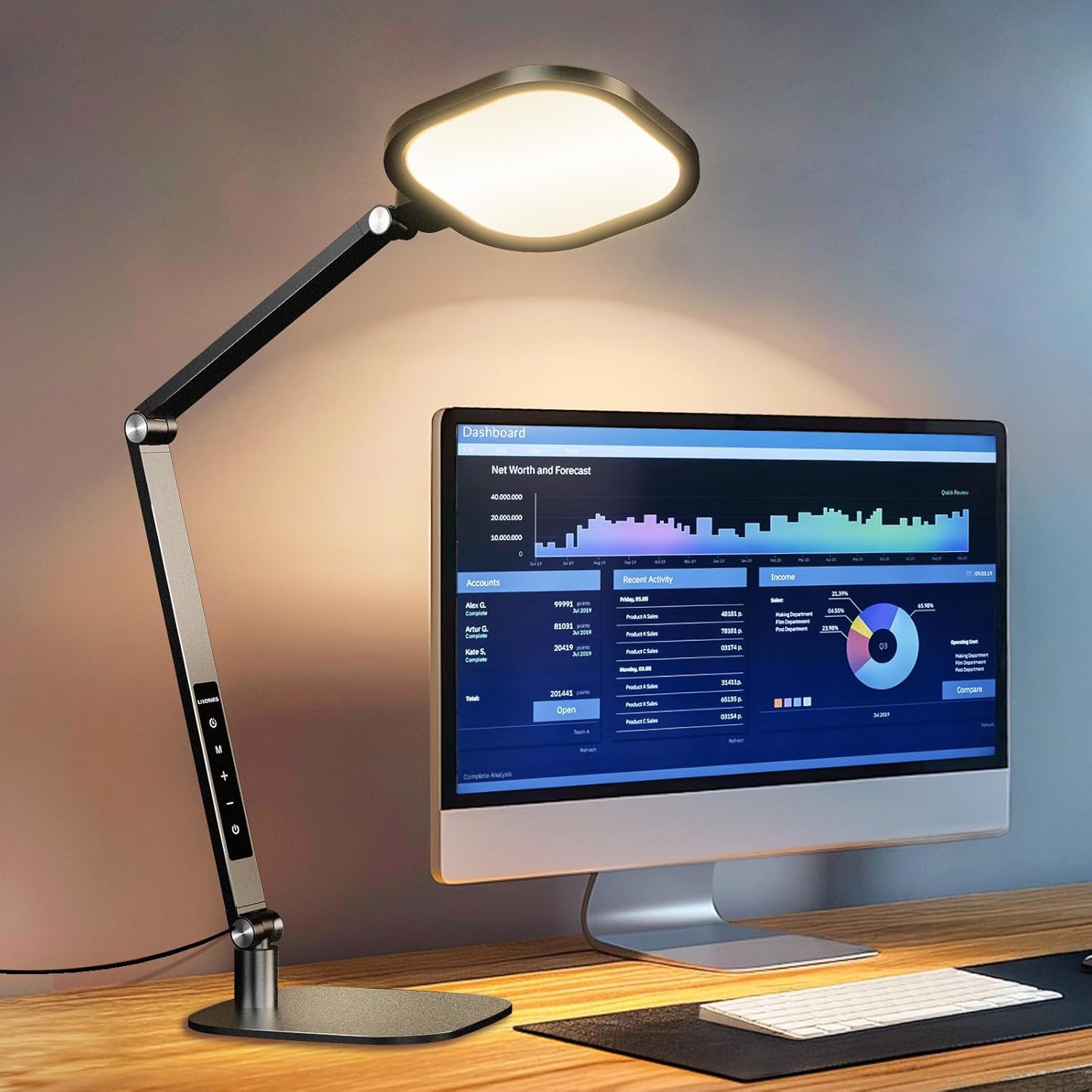
Image: All components of the LitONES LED Desk Lamp, termasuk lamp arm, base, and power adapter, are neatly arranged on a wooden desk after unpacking.
Pasang Pangkalan: Masukkan lamp arm into the designated slot on the metal base. Secure it by tightening the screw located on the side of the base. Ensure the connection is firm and stable.

Image: A hand is shown inserting the lamp arm into the sturdy metal base, demonstrating the simple assembly process.
Sambungkan Kuasa: Plug the AC adapter into the power port located at the bottom of the lamp arm. Then, plug the adapter into a standard electrical outlet.

Image: The LitONES LED Desk Lamp is shown fully assembled on a desk, with its power adapter plugged into a wall outlet, ready for use.
Pelarasan Awal: Laraskan lamp lengan dan kepala ke posisi yang anda inginkan.amp is designed for extensive flexibility.

Imej: Meja lamp is shown with its multi-jointed arm adjusted to various angles, highlighting its flexibility for different lighting needs.
5. Arahan Operasi
The LitONES LED Desk Lamp mempunyai kawalan sentuh intuitif untuk operasi mudah.

Image: A close-up of the LitONES LED Desk Lamp's control panel, showing the touch-sensitive buttons for power, mode, brightness, and timer.
5.1 Hidupkan/Mati Kuasa
Tekan ke Butang kuasa ( ) untuk menghidupkan lamp hidup atau mati.
5.2 Melaraskan Suhu Warna
Lamp offers 3 color temperature modes (Cool, Natural, Warm). Press the Butang mod (M) to cycle through the available color temperatures.
Imej: Lamp head displaying various color temperatures, from cool white to warm yellow, illustrating the different lighting modes.
5.3 Melaraskan Kecerahan
Lamp has 10 brightness levels. Use the Tambahan (+) dan Tolak (-) buttons to increase or decrease the brightness.
Imej: Lamp head displaying various brightness levels, from dim to bright, illustrating the adjustable intensity.
5.4 Fungsi Pemasa
Activate the timer function by pressing the Butang pemasa (). One press sets a 30-minute timer, and a second press sets a 60-minute timer. The lamp akan dimatikan secara automatik selepas masa yang ditetapkan.

Image: A man is shown using the timer function on the LitONES LED Desk Lamp while working at his desk, highlighting the convenience of automated shutdown.
5.5 Fungsi Memori
Lamp remembers your last used brightness and color temperature settings when turned off and on again.
5.6 Melaraskan Lamp Lengan dan Kepala
Lamp features multiple pivot points for extensive adjustability. The lamp head can rotate 180° and 360°, and the arm has 5 pivot joints allowing for a max height of 33 inches. This enables precise light positioning for any task.
Imej: Meja lamp is shown with its multi-jointed arm adjusted to various angles, highlighting its flexibility for different lighting needs.

Image: A diagram illustrating the dimensions and range of motion of the LitONES LED Desk Lamp's arm and head, emphasizing its stability and adjustability.
6. Penyelenggaraan
- Pembersihan: Gunakan kain lembut dan kering untuk membersihkan lamp. Jangan gunakan pembersih atau pelarut yang melelas.
- Storan: Apabila tidak digunakan untuk tempoh yang lama, simpan lamp in a cool, dry place. The lamp can be folded for compact storage.
- Jangka hayat LED: The integrated LED lights are rated for 100,000 hours of use and do not require replacement.
7. Penyelesaian masalah
| Masalah | Kemungkinan Punca | Penyelesaian |
|---|---|---|
| Lamp tidak menyala. | Kord kuasa tidak disambungkan dengan betul atau tiada kuasa dari alur keluar. | Ensure the AC adapter is securely plugged into the lamp dan soket dinding. Uji soket dengan peranti lain. |
| Cahaya berkelip atau malap. | Unstable power supply or lamp tetapan. | Check power connection. Adjust brightness levels using the touch controls. |
| Kawalan sentuh tidak bertindak balas. | Temporary software glitch or dirty sensor. | Cabut plag lamp for 30 seconds and plug it back in. Clean the touch panel with a soft, dry cloth. |
8. Spesifikasi
| Ciri | Perincian |
|---|---|
| Nombor Model | F630 |
| Jenama | LitONES |
| Wattage | 15 watt |
| Kecerahan | 1200 Lumen |
| Suhu Warna | 3000-6500K (3 modes) |
| Tahap Kecerahan | 10 peringkat |
| CRI | >95 |
| Dimensi Produk | 7"D x 7"W x 33"H |
| Berat Barang | 4 paun |
| bahan | Plastic, Metal (Aerospace-grade aluminum) |
| Jenis Suis | Sentuh |
| Sumber Kuasa | Elektrik Bertali |
| Jangka Hayat LED | 100,000 jam |
| Pivot Durability | 200,000 pelarasan |
9. Video Produk Rasmi
Meja Lamp for Home Office Computer Zoom Lighting
Video: This official product video demonstrates the LitONES desk lamp's features, including its adjustable arm, lighting modes, and suitability for home office and video conferencing environments.
10. Waranti & Sokongan
The LitONES LED Desk Lamp datang dengan a Waranti 5 tahun dan sokongan teknikal seumur hidup, ensuring long-lasting, reliable performance and peace of mind.

Image: A shield icon prominently displaying "5 Year Warranty", symbolizing the product's extended coverage and manufacturer confidence.
For technical assistance or warranty claims, please refer to the contact information provided in your product packaging or visit the official LitONES webtapak.
Ask a question about this manual
Ask about setup, troubleshooting, compatibility, parts, safety, or missing instructions. Manuals+ will review the question and use this page’s manual context to help answer it.