
VIKVIZ PG2345I-28
VIKVIZ 4MP PoE IP Camera Outdoor
Instruction Manual - Model: PG2345I-28
1. Pengenalan
This manual provides detailed instructions for the installation, operation, and maintenance of your VIKVIZ 4MP PoE IP Camera. Please read this manual thoroughly before using the product to ensure correct usage and optimal performance. Keep this manual for future reference.
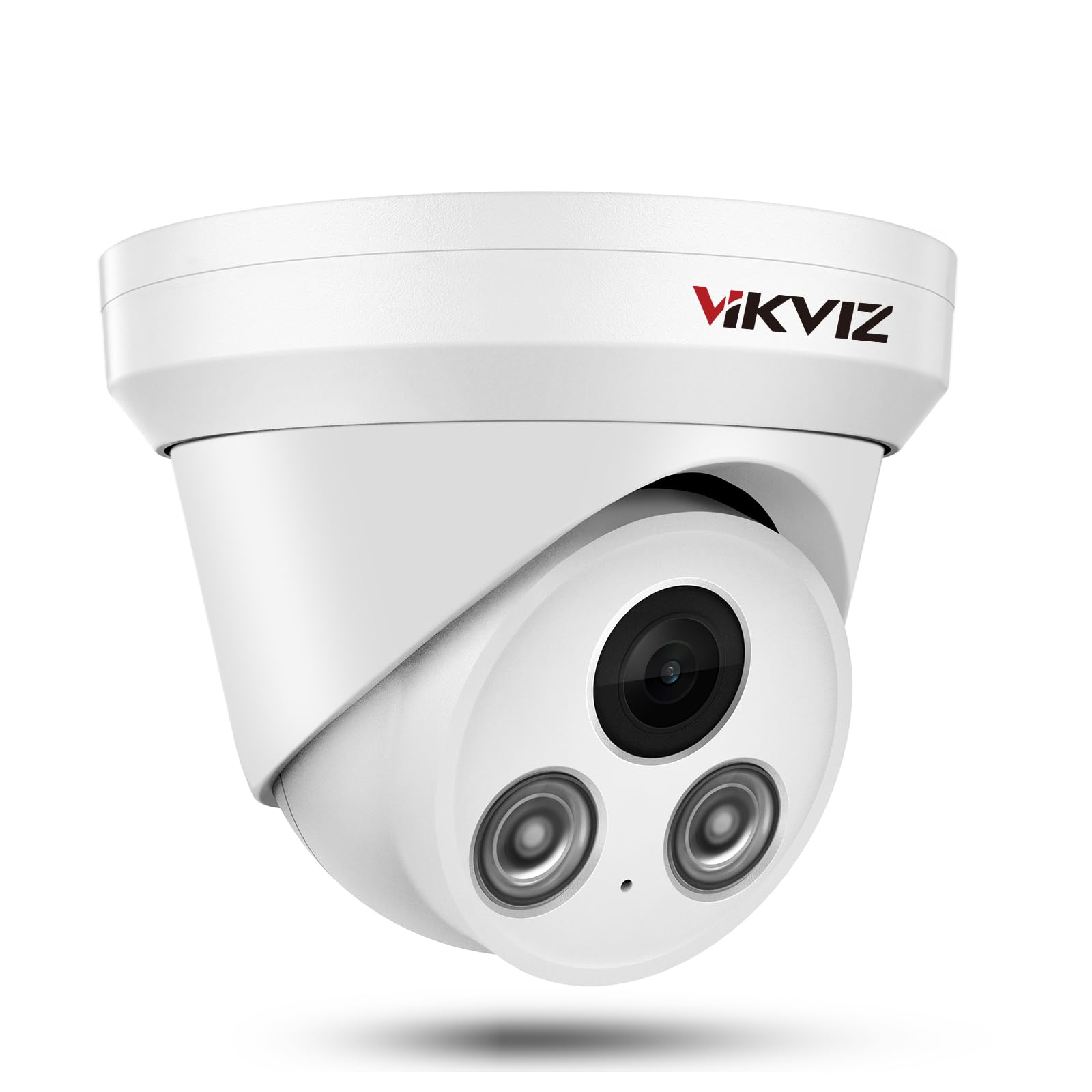
Figure 1: VIKVIZ 4MP PoE IP Camera
2. Maklumat Keselamatan
- Ensure the camera is installed by qualified personnel in accordance with local electrical codes.
- Use only the specified power supply (DC12V or Power over Ethernet).
- Do not expose the camera to extreme temperatures outside its operating range (-40°F to 140°F / -40°C to 60°C).
- Avoid pointing the camera directly at strong light sources for extended periods.
- Clean the camera lens with a soft, dry cloth. Do not use harsh chemicals.
- Ensure all cable connections are properly sealed, especially for outdoor installations, to maintain IP67 waterproof rating.
3. Kandungan Pakej
Sahkan bahawa semua item terdapat dalam pakej:
- VIKVIZ 4MP PoE IP Camera
- Skru untuk pemasangan
- Manual Arahan
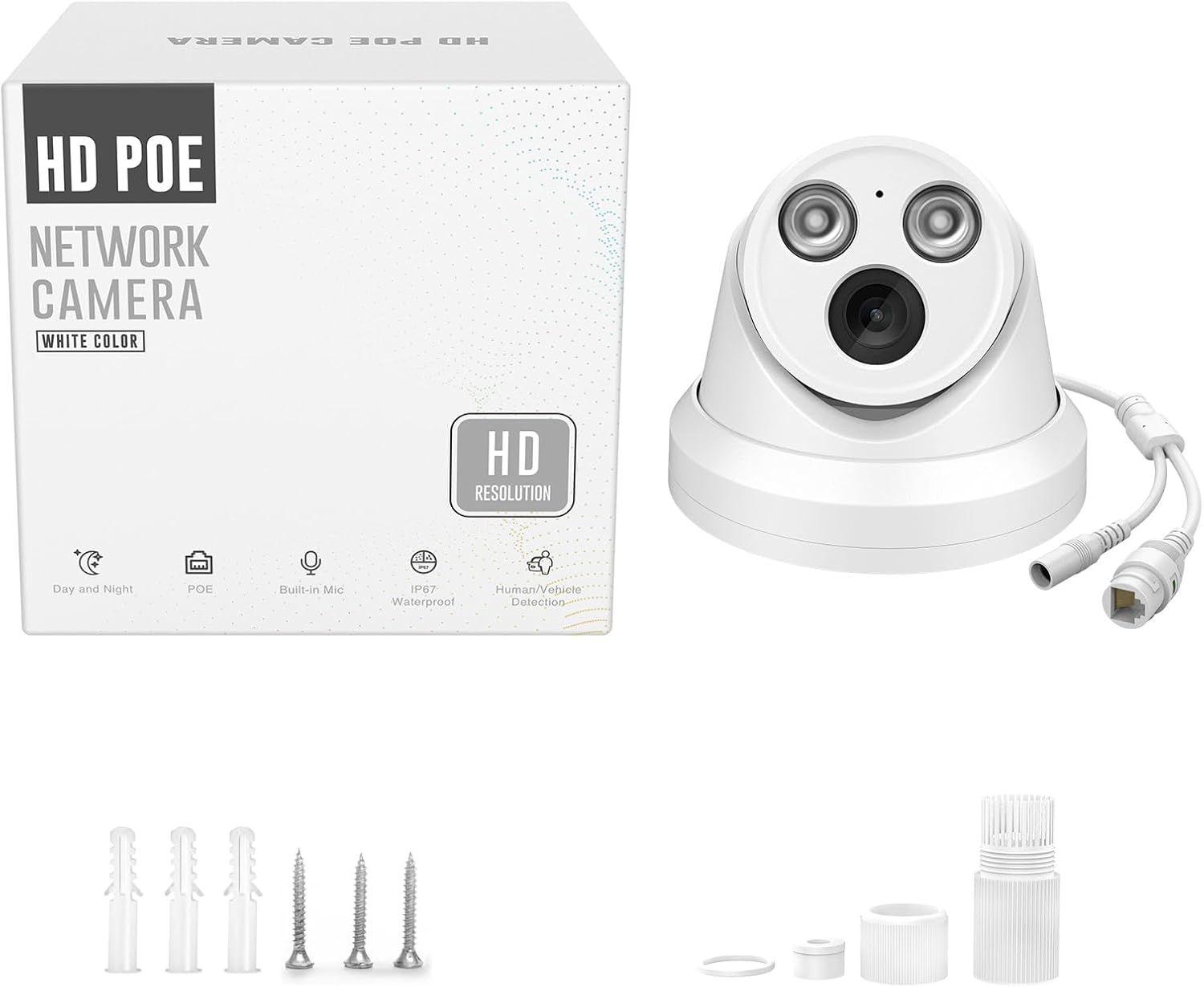
Figure 2: Contents included in the camera package.
Video 1: Unboxing and display of the 4MP PoE camera components.
4. Produk Lebihview
The VIKVIZ 4MP PoE IP Camera is designed for outdoor security surveillance, offering high-resolution video and advanced detection features.
Ciri-ciri Utama:
- Resolusi HD 4MP: Captures clear 2560 × 1440 video at 25 fps.
- Kuasa Ethernet (PoE): Single Ethernet cable for power and data.
- Mikrofon terbina dalam: Records one-way audio.
- Smart Human/Vehicle Detection: Advanced AI to reduce false alarms.
- Penglihatan Malam IR 98 kaki: Enhanced night vision with EXIR 2.0 technology.
- Kanta 2.8mm: Provides a wide 105° viewsudut ing.
- Mampatan H.265+: Efficient video encoding for reduced storage and bandwidth.
- IP67 Kalis Air: Durable metal housing for outdoor use in various weather conditions.
- ONVIF Compliant: Compatible with most third-party NVRs and software like Blue Iris, iSpy.

Gambar 3: Lebihview of camera features including resolution, microphone, night vision, and weather resistance.
Video 2: Demonstration of the 4MP IR IP camera's appearance and functions.
5. Persediaan
5.1 Pemasangan Fizikal
The camera is designed for wall mounting. Use the provided screws and follow standard installation practices to secure the camera in your desired outdoor location. Ensure the mounting surface is stable and can support the camera's weight.
Video 3: Guide for PoE camera installation.
5.2 Pilihan Sambungan
The camera supports Power over Ethernet (PoE) for simplified installation, requiring only one Ethernet cable for both power and data. Alternatively, it can be powered by a 12V DC adapter and connected to a router.
- PoE Switch + Router: Connect the camera to a PoE switch, then connect the switch to your router.
- NVR PoE: Connect the camera directly to a PoE NVR.
- Router (with 12V Power Supply): Connect the camera to a 12V DC power adapter and then to your router via an Ethernet cable.

Figure 4: Various connection methods for the IP camera, including PoE switch, PoE NVR, and direct router connection with a 12V power supply.
Video 4: Detailed connection method for the 4MP PoE camera.
Video 5: Instructions on how to connect the camera to a Hikvision NVR.
6. Beroperasi
6.1 Akses Jauh dan Pemantauan
Access your camera feed and settings remotely using the VideoLink app on your smartphone, free PC software (IVMS-4200, LMS), or compatible third-party software like Blue Iris and iSpy. Ensure your NVR or camera is connected to the internet.
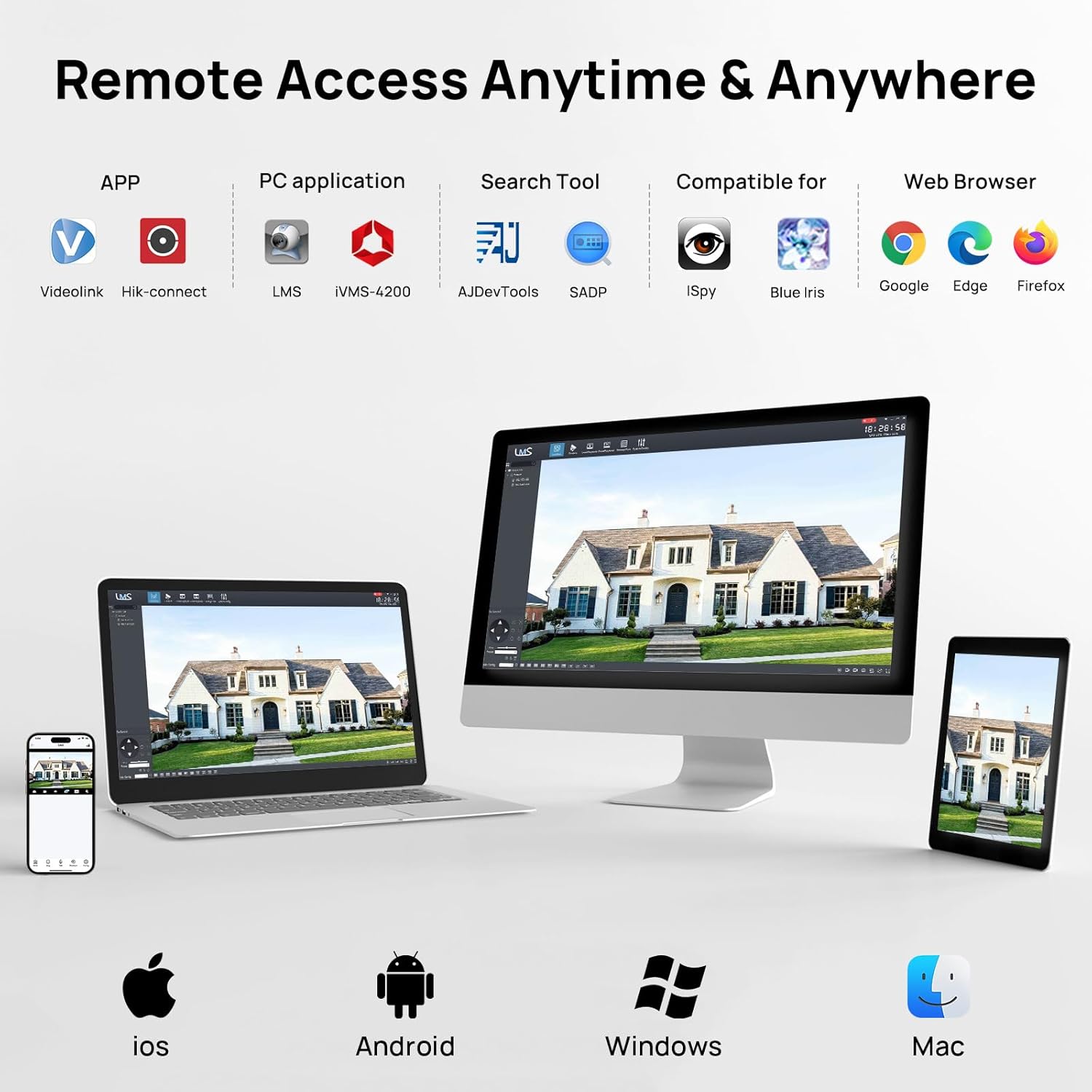
Figure 5: Remote access options for the camera via various devices and software.
6.2 Smart Human/Vehicle Detection
The camera features advanced AI for human and vehicle detection, minimizing false alarms from environmental factors. Configure detection zones and sensitivity settings through the camera's interface or connected NVR/software.

Figure 6: AI-powered human and vehicle detection reduces unwanted alerts.
Video 6: Guide on setting up motion detection and human body detection for the camera.
6.3 Penglihatan Malam dan Audio
The camera provides 98ft IR night vision for clear surveillance in low-light conditions. The built-in microphone allows for one-way audio monitoring.

Figure 7: The built-in microphone captures audio, providing more detailed surveillance.
7. Penyelenggaraan
- Pembersihan: Bersihkan lensa kamera dan perumah dengan kerap dengan lembut, damp cloth to remove dust and debris. Do not use abrasive cleaners.
- Kemas kini Firmware: Check the VIKVIZ official website or your software application for available firmware updates to ensure optimal performance and security.
- Pemeriksaan Kabel: Periodically inspect all cables for wear, damage, or loose connections, especially in outdoor environments.
8. Penyelesaian masalah
- Tiada Imej/Video: Check power supply, Ethernet cable connection, and NVR/software configuration. Ensure the camera is properly added to your system.
- Kualiti Imej Lemah: Clean the lens. Check network bandwidth. Adjust image settings (brightness, contrast, WDR) in the camera's web interface or NVR.
- Pengesanan Pergerakan Tidak Berfungsi: Verify motion detection is enabled, detection areas are correctly configured, and sensitivity levels are appropriate. Ensure 'Intelligent Detect' is disabled if 'Motion Detect' is active, or vice-versa, as per the system's priority.
- Isu Capaian Jauh: Confirm internet connectivity for both the camera/NVR and your remote device. Check firewall settings and port forwarding if necessary.
9. Spesifikasi
| Ciri | Spesifikasi |
|---|---|
| Nama Model | PG2345I-28 |
| Resolusi Tangkapan Video | 4 MP (2560 × 1440) |
| Kadar Bingkai | 25 fps |
| Lensa | 2.8mm (Tetap) |
| Viewsudut | 105 Darjah |
| Julat Penglihatan Malam | 98 Feet (IR) |
| Audio | One-way audio (Built-in Mic) |
| Ketersambungan | Wired / PoE, ONVIF |
| Sumber Kuasa | DC12V or PoE |
| Rintangan Cuaca | IP67 Kalis Air |
| Suhu Operasi | -40°F hingga 140°F (-40°C hingga 60°C) |
| bahan | logam |
| Faktor Bentuk | Turret |
10. Waranti dan Sokongan
VIKVIZ provides a 2-year manufacturer warranty and lifetime technical support for this product. For assistance, please contact VIKVIZ customer service through their official webtapak atau maklumat hubungan yang diberikan bersama pembelian anda.
Untuk maklumat lanjut dan sokongan, lawati laman web VIKVIZ Store on Amazon.
Ask a question about this manual
Ask about setup, troubleshooting, compatibility, parts, safety, or missing instructions. Manuals+ will review the question and use this page’s manual context to help answer it.