
1. Pengenalan
This manual provides essential information for the safe and efficient operation of your ACCUCOLD ARS32PVBIADA-AFZ1PVSTACKLHD Medical Refrigerator-Freezer Combination. This unit is part of the Performance Series, designed for precise temperature control critical for vaccine and medical storage, adhering to CDC/VFC guidelines. It combines a 2.83 cu.ft. auto-defrost all-refrigerator (ARG31PVBIADA) with a 1.4 cu.ft. all-freezer (AFZ1PV) in a stackable configuration.
Please read all instructions carefully before installation and use to ensure proper function and longevity of the appliance.
2. Maklumat Keselamatan
Arahan Keselamatan Penting:
- Always ensure the unit is properly grounded to prevent electrical shock.
- Do not store flammable or explosive materials inside the appliance.
- Pastikan bukaan pengudaraan bersih daripada halangan.
- Jangan gunakan peranti mekanikal atau cara lain untuk mempercepatkan proses penyahbekuan, selain daripada yang disyorkan oleh pengilang.
- Pastikan kord kuasa tidak rosak atau tersepit.
- Cabut plag unit sebelum membersihkan atau melakukan sebarang penyelenggaraan.
- This appliance is intended for medical and laboratory use only.
3. Persediaan dan Pemasangan
3.1 Membongkar dan Pemeriksaan
The unit ships in three boxes and requires minor assembly. Carefully unpack all components and inspect for any shipping damage. Report any damage to your supplier immediately. Retain all packaging materials for potential returns or claims.
3.2 Perhimpunan
The refrigerator and freezer units are designed to be stacked using the Accucold StackRack. Follow the instructions provided with the StackRack for secure assembly. Ensure both units are level after stacking.
3.3 Penempatan
- Place the unit on a firm, level surface capable of supporting its weight when fully loaded.
- Allow adequate clearance around the unit for proper ventilation (at least 4 inches on sides and back, 12 inches above).
- Avoid direct sunlight, heat sources, or areas with extreme temperature fluctuations.
- Ensure the ambient temperature is within the recommended operating range for medical refrigeration equipment.
3.4 Sambungan Elektrik
Connect the unit to a dedicated, grounded 115 Volt AC outlet. Do not use extension cords or adapter plugs. Ensure the electrical supply matches the requirements specified on the unit's rating label.
3.5 Kuasa Permulaan
After connecting to power, allow the unit to operate for at least 4 hours before loading with contents. This allows the interior to reach stable operating temperatures.
4. Arahan Operasi
4.1 Kawalan Suhu
Both the refrigerator and freezer units are equipped with microprocessor temperature controllers.
- Julat Suhu Peti sejuk: +2°C hingga +8°C (36°F hingga 46°F)
- Julat Suhu Penyejuk beku: -30°C hingga -10°C (-22°F hingga 14°F)
The digital display shows precise temperature readings in Celsius or Fahrenheit. Refer to the specific controller manual for detailed instructions on adjusting set points and viewing current temperatures.

Figure 1: Digital temperature controller and power switches. The display shows "dr" and a temperature reading, with up/down arrows for adjustment and a reset switch.
4.2 Alarms and Monitoring
The unit features comprehensive alarm systems to ensure product integrity:
- Audible and Visual Temperature Alarms: Activate if the interior temperature goes outside the set range.
- Power Failure Alerts: Notifies of power interruptions.
- Door Open Alarms: Sounds if a door is left ajar.
- Sensor Failure Alarms: Indicates a malfunction with the temperature sensor.
Kenalan Penggera Jauh: The unit includes remote alarm contacts for integration with external monitoring systems.

Figure 2: Remote alarm contacts for external monitoring integration. Wires are connected to a terminal block.
Probe Port: A dedicated probe port is provided for additional monitoring devices, allowing for independent temperature verification.

Figure 3: Temperature probe within a glycol-filled vial, used for accurate temperature monitoring inside the unit.
4.3 Ciri-ciri Dalaman
- Rak boleh laras: Plastic-coated wire shelves can be adjusted in 1/2-inch increments to accommodate various item sizes.
- LED Internal Lighting: An on/off rocker switch controls the interior LED lighting for clear visibility.
- Durable Interior: The interior is constructed from white powder-coated metal for enhanced durability and temperature retention.

Figure 4: Adjustable wire shelf bracket, allowing flexible shelf placement within the unit.
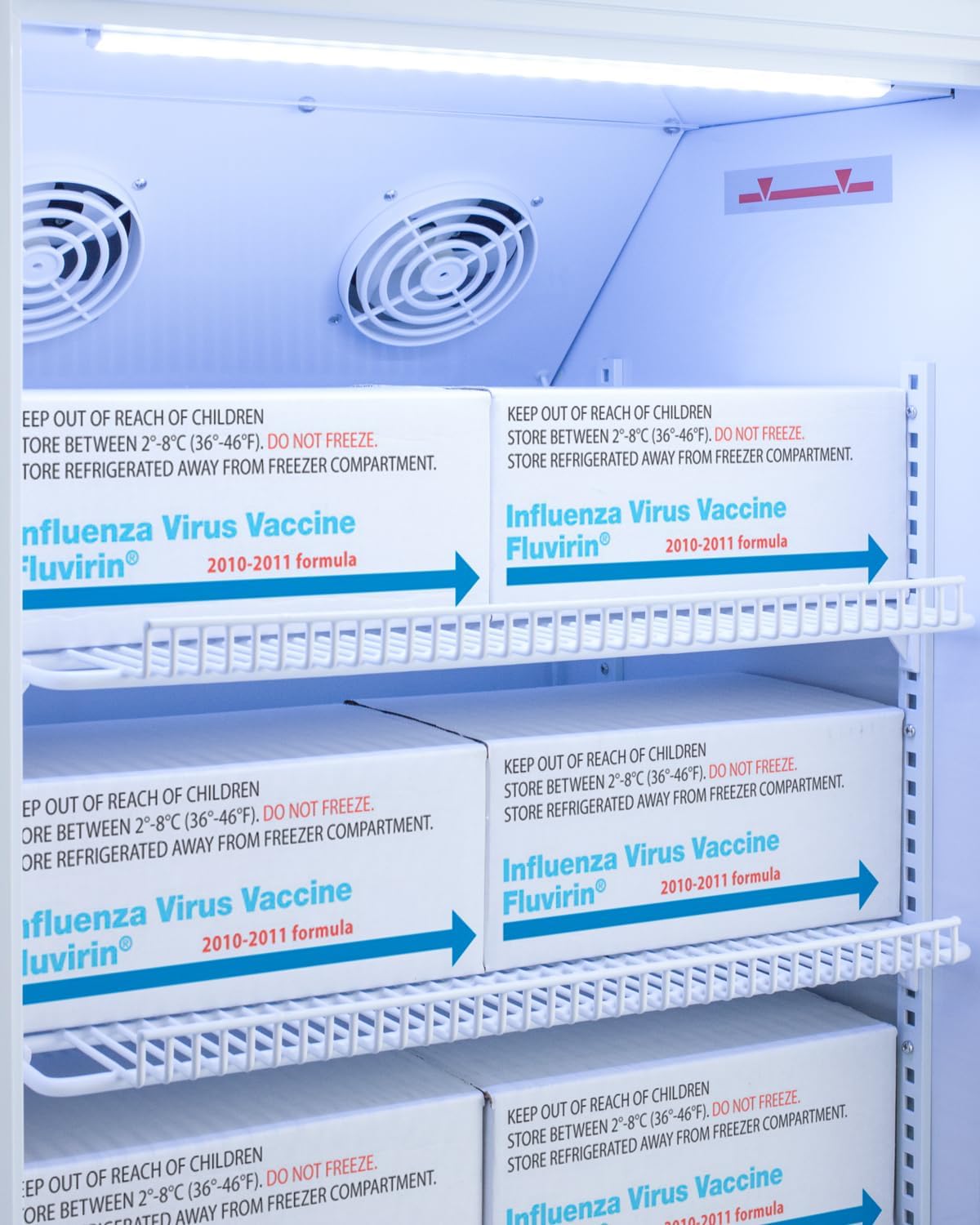
Figure 5: Interior of the refrigerator compartment showing vaccine boxes stored on wire shelves, with internal fans visible at the top.
5. Penyelenggaraan
5.1 Pembersihan
- Sentiasa cabut plag unit sebelum membersihkan.
- Clean the interior with a mild detergent and warm water. Avoid abrasive cleaners or solvents.
- Wipe down the exterior with a soft cloth and mild cleaner.
- Regularly clean the condenser coils (located at the back or bottom of the unit) to ensure efficient operation. Use a soft brush or vacuum cleaner.
5.2 Menyahbeku
The refrigerator compartment features auto-defrost. The freezer compartment requires manual defrosting.
- To manually defrost the freezer, unplug the unit and remove all contents. Allow ice to melt naturally. Do not use sharp objects to remove ice.
- Once defrosted, clean the interior and dry thoroughly before plugging the unit back in and reloading contents.
5.3 Pengedap Pintu
Inspect door seals regularly for cracks or damage. Ensure they are clean and free of debris to maintain an airtight seal, which is crucial for temperature stability.
6. Penyelesaian masalah
Sebelum menghubungi perkhidmatan, semulaview isu dan penyelesaian biasa berikut:
| Masalah | Kemungkinan Punca | Penyelesaian |
|---|---|---|
| Unit tidak beroperasi | No power, tripped circuit breaker, power cord unplugged. | Check power supply, circuit breaker, and ensure cord is securely plugged in. |
| Suhu terlalu tinggi | Door left open, excessive door openings, unit overloaded, poor ventilation, dirty condenser coils, thermostat set incorrectly. | Ensure door is closed, reduce door openings, do not overload, check ventilation, clean condenser coils, adjust thermostat. |
| Kebisingan yang berlebihan | Unit not level, components vibrating, fan obstruction. | Level the unit, check for loose components, ensure fan is clear. |
| Pintu tidak menutup dengan betul | Door gasket dirty or damaged, unit not level, obstruction. | Clean or replace gasket, level the unit, remove obstructions. |
| Bunyi penggera | Temperature out of range, door open, power failure, sensor error. | Address the specific alarm condition (e.g., close door, check temperature, restore power). Consult controller manual for alarm codes. |
7. Spesifikasi
| Nombor Model | ARS32PVBIADA-AFZ1PVSTACKLHD |
| Jenama | ACCUCOLD |
| Dimensi Produk (D x W x H) | 23.25"D x 19.75"W x 50.5"H |
| Kapasiti Bersih Peti Sejuk | 2.83 Kaki Kubik |
| Kapasiti Penyejuk beku | 1.4 Kaki Kubik |
| Jumlah Kapasiti | 4.23 Cubic Feet (approx.) |
| Konfigurasi | Compact Freezer-on-Top (Stackable) |
| Sistem Penyahbekuan (Peti sejuk) | Pencairan automatik |
| Defrost System (Freezer) | Pencairan Manual |
| Voltage | 115 Volt |
| Bilangan Pintu | 2 (Solid Door, LHD) |
| Jenis Rak | Wire (Adjustable) |
| Bilangan Rak | 4 |
| Kaedah Penyejukan | Pemampat |
| Ciri Khas | Compact, Door Ajar Alarm, Microprocessor Temperature Control, Remote Alarm Contacts, Probe Port, LED Lighting |
| Berat Barang | 150 paun |
| Spesifikasi Met | ETL |
| Jenis Kunci | kunci |
8. Maklumat Waranti
This ACCUCOLD medical refrigerator-freezer combination is covered by the Summit Appliance Warranty. For detailed terms and conditions, including coverage period and service procedures, please refer to the official warranty document included with your purchase or visit the Summit Appliance webtapak.
Sila simpan bukti pembelian anda untuk tuntutan waranti.
9. Sokongan
For technical assistance, parts, or service inquiries, please contact Summit Appliance customer support.
- Pengeluar: Perkakas Summit
- Webtapak: www.summitappliance.com (This is a placeholder link, as no specific support link was provided in the JSON. Users should refer to the official product documentation for exact contact details.)
- Before calling, please have your model number (ARS32PVBIADA-AFZ1PVSTACKLHD) and serial number ready.