
1. Pengenalan
The SALCAR Smart WiFi Radiator Thermostat (Model RV21) is designed to provide intelligent control over your home heating system. This device allows you to manage room temperature efficiently, offering comfort and potential energy savings. It integrates seamlessly with your 2.4G WiFi network and can be controlled via a smartphone application or voice commands through Amazon Alexa and Google Assistant. This manual provides comprehensive instructions for installation, setup, operation, and maintenance of your thermostat.
2. Maklumat Keselamatan
- Baca semua arahan dengan teliti sebelum pemasangan dan penggunaan.
- Jangan cuba membuka atau membaiki peranti ini sendiri. Rujuk kakitangan yang berkelayakan untuk servis.
- Jauhkan peranti daripada air, kelembapan dan suhu yang melampau.
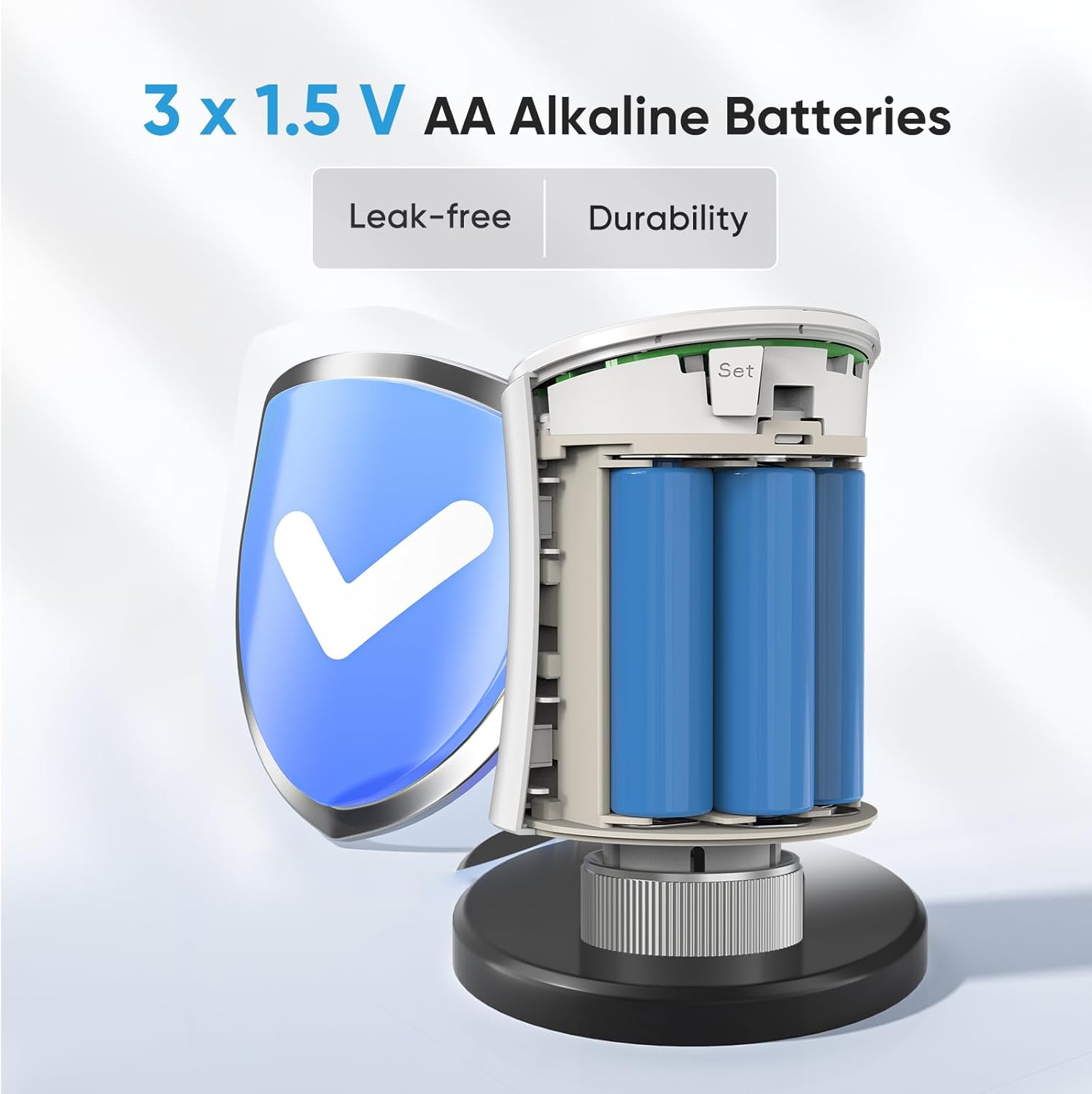
- Use only the specified battery type (3 x 1.5V AA alkaline batteries). Ensure correct polarity during installation.
- Buang bateri terpakai mengikut peraturan tempatan.
- Ensure the device is securely mounted to prevent accidental detachment.
3. Kandungan Pakej
Sahkan bahawa semua item terdapat dalam pakej:
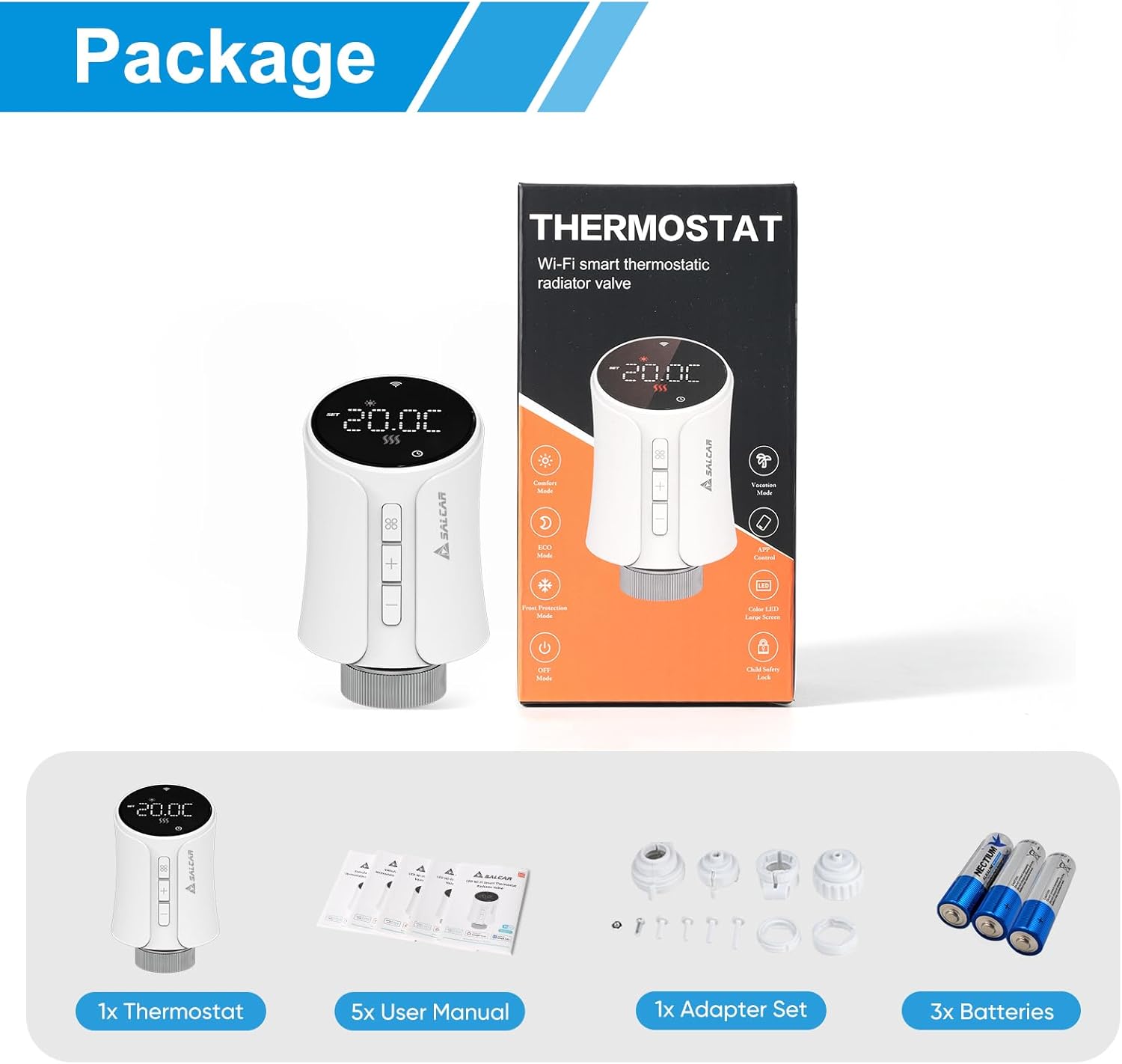
- 1 x SALCAR Smart Radiator Thermostat (Model RV21)
- 5 x User Manuals (various languages)
- 1 x Adapter Set (RA, RAV, RAVL, Canleffi, Giacomini & M28)
- 3 x 1.5V Bateri Beralkali AA
- 3 x Adapter Screws
4. Produk Lebihview
The SALCAR Smart WiFi Radiator Thermostat features a clear LED display and intuitive controls. It offers various smart functions to enhance your heating experience.
Ciri-ciri Utama:
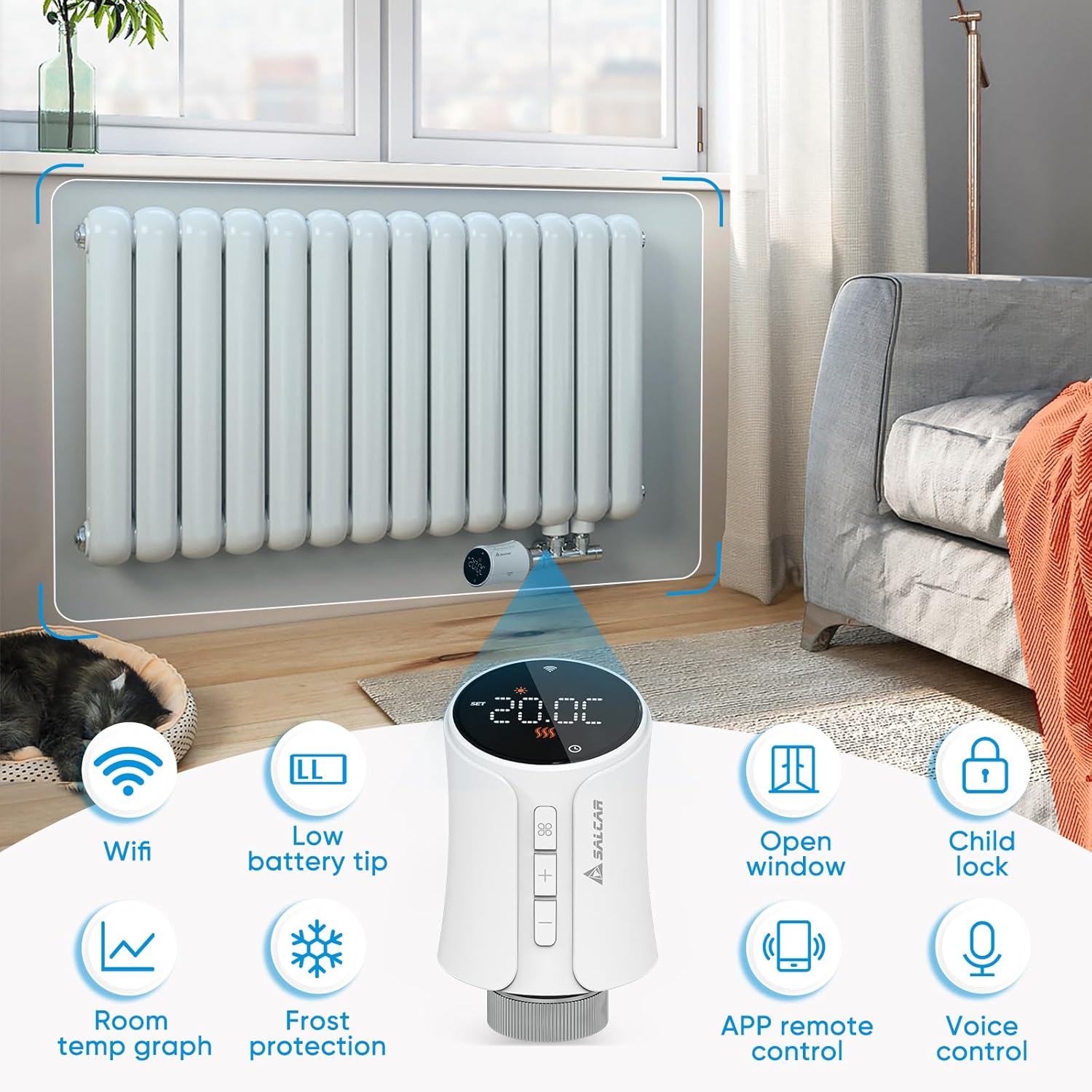
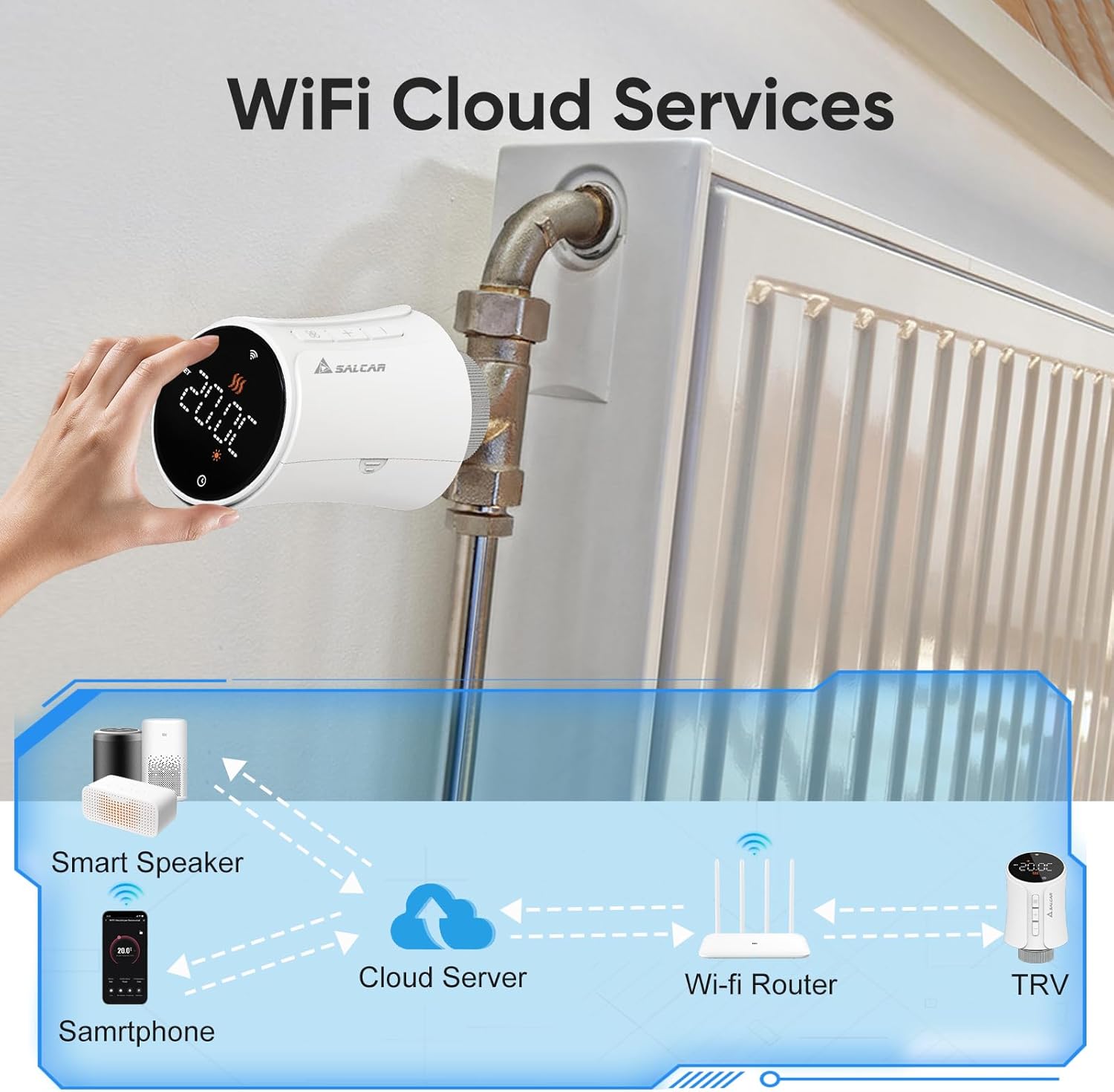
- Kesambungan WiFi: Connects directly to your 2.4G WiFi network without a separate gateway.
- Low Battery Tip: Menunjukkan bila bateri perlu diganti.
- Pengesanan Tetingkap Terbuka: Automatically reduces heating when an open window is detected to save energy.
- Kunci Kanak-kanak: Menghalang perubahan yang tidak dibenarkan pada tetapan.
- Room Temperature Graph: View temperature history via the app.
- Perlindungan Fros: Mengekalkan suhu minimum untuk mengelakkan paip daripada membeku.
- Kawalan Jauh APP: Full control via the Tuya Smart Life app.
- Kawalan Suara: Serasi dengan Amazon Alexa dan Google Assistant.
5. Persediaan
5.1 Pemasangan Bateri
- Gently twist and pull the top cover of the thermostat to open the battery compartment.
- Insert three 1.5V AA alkaline batteries, ensuring correct polarity (+/-).
- Close the battery compartment by aligning the cover and twisting it back into place.
5.2 Mounting on Radiator
The thermostat is designed to replace existing thermostatic radiator valves (TRVs). Use the appropriate adapter from the provided set if your radiator valve is not M30 x 1.5mm.
- Keluarkan kepala termostatik sedia ada anda daripada injap radiator.
- If necessary, select the correct adapter (RA, RAV, RAVL, Canleffi, Giacomini, or M28) that fits your radiator valve.
- Attach the chosen adapter to the radiator valve.
- Screw the SALCAR Smart Radiator Thermostat onto the adapter or directly onto the M30 x 1.5mm valve until it is secure. Do not overtighten.
5.3 App Installation (Tuya Smart Life)
- Muat turun Tuya Smart Life aplikasi daripada App Store (iOS) atau Google Play Store (Android).
- Daftar untuk akaun baharu atau log masuk dengan akaun sedia ada.
5.4 Device Pairing (WiFi Connection)
Ensure your smartphone is connected to a 2.4GHz WiFi network. The thermostat does not require a separate gateway.
- On the thermostat, press and hold the pairing button (usually indicated by a WiFi icon or similar) until the WiFi indicator on the display starts flashing rapidly. This indicates pairing mode.
- Open the Tuya Smart Life app, tap the "+" icon to add a device.
- Select "Small Home Appliance" > "Thermostat" or search for "Radiator Thermostat".
- Follow the on-screen instructions in the app to connect the thermostat to your WiFi network. You will need to enter your WiFi password.
- Once connected, the WiFi indicator on the thermostat will stop flashing and remain solid.
6. Arahan Operasi
6.1 Kawalan Manual
You can adjust the temperature directly on the thermostat using the physical buttons:
- Tekan ke + or - butang untuk meningkatkan atau menurunkan suhu sasaran.
- The display will show the current temperature and the set target temperature.
6.2 App Control (Tuya Smart Life)
The Tuya Smart Life app provides comprehensive control over your thermostat from anywhere.

Mod Pengendalian:
- Mod Automatik: Follows the programmed heating schedule.
- Mod Manual: Mengekalkan suhu malar yang ditetapkan oleh pengguna, mengatasi jadual.
- Mod Keselesaan: Sets the temperature to a predefined comfortable level.
- Mod Penjimatan Tenaga: Sets the temperature to a predefined energy-efficient level.
6.3 Jadual Pengaturcaraan
Use the Tuya Smart Life app to create custom heating schedules for each day of the week. You can set different temperatures for various time periods (e.g., morning, day, evening, night) to match your lifestyle and optimize energy consumption.
6.4 Voice Control (Amazon Alexa & Google Assistant)
After connecting your Tuya Smart Life account to Amazon Alexa or Google Home, you can control your thermostat using voice commands.
- Ensure your thermostat is successfully paired with the Tuya Smart Life app.
- Open the Amazon Alexa app or Google Home app.
- Navigate to "Skills & Games" (Alexa) or "Works with Google" (Google Home) and search for "Smart Life".
- Enable the Smart Life skill/service and link your Smart Life account.
- Discover devices. Your thermostat should now appear and be controllable via voice.

ExampPerintah Suara:
- "Alexa, tetapkan [Nama Termostat] kepada 22 darjah."
- "Ok Google, apakah suhu di [Nama Bilik]?"
- "Alexa, hidupkan [Nama Termostat]."
6.5 Kunci Kanak-kanak
Activate the child lock feature via the Tuya Smart Life app to prevent accidental or unauthorized changes to the thermostat settings by pressing the physical buttons.
6.6 Pengesanan Tetingkap Terbuka
The thermostat can detect a sudden drop in temperature, indicating an open window. When detected, it will temporarily pause heating to save energy. Heating will resume automatically after a set period or when the temperature stabilizes.
6.7 Perlindungan Fros
This feature ensures that the room temperature does not fall below a predefined minimum (e.g., 5°C) to protect pipes from freezing, especially useful during colder months or when you are away.
7. Penyelenggaraan
7.1 Penggantian Bateri
When the low battery indicator appears on the display or in the app, replace the batteries promptly to ensure continuous operation. Follow the steps in Section 5.1 for battery installation.
7.2 Pembersihan
Wipe the thermostat with a soft, dry cloth. Do not use abrasive cleaners or solvents, as these can damage the device's surface or internal components.
8. Penyelesaian masalah
| Masalah | Kemungkinan Punca | Penyelesaian |
|---|---|---|
| Termostat tidak dihidupkan | Bateri mati atau tidak dipasang dengan betul. | Replace batteries with new 1.5V AA alkaline batteries, ensuring correct polarity. |
| Tidak dapat menyambung ke WiFi | Incorrect WiFi password; thermostat too far from router; router is 5GHz only; thermostat not in pairing mode. | Verify WiFi password; move thermostat closer to router; ensure router supports 2.4GHz; put thermostat into pairing mode (flashing WiFi icon). |
| No heating despite high setting | Radiator valve stuck; thermostat not properly mounted; open window detection active. | Check radiator valve for proper function; re-mount thermostat securely; close windows/doors; check app for active open window detection. |
| Kawalan suara tidak berfungsi | Smart Life account not linked to Alexa/Google; incorrect device name; internet connection issue. | Ensure Smart Life skill/service is enabled and linked; verify device name in Alexa/Google app; check internet connection. |
9. Spesifikasi
| Ciri | Spesifikasi |
|---|---|
| Nombor Model | RV21 |
| Jenama | SALCAR |
| Teknologi Ketersambungan | Wi-Fi (2.4GHz) |
| Sumber Kuasa | 3 x 1.5V Bateri Beralkali AA |
| Jenis Pengawal | Tuya Smart Life App, Amazon Alexa, Google Assistant |
| Jenis Kawalan Suhu | Boleh diprogramkan, Pintar/Jarak Jauh |
| bahan | plastik |
| warna | putih |
| Dimensi Produk (L x W x H) | 5.97 x 5.97 x 9.53 cm |
| Berat Barang | 320 gram |
| Sambungan Injap | M30 x 1.5mm (with various adapters included) |

10. Waranti dan Sokongan
For warranty information and technical support, please refer to the documentation provided with your purchase or contact SALCAR customer service. You can typically find contact details on the manufacturer's official webtapak atau melalui peruncit anda.
Manufacturer: SALCAR GmbH
Address: An der Hebemärchte 6, 04316 Leipzig, Germany
e-mel: info@salcar.de
Tel: 0341 25257850