1. Pengenalan
This manual provides detailed instructions for the installation, operation, and maintenance of the LTS LXIP3C82WI-28SDL Pro-X 8MP IP Camera. This camera is designed for both indoor and outdoor surveillance, offering high-resolution video and advanced detection features. Please read this manual thoroughly before using the product to ensure proper setup and functionality.
2. Maklumat Keselamatan
- Ensure the power supply meets the camera's requirements (12V DC or PoE IEEE 802.3af).
- Jangan dedahkan kamera kepada suhu, kelembapan atau persekitaran yang menghakis yang melampau.
- Avoid pointing the lens directly at strong light sources for extended periods.
- Installation should be performed by qualified personnel and comply with local electrical codes.
- Keep the camera clean and free from dust to maintain optimal performance.
3. Kandungan Pakej
Sahkan bahawa semua item terdapat dalam pakej:
- LTS LXIP3C82WI-28SDL Pro-X 8MP IP Camera (1 unit)
- Perkakasan pemasangan (skru, sauh)
- Panduan Mula Pantas
4. Produk Lebihview dan Ciri
The LTS LXIP3C82WI-28SDL is an 8 Megapixel (3840 x 2160) IP camera designed for advanced surveillance. Key features include:
- Resolusi Tinggi: Captures video at up to 8 MP (3840 × 2160) at 30 frames per second.
- Kanta Tetap: Equipped with a 2.8 mm fixed lens.
- Advanced Illumination: Features built-in IR LED and warm light LED illuminators, providing clear images up to 98 feet (30 meters) even in low light conditions, enabling 24/7 color imaging.
- X-Deterrence: Integrated siren and visual alerts (red and blue flashing lights) for active deterrence.
- Perbincangan Dua Hala: Built-in dual microphones and speaker facilitate two-way audio communication.
- Pengesanan Gerakan 2.0: Intelligent motion detection focusing on human and vehicle recognition to reduce false alarms.
- Julat Dinamik Luas (WDR): True WDR 120 dB for clear images in scenes with strong backlighting.
- Storan: Supports MicroSD card storage up to 256 GB.
- Pilihan Kuasa: Can be powered via Power over Ethernet (PoE IEEE 802.3af) or 12V DC.
- Ketahanan: IP67 rated for outdoor use, providing protection against dust and water.
- Mampatan: Utilizes Smart H.264 / H.265 compression for efficient storage and bandwidth usage.
- Mematuhi NDAA: This device adheres to NDAA compliance standards.
5. Persediaan
Pendawaian Kamera 5.1
The LXIP3C82WI-28SDL camera uses a network cable for both video and Power over Ethernet (PoE). It is not compatible with traditional DC power and BNC video connections.
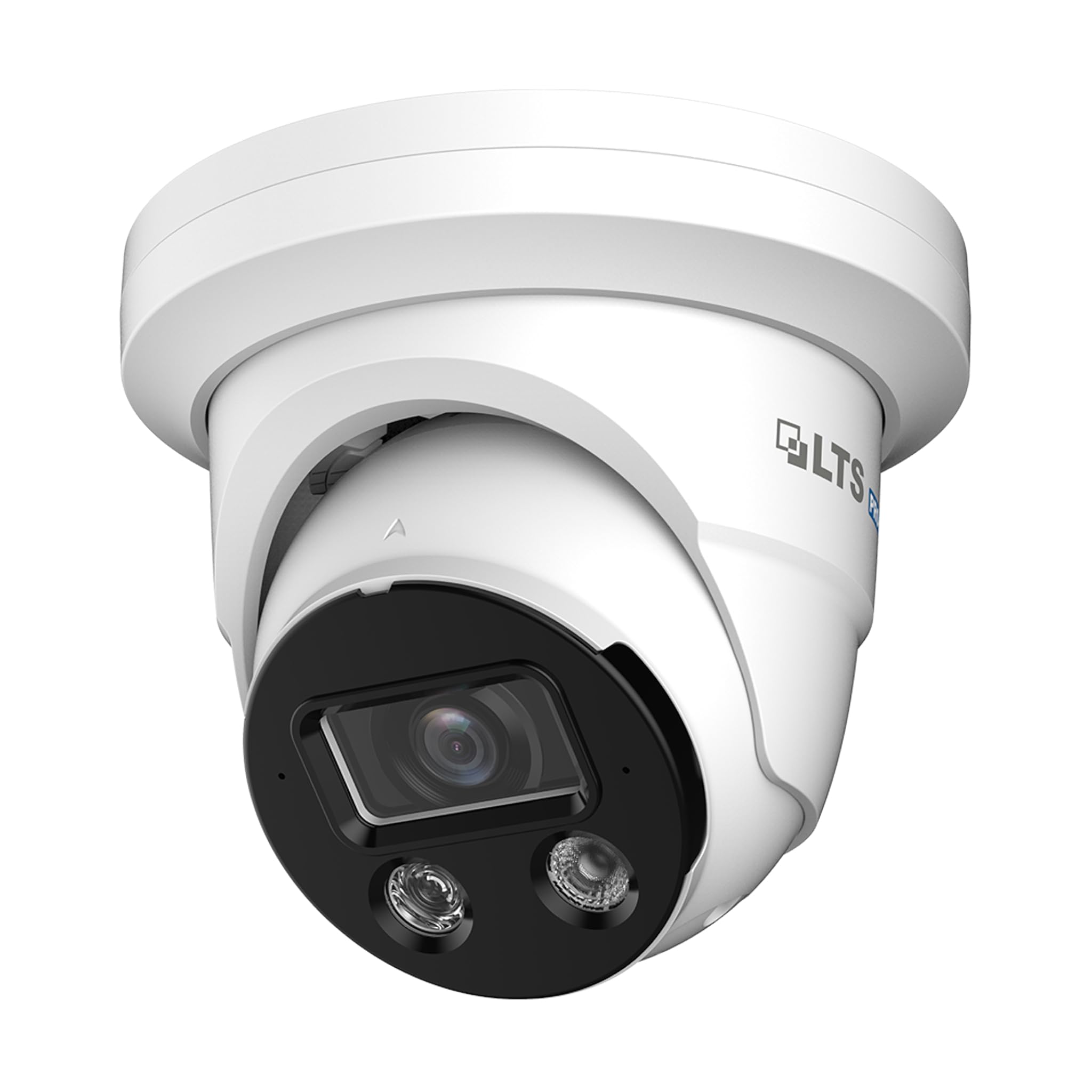
Image 1: Camera Wiring Compatibility. This diagram illustrates the correct wiring method using a network cable for both video and Power over Ethernet (PoE), marked as 'Compatible' with a green circle. It also shows traditional DC power and BNC video cables marked as 'Not Compatible' with a red cross, indicating they should not be used with this camera model.
- Connect a standard Ethernet network cable to the camera's network port.
- If using PoE, connect the other end of the network cable to a PoE-enabled switch or NVR.
- If not using PoE, connect the network cable to a standard network switch/router and provide 12V DC power to the camera's power input.
5.2 Pemasangan
The camera is designed for ceiling mount installation.
- Choose a suitable mounting location on the ceiling that provides the desired field of view.
- Use the provided mounting template (if included) to mark the drill holes.
- Drill pilot holes and insert anchors if necessary.
- Secure the camera base to the ceiling using the provided screws.
- Laraskan sudut kamera mengikut keperluan untuk liputan optimum.
5.3 Sambungan Rangkaian dan Konfigurasi Awal
After physical installation and wiring, connect the camera to your network. For best compatibility, pair this Pro-X series camera with a Pro-X NVR. It is not plug & play compatible with LTS Platinum NVRs.
- Ensure your network is properly configured for IP cameras.
- Use the manufacturer's provided software or a standard IP camera tool to discover the camera on your network.
- Akses kamera web interface using its IP address to perform initial configuration, including setting a strong password, network settings, and video parameters.
6. Beroperasi
6.1 Pemantauan Video
Access live video feeds through a compatible NVR, PC software, or mobile application. The camera supports 8MP resolution for detailed surveillance.
6.2 Pengesanan Pergerakan 2.0
Configure Motion Detection 2.0 settings via the camera's web interface or NVR. This feature distinguishes between human and vehicle movement, reducing false alarms from other sources.
- Define detection zones and sensitivity levels.
- Set up recording schedules and notification preferences (e.g., email alerts, push notifications).
6.3 X-Deterrence (Siren and Lights)
The X-Deterrence feature can be activated manually or triggered by motion detection events. When triggered, the camera will emit a siren sound and flash red and blue lights to deter intruders.
- Configure X-Deterrence actions within the camera's event settings.
- Adjust siren volume and light flashing patterns if available.
6.4 Audio Dua Hala
Utilize the built-in microphone and speaker for two-way audio communication. This feature is accessible through compatible NVRs or client software.
- Ensure audio input/output settings are enabled in the camera's configuration.
- Use the talk button in your monitoring software to speak through the camera's speaker.
6.5 Storan Tempatan (MicroSD)
The camera supports a MicroSD card up to 256 GB for local video storage. This provides a backup or primary recording solution.
- Insert a compatible MicroSD card into the designated slot (refer to the camera's physical diagram for location).
- Format the MicroSD card via the camera's web antara muka sebelum digunakan.
- Configure recording schedules and overwrite settings for the MicroSD card.
7. Penyelenggaraan
7.1 Pembersihan
Regularly clean the camera lens and housing to ensure clear image quality and proper operation.
- Gunakan kain lembut dan kering untuk mengelap badan kamera.
- For the lens, use a lens cleaning solution and a microfiber cloth to avoid scratches.
- Jangan gunakan bahan kimia atau pembersih kasar.
7.2 Kemas Kini Perisian Tegar
Periksa pengeluar secara berkala website for firmware updates. Firmware updates can improve performance, add new features, and enhance security.
- Download the correct firmware version for your camera model.
- Follow the update instructions provided by the manufacturer carefully to avoid damaging the device.
8. Penyelesaian masalah
8.1 Tiada Kuasa
- Verify that the power source (PoE switch/injector or 12V DC adapter) is functioning correctly.
- Periksa semua sambungan kabel untuk memastikan ia dipasang dengan selamat.
8.2 Tiada Suapan Video
- Pastikan kamera dihidupkan dan disambungkan ke rangkaian.
- Verify network connectivity by pinging the camera's IP address.
- Check firewall settings on your network and viewperanti ing.
- Confirm that the NVR or viewing software is compatible and correctly configured.
8.3 Kualiti Imej Lemah
- Bersihkan lensa kamera.
- Adjust video settings (resolution, bitrate, exposure) in the camera's web antara muka.
- Ensure adequate lighting in the surveillance area, especially at night.
8.4 Pengesanan Pergerakan Tidak Berfungsi
- Verify that motion detection is enabled and configured correctly in the camera settings.
- Laraskan zon pengesanan dan sensitiviti.
- Pastikan tiada halangan yang menghalang kamera view.
9. Spesifikasi
| Ciri | Spesifikasi |
|---|---|
| Nombor Model | LXIP3C82WI-28SDL |
| Resolusi Pegun Berkesan | 8 MP (3840 x 2160) |
| Kadar Bingkai | 30 fps |
| Lensa | Tetap 2.8 mm |
| Illuminator Distance | Up to 98 feet (IR LED & Warm Light LED) |
| Pencahayaan Minimum | 0.001 lux @ f 1.0 (Color, 30 IRE), 0 lux with illuminator on |
| Mampatan | Smart H.264 / H.265 |
| Sensor | 1/2.8" CMOS Imbasan Progresif |
| X-Deterrence | Siren and visual alerts (red and blue flashing lights) |
| Audio | Built-in dual mic and speaker, two-way talk |
| WDR | True WDR 120 dB |
| Penyimpanan | MicroSD sehingga 256 GB |
| Bekalan Kuasa | 12V DC, PoE (IEEE 802.3af) |
| Perlindungan Ingress | IP67 |
| Pengesanan Pergerakan | MD 2.0 - Human and vehicle detection |
| Jenis Pemasangan | Pemasangan Siling |
| Dimensi (L x W x H) | 5.61 x 5.61 x 4.91 inci |
| Berat Barang | 3 paun |
| Pengeluar | LTS |
10. Waranti dan Sokongan
For warranty information and technical support, please refer to the official LTS weblaman web atau hubungi pengedar sah anda. Simpan resit pembelian anda untuk tuntutan jaminan.
- Pengeluar: LTS
- Sokongan: Refer to the manufacturer's official support channels for assistance with product issues, firmware updates, and advanced configurations.


