
pengenalan
Welcome to the user manual for your Zeblaze Btalk 2 Lite Smartwatch. This guide provides comprehensive instructions to help you set up, operate, and maintain your device, ensuring you get the most out of its features. The Btalk 2 Lite is designed to enhance your daily life with advanced health monitoring, fitness tracking, and convenient communication capabilities.
Produk Selesaiview
The Zeblaze Btalk 2 Lite smartwatch combines style with functionality, offering a range of features to support your health and connectivity needs.
- paparan: Large 1.39-inch HD IPS Color Display
- Ketersambungan: Bluetooth V5.2 for phone calls
- Pemantauan Kesihatan: 24/7 Heart Rate, SpO2 (Blood Oxygen), Sleep Tracking, Women's Health
- Kecergasan: Over 100 workout modes
- Penyesuaian: Over 300 professional watch faces, custom photo watch faces
- Hayat Bateri: Up to 14 days (220 mAh battery)
- Ciri Pintar: Offline Voice Assistant, Call, SMS, Gmail, and App Notifications
- Reka bentuk: Super slim and light, curved glass with anti-fingerprint coating
- Keserasian: Android 4.4 atau iOS 8.0 dan ke atas
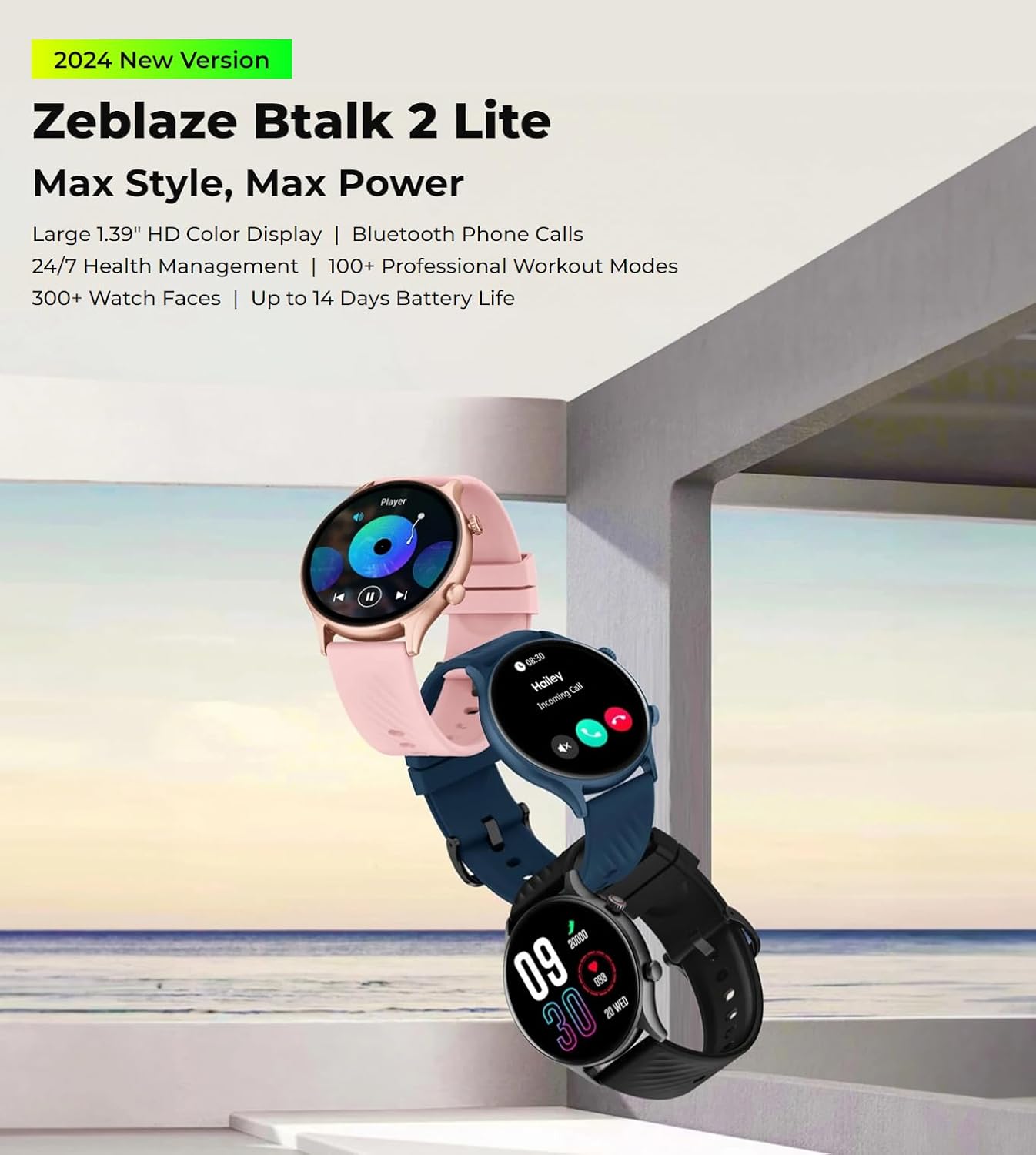
The Zeblaze Btalk 2 Lite smartwatch, available in various colors, featuring a large 1.39-inch HD display and comprehensive health and fitness tracking.
Persediaan
1. Mengecas Peranti
Before initial use, fully charge your Zeblaze Btalk 2 Lite smartwatch. Connect the magnetic charging cable to the charging contacts on the back of the watch and plug the USB end into a power adapter (not included) or a computer's USB port. A full charge typically takes approximately 2 hours.

Illustration of the Zeblaze Btalk 2 Lite's battery performance, showing up to 14 days in typical usage, 7 days in heavy usage, 20 days in battery saver mode, and 325 minutes of continuous voice calling.
2. Berpasangan dengan Telefon Pintar Anda
- Muat turun Apl: Scan the QR code in the watch's settings or search for the 'Da Fit' app in your smartphone's app store (Google Play Store for Android, Apple App Store for iOS).
- Dayakan Bluetooth: Pastikan Bluetooth didayakan pada telefon pintar anda.
- Open App and Pair: Open the 'Da Fit' app, navigate to the device section, and follow the on-screen instructions to search for and connect to your Zeblaze Btalk 2 Lite. Confirm the pairing request on both your phone and watch.
Arahan Operasi
1. Navigasi Asas
- Skrin sentuh: Swipe left/right to access different features, swipe up/down to view notifications or quick settings. Tap to select.
- Butang Sisi/Mahkota: Press to wake the screen, return to the home screen, or access the app menu. Rotate the crown (if applicable) to scroll through menus.

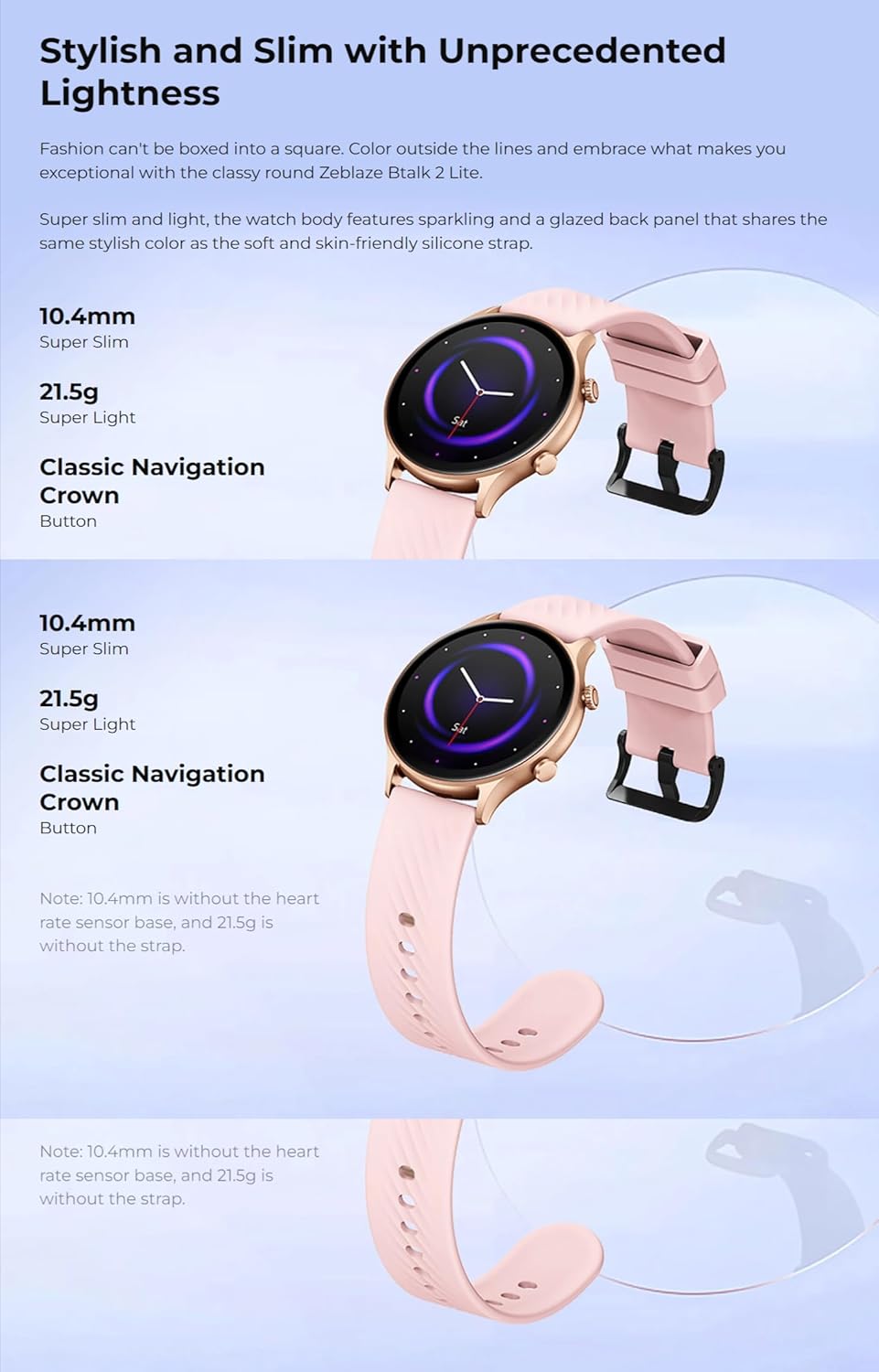
A close-up of the Zeblaze Btalk 2 Lite smartwatch display, highlighting the 1.39-inch screen and the classic navigation crown on the side.
2. Panggilan Telefon Bluetooth
Once paired with your phone, the Btalk 2 Lite allows you to make and receive calls directly from your wrist.
- Membuat Panggilan: Akses pad dail atau senarai kenalan pada jam tangan anda untuk memulakan panggilan.
- Menerima Panggilan: Apabila panggilan masuk, anda boleh menjawab atau menolaknya terus dari skrin jam tangan.

A user interacting with the Zeblaze Btalk 2 Lite smartwatch to manage phone calls, demonstrating its Bluetooth calling capability.
3. Offline Voice Assistant
The watch features an offline voice assistant. Activate it through the watch menu and use voice commands for various functions without needing an internet connection.
4. Pemberitahuan
Receive alerts for incoming calls, SMS messages, Gmail, and other app notifications directly on your watch. Configure which app notifications you wish to receive via the 'Da Fit' app on your smartphone.
5. Pemantauan Kesihatan
The Btalk 2 Lite provides comprehensive health tracking features.
- Kadar Jantung: Memantau kadar denyutan jantung anda 24/7. View data masa nyata pada jam tangan atau arah aliran terperinci dalam apl.
- SpO2 (Oksigen Darah): Measure your blood oxygen saturation levels on demand.
- Penjejakan Tidur: Automatically tracks your sleep patterns, including deep sleep, light sleep, and wake times.
- Kesihatan Wanita: Provides tracking and reminders for menstrual cycles (configure in the app).

Visual representation of the Zeblaze Btalk 2 Lite's health monitoring features, including wrist-based heart rate, SpO2 (blood oxygen) level measurement, breathing training, and blood pressure monitoring.
6. Workout Modes
Choose from over 100 professional workout modes to track your physical activity. Select your desired activity from the watch's menu to start tracking metrics like duration, calories burned, and heart rate.

A cyclist wearing the Zeblaze Btalk 2 Lite smartwatch, illustrating its support for over 100 workout modes for various fitness activities.
7. Menyesuaikan Muka Jam
Personalize your watch with a wide selection of watch faces.
- Muka Pra-pasang: Browse and select from over 300 professional watch faces directly on the watch or through the 'Da Fit' app.
- Wajah Tersuai: Upload your favorite photos via the 'Da Fit' app to create unique watch faces.

A collection of diverse watch faces available for the Zeblaze Btalk 2 Lite, showcasing pilihan penyesuaian.
Penyelenggaraan
1. Pembersihan
Regularly clean your watch and strap to prevent skin irritation and maintain functionality. Use a soft, damp kain untuk mengelap skrin dan tali. Elakkan bahan kimia yang keras atau bahan yang melelas.
2. Tahan Air
The Zeblaze Btalk 2 Lite features IP68 water resistance. This means it is protected against dust and can withstand immersion in water up to 1.5 meters for up to 30 minutes. It is suitable for daily use, such as hand washing or light rain, but not recommended for swimming, diving, or hot showers.
3. Penjagaan Bateri
To prolong battery life, avoid exposing the watch to extreme temperatures. Charge the device fully before long periods of inactivity. If the watch will not be used for an extended time, charge it to about 50% before storing.
Menyelesaikan masalah
- Tonton tidak dihidupkan: Pastikan jam tangan dicas sepenuhnya. Sambungkannya ke pengecas selama sekurang-kurangnya 30 minit.
- Tidak boleh berpasangan dengan telefon: Make sure Bluetooth is enabled on your phone and the watch is within range. Restart both the watch and your phone, then try pairing again through the 'Da Fit' app.
- Data kesihatan tidak tepat: Pastikan jam tangan dipakai dengan kemas pada pergelangan tangan anda, tidak terlalu ketat atau terlalu longgar. Bersihkan penderia di belakang jam tangan.
- Pemberitahuan tidak diterima: Check app settings on your phone to ensure notifications are enabled for the 'Da Fit' app and for individual apps you wish to receive alerts from. Ensure the watch is connected via Bluetooth.
- Hayat bateri pendek: Reduce screen brightness, disable unnecessary features, and ensure the watch is fully charged.
Spesifikasi
| Ciri | Perincian |
|---|---|
| Nama Model | Btalk 2 Lite |
| Jenama | Zeblaze |
| Saiz Skrin | 1.39 inci |
| bentuk | Bulat |
| GPS | Tiada GPS |
| Standard Komunikasi Tanpa Wayar | Bluetooth |
| Teknologi Ketersambungan | Cellular (Bluetooth calls) |
| Kapasiti Bateri | 220 mAh |
| Ciri Khas | Penjejak Aktiviti, Pemantau Degupan Jantung |
| Sistem Operasi | Android 4.4 atau iOS 8.0 dan ke atas |
| Nombor Model Item | Btalk 2 lite |
| Dimensi Produk | 17.2 x 8.7 x 2.2 cm; 90 gram |
Satu jarak dekat view of the back of the Zeblaze Btalk 2 Lite smartwatch, showing the advanced PPG biometric sensor for accurate health data collection.
Waranti dan Sokongan
For warranty information, please refer to the documentation included with your purchase or visit the official Zeblaze website. For technical support or further assistance, please contact Zeblaze customer service through their official channels.