
BoyKeep Y108
Ease Life 1080P Security Camera User Manual
Model: Y108
1. Pengenalan
This user manual provides detailed instructions for the installation, operation, and maintenance of your Ease Life 1080P Security Camera (Model: Y108). This camera is designed for outdoor home security, offering a 360° view with pan/tilt capabilities, color night vision, motion detection, and two-way audio communication. Please read this manual thoroughly before using the product to ensure proper functionality and safety.

Image: The Ease Life 1080P Security Camera shown alongside a smartphone displaying its live view interface. The camera is white with two antennas and a prominent lens array. The app shows a live feed of a child and an adult playing with a ball.
2. Maklumat Keselamatan
- Ensure the power adapter used is compatible with the camera's specifications and local electrical standards.
- Jangan dedahkan kamera kepada suhu, kelembapan atau persekitaran yang menghakis yang melampau.
- Elakkan meletakkan kamera berhampiran medan magnet yang kuat atau sumber gangguan.
- Jangan cuba membuka atau mengubah suai kamera. Rujuk semua servis kepada kakitangan yang berkelayakan.
- Keep the camera and its accessories out of reach of children and pets.
- Clean the camera with a soft, dry cloth. Do not use harsh chemicals or abrasive cleaners.
- Pastikan kamera dipasang dengan selamat untuk mengelakkan terjatuh secara tidak sengaja.
3. Kandungan Pakej
Sila semak kandungan bungkusan semasa dibuka. Jika ada item yang hilang atau rosak, hubungi sokongan pelanggan.
- Ease Life 1080P Security Camera (Y108)
- Penyesuai Kuasa
- Skru Pemasangan dan Palam Dinding
- Manual Pengguna (dokumen ini)
- Mounting Template (may be included)
4. Produk Lebihview
Familiarize yourself with the main components of your security camera.

Imej: A terperinci view of the camera's front, highlighting the lens, infrared LEDs, and visible light LEDs for color night vision.
4.1 Dimensi Kamera
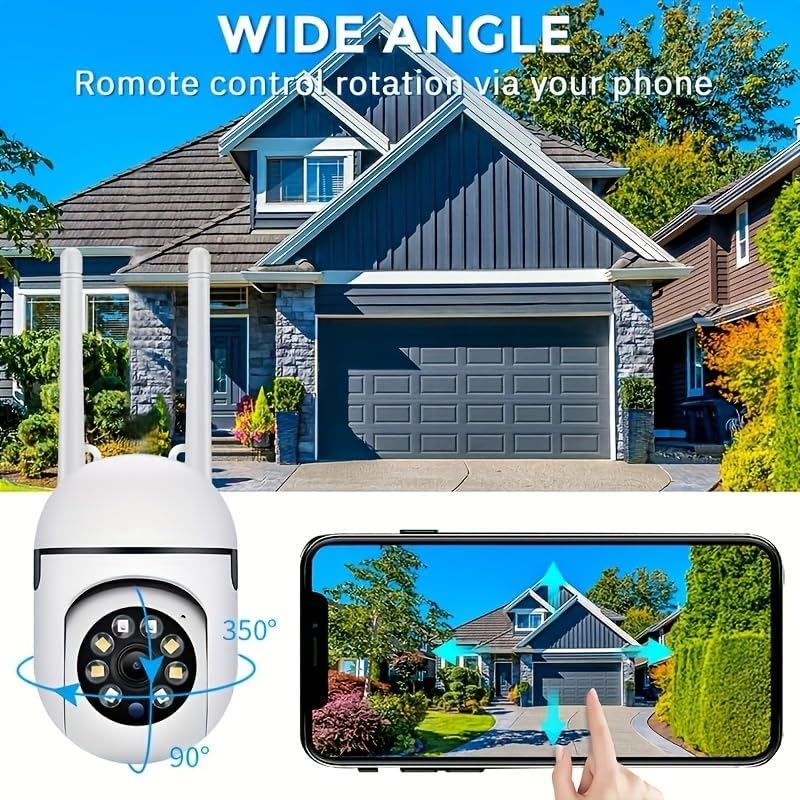
Image: Technical drawing showing the camera's dimensions: approximately 18cm (7.08 inches) in height, 7cm (2.76 inches) in width, and 8.8cm (3.46 inches) in depth from the wall mount.
4.2 Komponen Utama
- Kanta: Captures 1080P Full HD video.
- LED inframerah: Untuk penglihatan malam hitam putih.
- Lampu LED Putih: For color night vision and alarm illumination.
- mikrofon: Untuk komunikasi audio dua hala.
- Penceramah: For two-way audio communication and alarm sounds.
- Antena: Untuk sambungan Wi-Fi 2.4GHz.
- Slot Kad Mikro SD: Untuk storan video setempat (kad tidak disertakan).
- Butang Tetapkan Semula: Used for factory reset.
- Pelabuhan Kuasa: Untuk menyambungkan penyesuai kuasa.

Image: The camera is shown with labels pointing to the microphone and speaker, illustrating its two-way audio capability. A delivery person is shown interacting with the camera.
5. Persediaan
5.1 Pemasangan Aplikasi
- Cari untuk "EaseLife" in your smartphone's app store (App Store for iOS, Google Play Store for Android).
- Download and install the EaseLife app.
- Buka apl dan ikut arahan pada skrin untuk mendaftar akaun baharu atau log masuk jika anda sudah memilikinya.
5.2 Camera Connection (Wi-Fi)
- Power on the camera by connecting the power adapter. The camera will perform a self-test and then enter pairing mode (indicated by a specific LED status or voice prompt).
- Open the EaseLife app, tap the "+" icon to add a new device.
- Pilih model kamera anda atau imbas kod QR pada kamera (jika ada).
- Follow the in-app instructions to connect the camera to your 2.4GHz Wi-Fi network. Ensure your phone is connected to the same 2.4GHz Wi-Fi network during setup.
- Setelah disambungkan, anda boleh menamakan kamera anda dan mula secara langsung viewing.
5.3 Memasang Kamera
Pilih lokasi yang sesuai untuk pemasangan, pastikan ia jelas view and access to a power outlet. The camera supports wall mounting.
- Use the provided mounting template (if included) or mark the drill holes on the desired surface.
- Drill holes and insert wall plugs if mounting on masonry or drywall.
- Lindungi tapak pelekap kamera ke permukaan menggunakan skru yang disediakan.
- Adjust the camera's angle as needed after mounting.

Image: The camera is depicted with arrows indicating its 360-degree horizontal pan and 90-degree vertical tilt rotation, demonstrating its wide coverage capabilities.
6. Arahan Operasi
6.1 Langsung View dan Kawalan Pan/Tilt
Open the EaseLife app and select your camera to access the live view. You can control the camera's pan (horizontal) and tilt (vertical) movements directly from the app interface to adjust the viewsudut ing.

Image: The camera is shown with a wide-angle view of a house, illustrating its ability to cover a large area. A smartphone screen demonstrates remote control of the camera's rotation.
6.2 Audio Dua Hala
Tap the microphone icon in the app to speak through the camera's speaker. Tap the speaker icon to listen to audio from the camera's microphone. This feature allows for real-time communication with visitors or deterrence of intruders.
6.3 Pengesanan Gerakan dan Makluman
Enable motion detection in the app settings. When motion is detected, the camera will record video and send push notifications to your smartphone. You can adjust sensitivity levels and set detection zones.
6.4 Mod Penglihatan Malam
Kamera ini menyokong pelbagai mod penglihatan malam:
- Penglihatan Malam Inframerah: Provides clear black and white images in low light or complete darkness using infrared LEDs.
- Penglihatan Malam Warna Penuh: Activates the camera's white light LEDs to provide full-color video even in dark conditions.
- Sound and Light Alarm Night Vision: Combines full-color night vision with an audible alarm and flashing lights upon motion detection to deter unwanted activity.

Image: Illustrations of the three night vision modes: Infrared (black and white), Full Color (illuminated by white light), and Sound and Light Alarm (with a red outline indicating an alarm trigger).
6.5 Rakaman dan Main semula
Recordings can be stored on a Micro SD card (up to 128GB, not included) or via cloud service (subscription required). Access recorded footage through the "Playback" or "Gallery" section in the EaseLife app.
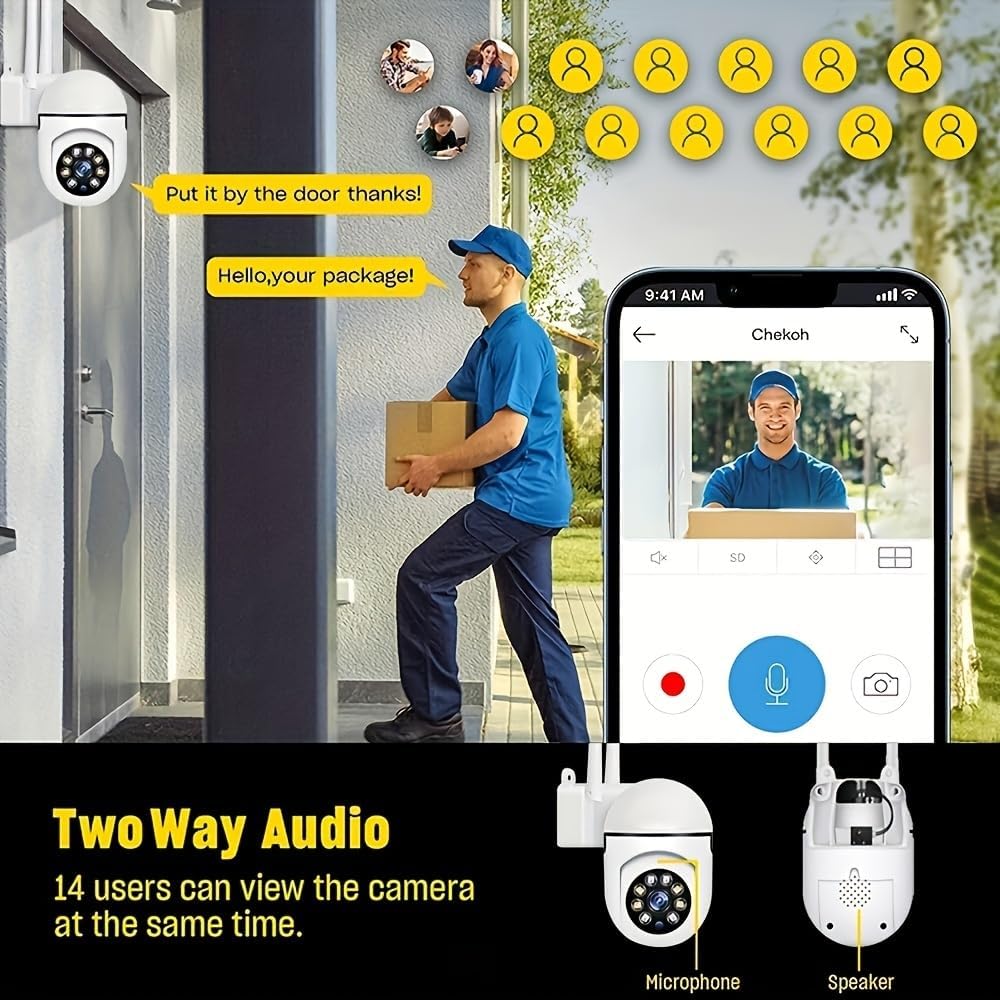
Image: A smartphone screen showing the replay function of the camera, with multiple thumbnail views of recorded events. Below, the camera is shown with its "Double light night vision" capability highlighted, indicating both infrared and white light LEDs.
7. Penyelenggaraan
- Pembersihan: Regularly wipe the camera lens and body with a soft, dry cloth to remove dust and dirt. Do not use liquid cleaners or sprays directly on the camera.
- Kemas kini Firmware: Check the EaseLife app periodically for firmware updates. Keeping your camera's firmware updated ensures optimal performance and access to new features.
- Kitaran Kuasa: Jika kamera mengalami masalah, cuba cabut plagnya daripada sumber kuasa selama 10 saat dan kemudian pasangkannya semula.
8. Penyelesaian masalah
| Masalah | Kemungkinan Punca | Penyelesaian |
|---|---|---|
| Kamera luar talian dalam aplikasi | No power; Wi-Fi disconnected; Router issues. | Check power connection. Restart camera and router. Reconnect camera to Wi-Fi via app. |
| Tidak dapat menyambung ke Wi-Fi | Incorrect Wi-Fi password; 5GHz Wi-Fi network; Weak signal. | Ensure correct 2.4GHz Wi-Fi password. Move camera closer to router. Reset camera and try pairing again. |
| Pengesanan gerakan tidak berfungsi | Feature disabled; Sensitivity too low; Incorrect detection zone. | Enable motion detection in app. Adjust sensitivity. Define detection zones correctly. |
| No audio from camera | Microphone/speaker disabled in app; Volume too low. | Check audio settings in app. Increase volume. |
| Kualiti imej yang teruk pada waktu malam | Night vision mode not optimal; Obstruction in front of lens. | Switch night vision modes. Clean lens. Ensure no obstructions. |
9. Spesifikasi
| Ciri | Perincian |
|---|---|
| Resolusi Tangkapan Video | 1080p HD Penuh |
| Teknologi Ketersambungan | Wayarles (Wi-Fi) |
| Kekerapan Wi-Fi | 2.4GHz |
| Ciri Khas | Night Vision (Infrared, Full Color, Sound & Light Alarm), Pan/Tilt (360° horizontal, 90° vertical), Motion Detection, Two-Way Talk |
| Peranti Serasi | Tablet, Smartphone (iPhone, Android) |
| Sumber Kuasa | Elektrik Bertali |
| Jenis Pemasangan | Lekap di dinding |
| Faktor Bentuk | Kubah |
| Berat Barang | 250 g |
| Pengeluar | BoyKeep |
10. Waranti & Sokongan
Your Ease Life 1080P Security Camera comes with a standard manufacturer's warranty. Please refer to the product packaging or the official BoyKeep webtapak untuk terma dan syarat waranti tertentu.
For technical support, troubleshooting assistance, or warranty claims, please contact BoyKeep customer service through the contact information provided on their official webtapak atau melalui platform pembelian anda.
Sumber Dalam Talian: For the latest FAQs, video tutorials, and software updates, please visit the official EaseLife or BoyKeep support page.
Ask a question about this manual
Ask about setup, troubleshooting, compatibility, parts, safety, or missing instructions. Manuals+ will review the question and use this page’s manual context to help answer it.