
pengenalan
Thank you for choosing the Edyell EH1 Bluetooth Motorcycle Helmet Headset. This device is designed to provide clear communication, music playback, and FM radio functionality while riding, enhancing your safety and enjoyment. Please read this manual carefully before use to ensure proper operation and to maximize the product's lifespan.
Kandungan Pakej
Sila semak pakej untuk item berikut:
- Edyell EH1 Bluetooth Helmet Headset Unit
- Microphone (boom or soft wire, depending on helmet type)
- Speakers (pair)
- Kabel Pengecasan USB Jenis-C
- Helmet Mounting Clips (clamp and adhesive base)
- Pad Velcro untuk Pembesar Suara dan Mikrofon
- Manual Pengguna
Produk Selesaiview
The Edyell EH1 features an intuitive design with advanced functionalities for motorcycle riders.
Smart LED Screen and RGB Lights
The headset is equipped with an LED display that shows essential information such as battery capacity, Bluetooth pairing status, and FM channel. Dynamic RGB lights provide visual feedback and enhance the aesthetic.
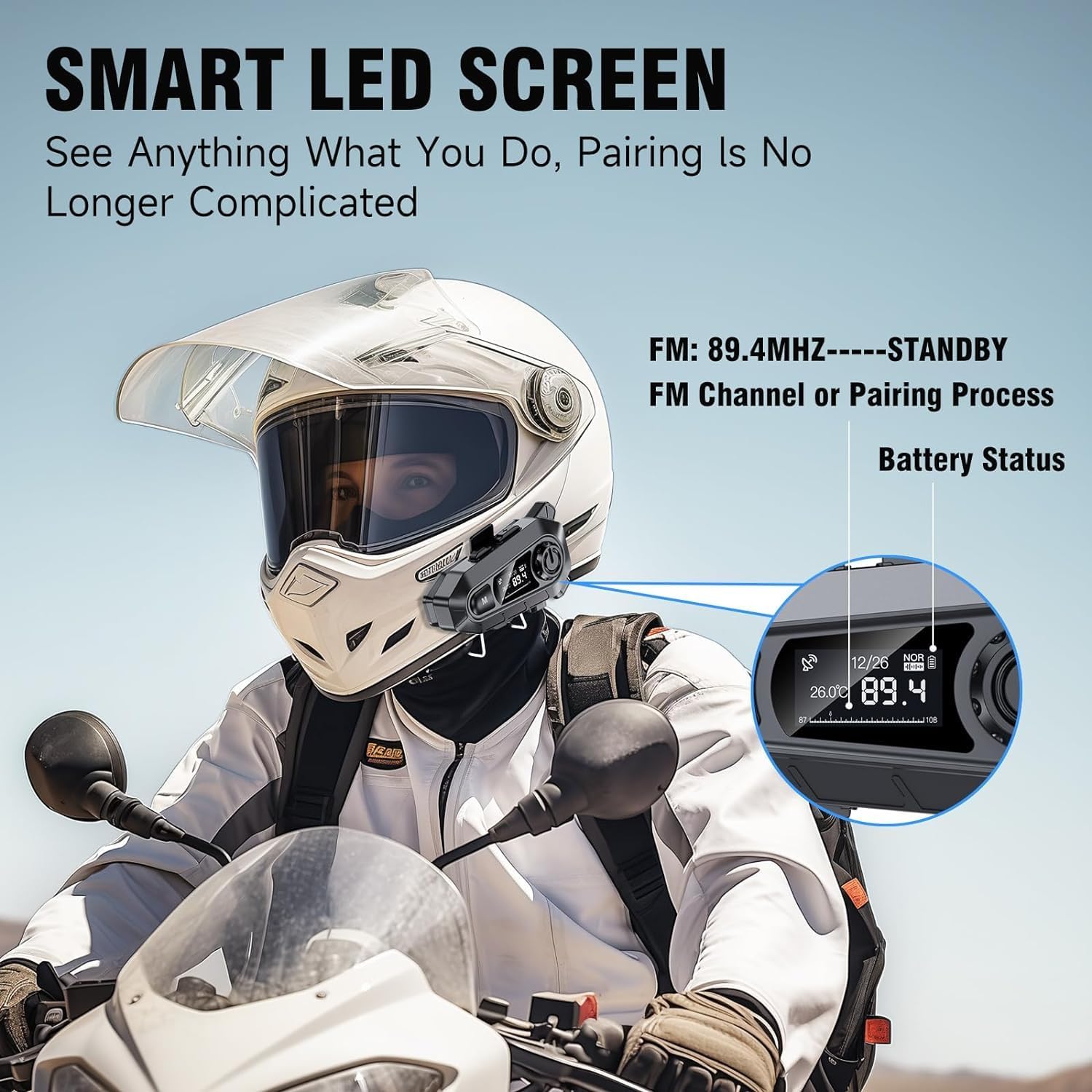
Imej: The Edyell EH1 headset mounted on a helmet, highlighting its smart LED screen which displays battery status, FM channel, and pairing information for easy monitoring.
High-Quality 50mm Speakers with ENC Noise Reduction
Experience superior audio quality with 50mm speakers, delivering enhanced volume and bass compared to standard 40mm speakers. Environmental Noise Cancellation (ENC) technology ensures clear audio even at high speeds.
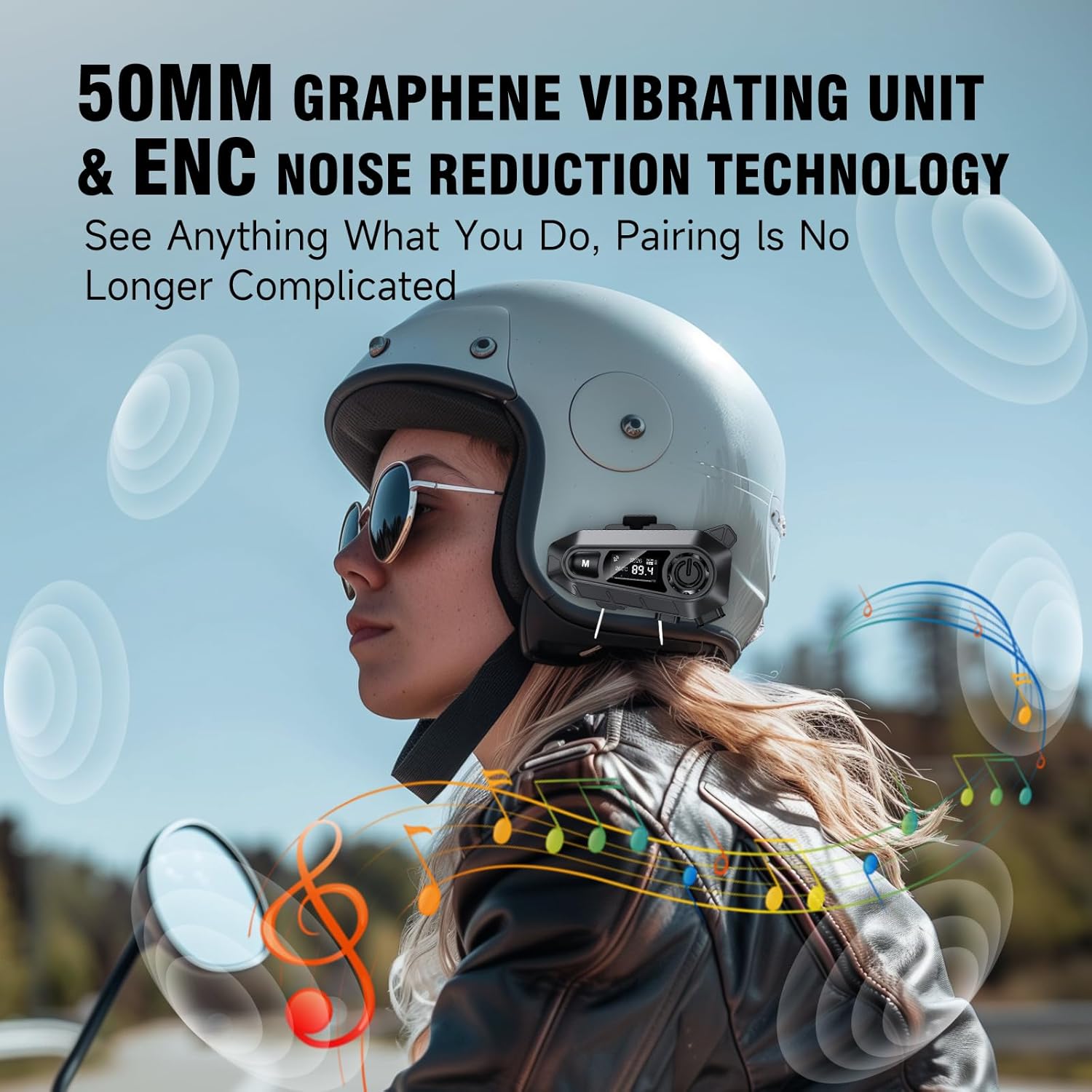
Imej: A rider wearing a helmet with the Edyell EH1 headset, illustrating the 50mm graphene vibrating unit and ENC noise reduction technology for high-quality audio and clear communication.
Bateri Tahan Lama dan Pengecasan Pantas
Equipped with a 1000mAh battery, the EH1 provides up to 30 hours of music playback, 40 hours of talk time, and over 300 hours of standby time. The Type-C port allows for full charging in just 1.5 hours.

Imej: A close-up of the Edyell EH1 headset showing its Type-C fast charging port and indicating its 1000mAh battery capacity, with charging and usage times.
Automatic Call Answering and Voice Control
The headset automatically answers incoming calls within 10 seconds, allowing for hands-free communication. Activate your phone's voice assistant (Siri, Google Assistant) with a single button press for navigation, music control, and more.

Imej: A rider on a motorcycle demonstrating the voice assistant feature of the Edyell EH1 headset, showing prompts for "Previous song", "Open GPS", and "Hey Siri, Call Mike".
Universal Helmet Compatibility and IP67 Waterproof Rating
The Edyell EH1 is designed to be compatible with various helmet types. Its IP67 waterproof rating ensures durability and performance in diverse weather conditions.
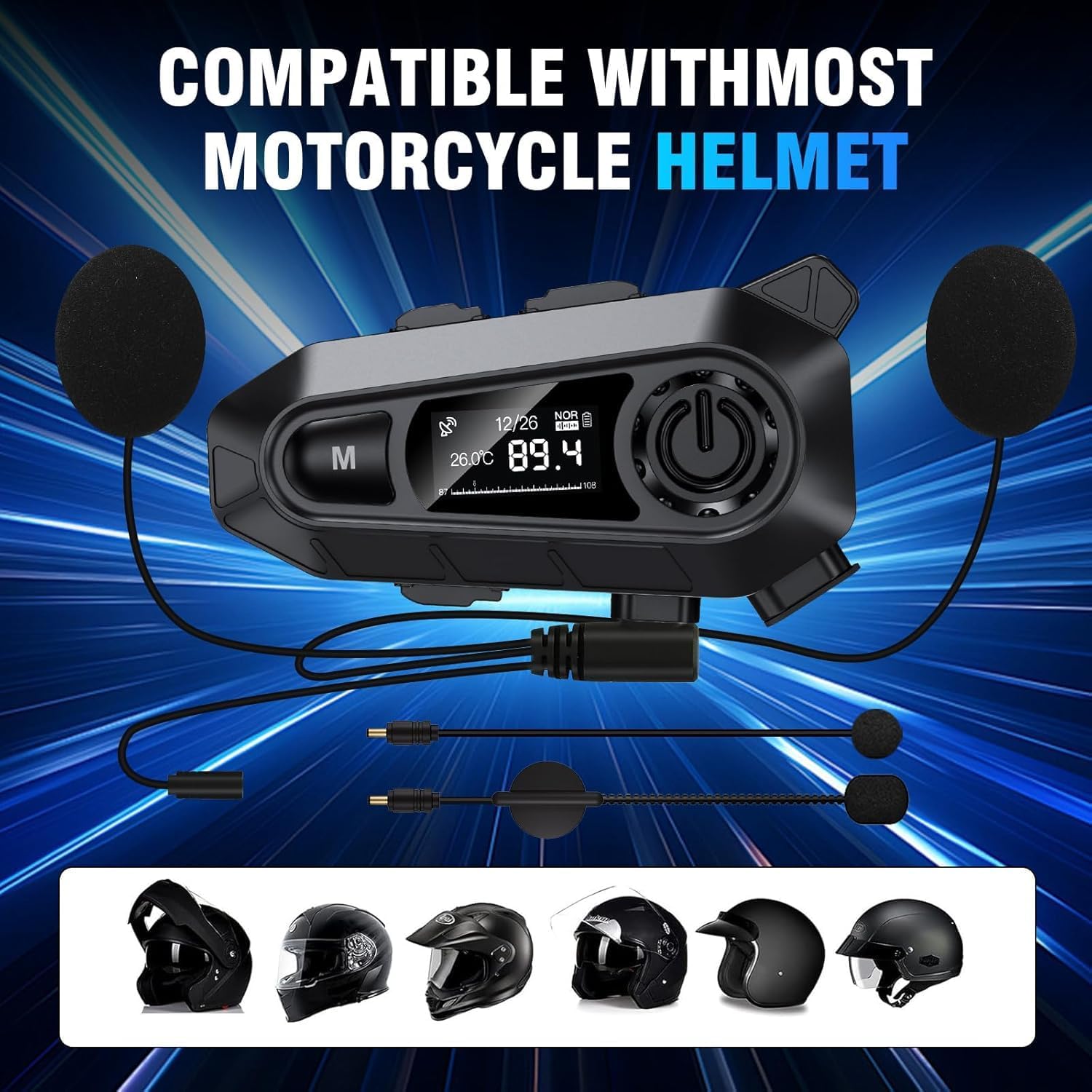
Imej: The Edyell EH1 headset with its speakers and microphone attachments, displayed alongside various helmet types to illustrate its broad compatibility.
Persediaan
1. Mengecas Peranti
- Before first use, fully charge the headset.
- Connect the provided USB Type-C charging cable to the headset's charging port and to a USB power source (e.g., computer, wall adapter).
- The LED screen will indicate charging status. A full charge takes approximately 1.5 hours.
2. Installing on Your Helmet
The EH1 can be installed using either the clamp mount or the adhesive mount.
- Clamp Lekapkan:
- Longgarkan skru pada clamp melekap.
- Luncurkan clamp between the outer shell and inner padding of your helmet on the left side.
- Tighten the screws to secure the clamp.
- Slide the EH1 main unit onto the clamp sehingga ia klik pada tempatnya.
- Lekapan Pelekat:
- Clean the desired mounting area on the left side of your helmet.
- Kupas filem pelindung daripada pelekap pelekat.
- Firmly press the adhesive mount onto the helmet for 30 seconds. Allow 24 hours for the adhesive to fully cure before attaching the main unit.
- Slide the EH1 main unit onto the adhesive mount until it clicks into place.
3. Memasang Pembesar Suara dan Mikrofon
- Attach the Velcro pads to the back of the speakers and inside the helmet's ear pockets.
- Letakkan pembesar suara di dalam poket telinga topi keledar, pastikan ia sejajar dengan telinga anda untuk bunyi yang optimum.
- Attach the microphone Velcro pad to the inside of the helmet near your mouth. Position the microphone for clear voice pickup, typically on the left side.
- Route the speaker and microphone wires neatly under the helmet padding to the main unit's ports.
- Connect the speaker and microphone cables to their respective ports on the EH1 main unit.
Arahan Operasi
Hidupkan/Mati Kuasa
- Hidupkan kuasa: Press and hold the Power button (usually the central large button) for 3 seconds until the LED screen lights up and you hear a prompt.
- Matikan: Press and hold the Power button for 3 seconds until the LED screen turns off and you hear a prompt.
Berpasangan Bluetooth
- With the device off, press and hold the Power button for approximately 5-7 seconds until the LED screen shows "Pairing" and the RGB lights flash.
- On your mobile phone, enable Bluetooth and search for "Edyell EH1".
- Select "Edyell EH1" to connect. Once paired, the LED screen will show "Connected" and the RGB lights will stop flashing.
Main balik Muzik
- Main/Jeda: Tekan pendek butang Kuasa.
- Lagu Seterusnya: Short press the "Next" button (often marked with a forward arrow).
- Trek Sebelumnya: Short press the "Previous" button (often marked with a backward arrow).
Pengurusan Panggilan
- Jawab Panggilan: The headset will automatically answer incoming calls after 10 seconds. You can also short press the Power button to answer immediately.
- Tamatkan Panggilan: Tekan butang Kuasa sebentar semasa panggilan.
- Tolak Panggilan: Press and hold the Power button for 2 seconds when a call comes in.
- Dail Semula Nombor Terakhir: Double-press the Power button when not on a call.
Pembantu Suara
- Aktifkan Pembantu Suara: Short press the dedicated Voice Control button (often marked with a microphone icon or 'M' button). This will activate Siri or Google Assistant on your paired phone.
Radio FM
- Hidupkan/Matikan FM: Press and hold the 'M' button for 2 seconds to switch between Bluetooth and FM radio mode.
- Imbas Saluran: In FM mode, short press the Power button to automatically scan and save available stations.
- Tukar Stesen: Short press the "Next" or "Previous" buttons to cycle through saved FM stations.
Kawalan Kelantangan
- Tingkatkan Kelantangan: Short press the Volume Up button (often marked with '+').
- Kurangkan Kelantangan: Short press the Volume Down button (often marked with '-').
Penyelenggaraan
- Pembersihan: Gunakan yang lembut, damp cloth to clean the headset unit. Do not use harsh chemicals or abrasive cleaners.
- Pendedahan Air: While the device is IP67 waterproof, avoid prolonged submersion. Ensure the charging port cover is securely closed when not charging.
- Storan: Simpan set kepala di tempat yang sejuk dan kering apabila tidak digunakan. Elakkan suhu yang melampau.
- Penjagaan Bateri: To prolong battery life, charge the device regularly and avoid fully discharging it for extended periods.
Menyelesaikan masalah
| Masalah | Penyelesaian yang Mungkin |
|---|---|
| Peranti tidak dihidupkan. | Pastikan bateri dicas. Sambungkan ke pengecas dan cuba lagi. |
| Tidak boleh digandingkan dengan telefon. |
|
| Tiada bunyi dari pembesar suara. |
|
| Mikrofon tidak berfungsi. |
|
| FM radio not receiving stations. |
|
Spesifikasi
| Ciri | Perincian |
|---|---|
| Nama Model | Edyell EH1 (MBH-A1) |
| Jenama | Edyell |
| Teknologi Ketersambungan | Wayarles (Bluetooth) |
| Faktor Bentuk Fon Kepala | On-Ear (Helmet Integrated) |
| Kawalan Bunyi | Pembatalan Bunyi Aktif (ENC) |
| Impedans | 100 Ohm |
| Kapasiti Bateri | 1000 mAh |
| Masa Mengecas | lebih kurang 1.5 jam |
| Masa Main semula Muzik | Sehingga 30 jam |
| Masa Berbual | Sehingga 40 jam |
| Masa Tunggu Sedia | Lebih 300 jam |
| Penilaian Kalis Air | IP67 |
| Kaedah Kawalan | Sentuh, Kawalan Suara |
| Ciri Khas | Sweatproof, Smart LED Screen, FM Radio, RGB Lights |
Waranti dan Sokongan
The Edyell EH1 Bluetooth Motorcycle Helmet Headset comes with a Waranti 15 bulan from Edyell India. If you encounter any quality issues with your product, please contact Edyell customer service for assistance. Our dedicated support team is always ready to help you with any queries or concerns.
For warranty claims or technical support, please refer to the contact information provided on the Edyell official webtapak atau dokumentasi pembelian anda.