
pengenalan
This manual provides detailed instructions for the setup, operation, maintenance, and troubleshooting of your Docooler Wireless Mechanical Keyboard, Fun Cake House edition. Please read this manual thoroughly before using the product to ensure optimal performance and longevity.
The Docooler Wireless Mechanical Keyboard features red switches, PBT keycaps, a high-clear display, and a volume control knob. It supports multiple connectivity options including 2.4G wireless, Bluetooth, and wired connections, and is compatible with Windows, Mac, iOS, and Android systems.
Kandungan Pakej
Sahkan bahawa semua item terdapat dalam pakej:
- 1x Docooler Wireless Mechanical Keyboard (Fun Cake House)
- 1x USB Cable (for wired connection and charging)
- 1x Penerima USB 2.4G
- 1x Manual Pengguna (dokumen ini)
Persediaan
1. Mengecas Papan Kekunci
Before initial use, fully charge the keyboard. Connect the provided USB cable to the keyboard's USB-C port and the other end to a USB power source (e.g., computer USB port, wall adapter). The display will indicate charging status. A full charge typically takes 2-3 hours.
The keyboard is equipped with an 1850mAh rechargeable lithium battery.
2. Pilihan Kesambungan
Your keyboard supports three connection modes: 2.4G Wireless, Bluetooth (BT), and Wired USB.
2.1. Sambungan Wayarles 2.4G
- Locate the 2.4G USB receiver, usually stored in a compartment on the keyboard.
- Pasangkan penerima USB 2.4G ke port USB yang tersedia pada komputer anda.
- Switch the keyboard's connection mode to 2.4G (refer to the Mod Pengendalian section for details on switching modes).
- The keyboard should automatically connect. The display will show the 2.4G connection icon.
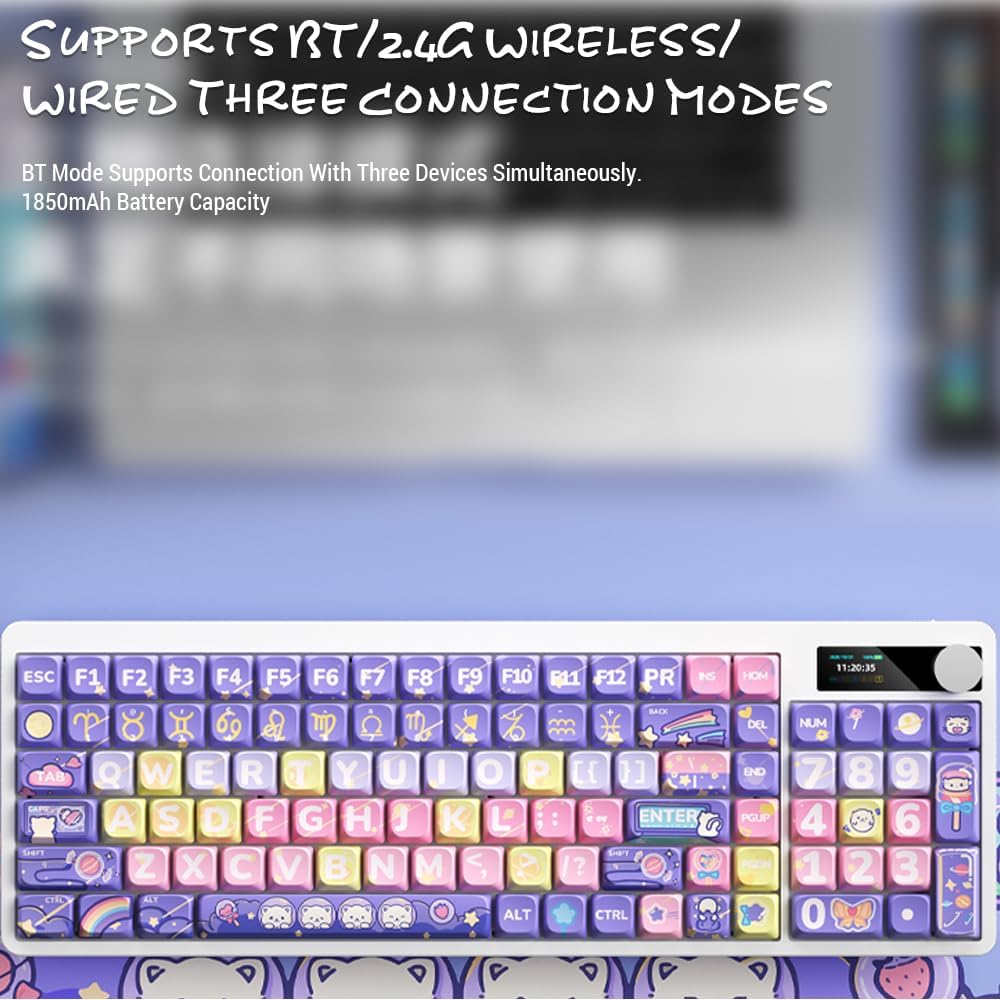
Image: Keyboard display showing 2.4G wireless connection status.
2.2. Bluetooth (BT) Connection
The keyboard can connect to up to three Bluetooth devices simultaneously.
- Switch the keyboard's connection mode to Bluetooth (BT1, BT2, or BT3).
- Pada peranti anda (komputer, tablet, telefon pintar), dayakan Bluetooth dan cari peranti baharu.
- Select "Docooler Keyboard" (or similar name) from the list of available devices.
- Jika digesa, masukkan kod pasangan yang dipaparkan pada skrin anda.
- Once paired, the display will show the Bluetooth connection icon for the selected channel.
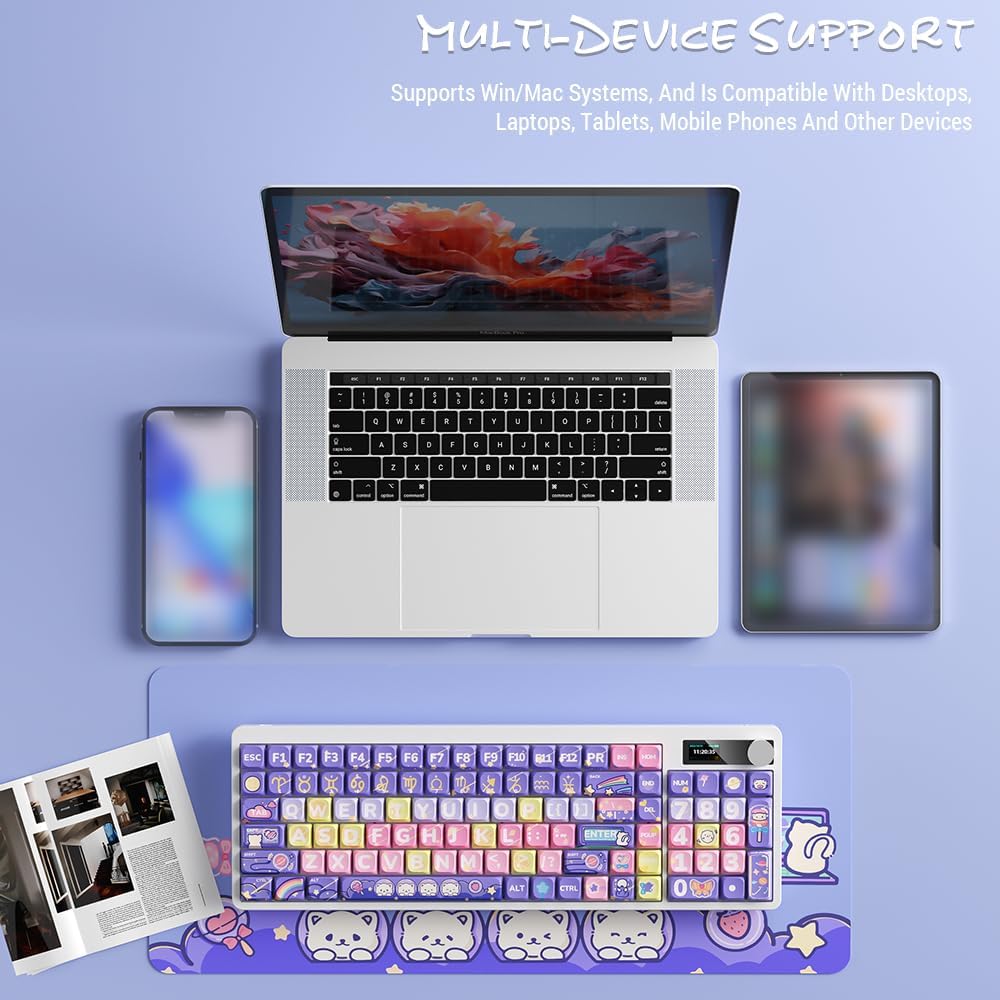
Image: Docooler keyboard demonstrating multi-device support, connected to a laptop, tablet, and smartphone via Bluetooth.
2.3. Sambungan USB Berwayar
- Connect the provided USB cable directly from the keyboard to your computer's USB port.
- Switch the keyboard's connection mode to Wired (refer to the Mod Pengendalian bahagian).
- Papan kekunci akan dikenali sebagai papan kekunci USB standard.
Arahan Operasi
1. Menukar Mod Sambungan
Use the dedicated mode switch or key combination (refer to the keyboard's specific function keys, often marked with icons for 2.4G, BT, and USB) to cycle through the connection modes. The display screen will clearly indicate the active mode.

Image: Close-up of the keyboard display showing indicators for Bluetooth, 2.4G, and wired connection modes, along with battery status and time.
2. High Clear Display Functions
The integrated display provides real-time information and customization options. It can show:
- Tarikh dan Masa
- Tahap Bateri
- Connection Mode (2.4G, BT1/2/3, Wired)
- Tetapan Lampu Latar
- Tahap Kelantangan
- Custom Images or Dynamic GIFs (customization via software, if available)

Imej: Terperinci view of the keyboard's high-clear display, illustrating various functions such as date, time, power, connection mode, and backlight settings.
3. Tombol Kawalan Kelantangan
The metal knob located on the top right of the keyboard allows for quick adjustment of system volume. Rotate clockwise to increase volume, counter-clockwise to decrease. Pressing the knob typically mutes/unmutes audio.

Image: Close-up of the unique metal round knob, highlighting its function for adjusting brightness and volume.
4. Pelarasan Lampu Latar
The keyboard features a colorful backlight. Use the dedicated function keys (often Fn + specific keys) or the display menu to cycle through different lighting effects, adjust brightness, and change colors. Refer to the display for visual feedback on backlight settings.
5. Kekunci Fungsi (Gabungan Fn)
Banyak kekunci mempunyai fungsi sekunder yang boleh diakses dengan menekan dan menahan butang Fn key and pressing the desired key. Common Fn combinations include:
- Fn+F1-F12: Multimedia controls (play/pause, volume, track skip), application shortcuts.
- Fn + Kekunci Anak Panah: Backlight brightness/speed adjustment.
- Fn + Menang: Lock/unlock Windows key.
- Fn + Mode Key: Switch between 2.4G, BT, and Wired modes.
Consult the keycap legends for specific Fn functions on your "Fun Cake House" keyboard.
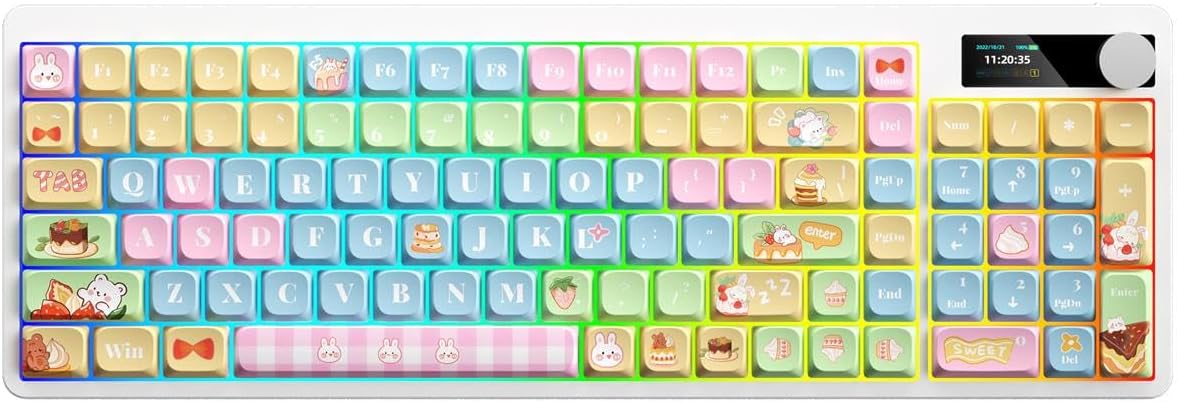
Image: Full layout of the Docooler Wireless Mechanical Keyboard in the Fun Cake House design, showing all 101 keys, the display, and the volume knob.
Penyelenggaraan
1. Pembersihan
- Putuskan sambungan papan kekunci daripada semua sumber kuasa dan peranti sebelum membersihkan.
- Gunakan kain lembut dan tidak berbulu sedikit dampdibasahkan dengan air atau larutan pembersih lembut untuk mengelap penutup kekunci dan permukaan papan kekunci.
- Untuk habuk dan serpihan di antara penutup kekunci, gunakan udara termampat atau berus kecil.
- Elakkan menggunakan bahan kimia, bahan kasar atau pelarut yang keras, kerana ini boleh merosakkan kemasan papan kekunci dan petunjuk penutup kekunci.
2. Keycap Removal (Optional)
The PBT keycaps can be removed for deeper cleaning or replacement. Use a keycap puller to gently lift keycaps straight up. Avoid excessive force to prevent damage to the switch stems.
3. Penyimpanan
When not in use for extended periods, store the keyboard in a cool, dry place away from direct sunlight and extreme temperatures. Ensure the battery is partially charged (around 50%) before long-term storage to preserve battery health.
Menyelesaikan masalah
Papan Kekunci Tidak Membalas
- Periksa Bateri: Ensure the keyboard is charged. Connect it via USB cable to charge.
- Semak Mod Sambungan: Verify the keyboard is in the correct mode (2.4G, BT, or Wired) for your device.
- 2.4G Issues: Ensure the USB receiver is securely plugged in. Try a different USB port.
- Isu Bluetooth: Re-pair the keyboard with your device. Ensure Bluetooth is enabled on your device. Try forgetting the device and re-pairing.
- Wired Issues: Ensure the USB cable is securely connected to both the keyboard and the computer. Try a different USB cable or port.
- Mulakan semula: Mulakan semula komputer/peranti anda dan papan kekunci.
Keys Not Registering / Double Typing
- Bersihkan Kap Kunci: Remove keycaps and clean any debris around the switch.
- Kemas kini Firmware: Check the Docooler official website for any available firmware updates for your model.
Lampu Latar Tidak Berfungsi
- Tetapan Kecerahan: Ensure the backlight brightness is not set to minimum or off. Adjust using Fn combinations or the display menu.
- Penjimatan Kuasa: The backlight may turn off after a period of inactivity to save battery. Press any key to reactivate.
Display Screen Issues
- Kitaran Kuasa: Matikan dan hidupkan papan kekunci sekali lagi.
- Kecerahan: Ensure the display brightness is not set too low.
Spesifikasi
| Model | Docooler Wireless Mechanical Keyboard (Fun Cake House) |
| Jenis Suis | Suis Merah |
| Kekunci Kekunci | PBT |
| Ketersambungan | 2.4G Wireless, Bluetooth (BT), Wired USB |
| Lampu latar | Lampu Latar Berwarna |
| Guling Kunci | Guling Kunci Penuh |
| Paparan | High Clear Display |
| Tombol | Metal Volume Control Knob |
| Bateri | 1850mAh 3.7V Rechargeable Lithium Battery |
| Reka Letak Kekunci | 101 Keys (with display screen + knob) |
| Sistem yang Disokong | Windows, Mac, iOS, Android |
| Dimensi | 39.7 x 13.4 x 1.7 cm (15.6 x 5.3 x 0.7 in) |
| Berat badan | 621g (1.37 lbs) |

Image: Diagram illustrating the dimensions of the Docooler Wireless Mechanical Keyboard: 39.7cm (15.6in) length and 13.4cm (5.3in) width.
Maklumat Waranti
Docooler products are covered by a limited warranty from the date of purchase. This warranty covers manufacturing defects in materials and workmanship. It does not cover damage caused by accident, misuse, abuse, modification, improper installation, or normal wear and tear.
For specific warranty terms and conditions, please refer to the warranty card included with your product or visit the official Docooler webtapak.
Sokongan Pelanggan
If you encounter any issues or have questions regarding your Docooler Wireless Mechanical Keyboard that are not addressed in this manual, please contact our customer support team.
- e-mel: support@docooler.com
- Webtapak: Visit the official Docooler website for FAQs, drivers, and additional support resources: www.docooler.com
When contacting support, please have your product model (B0DB7YPHFK) and purchase information ready.