1. Pengenalan
Thank you for choosing the RaLeno PL-30 Selfie Light and PLV-S116 LED Video Light. These portable lighting solutions are designed to enhance your photography and video recording experiences, providing adjustable brightness and color temperature for various environments. This manual provides detailed instructions for the proper setup, operation, and maintenance of your device.
Kandungan Pakej
- PL-30 Phone Light Package:
- 1 × PL-30 Video Light
- 2 × Magnetic Rings
- 1 × Kabel Pengecas (Jenis-C)
- PLV-S116 Led Video Light Package:
- 1 × PLV-S116 Video Light
- 1 × Cold Shoe Mount
- 1 × Kabel Jenis-C
2. Arahan Keselamatan
- Jangan dedahkan peranti kepada air atau kelembapan berlebihan.
- Elakkan daripada menjatuhkan atau meletakkan peranti kepada kesan yang kuat.
- Jangan cuba membuka atau mengubah suai peranti. Pembaikan hendaklah hanya dilakukan oleh kakitangan yang diberi kuasa.
- Keep the device away from high temperatures and direct sunlight.
- Use only the provided or certified Type-C charging cable.
- Jauhkan daripada kanak-kanak.
3. Produk Lebihview
The RaLeno PL-30 and PLV-S116 lights are compact and versatile, featuring adjustable brightness and color temperature. The PL-30 model includes magnetic attachment capabilities for smartphones.
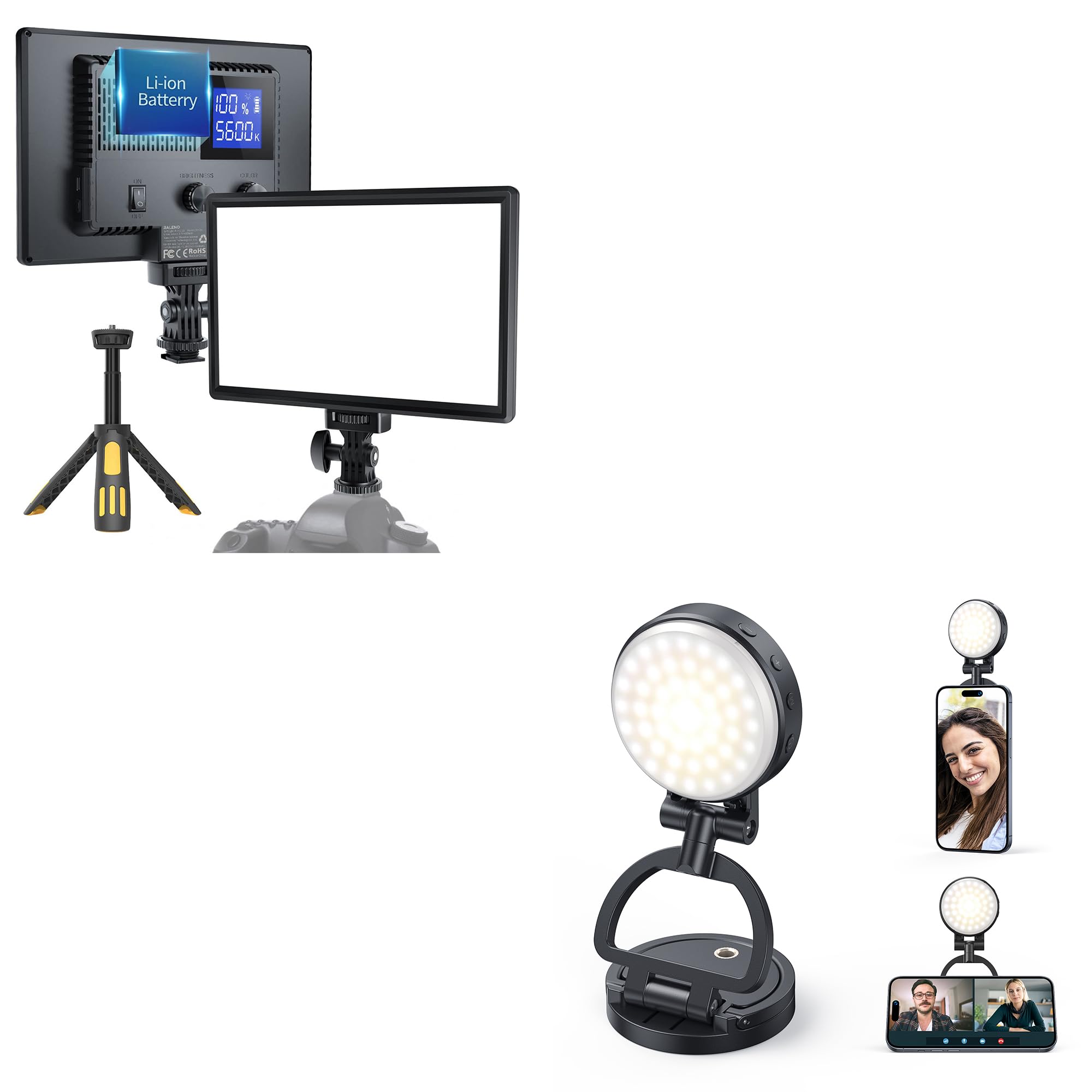
Image: The RaLeno PL-30 light is designed for portability, easily fitting into a pocket for convenient transport.
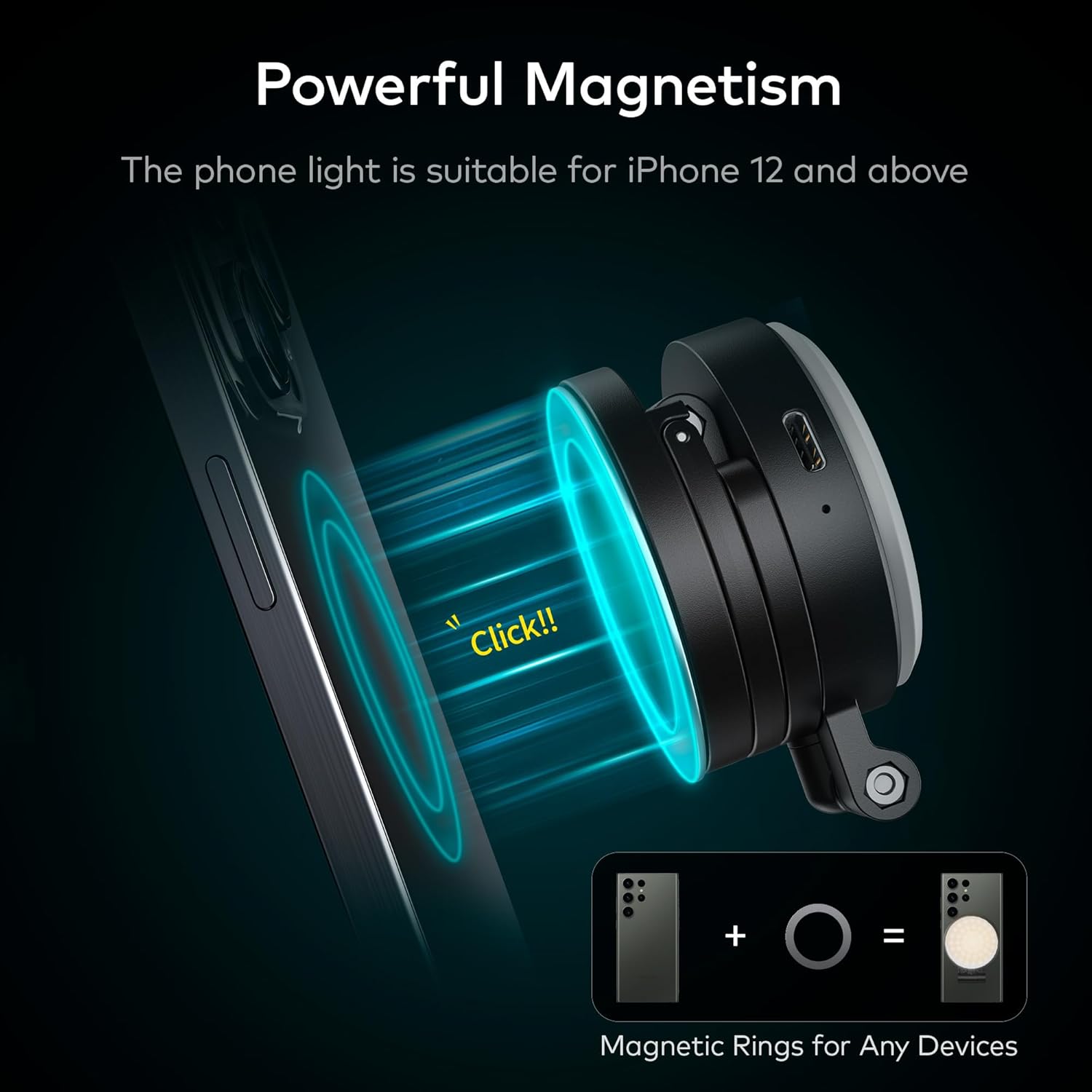
Image: The PL-30 light features powerful magnetism for direct attachment to iPhone 12 and newer models. Included magnetic rings allow attachment to other smartphones or devices.

Image: The PL-30 light includes a support ring that can be used to prop up your phone, providing stable positioning for video calls or content viewing.
4. Persediaan
4.1 Mengecas Peranti
Before first use, fully charge your RaLeno light. Connect the provided Type-C charging cable to the charging port on the device and plug the other end into a USB power source (adapter not included). The charging indicator will show the charging status.
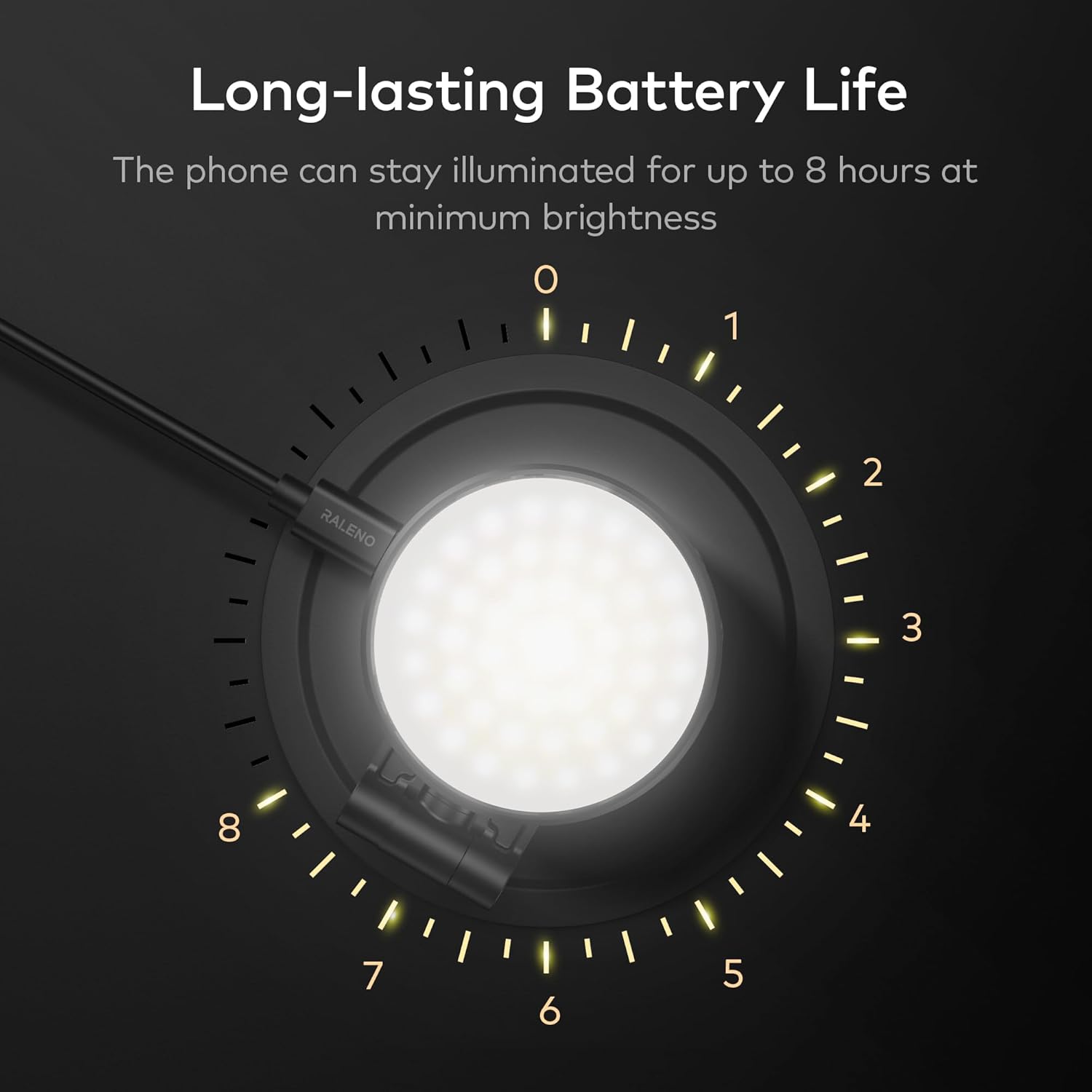
Image: The device features a long-lasting battery, providing up to 8 hours of continuous illumination at its lowest brightness setting.
4.2 Attaching the Light (PL-30)
- For MagSafe Compatible iPhones (iPhone 12/13/14/15): Simply align the PL-30 light with the MagSafe area on the back of your iPhone. The magnets will securely attach the light.
- For Other Phones/Devices: Use the included magnetic rings. Peel off the adhesive backing from a magnetic ring and carefully center it on the back of your phone or phone case. Press firmly to secure. Once the ring is attached, the PL-30 light can be magnetically attached to the ring.
4.3 Attaching the Light (PLV-S116)
The PLV-S116 comes with a cold shoe mount. Attach the cold shoe mount to your camera or camera rig, then slide the PLV-S116 light onto the cold shoe mount and tighten the locking knob.
5. Arahan Operasi
5.1 Hidupkan/Mati Kuasa
Locate the power button on the side of the light. Press and hold the power button for a few seconds to turn the light on or off.
5.2 Melaraskan Kecerahan
Once powered on, use the brightness control buttons (usually marked with '+' and '-') to adjust the light intensity from 0% to 100%. Press '+' to increase brightness and '-' to decrease it.
5.3 Melaraskan Suhu Warna
The light offers adjustable color temperature from 3200K (warm light) to 5600K (cool light). Use the color temperature control button (often a dedicated button or a combination with brightness controls) to cycle through or fine-tune the desired color temperature.
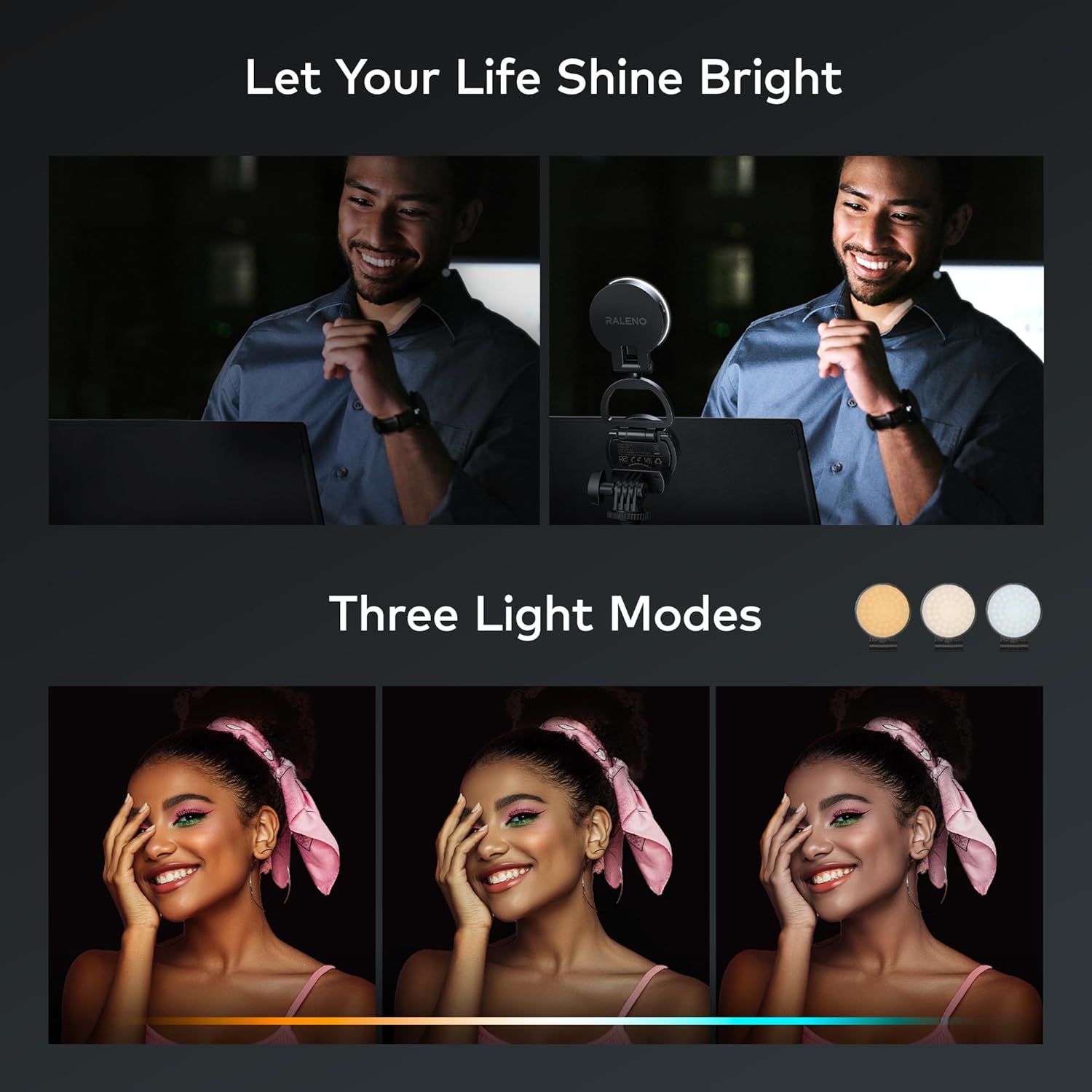
Image: The light offers three distinct color temperature modes, allowing users to select between warm, neutral, and cool lighting to match their environment or creative needs.

Image: The PL-30 light provides easy and effective illumination, ideal for enhancing selfies and improving overall photography.
5.4 Using the Support Ring (PL-30)
The PL-30 light features an integrated support ring. Extend the ring to use it as a kickstand, allowing your phone to stand upright for hands-free video calls, content viewing, or stable recording.
6. Penyelenggaraan
- Pembersihan: Use a soft, dry cloth to wipe the surface of the light. Do not use harsh chemicals or abrasive cleaners.
- Storan: Simpan peranti di tempat yang sejuk dan kering jauh dari cahaya matahari langsung dan suhu yang melampau.
- Penjagaan Bateri: Untuk hayat bateri yang optimum, cas peranti secara berkala dan elakkan daripada mencasnya sepenuhnya untuk tempoh yang lama.
7. Penyelesaian masalah
- Lampu tidak menyala: Ensure the device is charged. Press and hold the power button for a few seconds.
- Lampu tidak dicas: Check the Type-C cable connection and try a different USB power source. Ensure the cable is not damaged.
- Brightness/Color temperature not adjusting: Ensure the device is powered on. Check if the control buttons are functioning correctly. If issues persist, try turning the device off and on again.
- Magnetic attachment is weak (PL-30): Ensure the magnetic rings are properly applied to non-MagSafe devices. For MagSafe iPhones, ensure no obstructions are between the light and the phone.
8. Spesifikasi
| Ciri | Spesifikasi |
|---|---|
| Jenama | RaLeno |
| Model | PL-30, PLV-S116 |
| Suhu Warna | 3200K-5600K |
| Pelarasan Kecerahan | 0%-100% |
| Battery Life (PL-30) | Sehingga 8 jam (pada kecerahan paling rendah) |
| Teknologi Ketersambungan | USB (Type-C for charging) |
| Antara Muka Perkakasan | USB |
| Magnetic Attachment (PL-30) | MagSafe compatible, includes magnetic rings for other devices |
9. Waranti dan Sokongan
RaLeno offers a Waranti 12 bulan for this product. If you encounter any issues or have questions regarding your PL-30 or PLV-S116 light, please contact our customer service team. We provide 24-hour friendly customer service to assist you with the best possible solution.
For support, please refer to the contact information provided with your purchase or visit the official RaLeno webtapak.