1. Pengenalan
This manual provides instructions for the Generic replacement infrared (IR) remote control, designed for use with X96Q Max and X96 Mate Android 10 Smart TV Boxes. This remote functions as a direct replacement for your original remote control. Please ensure your original remote matches the appearance of this replacement for full compatibility.

Imej 1.1: Depan view of the replacement remote control. This image displays the overall layout of the remote, including the power button, navigation cluster, volume controls, and numeric keypad.
2. Persediaan
2.1 Pemasangan Bateri
Alat kawalan jauh memerlukan dua bateri AAA (tidak termasuk) untuk operasi. Ikuti langkah ini untuk memasang bateri:
- Cari petak bateri di belakang alat kawalan jauh.
- Tekan ke bawah pada tab dan luncurkan penutup bateri ke bawah untuk membukanya.
- Masukkan dua bateri AAA, pastikan terminal positif (+) dan negatif (-) sejajar dengan tanda di dalam petak.
- Luncurkan penutup bateri ke tempat semula sehingga ia berbunyi dengan selamat.
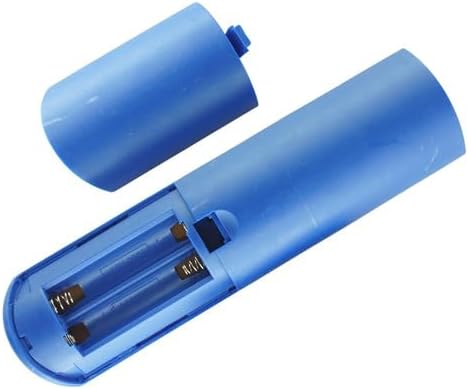
Imej 2.1: View of the remote control's battery compartment, showing the correct orientation for AAA battery insertion.
2.2 Penggunaan Awal
This is an infrared (IR) replacement remote control. No pairing is typically required. Once batteries are installed, point the remote directly at your X96Q Max or X96 Mate Android TV Box and begin operation. Ensure there are no obstructions between the remote and the TV box's IR receiver.
3. Arahan Operasi
Familiarize yourself with the buttons on your remote control. Below is a general guide to common functions:
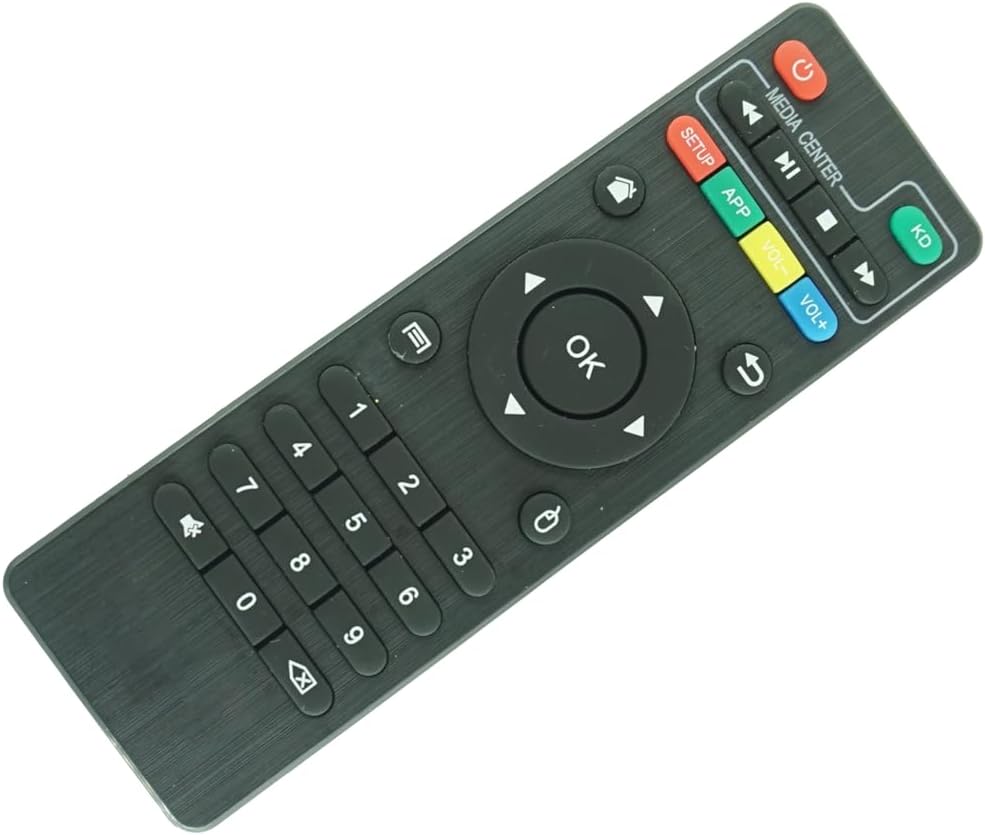
Imej 3.1: jarak dekat view of the remote control's buttons, highlighting the navigation, media, and numeric keys.
- Butang kuasa (●): Turns the TV box on or off.
- Pad Navigasi (Atas, Bawah, Kiri, Kanan, OK): Used to navigate menus and select items. The OK butang mengesahkan pilihan.
- belakang (↶): Kembali ke skrin atau menu sebelumnya.
- Rumah (⌂): Returns to the main home screen of the TV box.
- Kelantangan Naik (VOL+): Meningkatkan kelantangan.
- Kelantangan Turun (VOL-): Mengurangkan kelantangan.
- Bisu (🔇): Membisukan atau menyahredamkan audio.
- Media Controls (Play/Pause, Fast Forward, Rewind, Stop): Mengawal main balik media.
- Pad Kekunci Berangka (0-9): Used for direct input of numbers, such as channel selection or passwords.
- APP: Accesses the applications menu.
- PENYEDIAAN: Accesses system settings or setup menu.
- KD: Likely a shortcut button for Kodi or a similar media center application.
Note: Specific button functionalities may vary slightly depending on the software version and configuration of your X96Q Max or X96 Mate Android TV Box.
4. Penyelenggaraan
4.1 Pembersihan
Untuk membersihkan alat kawalan jauh, gunakan kain lembut dan kering. Untuk kotoran degil, gunakan sedikit kainampen kain dengan air atau pembersih yang lembut dan tidak melelas. Jangan gunakan bahan kimia yang keras atau rendam alat kawalan jauh ke dalam air.
4.2 Penggantian Bateri
Replace batteries when the remote's response becomes sluggish or stops working. Always replace both batteries at the same time with new AAA batteries. Do not mix old and new batteries, or different types of batteries.
4.3 Penyimpanan
Simpan alat kawalan jauh di tempat yang sejuk dan kering jauh dari cahaya matahari langsung dan suhu yang melampau. Jika alat kawalan jauh tidak akan digunakan untuk tempoh yang lama, adalah disyorkan untuk mengeluarkan bateri untuk mengelakkan kebocoran.
5. Penyelesaian masalah
| Masalah | Kemungkinan Punca | Penyelesaian |
|---|---|---|
| Jauh tidak bertindak balas. |
|
|
| Sesetengah butang tidak berfungsi. |
|
|
| Alat jauh berfungsi secara berselang-seli. |
|
|
6. Spesifikasi
- Jenis Produk: Replacement IR Remote Control
- Keserasian: X96Q Max, X96 Mate Android 10 Smart TV Box
- Sumber Kuasa: 2 x Bateri AAA (tidak termasuk)
- warna: Hitam
- Ciri Khas: Infrared (IR) communication, Ergonomic design
- Bilangan Maks Peranti yang Disokong: 1 (the compatible TV box)
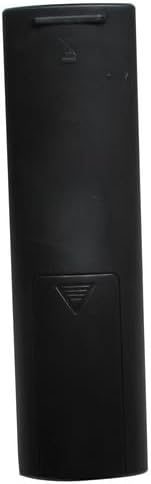
Imej 6.1: belakang view of the remote control, showing the battery compartment cover.
7. Waranti dan Sokongan
As a generic replacement product, specific warranty and dedicated technical support information may not be provided by the manufacturer. Please refer to the retailer's return policy for any issues with the product upon receipt.


