
1. Produk Lebihview
The Vieta Pro VM-BS1000WH is a portable, battery-powered Bluetooth speaker designed for high-quality audio playback. Its elegant design allows it to integrate seamlessly into various environments, while its robust features make it suitable for both indoor and outdoor use.
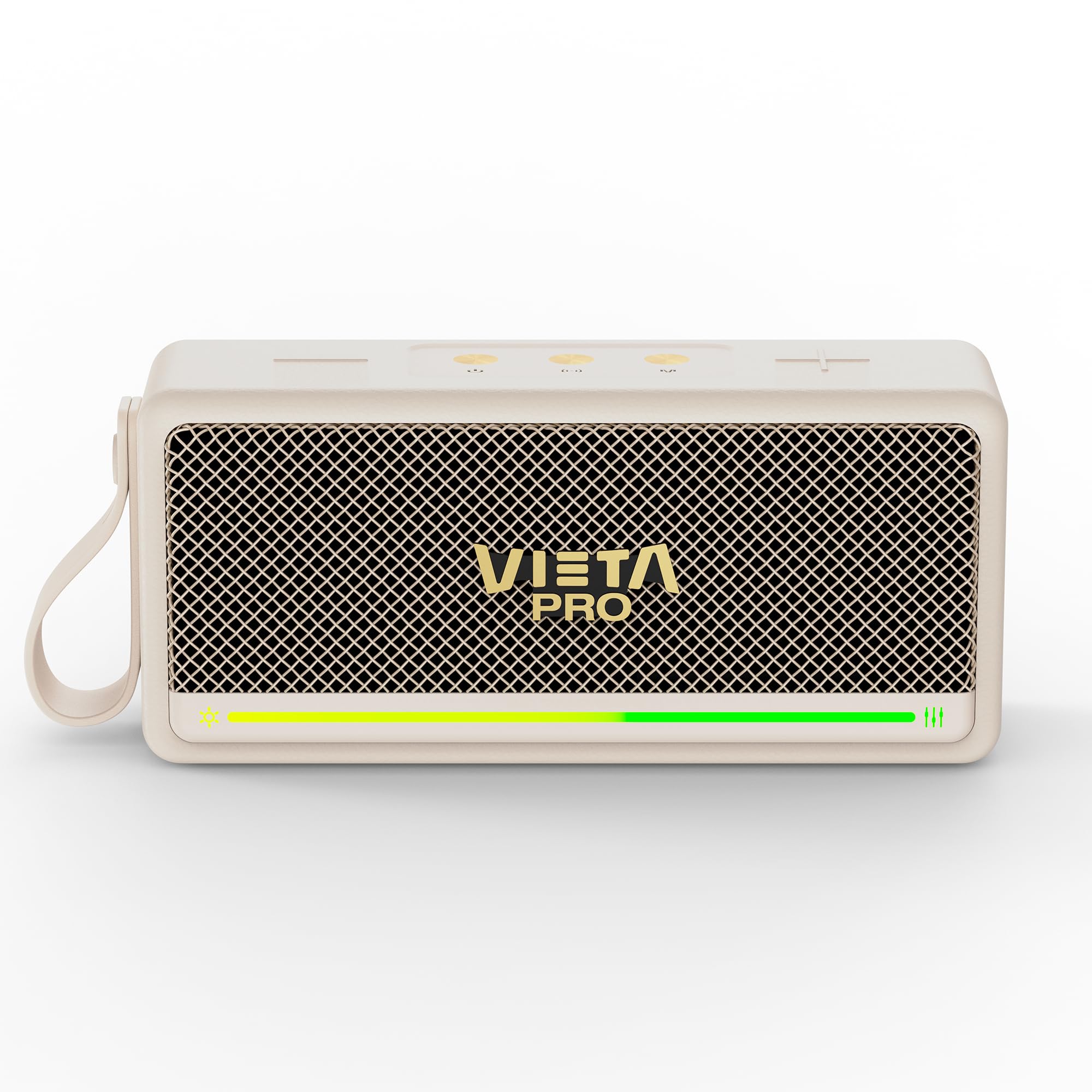
Rajah 1: Depan view of the Vieta Pro VM-BS1000WH Portable Bluetooth Speaker.
2. Ciri-ciri Utama
- Bluetooth 5.3: Advanced wireless technology for fast and stable connections.
- Mod TWS (Stereo Wayarles Sejati): Enables a true wireless stereo sound experience for immersive listening.
- Rintangan Air IPX7: Certified to withstand splashes and brief immersion in water.
- Pemain USB: Allows direct music playback from a USB drive.
- Hayat Bateri 10 Jam: Provides extended use without frequent recharging.
- Shock-resistant design: Enhanced durability for active lifestyles.
- Kawalan Sentuh: Intuitive control method for ease of use.
3. Panduan Persediaan
3.1. Mengisi Speaker
Before initial use, fully charge the speaker. Connect the provided USB charging cable to the speaker's charging port and a compatible USB power adapter (not included). The charging indicator light will illuminate during charging and turn off when fully charged. A full charge provides up to 10 hours of playback.
3.2. Menghidupkan/Mematikan
To power on the speaker, press and hold the power button located on the control panel until you hear an audible prompt and the indicator light turns on. To power off, press and hold the power button again until the indicator light turns off.

Rajah 2: Sisi view of the speaker, highlighting the control panel and ports.
4. Arahan Operasi
4.1. Berpasangan Bluetooth
- Pastikan pembesar suara dihidupkan dan dalam mod berpasangan Bluetooth (ditunjukkan oleh LED berkelip).
- Pada peranti anda (telefon pintar, tablet, komputer riba), dayakan Bluetooth dan cari peranti yang tersedia.
- Select "Vieta Pro VM-BS1000WH" from the list of devices.
- Once paired, the speaker will emit an audible confirmation, and the LED indicator will become solid.
4.2. Mod TWS (Stereo Wayarles Sejati).
To achieve a true wireless stereo experience, you can pair two VM-BS1000WH speakers together:
- Pastikan kedua-dua pembesar suara dihidupkan dan tidak disambungkan ke mana-mana peranti Bluetooth lain.
- On one speaker, press and hold the TWS button (refer to the control panel diagram) until you hear a pairing tone.
- The two speakers will automatically connect to each other. Once connected, one speaker will act as the master and the other as the slave.
- Now, connect your device to the master speaker via Bluetooth as described in section 4.1. Audio will play in stereo through both speakers.
4.3. Main semula USB
Masukkan pemacu USB yang mengandungi audio MP3 files into the USB port on the speaker. The speaker will automatically detect the USB drive and begin playing music. Use the playback controls to navigate tracks.
4.4. Kawalan Kelantangan dan Main Semula
The speaker features touch controls for volume adjustment and music playback:
- Kelantangan: Tap the '+' button.
- Perlahankan suara: Tap the '-' button.
- Main/Jeda: Tap the Play/Pause button.
- Lagu Seterusnya: Tekan dan tahan butang '+'.
- Trek Sebelumnya: Tekan dan tahan butang '-'.
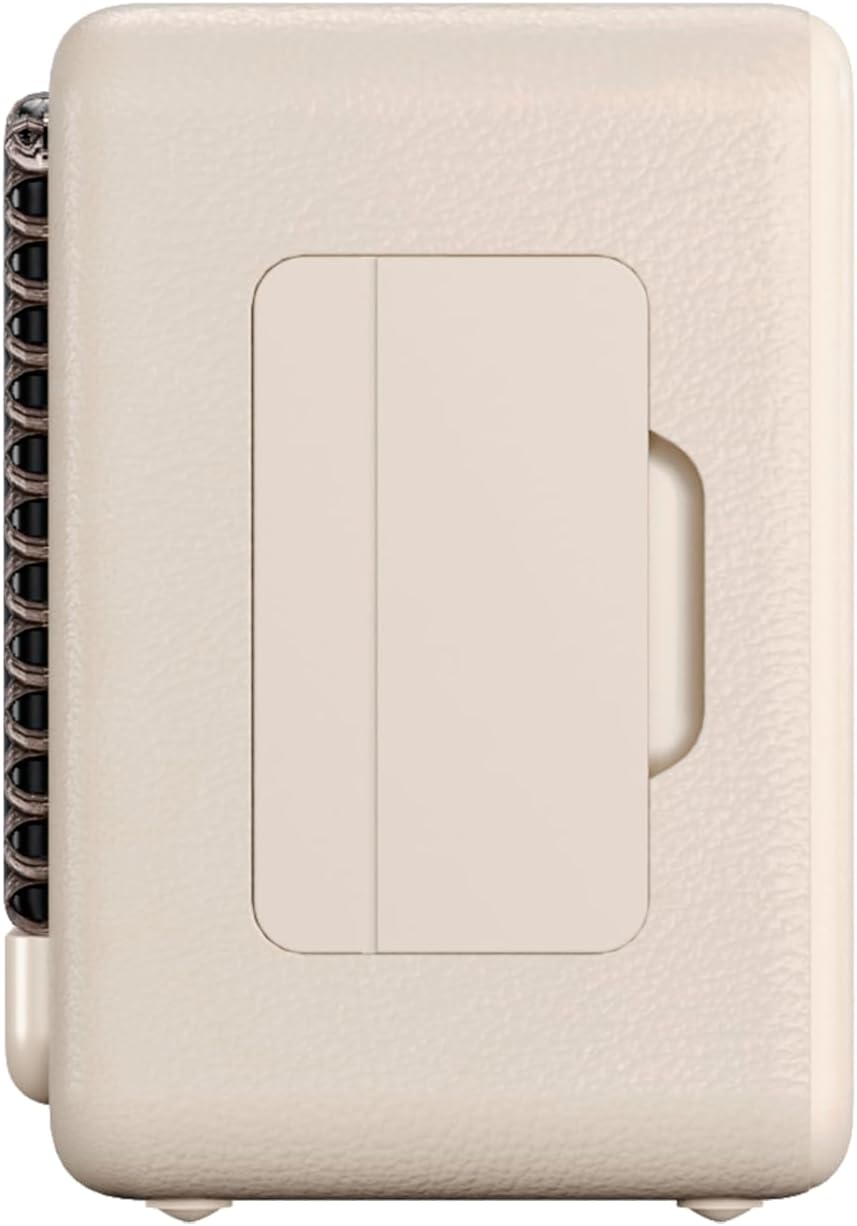
Rajah 3: Pro sampinganfile of the speaker, illustrating its compact design.
5. Penyelenggaraan
5.1. Pembersihan
Wipe the speaker with a soft, dry cloth. Do not use abrasive cleaners, alcohol, or chemical solvents, as these may damage the surface. Ensure all ports are dry before charging or connecting other devices.
5.2. Rintangan Air (IPX7)
The VM-BS1000WH speaker is IPX7 water-resistant, meaning it can be immersed in water up to 1 meter for up to 30 minutes. However, it is not designed for continuous underwater use. Always ensure the charging port cover is securely closed before exposing the speaker to water. After exposure to water, dry the speaker thoroughly before charging.
6. Penyelesaian masalah
- Tiada Kuasa: Pastikan pembesar suara dicas. Sambungkannya ke sumber kuasa dan cuba lagi.
- Tidak Dapat Menggandingkan Bluetooth: Make sure the speaker is in pairing mode and within range of your device. Disconnect from any previously paired devices. Try restarting both the speaker and your device.
- Tiada Bunyi: Semak tahap kelantangan pada kedua-dua pembesar suara dan peranti anda yang disambungkan. Pastikan pembesar suara dipasangkan dengan betul.
- Kualiti Bunyi Lemah: Gerakkan pembesar suara lebih dekat ke peranti Bluetooth anda untuk mengurangkan gangguan. Pastikan tiada halangan antara pembesar suara dan peranti.
- Main Balik USB Tidak Berfungsi: Ensure the USB drive is formatted correctly (FAT32) and contains compatible audio files (MP3). Try a different USB drive.
7. Spesifikasi Teknikal
| Ciri | Spesifikasi |
|---|---|
| Nama Jenama | Vieta Pro |
| Nama Model | VM-BS1000WH |
| Jenis Pembesar Suara | Pembesar Suara Bluetooth Mudah Alih |
| Kuasa Output Pembesar Suara Maks | 25 Watt |
| Teknologi Ketersambungan | Bluetooth |
| Versi Bluetooth | 5.3 |
| Mod Keluaran Audio | Stereo |
| Tahap Ketahanan Air | IPX7 (Tahan Air) |
| Hayat Bateri | Sehingga 10 jam |
| Sumber Kuasa | Dikuasakan oleh Bateri (1 bateri C disertakan) |
| Kaedah Kawalan | Sentuh |
| Saiz Pembesar Suara | 7.5 sm |
| Dimensi Produk (D x W x H) | 7.7 x 5.6 x 17.1 cm |
| Peranti Serasi | Smartphone, Tablet, Laptop, MP3 Player |
| Ciri Khas | Shock-resistant, Wireless speakers, USB port |
8. Waranti dan Sokongan
8.1. Waranti Terhad
This Vieta Pro VM-BS1000WH speaker comes with a Limited Warranty. Please refer to the warranty card included in the product packaging for detailed terms and conditions, including coverage period and limitations. Keep your proof of purchase for warranty claims.
8.2. Sokongan Pelanggan
For technical assistance, troubleshooting, or warranty inquiries, please contact FRAMASON AUDIO S.A., the manufacturer. Contact information can typically be found on the product packaging or the official Vieta Pro website. Please have your model number (VM-BS1000WH) and proof of purchase ready when contacting support.