
XINDADA OD1-S
XINDADA ZORDAI OD1 Smartwatch User Manual
Model: OD1-S
pengenalan
Welcome to the user manual for your XINDADA ZORDAI OD1 Smartwatch. This guide provides comprehensive instructions to help you set up, operate, and maintain your device, ensuring you get the most out of its features.
The XINDADA ZORDAI OD1 Smartwatch is designed to enhance your daily life with its advanced health and fitness tracking capabilities, Bluetooth calling, and smart notifications. Please read this manual carefully before using the device.
Maklumat Keselamatan Penting
- Penafian Perubatan: Wearable devices monitor human activities via electronic sensors and are at the consumer electronics level. Do not compare with hospital equipment; it is not a medical device.
- Langkah berjaga-jaga mengecas: Charge the device for 2-3 hours upon receipt. Use a 5V 1A adapter for charging. Do not use high-power or fast-charging adapters to avoid damage to the watch.
- Tahan Air: The smartwatch supports Life Waterproof. However, diving, swimming, prolonged submersion, and hot showers are prohibited. High-temperature steam may cause water damage.
- Sambungan Apl: Before use, scan the QR code provided in the physical user manual (not included in this digital version) or search for the ZORDAI application in your phone's app store and connect the watch via the app.
- Pengguna Android: Authorize the ZORDAI APP to access necessary phone functions and allow it to run in the background. Enable GPS positioning on your phone before connecting.
Persediaan
1. Membuka Kotak dan Caj Permulaan
Upon receiving your XINDADA ZORDAI OD1 Smartwatch, unpack all components. It is recommended to fully charge the device before first use. Connect the charging cable to the watch's charging port and a 5V 1A USB power adapter. The watch will display a charging indicator.
Note: A full charge typically takes 2-3 hours.
2. Downloading the ZORDAI App
To unlock the full potential of your smartwatch, you need to download and install the ZORDAI application on your smartphone. The app is available for both Android and iOS devices.
- Scan the QR code provided in the physical user manual (not included in this digital version) or search for "ZORDAI" in your phone's app store (Google Play Store for Android, Apple App Store for iOS).
- Download and install the ZORDAI app.
- Buka apl dan ikut arahan pada skrin untuk membuat akaun atau log masuk.
3. Pairing Your Smartwatch with the App
Ensure your phone's Bluetooth is enabled before proceeding.
- Open the ZORDAI app on your smartphone.
- Navigasi ke bahagian "Peranti" atau "Tambah Peranti" dalam aplikasi.
- The app will search for nearby Bluetooth devices. Select "OD1 Smart Watch" from the list of available devices.
- Sahkan permintaan berpasangan pada kedua-dua telefon anda dan jam tangan pintar jika digesa.
- Once successfully paired, the app will display a "Connected" status, and the watch's time and date will synchronize with your phone.
For Android users: Ensure GPS positioning is enabled on your phone and grant all necessary permissions to the ZORDAI app for optimal functionality.
Arahan Operasi
Navigasi Asas
- Skrin Sentuh: The 1.99-inch HD curved screen is touch-sensitive. Swipe left/right, up/down, and tap to navigate menus and select options.
- Butang Sisi: Typically used for power on/off, returning to the home screen, or accessing the app list.
Ciri dan Fungsi Utama
Watch Faces
The OD1 Smartwatch offers a variety of built-in watch faces. You can easily switch between them by long-pressing the screen. Additionally, the ZORDAI app provides access to over 500 watch faces for free download, allowing for extensive customization.

Image: The smartwatch displaying various customizable watch faces, demonstrating the ability to easily switch between different designs. Over 500 watch faces are available through the app.
Fungsi Panggilan Bluetooth
Once paired with your smartphone, the smartwatch allows you to make and answer calls directly from your wrist. Ensure your phone is within Bluetooth range.
- Membuat Panggilan: Akses pad dail atau senarai kenalan pada jam tangan untuk memulakan panggilan.
- Menjawab Panggilan: When an incoming call is received, the watch will display the caller ID. Tap the green icon to answer or the red icon to reject.
Pemantauan Kesihatan
The OD1 Smartwatch is equipped with sensors for comprehensive health tracking.
- Pemantauan Denyut Jantung: Menjejaki kadar denyutan jantung anda secara berterusan sepanjang hari. View real-time data on the watch or detailed historical data in the ZORDAI app.
- ECG: Provides electrocardiogram readings. Consult the app for instructions on how to take an accurate ECG measurement.
- Pemantauan Tidur: Automatically tracks your sleep patterns, including deep sleep, light sleep, and awake times. Analyze your sleep quality in the ZORDAI app.
Pembantu Suara AI
The smartwatch features an AI voice assistant for convenient hands-free operation. Double-tap the screen to activate the voice assistant. You can use voice commands for various tasks, such as playing music, making calls, setting timers, or checking the weather.

Image: A hand wearing the smartwatch, demonstrating the AI voice assistant feature. Examples of voice commands like "Play Music," "Call Mr. Li," "Set a 5-minute Timer," and "What's the weather like today?" are shown.
NFC Smart Watch (Access Control)
The smartwatch includes NFC functionality, which can be used as an access control for quickly opening doors. Refer to the ZORDAI app or specific instructions for setting up NFC access with compatible systems.
Smart Reminders and Notifications
Receive various smart reminders and notifications directly on your wrist when connected to your phone.
- Peringatan Sedentari: Memberi amaran kepada anda apabila anda tidak aktif terlalu lama, menggalakkan anda untuk bergerak.
- Peringatan Panggilan: Memberitahu anda tentang panggilan masuk.
- Tekan Maklumat: Displays notifications from various apps such as SMS, QQ, WeChat, Skype, Facebook, Twitter, Line, WhatsApp, and other mobile phone applications. Configure which app notifications to receive in the ZORDAI app settings.
Mod Sukan dan Penjejakan GPS
The smartwatch supports multiple sports modes and GPS tracking (via connected phone) to accurately record your physical activities.
- Mod Berbilang Sukan: Select from over 100 exercise modes to track specific activities.
- Penjejakan GPS: When connected to your phone, the watch uses your phone's GPS to record your route, steps, calories burned, and distance during outdoor activities.
- Rekod Aktiviti: View your daily steps, calorie consumption, and distance directly on the watch or in more detail within the ZORDAI app.

Image: A person running, with the smartwatch visible on their wrist, illustrating the device's capability to track over 100 exercise modes, including steps, distance, and calorie consumption.
Maklumat Cuaca
Connect the smartwatch to the ZORDAI app to receive local weather data pushed directly to your watch face.
Penyelenggaraan
Membersihkan Jam Pintar Anda
Pembersihan berkala membantu mengekalkan penampilan dan fungsi peranti anda.
- Lap skrin dan badan jam tangan dengan kain lembut dan tidak berbulu.
- Untuk kotoran degil, dampLap kain sedikit dengan air. Elakkan menggunakan bahan kimia yang keras atau bahan yang melelas.
- Bersihkan sesentuh pengecasan secara berkala untuk memastikan pengecasan yang betul.
Garis Panduan Ketahanan Air
The OD1 Smartwatch is designed with IP68 water resistance for daily life, meaning it can withstand splashes and rain. However, it is not suitable for all water activities.
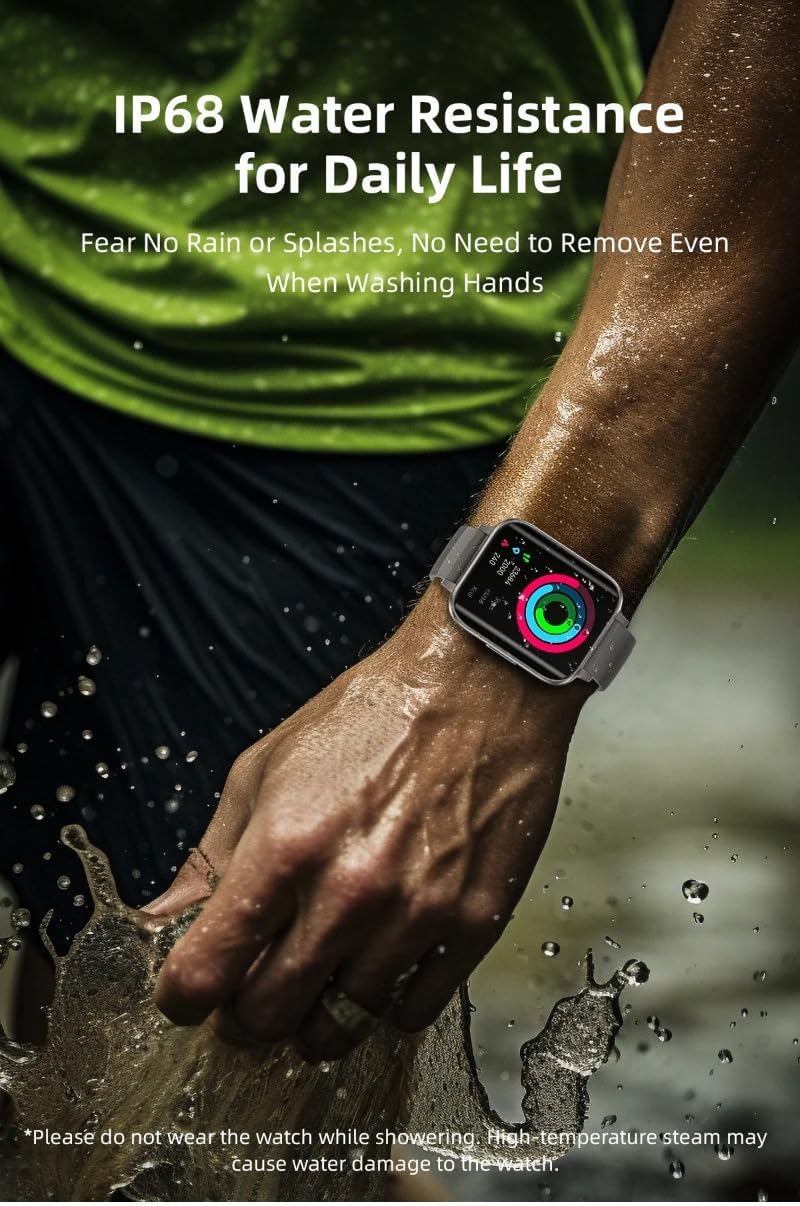
Image: A person's hand with the smartwatch being splashed with water, illustrating its IP68 water resistance for daily use. A note advises against wearing it during hot showers due to steam.
- lakukan: Wear it during hand washing, in light rain, or for minor splashes.
- Jangan: Wear it while swimming, diving, showering (especially hot showers), or in saunas. High-temperature steam can penetrate the seals and cause damage.
- If the watch gets wet, wipe it dry thoroughly before charging or using the buttons.
Penjagaan Bateri
- Elakkan suhu yang melampau, yang boleh merendahkan hayat bateri.
- Charge the watch regularly; avoid letting the battery completely drain for extended periods.
- Always use the recommended 5V 1A charger.
Menyelesaikan masalah
| Masalah | Kemungkinan Punca | Penyelesaian |
|---|---|---|
| Jam tangan tidak menyala. | Bateri lemah. | Charge the watch for at least 30 minutes using the correct charger. |
| Tidak boleh digandingkan dengan telefon. | Bluetooth is off; App not running; Watch not discoverable; Interference. |
|
| Notifikasi tidak diterima. | App permissions; Notification settings; Bluetooth disconnected. |
|
| Data kesihatan yang tidak tepat. | Improper wearing; Not a medical device. |
|
Spesifikasi
The XINDADA ZORDAI OD1 Smartwatch features advanced components for optimal performance.
| Ciri | Perincian |
|---|---|
| Model | OD1 Smart Watch |
| Saiz Skrin | 1.99 inci |
| Resolusi Skrin | 320*384 piksel |
| Cip | AX Intelligent Chip |
| Bluetooth | Dwi Bluetooth 5.0 |
| Penderia Kadar Jantung | Zhangheng BD1662_I2C |
| Keperluan Pengecasan | Penyesuai 5V 1A |
| Nama Apl | ZORDAI |
| Bahasa yang Disokong | Simplified Chinese, Traditional Chinese, English, French, German, Japanese, Russian, Korean, Persian, Czech, Vietnamese, Spanish, Arabic, Italian, Hebrew, Portuguese, Turkish, Greek, Romanian, Danish, Latin. |
| Tahan Air | Life Waterproof (IP68 for daily use) |
| Hayat Bateri (Anggaran) | 7 Days (Daily mode), 15 Days (Standby time), 10 Hours (Sport mode) |

Image: A close-up of the AX Intelligent Chip, illustrating its role in the smartwatch's performance and battery efficiency. Battery life estimates for daily, standby, and sport modes are also displayed.
Waranti dan Sokongan
XINDADA guarantees that each device is thoroughly tested before shipment to ensure 100% high quality.
- Product Quality Assurance: All products undergo rigorous testing to ensure quality before shipping.
- Hubungi Sokongan: For any questions, issues, or support needs, please contact the seller or manufacturer directly. Contact information is typically found on the product packaging or the seller's platform.
- Kemas Kini Perisian: Information regarding guaranteed software updates is currently unknown. Please check the ZORDAI app or manufacturer's webtapak untuk kemas kini masa hadapan.
Ask a question about this manual
Ask about setup, troubleshooting, compatibility, parts, safety, or missing instructions. Manuals+ will review the question and use this page’s manual context to help answer it.