
InBody InGrip
InBody InGrip Digital Hand Dynamometer User Manual
Model: InGrip
pengenalan
Terima kasih kerana membeliasing the InBody InGrip Digital Hand Dynamometer. This device is designed to accurately measure grip strength using a high-precision load cell sensor, providing reliable and reproducible results. This manual provides essential information for the safe and effective use of your InGrip device.
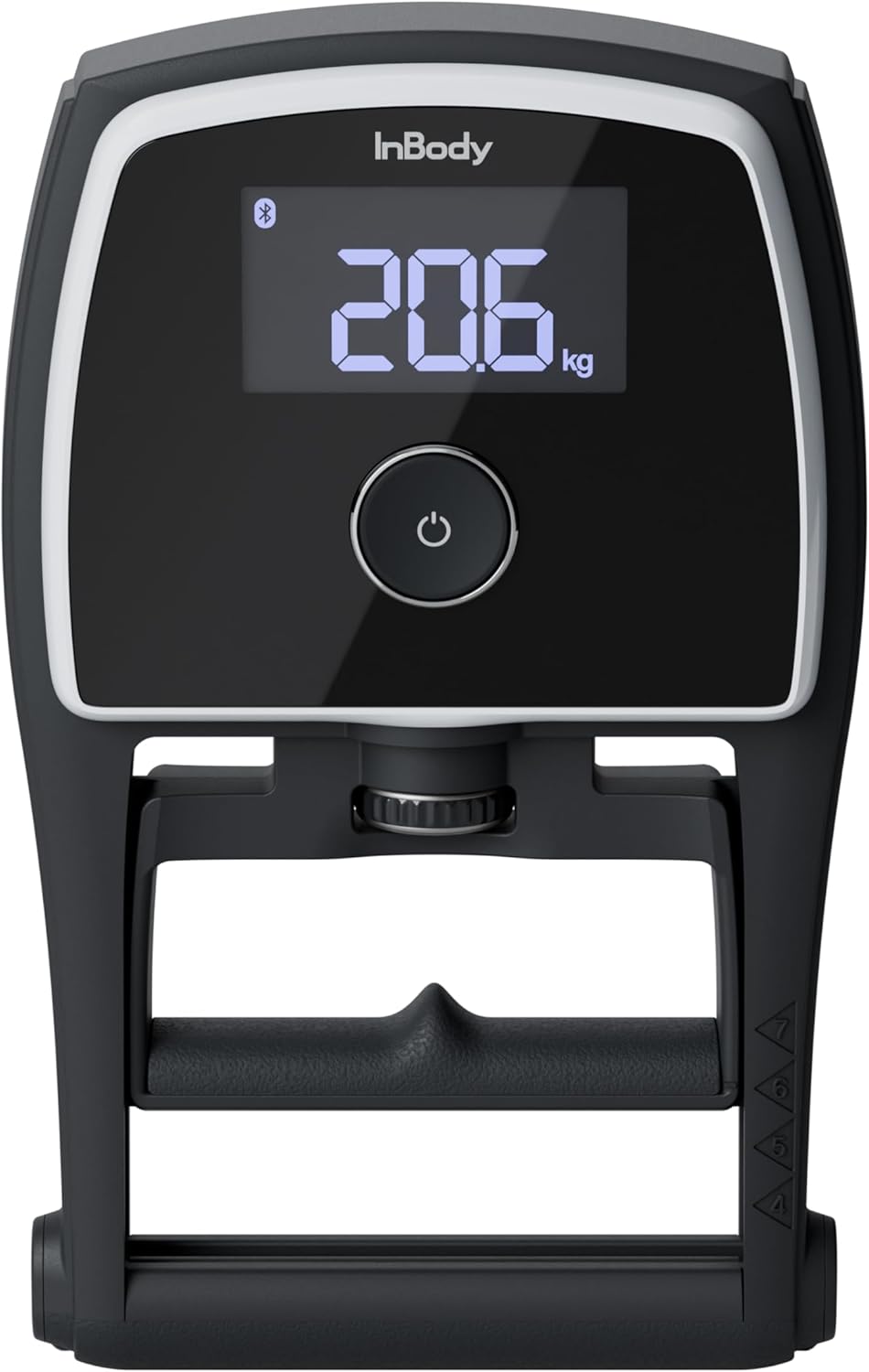
Image: The InBody InGrip Digital Hand Dynamometer, showing its main display and ergonomic design.
Maklumat Keselamatan
Sila baca semua arahan keselamatan sebelum menggunakan peranti ini untuk mengelakkan kecederaan atau kerosakan.
- Jangan buka atau ubah suai peranti.
- Jauhkan peranti daripada air dan kelembapan berlebihan.
- Elakkan daripada menjatuhkan peranti atau terkena impak yang kuat.
- Use only the specified battery type (AAA batteries).
- Jauhkan bateri daripada kanak-kanak.
- If the device malfunctions, discontinue use immediately and contact customer support.
Kandungan Pakej
Pastikan semua item ada dalam pakej:
- InBody InGrip Digital Hand Dynamometer
- Bateri AAA (2 keping)
- Manual Pengguna (dokumen ini)
Ciri-ciri Produk
The InBody InGrip is equipped with advanced features for accurate and reliable grip strength measurement:
- High-Precision Load Cell Sensor: Unlike traditional spring-based dynamometers, the InGrip utilizes a load cell sensor for superior accuracy and reproducibility, minimizing hysteresis issues. This ensures consistent and reliable measurements over time.
- Julat Pengukuran Luas: Capable of measuring grip strength from 1 kg to 100 kg, displayed in 0.1 kg increments.
- Paparan LCD VA yang jelas: A 3-inch VA LCD with backlight provides clear and easy-to-read measurement results.
- Handle Guide for Reproducibility: Features a unique handle guide that helps users consistently position their hand, reducing variability in measurements caused by inconsistent grip.
- Kesambungan Bluetooth: Allows wireless communication with other programs and can link with professional InBody devices (e.g., InBody970, 770, 580, 570, 470, 380, 380N, 270, BWA) to display grip strength results alongside other body composition data.

Imej: Jarak dekat view of the durable load cell sensor, highlighting its precision and resistance to hysteresis.

Image: Illustration of the handle guide, demonstrating how it assists in achieving a consistent hand position for reproducible measurements.

Image: The InGrip display showing the Bluetooth icon, indicating wireless connectivity with other InBody devices for integrated data display.
Persediaan
1. Pemasangan Bateri
- Locate the battery compartment on the back of the InGrip device.
- Buka penutup bateri.
- Masukkan dua bateri AAA, pastikan kekutuban (+/-) betul.
- Tutup penutup bateri dengan selamat.
Arahan Operasi
1. Mengambil Pengukuran
- Press the power button to turn on the device. The display will show "0.0 kg".
- Adjust the handle to a comfortable position using the adjustment knob. Ensure your fingers fit naturally around the handle.
- Position your hand using the integrated handle guide for consistent grip.
- Grip the handle firmly and squeeze with maximum effort. Hold the squeeze for a few seconds.
- The peak grip strength will be displayed on the screen.
- The device will automatically turn off after a period of inactivity to conserve battery.
2. Kesambungan Bluetooth
The InGrip can connect wirelessly via Bluetooth to compatible devices, including professional InBody body composition analyzers. For specific instructions on linking with InBody devices, please refer to the user manual of your InBody unit or contact InBody Japan customer support.
- Ensure Bluetooth is enabled on your InBody device or other compatible program.
- Follow the pairing instructions provided by the InBody software or application.
- Once paired, grip strength measurements from the InGrip can be transmitted and displayed within the InBody system.
Penyelenggaraan
- Pembersihan: Lap peranti dengan kain lembut dan kering. Jangan gunakan pembersih yang melelas atau rendam peranti di dalam air.
- Storan: Store the InGrip in a cool, dry place away from direct sunlight and extreme temperatures. If storing for an extended period, remove the batteries to prevent leakage.
- Penggantian Bateri: Gantikan bateri apabila penunjuk bateri lemah muncul pada paparan.
Menyelesaikan masalah
| Masalah | Kemungkinan Punca | Penyelesaian |
|---|---|---|
| Peranti tidak dihidupkan. | Bateri mati atau tidak dipasang dengan betul. | Periksa kekutuban bateri atau gantikan dengan bateri AAA baharu. |
| Bacaan yang tidak tepat. | Inconsistent hand positioning; device malfunction. | Ensure consistent hand placement using the handle guide. If problem persists, contact support. |
| Isu sambungan Bluetooth. | Bluetooth not enabled; device out of range; compatibility issue. | Ensure Bluetooth is on for both devices. Move devices closer. Verify compatibility with InBody Japan. |
| Paparan menunjukkan "Ralat". | Measurement outside range; internal error. | Ensure measurement is within 1-100kg. Restart device. If error persists, contact support. |
Spesifikasi
| Ciri | Perincian |
|---|---|
| Nama Produk | InGrip |
| Julat Pengukuran | 1 ~ 100 kg |
| Ralat Pengukuran | ± 0.5 kg |
| Unit Pengukuran | 0.1 kg |
| Skrin Paparan | 3-inch VA LCD (with backlight) |
| Bateri | Bateri AAA × 2 |
| Antara Muka Luaran | Bluetooth |
| Device Dimensions (W×L×H) | 140 × 226 × 50 mm |
| Berat Peranti | lebih kurang 650 g |
| Persekitaran Operasi | 10 ~ 40°C, 30 ~ 75% RH, 70 ~ 106 kPa |
| Persekitaran Storan | -10 ~ 70°C, 10 ~ 85% RH (non-condensing), 50 ~ 106 kPa |

Image: Diagram illustrating the dimensions and key specifications of the InBody InGrip.
Sokongan
For technical support, inquiries about product compatibility, or any other assistance, please contact InBody Japan customer service:
InBody Japan Co., Ltd.
(Contact information not provided in source data, please refer to official InBody Japan website for current contact details.)
When contacting support, please have your product model (InGrip) and any relevant details about your issue ready.
Ask a question about this manual
Ask about setup, troubleshooting, compatibility, parts, safety, or missing instructions. Manuals+ will review the question and use this page’s manual context to help answer it.