
1. Produk Lebihview
The Deli DL331040B is a versatile laser range finder designed for precise distance measurement in various applications. It offers an extended range capability of up to 50 meters with a high measurement accuracy of ±3mm. This tool is equipped with a user-friendly interface and generous data storage for up to 30 groups of measurements, making it suitable for both indoor and outdoor use by professionals and DIY enthusiasts.
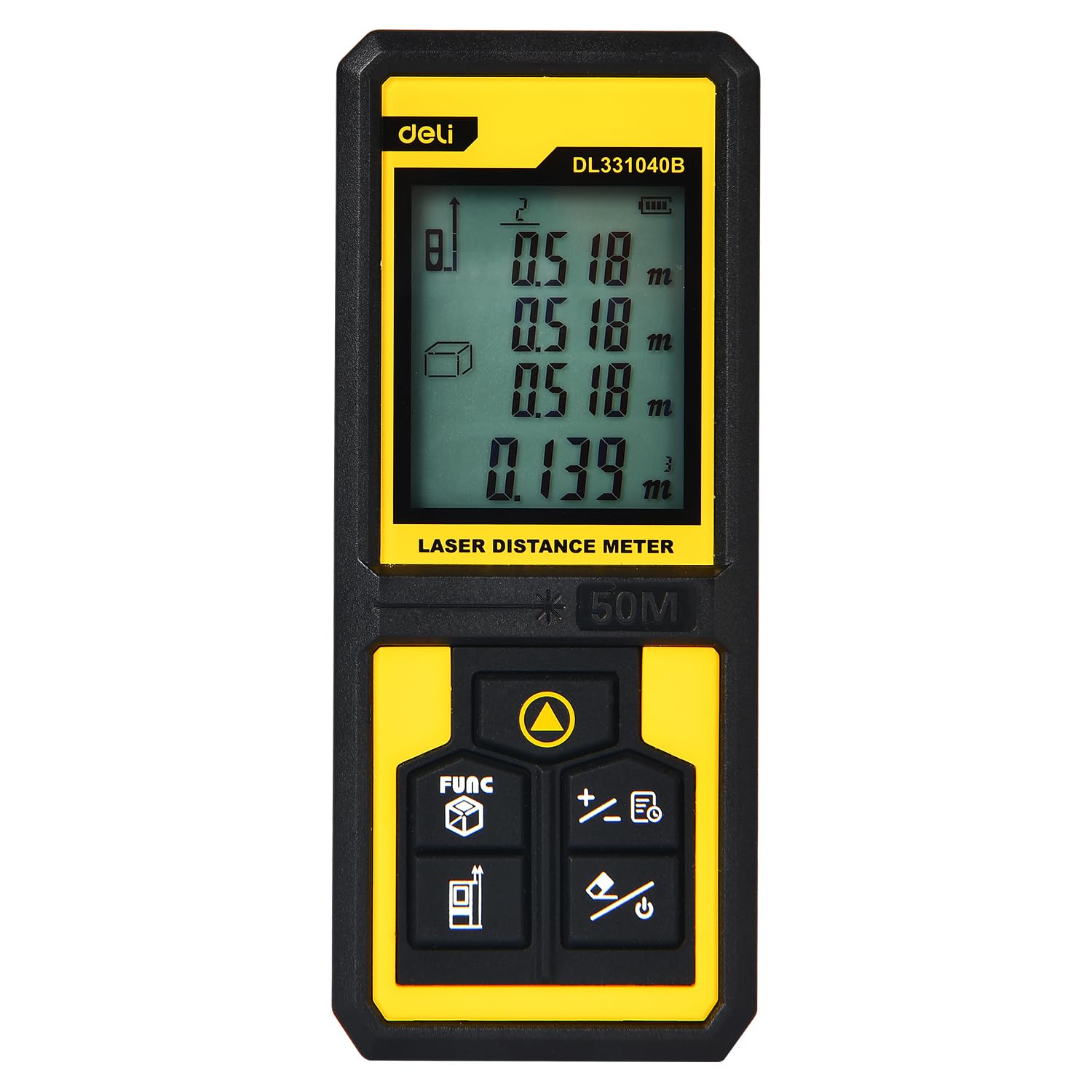
Image 1.1: The Deli DL331040B Laser Range Finder showing its digital display with multiple distance readings.
2. Maklumat Keselamatan
Sinaran Laser: This device emits Class 2 laser radiation (630-670nm, <1mW). Do not stare into the laser beam or direct it at other people or reflective surfaces. Direct eye exposure can cause eye injury.
- Always wear appropriate eye protection when operating the device.
- Jauhkan peranti daripada capaian kanak-kanak.
- Do not attempt to disassemble or modify the device. Servicing should only be performed by qualified personnel.
- Pastikan kawasan pengukuran bebas daripada halangan dan kakitangan sebelum mengaktifkan laser.
3. Persediaan
3.1 Pemasangan Bateri
The Deli DL331040B requires 2 AAA batteries (not included). To install the batteries:
- Cari penutup petak bateri di bahagian belakang peranti.
- Geser penutup terbuka ke arah yang ditunjukkan oleh anak panah.
- Masukkan dua bateri AAA, pastikan kekutuban (+/-) betul.
- Tutup penutup petak bateri sehingga ia berbunyi klik dengan selamat pada tempatnya.
3.2 Hidupkan/Mati Kuasa
Tekan dan tahan butang Butang kuasa (usually marked with a power symbol) to turn the device on or off. The display will illuminate upon activation.
4. Arahan Operasi
4.1 Pengukuran Jarak Asas
Untuk melakukan pengukuran jarak tunggal:
- Hidupkan peranti.
- Point the laser emitter (see Image 4.1) at the target surface.
- Tekan ke Butang ukur (often a triangular symbol). The laser will activate, and the measured distance will appear on the display.
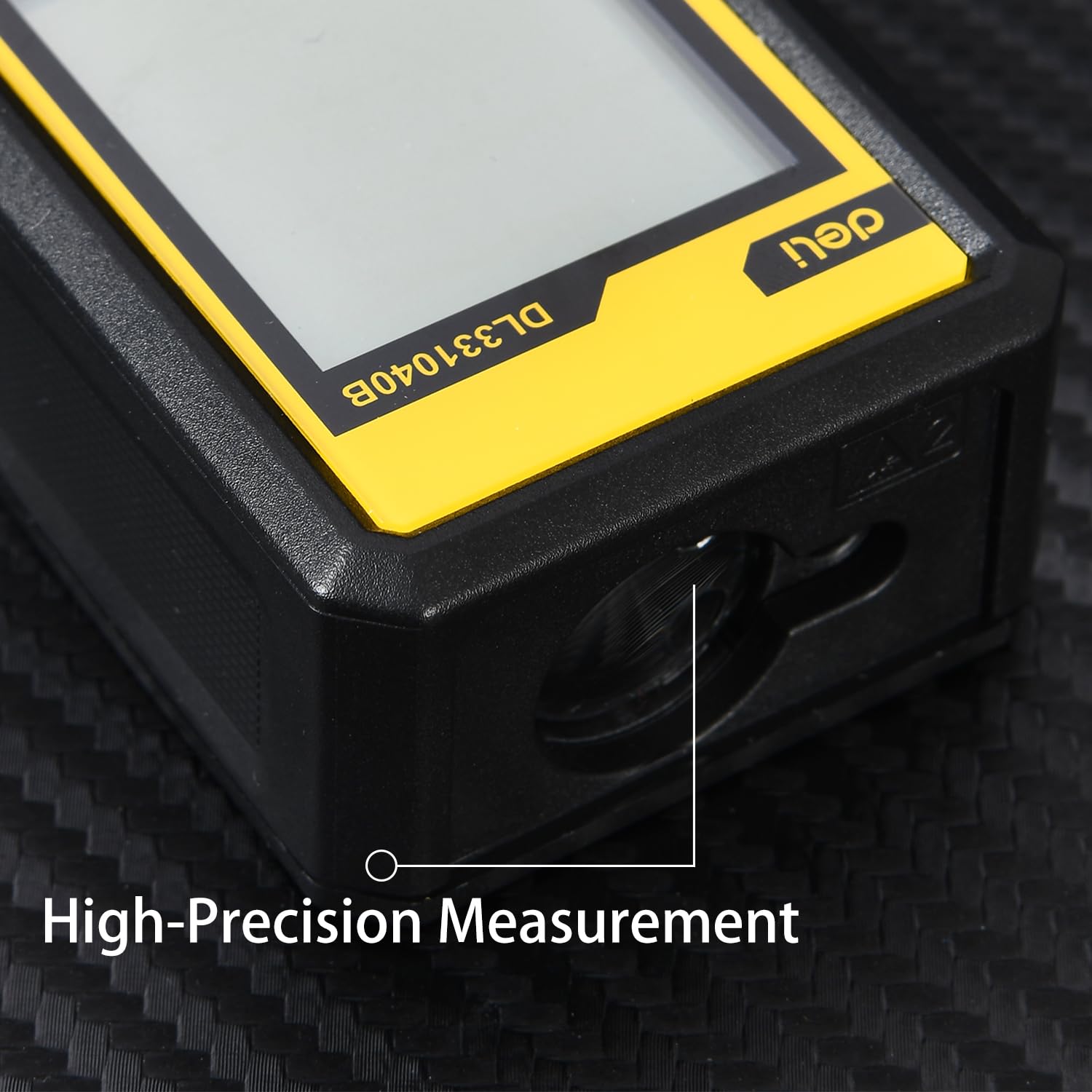
Imej 4.1: Jarak dekat view of the high-precision laser emitter on the device.
4.2 Mod Pengukuran Berterusan
For continuous measurement (tracking mode):
- Tekan ke Butang ukur once. The device will continuously measure and display the distance as you move it.
- Tekan ke Butang ukur sekali lagi untuk menghentikan pengukuran berterusan.
4.3 Function Selection (FUNC Button)
The Butang FUNC (often labeled 'FUNC' or with a cube icon) allows you to cycle through different measurement modes, such as area, volume, and Pythagorean calculations. Refer to the on-screen icons for the selected mode.

Image 4.2: Detail of the intuitive button operation, including the FUNC button for mode selection.
4.4 Data Storage and Retrieval
The device can store up to 30 sets of measurement data. Use the arrow buttons (if available) to navigate through stored records. Consult the on-screen prompts for saving and recalling measurements.

Image 4.3: The compact and portable design of the laser range finder, shown in a pocket and displaying measurement data.
5. Penyelenggaraan
- Pembersihan: Lap peranti dengan lembut, damp kain. Jangan gunakan pembersih atau pelarut yang melelas.
- Storan: Store the device in a dry, cool place away from direct sunlight and extreme temperatures. Remove batteries if the device will not be used for an extended period.
- Penjagaan Lensa: Keep the laser emission and reception lenses clean. Use a soft lens cloth to gently wipe away dust or smudges.
6. Penyelesaian masalah
| Masalah | Kemungkinan Punca | Penyelesaian |
|---|---|---|
| Peranti tidak dihidupkan | Bateri rendah atau mati; pemasangan bateri yang salah | Replace batteries; ensure correct polarity |
| Pengukuran yang tidak tepat | Obstructed laser path; dirty lenses; measuring highly reflective/absorbent surfaces | Clear path; clean lenses; use a target plate for difficult surfaces |
| Laser tidak kelihatan | Cahaya ambien terang; laser tidak diaktifkan | Use in lower light conditions; press the Measure button to activate laser |
7. Spesifikasi
- Nombor Model: DL331040B
- Julat Pengukuran: Sehingga 50 meter
- Mengukur Ketepatan: ±3mm
- Jenis Laser: Class 2, Red Light 630-670nm
- Penyimpanan Data: 30 set
- Sumber Kuasa: 2 x Bateri AAA (tidak termasuk)
- Bahan: Bahan PP
- warna: Kuning & Hitam
- Berat Barang: 134 Gram
- Dimensi Item (L x W x H): 17L x 13W x 6H Sentimeter
- Tahap Rintangan Air: Kalis air
- Negara Asal: China
8. Apa yang ada di dalam Kotak
The package for the Deli DL331040B Laser Range Finder typically includes:
- 1 x Deli DL331040B Laser Range Finder
- Manual Pengguna (dokumen ini)
Note: AAA Batteries are not included and must be purchased separately.
9. Waranti dan Sokongan
This product may be eligible for an extended warranty. For details, please refer to the specific warranty information provided at the point of purchase or contact the manufacturer directly. For customer support, you may reach out to Deli Group Co., Ltd at +86-0574-5997-6624.
Pengeluar: Deli Group Co., Ltd, 301 Xuxiake Rd. Ninghai, Ningbo, Zhejiang, China.
Pengimport: ALLIN IMPEX SERVICES PRIVATE LIMITED
10. Brand Overview
Deli Tools is committed to providing high-quality, durable, and user-friendly tools. The brand focuses on ergonomic design, advanced manufacturing processes, and strict quality control to ensure product reliability and user satisfaction. This video provides a general overview of Deli's commitment to quality and innovation across its tool range.
Video 10.1: Tamatview of Deli Tools' commitment to quality, design, and manufacturing processes.