
1. Pengenalan
Welcome to the DOOGEE Blade 10 Max user manual. This guide provides detailed instructions to help you get the most out of your new rugged smartphone. Designed for durability and high performance, the Blade 10 Max features a powerful battery, advanced camera system, and a unique rear display, all running on Android 15.
2. Produk Lebihview
The DOOGEE Blade 10 Max is engineered to withstand challenging environments while providing a rich smartphone experience. Familiarize yourself with its components and design.

Rajah 2.1: Depan dan belakang view of the DOOGEE Blade 10 Max smartphone.
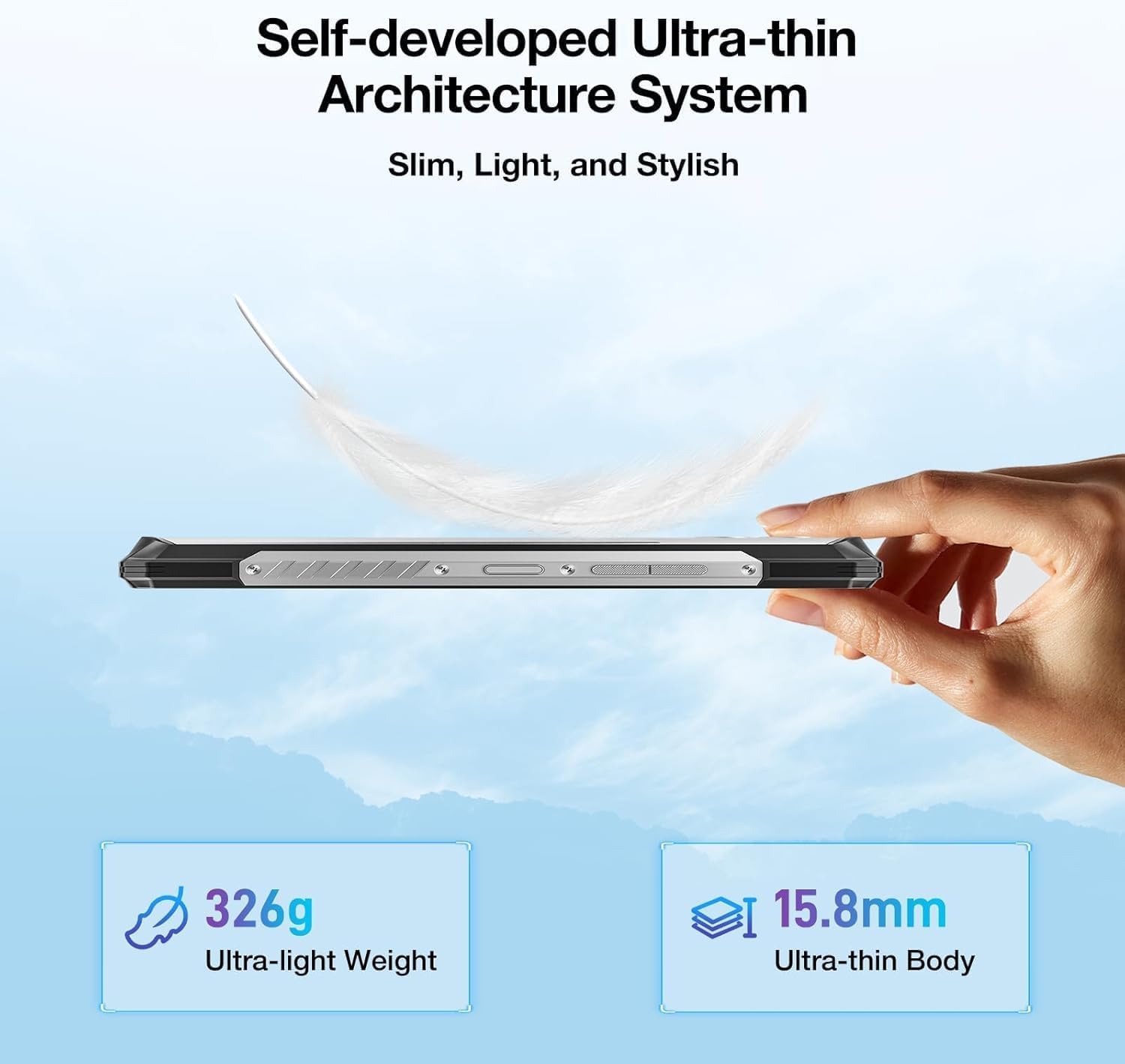
Rajah 2.2: Pro sampinganfile tunjuk casing the ultra-thin design of the Blade 10 Max.
2.1 Komponen Utama
- 6.56-inch HD+ IPS Display: Main screen for all interactions.
- 1.54-inch Customizable Rear Screen: Displays time, date, battery status, and notifications without activating the main display.
- Kamera Utama AI 50MP: High-resolution camera for detailed photography.
- Kamera Depan 8MP: Untuk selfie dan panggilan video.
- Penderia Cap Jari Sisi: Integrated for quick and secure unlocking.
- Port USB Jenis-C: Untuk pengecasan dan pemindahan data.
- Slot Kad Tiga Kali Ganda: Supports two 4G SIM cards and one microSD card for expandable storage.
- Butang Boleh Disesuaikan: A programmable physical button for quick access to functions.
3. Persediaan
3.1 Pemasangan Kad SIM dan Kad MicroSD
The Blade 10 Max supports dual 4G SIM cards and a microSD card for storage expansion up to 2TB. Ensure the device is powered off before inserting or removing cards.
- Locate the card tray on the side of the device.
- Gunakan alat ejektor SIM yang disediakan untuk membuka dulang.
- Carefully place your Nano-SIM cards and/or microSD card into the designated slots on the tray. Ensure they are correctly oriented.
- Tolak dulang perlahan-lahan ke dalam peranti sehingga ia berbunyi pada tempatnya.

Figure 3.1: Proper insertion of SIM and TF cards into the device tray.
3.2 Penghidupan dan Pengecasan Awal
To power on your device, press and hold the Power button until the DOOGEE logo appears. For initial charging, connect the provided USB Type-C cable to the phone and a compatible 18W fast charger.
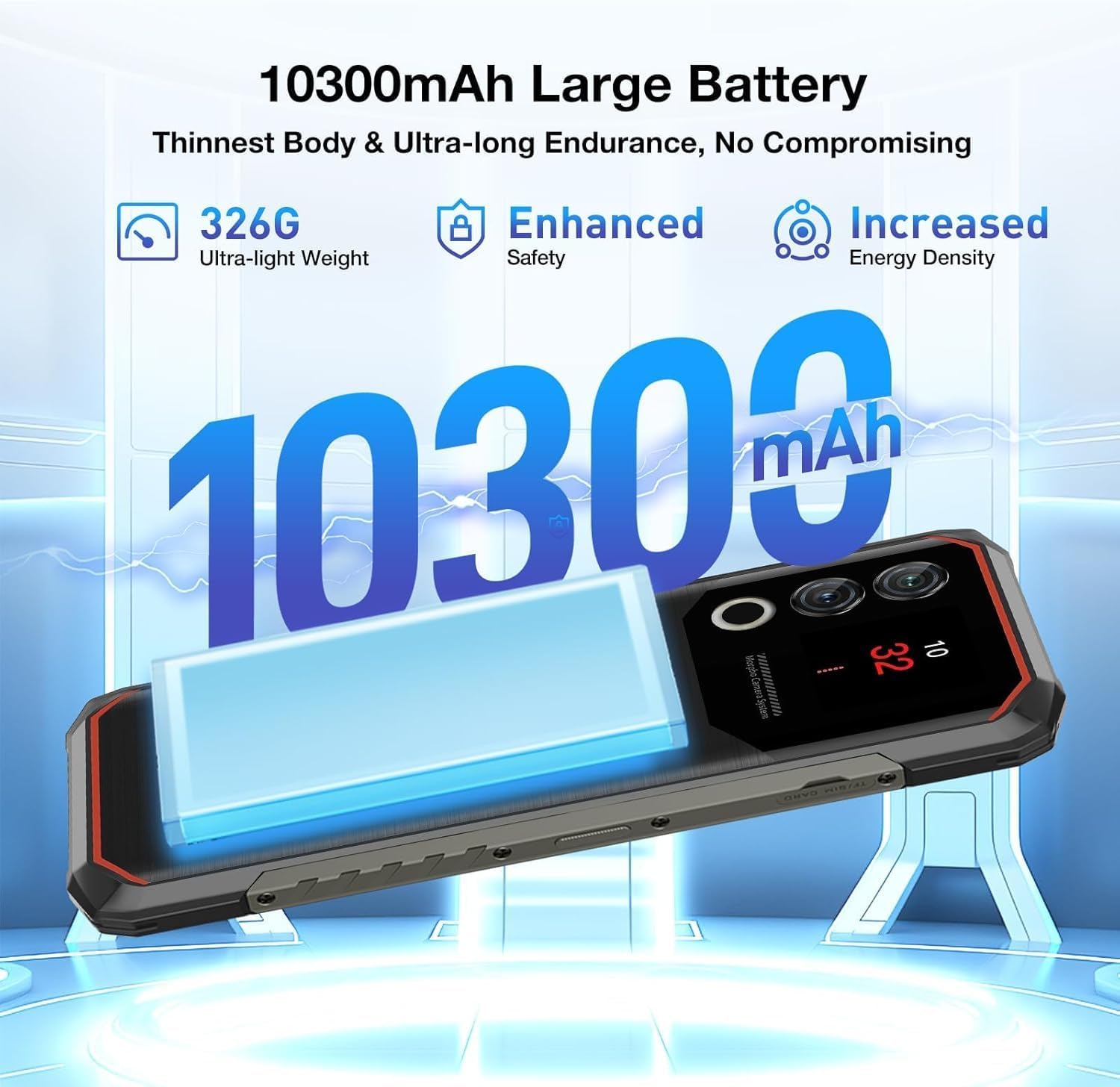
Rajah 3.2: Bateri 10300mAh menyediakan penggunaan yang berpanjangan.
4. Mengendalikan Peranti
4.1 Navigasi Asas
The Blade 10 Max runs on Android 15, offering intuitive navigation through touch gestures. Swipe up from the bottom for the app drawer, swipe down from the top for notifications and quick settings, and use the navigation bar or gestures for back, home, and recent apps.
4.2 Using the 1.54-inch Rear Screen
The innovative 1.54-inch rear screen provides quick access to essential information without waking the main display. It can show the time, date, battery level, charging status, and more. Customize its display options in the phone's settings under 'Rear Screen'.

Figure 4.1: The customizable 1.54-inch rear screen for quick information access.
4.3 Fungsi Kamera
Capture stunning photos with the 50MP AI main camera and 8MP front camera. The AI camera automatically recognizes 12 different scenes and optimizes settings for best results. Explore various modes like Portrait, Night Scene, and Pro Mode for enhanced creativity.

Figure 4.2: The 50MP AI camera offers various photography modes.
The integrated Google Smart Camera provides additional functionality, allowing you to copy and translate text, identify objects, plants, or animals, and even assist with homework by scanning questions.
4.4 Ciri Keselamatan
Unlock your device securely using the side-mounted fingerprint sensor or Face Unlock. Both methods provide quick and convenient access while ensuring your data remains protected.
4.5 Ketersambungan
The Blade 10 Max supports 4G LTE connectivity across a wide range of bands. It also features NFC for convenient mobile payments via Google Pay and supports GPS, Glonass, Galileo, and Beidou for accurate navigation.
Video 4.1: Demonstration of the DOOGEE Blade 10 Max's ruggedness and functionality after exposure to various liquids.
Video 4.2: A short demonstration of the DOOGEE Blade 10 Max surviving an impact test.
5. Penyelenggaraan
To ensure the longevity and optimal performance of your DOOGEE Blade 10 Max, follow these maintenance guidelines.
5.1 Membersihkan Peranti
Gunakan yang lembut, damp cloth to clean the exterior of your phone. Avoid harsh chemicals or abrasive materials that could damage the screen or casing. For ports, use a soft brush to gently remove dust or debris.
5.2 Tahan Air dan Habuk
The Blade 10 Max is IP68/IP69K and MIL-STD-810H certified, making it resistant to water, dust, and drops. While highly durable, it is not indestructible. Ensure all port covers are securely closed before exposing the device to water or dust. Avoid intentional submersion in deep water or high-pressure water jets. If the device gets wet, dry it thoroughly before charging.

Figure 5.1: The Blade 10 Max is designed for water and dust resistance.
Video 5.1: The DOOGEE Blade 10 Max being used underwater, showcasinreka bentuk kalis airnya.
5.3 Penjagaan Bateri
The 10300mAh battery is designed for long endurance. To maximize battery life, avoid extreme temperatures, use the original charger, and avoid completely draining the battery frequently.
6. Penyelesaian masalah
Jika anda menghadapi masalah dengan peranti anda, rujuk penyelesaian biasa berikut.
- Peranti tidak dihidupkan: Pastikan bateri dicas. Sambungkan ke pengecas dan tunggu beberapa minit sebelum cuba menghidupkan semula.
- Skrin tidak bertindak balas: Try restarting the device by holding the Power button for an extended period (usually 10-15 seconds).
- Isu sambungan rangkaian: Check if SIM cards are properly inserted. Verify your mobile data settings and ensure you have signal coverage. Try toggling Airplane Mode on and off.
- Kamera tidak berfungsi: Ensure no other apps are using the camera. Restart the camera app or the device.
- Apl ranap: Clear the cache of the problematic app or reinstall it. Ensure your device software is up to date.
7. Spesifikasi
Below are the key technical specifications for the DOOGEE Blade 10 Max.
| Ciri | Spesifikasi |
|---|---|
| Nama Model | Blade 10 Max |
| Sistem Operasi | Android 15 |
| Saiz Paparan | 6.56 Inci |
| Resolusi Paparan | 1280 x 720 (HD+) |
| Kadar Segar Semula | 90 Hz |
| Skrin Belakang | 1.54 Inci |
| Memori RAM | 32 GB (8GB fizikal + 24GB maya) |
| Storan Dalaman | 256 GB |
| Storan Boleh Dikembangkan | Sehingga 2TB melalui microSD |
| Kamera Utama | Kamera AI 50 MP |
| Kamera Depan | 8 MP |
| Kapasiti Bateri | 10300 mAh |
| Mengecas | Pengecasan Pantas 18W, Pengecasan Songsang OTG |
| Pemproses | UNISOC T7200 Okta-Teras (1.6GHz, 12nm) |
| Ketersambungan | 4G, Wi-Fi, Bluetooth, NFC (Google Pay) |
| Navigasi | GPS, Glonass, Galileo, Beidou |
| Ketahanan | IP68, IP69K, Diperakui MIL-STD-810H |
| Keselamatan | Pengecaman Cap Jari Sisi, Buka Kunci Wajah |
| Dimensions (Thinnest Point) | 9mm |
| Berat badan | 326g (11.5 oz) |
8. Waranti dan Sokongan
Your DOOGEE Blade 10 Max comes with a manufacturer's warranty. Please refer to the warranty card included in your product packaging for specific terms and conditions. For technical support, troubleshooting assistance, or warranty claims, please visit the official DOOGEE webtapak atau hubungi perkhidmatan pelanggan mereka.
DOOGEE offers a 30-day money-back guarantee and a 2-year limited warranty. 24/7 online support is also available.