
AOSHIDA PS200
Manual Pengguna SMSL PS200 Digital to Analog Audio Converter
Model: PS200 | Brand: AOSHIDA
1. Produk Lebihview
The SMSL PS200 is a versatile digital-to-analog audio converter designed for high-fidelity sound reproduction. It features advanced ESS ES9039Q2M and XMOS XU-316 chips, supporting high-resolution audio formats including PCM 32bit/768kHz and DSD512. Its compact design makes it suitable for various audio setups, from home entertainment systems to car audio. The PS200 also supports MQA decoding and MQA-CD, ensuring an immersive audio experience.

Figure 1: SMSL PS200 Digital to Analog Audio Converter, front and rear view with included USB cable.
Video 1: Tayangan video pengenalanasing the SMSL PS200 DAC and its key features.
2. Apa yang Termasuk
Setelah membuka bungkusan, sila pastikan semua item berikut ada:
- 1x SMSL PS200 Digital to Analog Audio Converter
- 1x Kabel USB Jenis-C
- 1x Manual pengguna (dokumen ini)
- 1x SMSL product card
Video 2: An unboxing video demonstrating the contents of the SMSL PS200 package.
3. Persediaan dan Sambungan
3.1 Bekalan Kuasa
The PS200 requires a DC 5V power supply. It can be powered using a Type-C USB cable connected to a computer USB port, a phone charger, or a power bank. Penting: Do not use a fast charging adapter to power the device.
Figure 2: The PS200 can be powered via a DC 5V power adapter, computer USB port, phone charger, or power bank.
3.2 Sambungan Audio
The PS200 offers multiple input and output options for versatile connectivity:
- Input USB: Connects to PC, tablet, PS5, or Nintendo Switch.
- Input Optik/Koaksial: Connects to TV, CD/DVD players, etc.
- Keluaran RCA: Connects to power amplifiers, passive speakers, or active speakers.
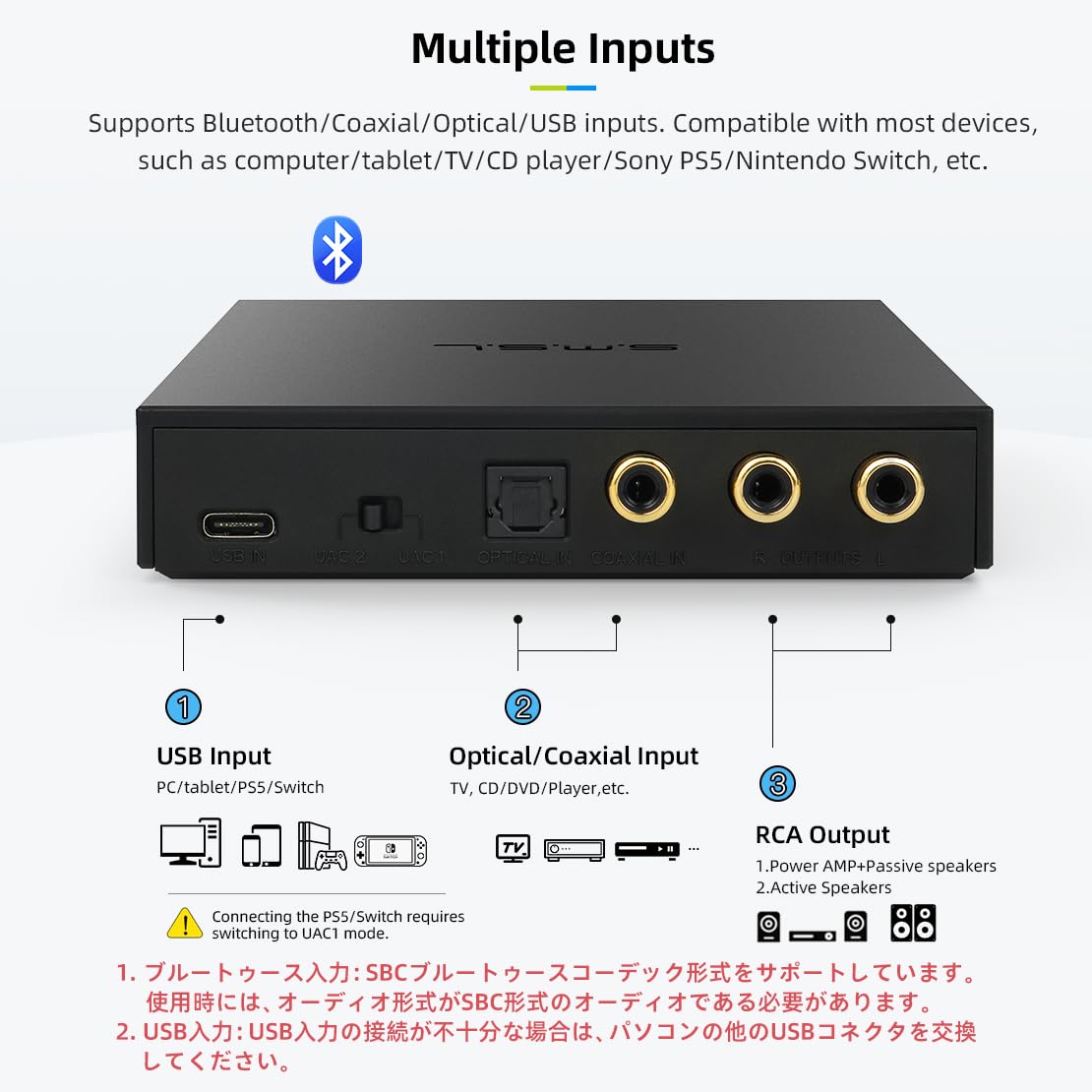
Rajah 3: Belakang view of the PS200 showing USB, Optical, Coaxial inputs, and RCA outputs.
Video 3: A demonstration of connecting various audio cables to the SMSL PS200 DAC.
3.3 UAC Mode Switch
The USB input features a UAC1/UAC2 mode switch. UAC1 mode is suitable for devices like PS5 and Nintendo Switch, while UAC2 mode is for PC and tablet connections. After switching modes, a restart of the device is required for the change to take effect.
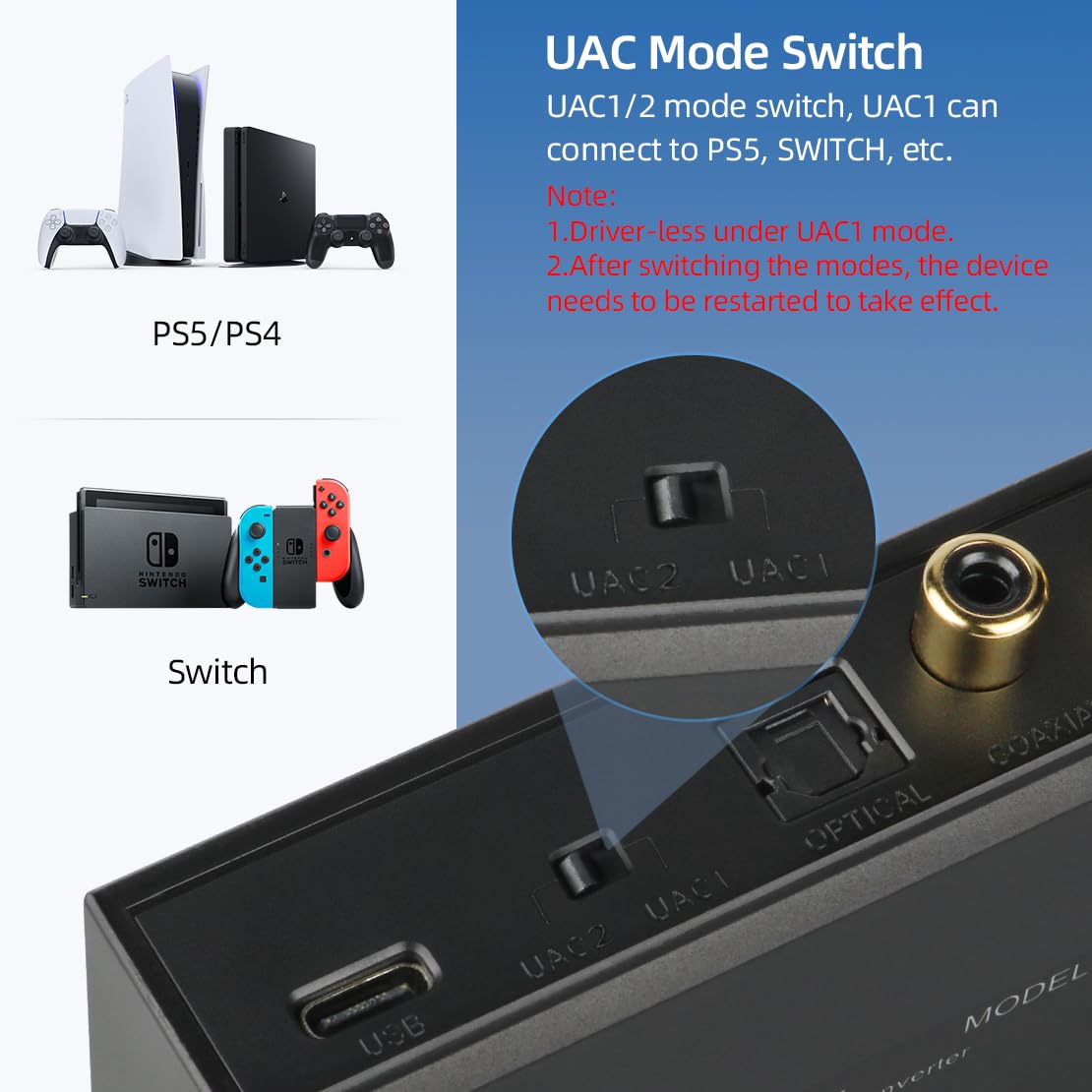
Figure 4: Close-up of the UAC1/UAC2 mode switch on the rear panel, with examples of compatible devices like PS5 and Nintendo Switch.
4. Arahan Operasi
4.1 Operasi Asas
The PS200 is designed for user-friendly operation. Use the input button on the front panel to cycle through available input sources (USB, Optical, Coaxial, Bluetooth). Indicator lights on the front panel will show the active input and MQA/DSD status.
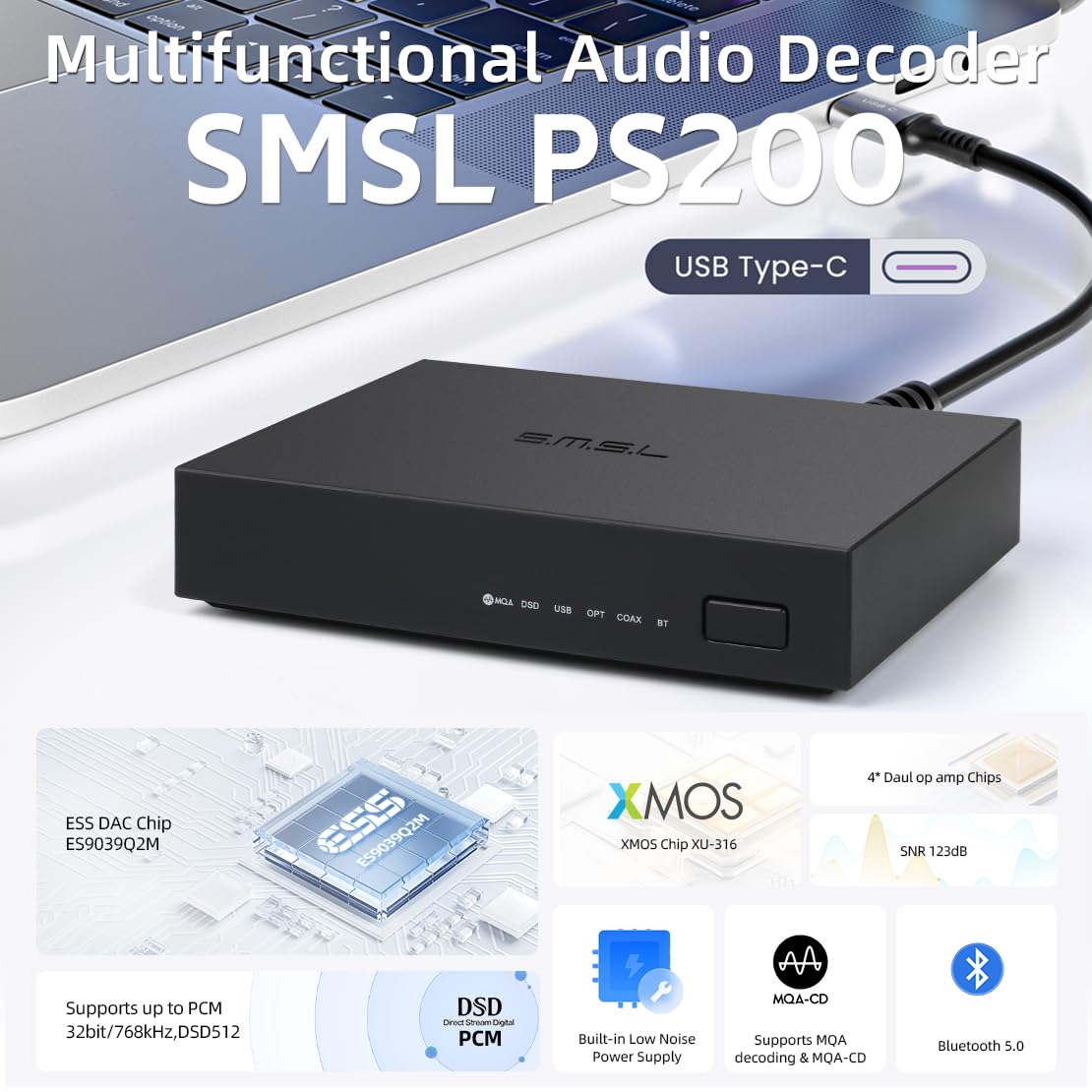
Figure 5: Front panel of the PS200 showing input indicators and control button.
4.2 Kawalan Kelantangan
When connected to a computer, the PS200's volume controls are set to default due to MQA decoding requirements. It is recommended to control the volume directly from the player software on your computer rather than through the PS200 unit itself.
4.3 Kefungsian Bluetooth
The PS200 features built-in Bluetooth 5.0 for wireless audio reception. No external antenna is required. To connect, enable Bluetooth on your source device and select "SMSL PS200" from the list of available devices. The Bluetooth connection supports the SBC codec.
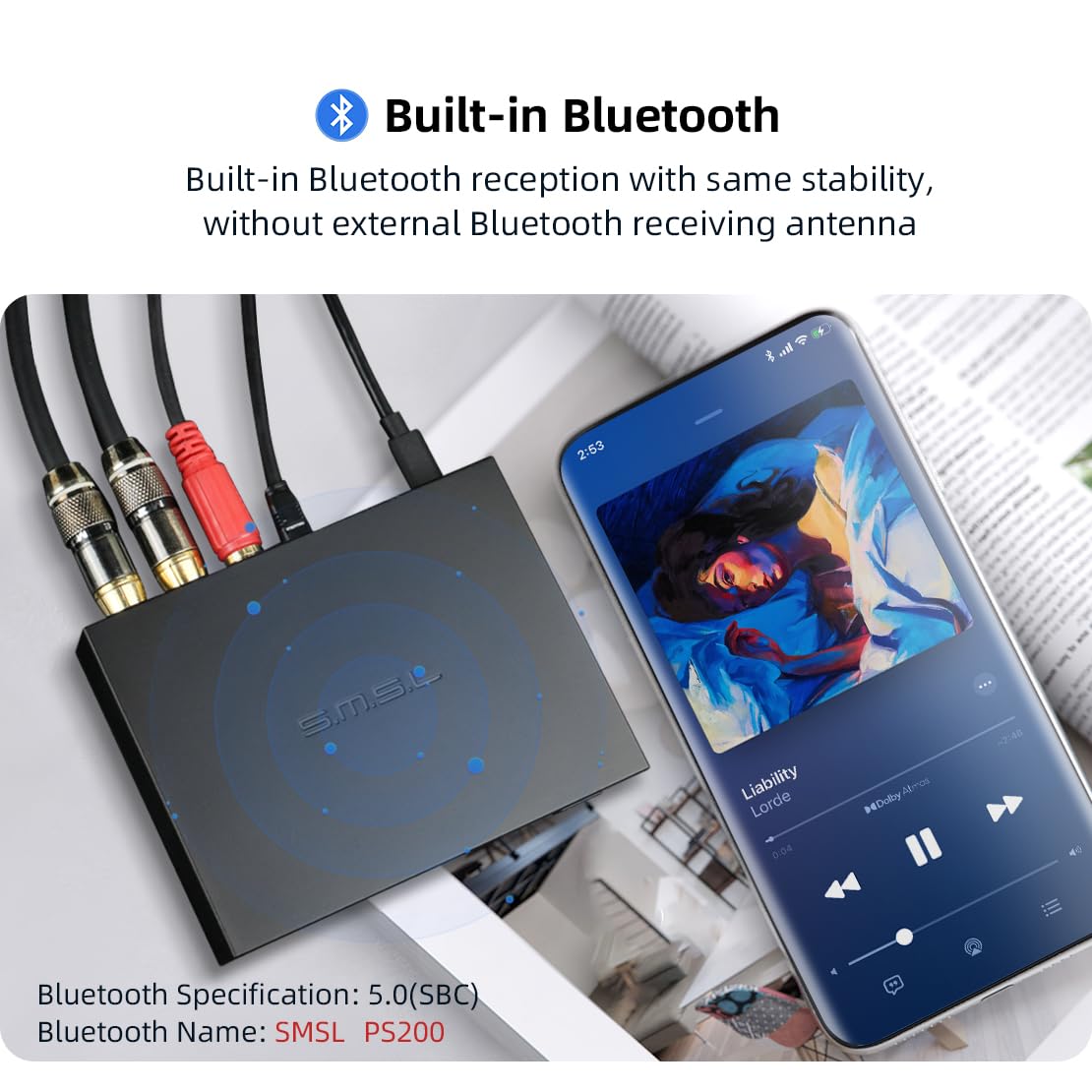
Figure 6: The PS200 connected via Bluetooth to a mobile device, illustrating its wireless audio capability.
5. Spesifikasi Teknikal
| Ciri | Spesifikasi |
|---|---|
| Model Produk | SMSL PS200 |
| Input | BT/Optical/Coaxial/USB |
| Tahap Keluaran | 2Vrms |
| THD+N | 0.0001% (-118dB) |
| Julat Dinamik | 123dB |
| SNR | 123dB |
| Spesifikasi USB | UAC1/UAC2 (Selected by switch) |
| Keserasian USB | Windows 7/8/8.1/10/11 (Need Drivers), Mac OSX10.6+, Linux (Driverless), Android, iOS, SONY PS5 (UAC1), Nintendo Switch (UAC1) |
| Sampling Rate & Bit Depth (USB) | PCM 44.1-768kHz (32bit), DSD 2.8224-22.5792MHz (1bit), DoP256 |
| Sampling Rate & Bit Depth (Optical/Coaxial) | PCM 44.1-192kHz (24bit), DoP64 |
| Bluetooth | 5.0 (SBC) |
| Saiz/Berat | 105 x 22 x 80mm (WxHxD) / 90g |
| Power Consumption/Standby Power | <1W / <0.1W |
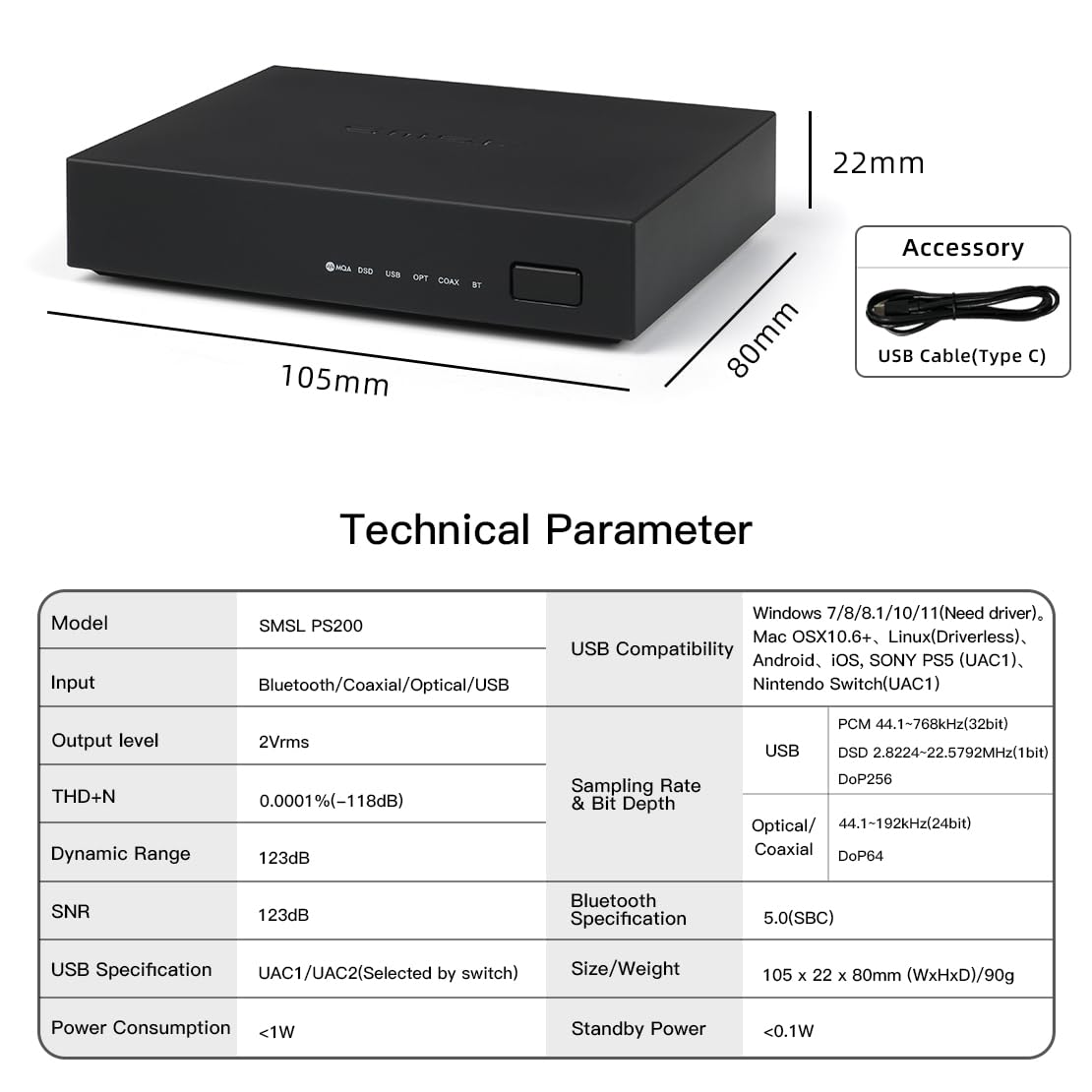
Figure 7: Detailed technical specifications of the SMSL PS200.
6. Penyelenggaraan
To ensure the longevity and optimal performance of your SMSL PS200, follow these maintenance guidelines:
- Pembersihan: Use a soft, dry cloth to clean the exterior of the device. Avoid using liquid cleaners, aerosols, or abrasive materials.
- penempatan: Letakkan peranti di atas permukaan yang stabil dan rata, jauh daripada cahaya matahari langsung, sumber haba dan kelembapan berlebihan. Pastikan pengudaraan yang mencukupi di sekeliling unit.
- Pengendalian: Kendalikan peranti ini dengan berhati-hati. Elakkan daripada menjatuhkan atau mendedahkannya kepada hentaman yang kuat.
- Matikan: Apabila tidak digunakan untuk tempoh yang lama, putuskan bekalan kuasa.
7. Penyelesaian masalah
If you encounter any issues with your SMSL PS200, please refer to the following common troubleshooting steps:
- Tiada Keluaran Bunyi:
- Ensure all cables (power, input, output) are securely connected.
- Verify that the correct input source is selected on the PS200.
- Check the volume levels on both the PS200 (if applicable, via computer software) and your connected amppembesar/ pembesar suara.
- Confirm that your audio source is playing and not muted.
- Bunyi Herot:
- Periksa sambungan kabel yang longgar.
- Pastikan sampling rate and bit depth settings on your source device are compatible with the PS200's specifications.
- Cuba kabel audio yang berbeza.
- Isu Sambungan Bluetooth:
- Ensure Bluetooth is enabled on your source device and the PS200 is in Bluetooth input mode.
- Move the source device closer to the PS200 to reduce interference.
- Lupakan peranti pada sumber anda dan pasangkan semula.
- Device Not Recognized by Computer (USB):
- Ensure the UAC mode switch is set correctly (UAC2 for PC/tablet). Remember to restart the PS200 after changing the UAC mode.
- For Windows, ensure necessary drivers are installed (refer to SMSL official website for drivers if needed).
- Cuba port USB atau kabel USB yang berbeza.
If the issue persists after trying these steps, please contact AOSHIDA Audio customer support for further assistance.
8. Waranti dan Sokongan
AOSHIDA Audio is committed to providing high-quality products and customer satisfaction. For warranty information and technical support, please refer to the product card included in your package or visit the official AOSHIDA Audio webtapak. Simpan resit pembelian anda sebagai bukti pembelian untuk tuntutan waranti.
For common questions and additional resources, you may also refer to the AOSHIDA brand story and FAQs available on the product's Amazon page.
Ask a question about this manual
Ask about setup, troubleshooting, compatibility, parts, safety, or missing instructions. Manuals+ will review the question and use this page’s manual context to help answer it.