
RadioShack 3304382-PRNT
RadioShack Wireless Active Noise Cancelling Bluetooth Earbuds Instruction Manual
Model: 3304382-PRNT
1. Pengenalan
This manual provides detailed instructions for the RadioShack Wireless Active Noise Cancelling Bluetooth Earbuds. Please read this manual thoroughly before using the product to ensure proper operation and to maximize your user experience. Keep this manual for future reference.
2. Kandungan Pakej
Sahkan bahawa semua item terdapat dalam pakej:
- RadioShack Wireless Active Noise Cancelling Bluetooth Earbuds (Left and Right)
- Kes Pengecasan
- Kes Pelindung
- Kabel Pengecas USB (Jenis-C)
- Manual Pengguna
3. Produk Lebihview
The RadioShack Wireless Earbuds feature Active Noise Cancelling (ANC) technology, IPX5 water resistance, and Bluetooth 5.2 connectivity for a stable audio experience. The earbuds are designed for comfort and durability, suitable for various activities.

Image: The black RadioShack wireless earbuds are shown inside their open charging case, highlighting their compact design.

Imej: Dari dekat view of the black wireless earbuds, emphasizing their IPX5 water resistance, which protects against sweat and light rain.
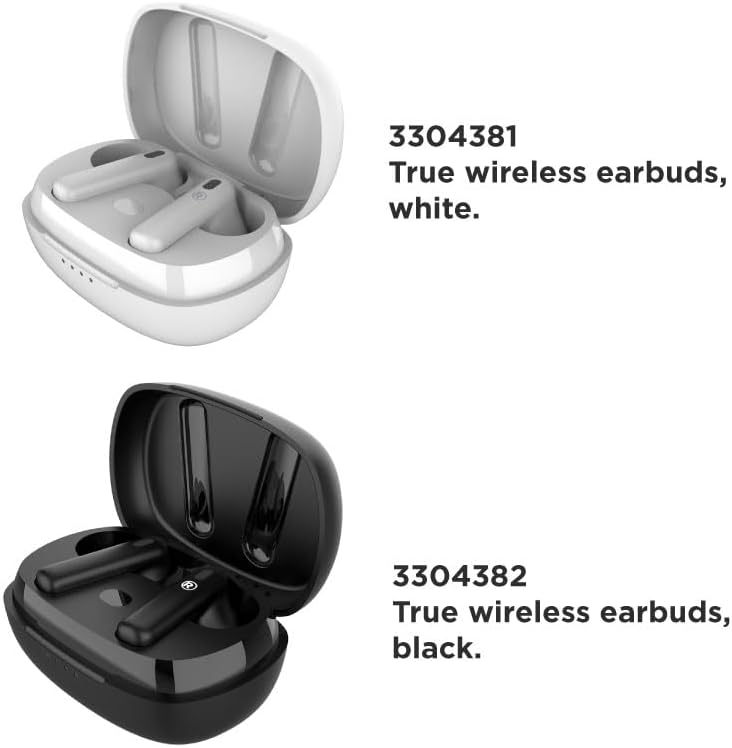
Image: A visual comparison of the white (Model 3304381) and black (Model 3304382) true wireless earbuds, each in their respective charging cases.
4. Persediaan
4.1 Mengecas Fon telinga dan Sarung
Sebelum penggunaan pertama, cas sepenuhnya fon telinga dan bekas pengecas. Bekas pengecas mempunyai kapasiti bateri 400mAh.
- Letakkan fon telinga ke dalam bekas pengecasan.
- Sambungkan kabel pengecas USB ke port pengecasan pada bekas dan ke sumber kuasa.
- The LED indicators on the case will show the charging status. A full charge typically takes approximately 1 hour.
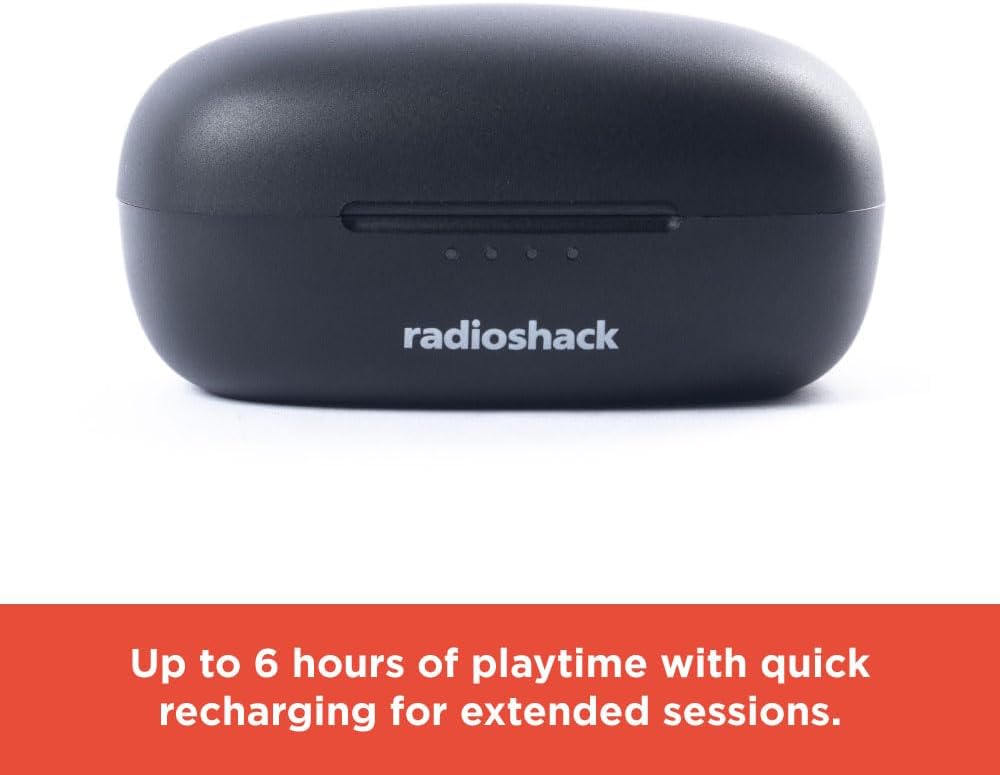
Image: The closed black charging case displays LED indicators, signifying up to 6 hours of playtime with quick recharging capabilities.
4.2 Berpasangan Bluetooth
The earbuds utilize Bluetooth 5.2 technology for a stable and quick connection.
- Pastikan fon telinga dicas dan diletakkan di dalam bekas pengecasan.
- Buka bekas pengecas. Fon telinga akan memasuki mod berpasangan secara automatik.
- Pada peranti anda (telefon pintar, tablet, komputer riba), dayakan Bluetooth dan cari peranti yang tersedia.
- Select "RadioShack Earbuds" from the list of devices.
- Setelah disambungkan, gesaan suara akan mengesahkan gandingan yang berjaya.

Image: Hands are shown holding the white wireless earbuds within their open charging case, illustrating the hassle-free setup and stable connection without wires.

Image: Icons representing key features: compatibility with Bluetooth 5.2, a 32 ft wireless range, and a 1-hour charging time.
5. Arahan Operasi
5.1 Hidupkan/Mati Kuasa
- Hidupkan kuasa: Buka bekas pengecasan dan fon telinga akan dihidupkan secara automatik.
- Matikan: Letakkan fon telinga kembali ke dalam bekas pengecasan dan tutup penutupnya. Mereka akan dimatikan secara automatik dan mula mengecas.
5.2 Main balik Muzik
Use the touch controls on the earbuds for music management:
- Main/Jeda: Ketik sekali pada salah satu fon telinga.
- Lagu Seterusnya: Ketik dua kali pada fon telinga kanan.
- Trek Sebelumnya: Ketik dua kali pada fon telinga kiri.
5.3 Active Noise Cancelling (ANC)
The Active Noise Cancelling feature reduces external noise for focused listening.
- Aktifkan/Nyahaktifkan ANC: Triple tap on either earbud. A voice prompt will confirm the mode change.

Image: A person is shown wearing a white earbud, with text indicating that Active Noise Cancelling reduces background noise for focused listening.
5.4 Panggilan Telefon
Manage calls using the earbud touch controls:
- Jawab/Tamatkan Panggilan: Ketik sekali pada salah satu fon telinga.
- Tolak Panggilan: Tekan dan tahan salah satu fon telinga selama 2 saat.
Video: This video demonstrates the features and benefits of the RadioShack Noise-Cancelling Wireless Earbuds, including their water resistance, call handling, and playback time.
6. Penyelenggaraan
6.1 Pembersihan
- Lap perlahan fon telinga dan bekas pengecas dengan kain lembut, kering dan tidak berbulu.
- Jangan gunakan pembersih, pelarut atau semburan aerosol yang kasar.
- Elakkan mendapat kelembapan di mana-mana bukaan.
6.2 Penyimpanan
- Simpan fon telinga dalam bekas pengecasnya apabila tidak digunakan untuk melindunginya dan memastikan ia dicas.
- Simpan produk di tempat yang sejuk dan kering, jauh daripada suhu ekstrem dan cahaya matahari langsung.
7. Penyelesaian masalah
Jika anda menghadapi masalah, rujuk kepada penyelesaian biasa berikut:
| Masalah | Penyelesaian |
|---|---|
| Fon telinga tidak berpasangan | Pastikan fon telinga dicas. Matikan dan hidupkan Bluetooth pada peranti anda. Lupakan peranti dalam tetapan Bluetooth anda dan pasangkan semula. |
| Tiada bunyi dari fon telinga | Check volume levels on both earbuds and your connected device. Ensure earbuds are properly paired. |
| Kes pengecas tidak dicas | Verify the charging cable is securely connected to both the case and the power source. Try a different USB port or power adapter. |
| ANC tidak berfungsi dengan berkesan | Ensure ANC is activated (triple tap). Adjust earbud placement for a secure fit. |
8. Spesifikasi
| Ciri | Perincian |
|---|---|
| Nama Model | Wireless Headphones 400MAH Active Noise Cancelling IPX5 |
| Teknologi Ketersambungan | Wayarles (Bluetooth 5.2) |
| Tahap Ketahanan Air | Tahan Air IPX5 |
| Hayat Bateri | Up to 6 Hours (earbuds) |
| Mengecas Bateri Kes | 400mAh |
| Masa Mengecas | lebih kurang 1 Jam |
| Julat Tanpa Wayar | Sehingga 32 kaki |
| Kawalan Bunyi | Pembatalan Bunyi Aktif |
| Berat Barang | 0.08 Kilogram (2.89 auns) |
| Peranti Serasi | Smartphones, Laptops, Tablets, Smart TVs |
9. Maklumat Keselamatan
- Jangan dedahkan fon telinga atau bekas pengecas kepada suhu yang melampau, cahaya matahari langsung atau api.
- Elakkan mendengar pada tahap kelantangan tinggi untuk tempoh yang lama untuk mengelakkan kerosakan pendengaran.
- Jauhkan daripada kanak-kanak dan haiwan peliharaan.
- Jangan cuba membuka atau mengubah suai produk. Ini akan membatalkan jaminan.
- Buang produk dan bateri secara bertanggungjawab mengikut peraturan tempatan.
10. Waranti dan Sokongan
For warranty information or technical support, please contact RadioShack customer service. Refer to the product packaging or the official RadioShack weblaman web untuk maklumat hubungan.
Ask a question about this manual
Ask about setup, troubleshooting, compatibility, parts, safety, or missing instructions. Manuals+ will review the question and use this page’s manual context to help answer it.