
1. Pengenalan
This manual provides detailed instructions for the Maxcom MM39D 4G VoLTE Big Button Wireless Phone. The MM39D is a modern 4G LTE phone designed for both home and office environments, serving as an ideal replacement for traditional analog landline phones. It features a large, clear display and user-friendly island-style keys.
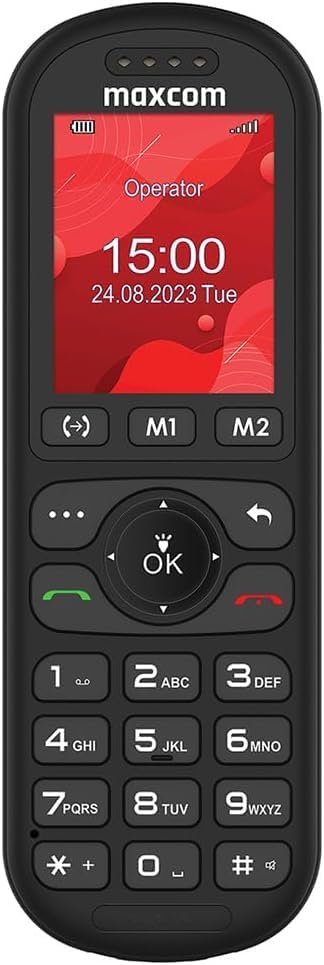
Rajah 1: Depan view of the Maxcom MM39D phone, showcasing its large buttons and clear display.
Ciri-ciri utama termasuk:
- 4G VoLTE Connectivity: Ensures clear call quality and reliable network connection.
- Large 2-inch Display: A 176 x 220 px screen for excellent readability of text and images.
- Island-Style Keys: Designed for easy and accurate dialing and function selection.
- 1000 mAh Efficient Battery: Provides extended standby time, ensuring the phone is ready when needed.
- USB-C Desktop Charger: For convenient and universal charging.
- Ciri Bersepadu: Includes calendar, alarm clock, speed dial, FM radio, SMS/MMS, audio/video player, hands-free mode, and call transfer function.
2. Persediaan
2.1 Kandungan Pakej
Sebelum anda mula, pastikan semua item terdapat dalam pakej:
- Maxcom MM39D Wireless Phone
- USB-C Desktop Charger
- Kabel USB-C
- Power Adapter (UK Plug)
- Manual Pengguna
2.2 Memasang Kad SIM dan Bateri
- Tanggalkan Penutup Belakang: Gently pry open the back cover of the phone using the notch provided, usually located at the bottom edge.
- Masukkan Kad SIM: Locate the SIM card slot. Insert your 4G compatible SIM card into the slot with the gold contacts facing down and the cut corner aligned as indicated. Ensure it clicks into place.
- Masukkan Bateri: Place the 1000 mAh battery into the battery compartment, aligning the gold contacts on the battery with the contacts in the phone.
- Gantikan Penutup Belakang: Carefully align the back cover and press it firmly until it snaps into place around all edges.

Rajah 2: Belakang view of the Maxcom MM39D, indicating the area for battery and SIM card installation.
2.3 Mengecas Telefon
For first-time use, fully charge the phone.
- Connect the USB-C cable to the desktop charger and the power adapter.
- Palamkan penyesuai kuasa ke salur keluar dinding.
- Place the Maxcom MM39D phone into the desktop charger, ensuring it sits securely and the charging indicator appears on the screen.
- Benarkan telefon mengecas sehingga ikon bateri menunjukkan cas penuh.
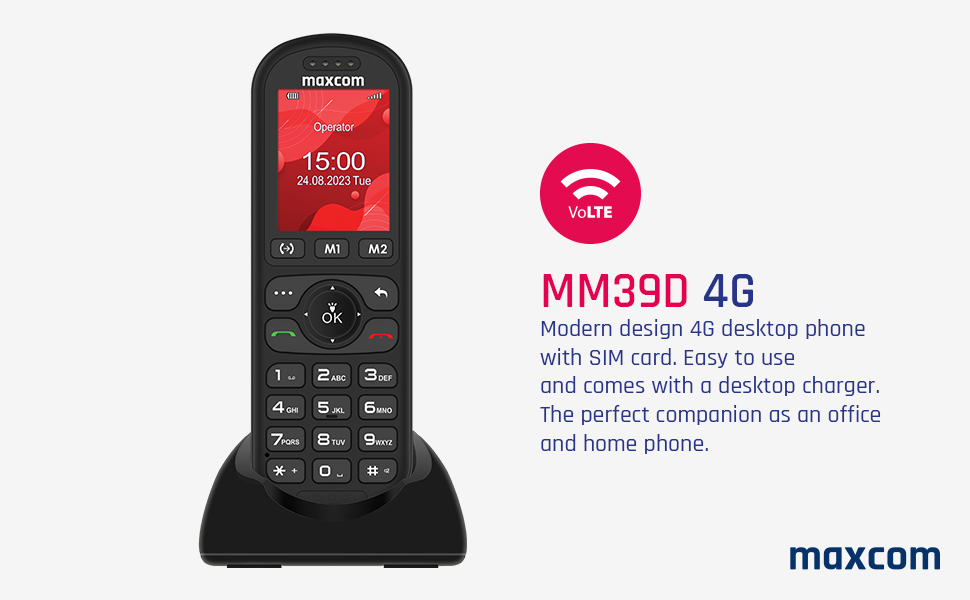
Figure 3: The Maxcom MM39D phone placed in its USB-C desktop charging dock.
3. Arahan Operasi
3.1 Menghidupkan/Mematikan
- Untuk Menghidupkan: Tekan dan tahan merah Tamatkan Panggilan/Kuasa butang sehingga skrin menyala.
- Untuk Mematikan: Tekan dan tahan merah Tamatkan Panggilan/Kuasa button until the power-off options appear, then select "Power Off".
3.2 Membuat dan Menerima Panggilan
- Untuk Membuat Panggilan:
- Masukkan nombor telefon menggunakan pad kekunci.
- Tekan hijau Panggil butang untuk memulakan panggilan.
- Untuk Menjawab Panggilan: When the phone rings, press the green Panggil butang.
- Untuk Menamatkan Panggilan: Tekan merah Tamatkan Panggilan butang.
- Dail Cepat: Assign frequently called numbers to specific keys (M1, M2, or numeric keys). Refer to the phone's menu for speed dial setup.
3.3 Using Basic Functions
- Navigasi: Use the directional keys (up, down, left, right) and the central OK button to navigate through menus and confirm selections.
- Kalendar: Access the calendar from the main menu to view dates and add events.
- Jam loceng: Set multiple alarms with customizable tones and repeat options.
- SMS/MMS: Compose and send text messages. The phone supports multimedia messages (MMS) for sending images.
- Radio FM: Dengar stesen radio FM. Fon kepala mungkin diperlukan sebagai antena.
- Audio and Video Player: Mainkan media files stored on the phone or an inserted memory card (if supported).
- Mod bebas tangan: Activate speakerphone during a call for hands-free communication.
- Call Transfer Function (CTF): Consult your network provider for details on activating and using call transfer services.
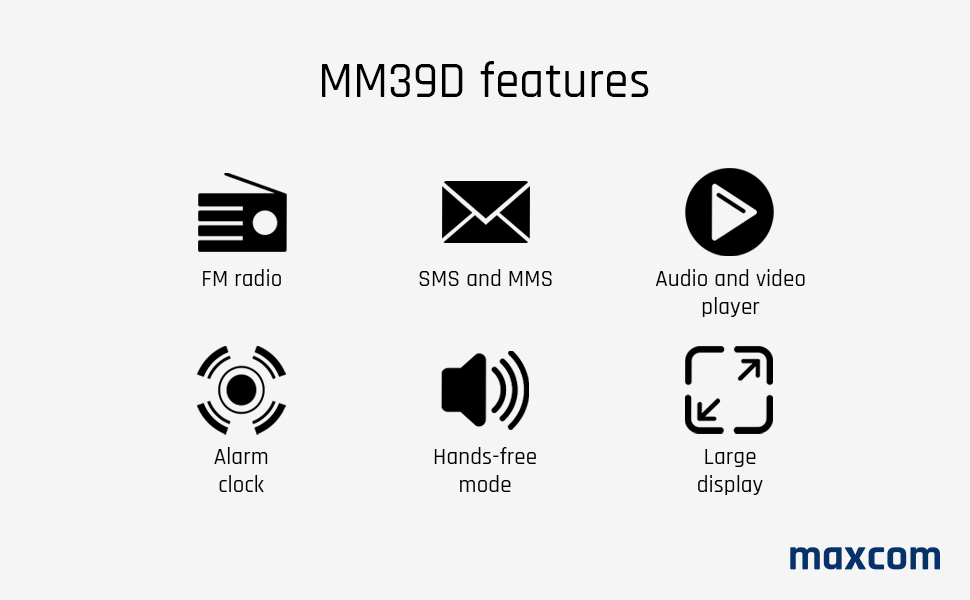
Figure 4: Visual representation of key features available on the Maxcom MM39D.
4. Penyelenggaraan
4.1 Membersihkan Telefon
- Gunakan kain lembut dan kering untuk mengelap permukaan telefon.
- Avoid using liquid cleaners, aerosols, or harsh chemicals, as these can damage the phone.
- Pastikan port pengecas bebas daripada habuk dan serpihan.
4.2 Penjagaan Bateri
- Jangan dedahkan bateri kepada suhu yang melampau.
- Elakkan menyahcas sepenuhnya bateri dengan kerap untuk memanjangkan jangka hayatnya.
- If the phone will not be used for an extended period, charge it to about 50% before storing.
- Use only the original or approved replacement battery and charger.
5. Penyelesaian masalah
If you encounter issues with your Maxcom MM39D, refer to the following common problems and solutions:
| Masalah | Kemungkinan Punca | Penyelesaian |
|---|---|---|
| Telefon tidak dihidupkan | Low battery; Battery not inserted correctly; Phone malfunction. | Charge the phone for at least 30 minutes. Reinsert the battery. If the problem persists, contact support. |
| Tidak boleh membuat atau menerima panggilan | No SIM card; SIM card not inserted correctly; No network signal; SIM card not activated. | Ensure SIM card is correctly inserted and activated. Check network signal strength. Restart the phone. |
| Low ringtone volume | Volume settings are too low. | Adjust the ringtone volume in the phone's settings menu. Ensure the phone is not in silent or vibrate-only mode. |
| Telefon tidak dicas | Charger or cable faulty; Charging port blocked; Phone not properly seated in dock. | Check connections. Clean the USB-C port. Try a different USB-C cable or power adapter. Ensure the phone is correctly placed in the desktop charger. |
If these solutions do not resolve the issue, please refer to the Warranty and Support section.
6. Spesifikasi
| Jenama | Maxcom |
| Nombor Model | MM39D |
| warna | Hitam |
| Jenis Produk | Telefon Bar |
| Rangkaian | 4G VoLTE |
| Sistem Operasi | Symbian 9.3 (Note: This OS is typically for smartphones, may be a generic entry or simplified OS.) |
| Saiz Skrin | 2 inci |
| Resolusi Paparan | 176 x 220 px |
| Sambungan | Bluetooth, Selular |
| Port Pengecasan | USB Jenis-C |
| Kapasiti Bateri | 1000 mAh |
| Sumber Kuasa | Dikuasakan Bateri |
| Jenis Pendail | Papan kekunci |
7. Waranti dan Sokongan
For warranty information, please refer to the documentation provided with your purchase or contact your retailer. Maxcom strives to provide reliable products, and any specific warranty terms will be outlined by the point of sale.
Information regarding spare parts availability and guaranteed software updates is not readily available. For technical support or service inquiries, please contact the Maxcom customer service department or your local distributor.
You can often find contact details on the official Maxcom webtapak atau melalui pembungkusan produk anda.