
1. Produk Lebihview
The Glocusent Star Projector is a versatile 5-in-1 device designed to enhance your sleep environment and provide relaxation. It combines a star projector, a white noise sound machine, a HiFi Bluetooth speaker, a gentle night light, and a built-in clock. This device can be controlled via a mobile application for comprehensive customization.

Image 1.1: The Glocusent Star Projector in use, illustrating its projection capabilities and app control.
2. Kandungan Pakej
Semasa membuka bungkusan, sila pastikan semua item berikut ada:
- Glocusent Sleeping Pod Starry Lamp (Star Projector Unit)
- Manual Pengguna (dokumen ini)
- 20° Angle Lamp Berdiri
- Penyesuai kuasa dengan kabel
3. Panduan Persediaan
3.1 Sambungan Kuasa
Connect the provided power adapter cable to the Glocusent Star Projector's power input port. Plug the adapter into a standard electrical outlet. The device will power on automatically.
3.2 Muat Turun Apl dan Berpasangan
For full functionality and customization, it is recommended to use the Glocusent mobile application. The app allows for advanced control over projection, sounds, scheduling, and more.
- Download the 'Glo Sleep' app from your device's app store.
- Ensure your Wi-Fi network is a 2.4 GHz network. The device requires a secure 2.4 GHz or 5 GHz compatible Wi-Fi connection for app integration.
- Open the app and follow the on-screen instructions to pair your Glocusent Star Projector. This typically involves selecting the device type and entering your Wi-Fi credentials.
- Ensure the Star Projector's Wi-Fi setting in the Glo Sleep App matches your smartphone's network.
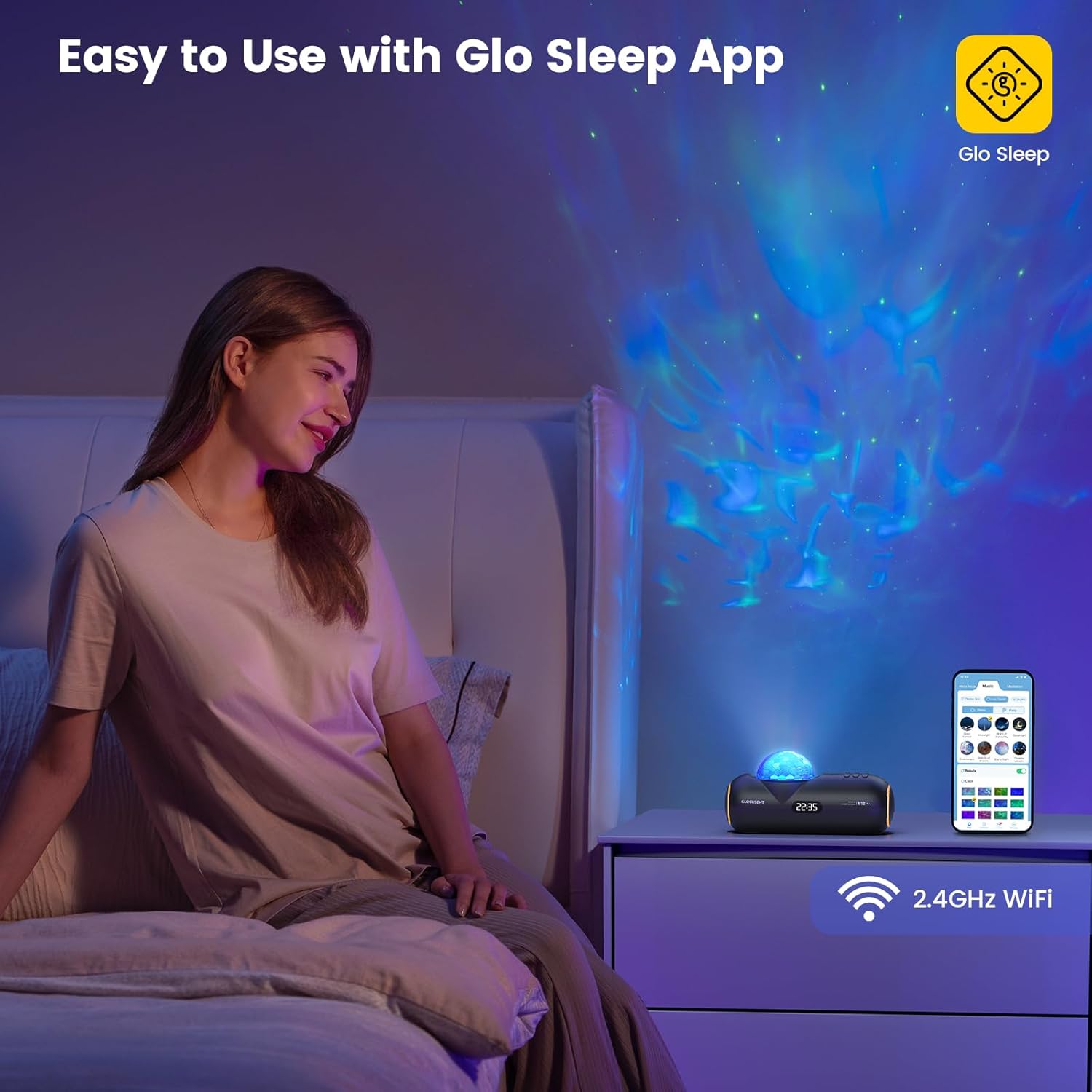
Image 3.1: Controlling the Glocusent Star Projector using the Glo Sleep App on a smartphone.
4. Arahan Operasi
4.1 Star Projector Functions
The projector can display 16 sleep-aid celestial nebulas across an area of up to 538 square feet. Adjustments can be made via the app or physical buttons:
- warna: Choose from 16 different color options for the nebula projection.
- Kelajuan: Adjust the nebula movement speed with 10 available levels.
- Kecerahan: Select from 5 brightness levels to set the desired ambiance.

Image 4.1: Visual representation of the star projector's adjustable features.
4.2 Sound Machine Functions
The device includes a comprehensive sound library to aid relaxation and sleep:
- Bunyi Putih: 23 distinct white noise options.
- Sleep-Enhancing Melodies: 27 curated melodies.
- Meditation Guides: 10 guided meditation voices.

Imej 4.2: Selesaiview of the sound machine's extensive sound library.
4.3 Pembesar Suara Bluetooth
The integrated HiFi Bluetooth speaker allows you to play your own audio content:
- Aktifkan Bluetooth pada telefon pintar atau peranti audio anda.
- Select the Glocusent Star Projector from the list of available Bluetooth devices to pair.
- Once connected, you can stream music, podcasts, or other audio through the projector's speaker.

Image 4.3: Internal components illustrating the HiFi Bluetooth speaker.
4.4 Time-for-Bed & Time-to-Rise Scheduling
Utilize the mobile app to set up automated routines for sleep and wake-up:
- Bedtime Routine: Program the device to begin nebula display and soothing sounds at a set bedtime, gradually dimming to ease you into sleep.
- Wake-up Routine: Schedule an energizing track to start at your desired wake-up time, helping you to wake up refreshed.
- The built-in Sleep Calculator in the app can assist in determining ideal sleep and wake times for optimal rest.

Image 4.4: App interface for setting automatic sleep and wake-up schedules.
4.5 Night Light and Clock
The device also functions as a gentle night light and features a built-in clock display.
5. Penyelenggaraan dan Keselamatan
5.1 Pembersihan dan Penjagaan
To maintain your Glocusent Star Projector in optimal condition:
- Sentiasa cabut plag peranti daripada sumber kuasa sebelum membersihkan.
- Gunakan kain lembut dan kering untuk mengelap permukaan luar.
- Do not use liquid cleaners, aerosols, or abrasive materials, as these may damage the device.
5.2 Garis Panduan Keselamatan
Adhere to the following safety precautions to prevent injury or damage to the device:
- Do not use the device in a bathtub or near water.
- This device is not a toy; keep it away from children under 3 years of age.
- To prevent hearing damage, avoid playing sounds at excessive volumes.
- Jangan kendalikan peranti jika ia kelihatan rosak.
- Peranti ini bertujuan untuk kegunaan dalaman sahaja.
- Jangan gunakan dengan kord kuasa atau palam yang rosak.
- Always follow local regulations regarding electrical devices.
6. Penyelesaian masalah
If you encounter issues with your Glocusent Star Projector, refer to the following common solutions:
| Masalah | Kemungkinan Punca | Penyelesaian |
|---|---|---|
| Peranti tidak dihidupkan. | Penyesuai kuasa tidak disambungkan atau alur keluar rosak. | Ensure the power adapter is securely connected to the device and a working electrical outlet. Try a different outlet. |
| Tidak dapat menyambung ke Wi-Fi atau apl. | Incorrect Wi-Fi frequency (not 2.4 GHz) or network issues. | Verify your Wi-Fi network is 2.4 GHz. Ensure the device and your smartphone are on the same Wi-Fi network during pairing. Restart your router and the projector. |
| Tiada bunyi dari pembesar suara. | Bluetooth not connected or volume too low. | Ensure your device is successfully paired via Bluetooth. Increase the volume on both the projector and your connected audio device. |
| Unjuran malap atau tidak jelas. | Brightness setting too low or lens obstructed. | Adjust the brightness level via the app or device controls. Ensure the projection lens is clean and unobstructed. |
| App features (e.g., scheduling) not working. | Device not fully paired with app or app requires update. | Confirm the device is fully paired and connected in the Glo Sleep app. Check for app updates in your app store. |
If the issue persists after attempting these solutions, please contact Glocusent Customer Experience Team for further assistance.
7. Spesifikasi Produk
| Ciri | Spesifikasi |
|---|---|
| Jenama | Glocusent |
| Nombor Model | N12 |
| Nombor Bahagian | GLCSNTN1201 |
| Berat Barang | 1.9 paun |
| Dimensi Pakej | 12.95 x 5.71 x 4.49 inci |
| bahan | Akrilonitril Butadiena Stirena (ABS) |
| Sumber Kuasa | Elektrik Bertali |
| Voltage | 12 Volt (DC) |
| Jenis Mentol | LED |
| Fluks Bercahaya | 50 Lumen |
| Suhu Warna | 2000 Kelvin |
| Ciri Khas | Dimmable, Hands Free, Memory Function |
| Ketersambungan | Bluetooth 5.1, Wi-Fi 2.4GHz |
8. Waranti dan Sokongan
8.1 Maklumat Waranti
Glocusent offers a 60-day return service and a 24-month warranty for this product. Please retain your proof of purchase for warranty claims.
8.2 Pensijilan
The Glocusent Star Projector is certified by FCC, CE, RoHS, PSE, and C-TICK, ensuring compliance with relevant safety and quality standards.
8.3 Sokongan Pelanggan
The Glocusent Customer Experience Team is available 24/7 to assist you with any inquiries or issues. For support, please refer to the contact information provided on the product packaging or the official Glocusent webtapak.