
1. Pengenalan
This manual provides instructions for the operation and maintenance of your RadioShack Universal Smart Battery Charger, Model 2309355. This charger is designed to charge various rechargeable battery types, including Li-ion, NiMH, AA, AAA, C, D, and 9V batteries, with automatic detection and current adjustment for efficient charging.
2. Maklumat Keselamatan
Please read and understand all safety instructions before using the charger. Failure to follow these instructions may result in electric shock, fire, or personal injury.
- Use this charger only for rechargeable batteries specified in this manual. Attempting to charge non-rechargeable batteries may cause them to leak, rupture, or explode.
- Jangan dedahkan pengecas kepada hujan atau lembapan.
- Do not disassemble or modify the charger. Refer all servicing to qualified personnel.
- Pastikan pengudaraan yang betul semasa mengecas. Jangan tutup pengecas.
- Jauhkan pengecas daripada kanak-kanak dan haiwan peliharaan.
- Cabut plag pengecas daripada sumber kuasa apabila tidak digunakan.
3. Kandungan Pakej
Sahkan bahawa semua item terdapat dalam pakej:
- RadioShack Universal Smart Battery Charger
- Kabel Kuasa USB

Image: The package includes the smart battery charger and a USB power cable.
4. Produk Lebihview
The RadioShack Universal Smart Battery Charger features multiple charging bays and a digital display for monitoring battery status.
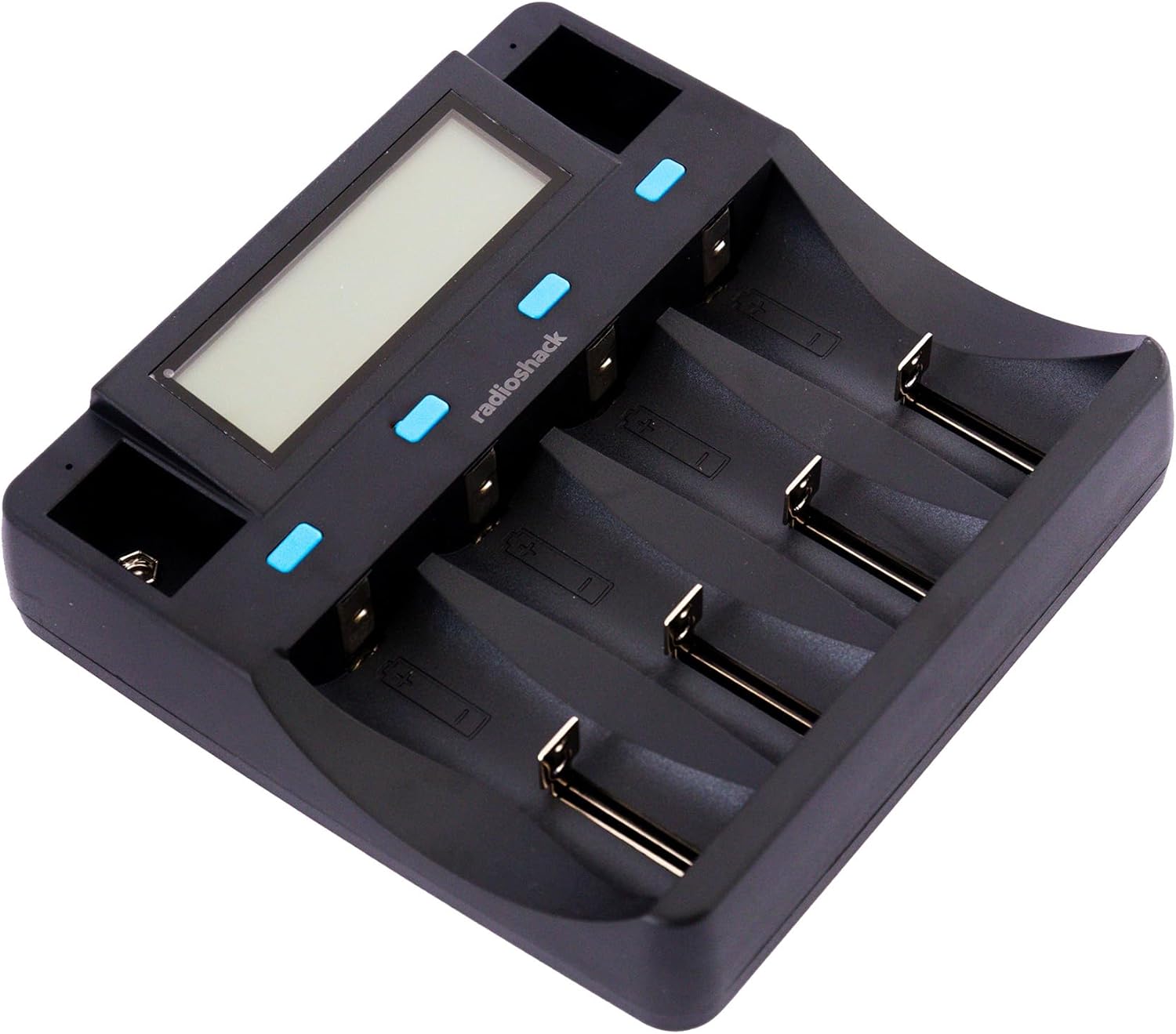
Imej: Atas ke bawah view of the charger, showing the digital display and four main charging bays, plus two 9V slots.
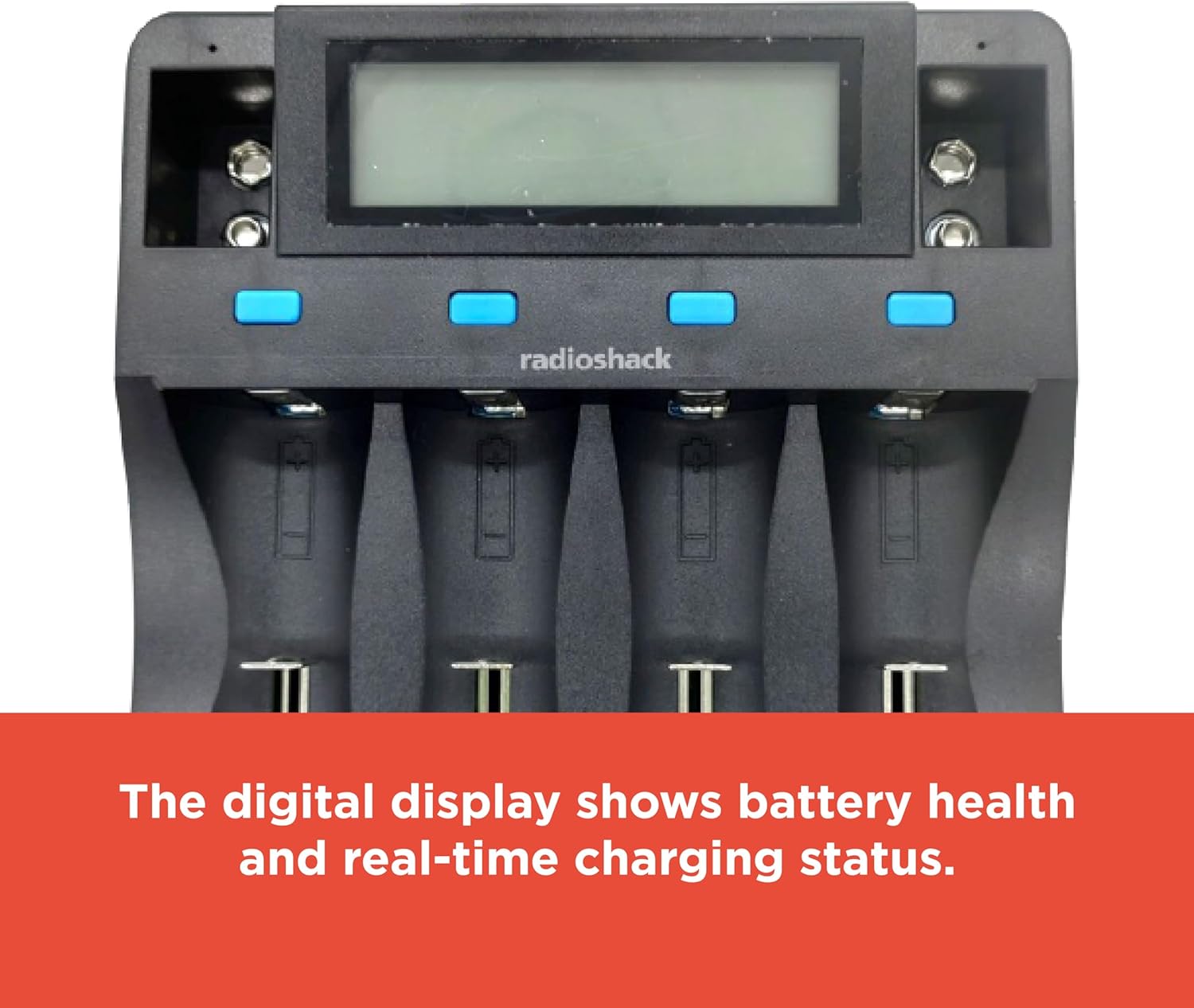
Image: The digital display provides real-time information on battery health and charging status.

Image: The charging slots are designed for safe, universal charging with automatic battery detection.

Imej: Sisi view of the charger, highlighting the USB input ports for power.
5. Persediaan
Follow these steps to set up your battery charger:
- Sambungkan Kuasa: Use the provided USB cable to connect the charger to a compatible USB power source (e.g., a USB wall adapter, computer USB port, or power bank). The charger requires a DC 5V 2A input.
- Hidupkan kuasa: Once connected, the charger's digital display will illuminate, indicating it is ready for use.

Image: The included USB cable allows for connection to various USB power outlets, making the charger portable.
6. Arahan Operasi
6.1 Memasukkan Bateri
Carefully insert rechargeable batteries into the appropriate charging bays. The charger supports various sizes and chemistries. Ensure correct polarity (+ and -) when inserting batteries. For 9V batteries, use the dedicated 9V slots.
6.2 Automatic Battery Detection
The charger automatically detects the battery type (Li-ion, NiMH, etc.) and adjusts the charging current accordingly. This ensures optimal and safe charging for each battery.
6.3 Memahami Paparan Digital
The digital display provides real-time information for each of the four main charging bays. Information typically includes:
- Kimia Bateri: Indicates Li-ion, NiMH, etc.
- Voltage: vol semasatage daripada bateri.
- semasa: Charging current being applied.
- kapasiti: Estimated charged capacity.
- Masa Berlalu: Tempoh proses pengecasan.
For 9V batteries, a small indicator light typically shows the charging status, but detailed information may not be displayed on the main screen.
6.4 Proses Pengecasan
Once batteries are inserted and detected, the charging process begins automatically. The display will update with charging progress. When a battery is fully charged, the display will indicate completion, and the charger will stop supplying current to prevent overcharging.
7. Compatible Battery Types
The charger supports a wide range of rechargeable battery types and sizes:
| Kimia Bateri | Saiz yang Serasi |
|---|---|
| Li-ion / Li-Fe | 26700, 26650, 18650, 18500, 17670, 17500, 14500, 10440, 16340 (CR123A), 6F22 (9V) |
| Ni-MH / Ni-Cd | D, C, SC, AA, AAA, 6F22 (9V) |

Image: The bottom label of the charger lists detailed input, output, and compatible battery specifications.
8. Penyelesaian masalah
Jika anda menghadapi masalah dengan pengecas anda, rujuk kepada masalah dan penyelesaian biasa berikut:
- Pengecas Tidak Dihidupkan:
- Ensure the USB cable is securely connected to both the charger and a functional USB power source.
- Verify that the USB power source provides at least DC 5V 2A.
- Cuba kabel USB atau penyesuai kuasa yang lain.
- Bateri tidak dicas:
- Check that batteries are inserted with correct polarity.
- Ensure the batteries are rechargeable and compatible with the charger (refer to Section 7).
- Clean battery contacts on both the charger and batteries if they appear dirty.
- Some batteries, particularly certain CR123A types, may not fit securely in the slots despite being listed as compatible. Ensure a proper physical connection.
- "ERR" Display Message:
- This typically indicates a problem with the battery, such as being non-rechargeable, damaged, or incorrectly inserted.
- Remove and reinsert the battery. If the error persists, the battery may be faulty.
- Pengecasan perlahan:
- Charging speed can vary based on the battery's capacity, current charge level, and the number of batteries being charged simultaneously.
- Ensure your USB power source provides sufficient current (DC 5V 2A) for optimal charging speed.
9. Spesifikasi
| Ciri | Perincian |
|---|---|
| Nombor Model | 2309355 |
| Input | DC 5V 2A |
| Output (Li-ion) | DC 4.2V 1000mA (2pcs), 500mA (4pcs) |
| Output (Li-Fe) | DC 3.7V 1000mA (2pcs), 500mA (4pcs) |
| Output (Ni-MH/Ni-Cd) | DC 1.48V 500mA (4pcs) |
| Output (9V) | DC 9V 85mA (2pcs) |
| Jenis Bateri yang Serasi | Li-ion/Li-Fe: 26700, 26650, 18650, 18500, 17670, 17500, 14500, 10440, 16340 (CR123A), 6F22 (9V) Ni-MH/Ni-Cd: D, C, SC, AA, AAA, 6F22 (9V) |
| Dimensi Produk | 11.02 x 7.64 x 1.97 inci (28 x 19.4 x 5 cm) |
| Berat Barang | 12.2 auns (0.34 kg) |
| warna | Hitam |
| Pensijilan | FCC, RoHS |
10. Penjagaan dan Penyelenggaraan
Untuk memastikan jangka hayat pengecas anda:
- Clean the charger with a soft, dry cloth. Do not use abrasive cleaners or solvents.
- Keep the charging contacts free from dust and debris.
- Simpan pengecas di tempat yang sejuk dan kering apabila tidak digunakan.
- Elakkan daripada menjatuhkan pengecas atau terkena impak yang kuat.
11. Waranti dan Sokongan
For warranty information or technical support, please refer to the documentation included with your purchase or contact RadioShack customer service. Keep your proof of purchase for warranty claims.