1. Pengenalan
This manual provides detailed instructions for the installation, operation, and maintenance of your Hikity Android Carplay Wireless Autoradio. This multimedia system is specifically designed for the Seat Leon MK3 (Left-Hand Drive) models from 2013 to 2019, offering a 9-inch touchscreen display with advanced features such as wireless CarPlay, Android Auto, GPS navigation, Bluetooth, and support for a reversing camera.
Please read this manual thoroughly before installation and use to ensure proper functionality and to maximize your user experience.
2. Maklumat Keselamatan
- Pemasangan Profesional Disyorkan: Disebabkan kerumitan sistem elektrik kereta, pemasangan profesional sangat disyorkan untuk mengelakkan kerosakan pada unit atau kenderaan anda.
- Keselamatan Memandu: Jangan kendalikan sistem dengan cara yang mengganggu anda semasa memandu. Sentiasa utamakan keselamatan jalan raya.
- Bekalan Kuasa: Ensure the unit is connected to a 12V DC power supply with a negative ground. Incorrect wiring can cause damage or fire.
- Elakkan Kelembapan: Jangan dedahkan unit kepada air atau kelembapan berlebihan.
- Suhu: Avoid extreme temperatures. The operating temperature range is typically -20°C to +70°C.
- Pengudaraan: Pastikan pengudaraan yang mencukupi di sekeliling unit untuk mengelakkan terlalu panas.
3. Kandungan Pakej
Verify that all items are present in your package before proceeding with installation:
- Hikity Android Autoradio Unit (9-inch touchscreen)
- Kabel Kuasa
- RCA kabel
- Kabel USB (x2)
- Kabel Input Kamera
- Antena GPS
- Antena Radio
- Penyahkod Canbus
- AHD Rear Camera (optional, if included in your package)
- Mikrofon
- Alat Pemasangan
- Garisan Terbalik

4. Persediaan dan Pemasangan
This autoradio is designed for direct fitment in Seat Leon MK3 (2013-2019) Left-Hand Drive vehicles. Ensure your vehicle's dashboard matches the 'Before' image for compatibility.

4.1 Sambungan Pendawaian
Refer to the wiring diagram provided with your unit and the image below for connecting the various cables. Incorrect wiring can lead to malfunction or damage.

- Kabel kuasa: Connect the main power harness to your vehicle's wiring. Ensure correct positive (B+) and accessory (ACC) connections, and a secure ground (GND). The Canbus decoder should be integrated as per the vehicle's specific wiring.
- Kabel RCA: Untuk luaran amplifiers, subwoofers, or auxiliary audio/video input/output.
- Kabel USB: Connect the two provided USB cables for media playback, phone charging, or wired CarPlay/Android Auto connections.
- Input Kamera: Connect the AHD rear camera cable here.
- Antena GPS: Pasang antena GPS di lokasi yang jelas view langit, biasanya pada papan pemuka atau di bawah cermin depan.
- Antena Radio: Sambungkan antena radio kenderaan anda.
- mikrofon: Sambungkan mikrofon luaran untuk kualiti panggilan dan arahan suara yang dipertingkatkan.
Note: Some users have reported that the provided connection harness may not be a direct 'plug and play' for all Seat Leon FR models, requiring modifications or extensions for certain cables (e.g., the cable from the glove compartment CD unit). Please verify your vehicle's specific wiring before installation.
5. Arahan Operasi
5.1 Sistem Selesaiview
The unit runs on Android 13 with a Quad Core processor, 2GB RAM, and 64GB ROM, providing a responsive user experience on its 9-inch Ultra HD touchscreen with a resolution of 1024*600 pixels.


5.2 CarPlay Tanpa Wayar dan Android Auto
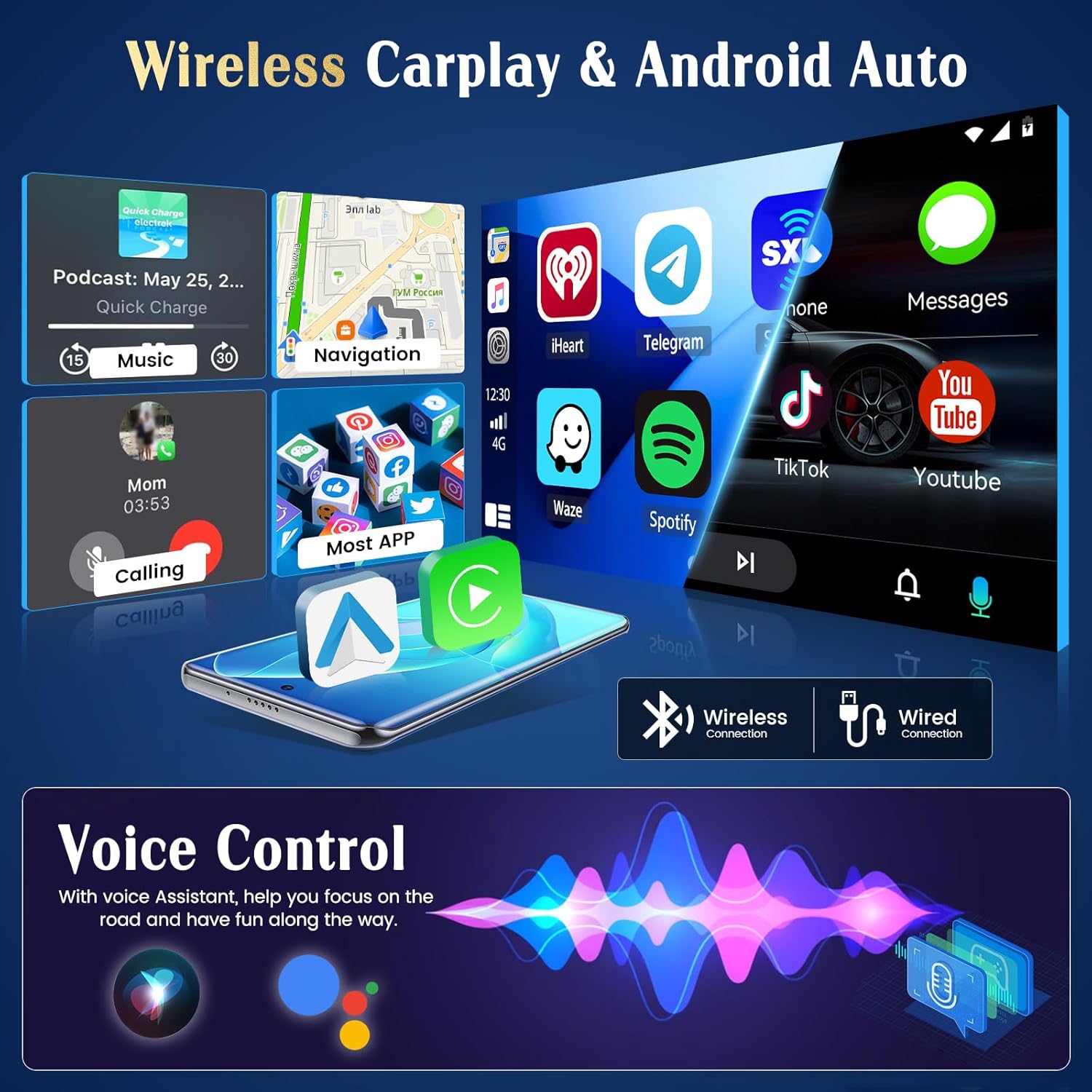
The unit supports both wireless and wired CarPlay and Android Auto. This feature integrates your smartphone's interface directly onto the car's display, allowing access to navigation, music, messages, and calls safely while driving.
- Sambungan: Connect your iPhone via Bluetooth for wireless CarPlay or a USB cable for wired CarPlay. For Android phones, connect via Bluetooth for wireless Android Auto or a USB cable for wired Android Auto.
- Kefungsian: Once connected, your phone's compatible apps will appear on the autoradio screen.

5.3 Navigasi GPS
The autoradio has an integrated GPS receiver and supports both online and offline maps. The pre-installed Herewego app allows you to download free offline maps for global navigation.
- Peta Dalam Talian: Requires a WiFi connection to access real-time traffic and map updates.
- Peta Luar Talian: Download maps in advance to navigate without an internet connection.


5.4 Sambungan WiFi
Connect the autoradio to a WiFi network (e.g., your phone's hotspot) to access online features.
- Muat Turun Apl: Access the Google Play Store to download various applications.
- Online Browsing: Melayari web, stream content, and use online services.

5.5 FM/RDS Radio
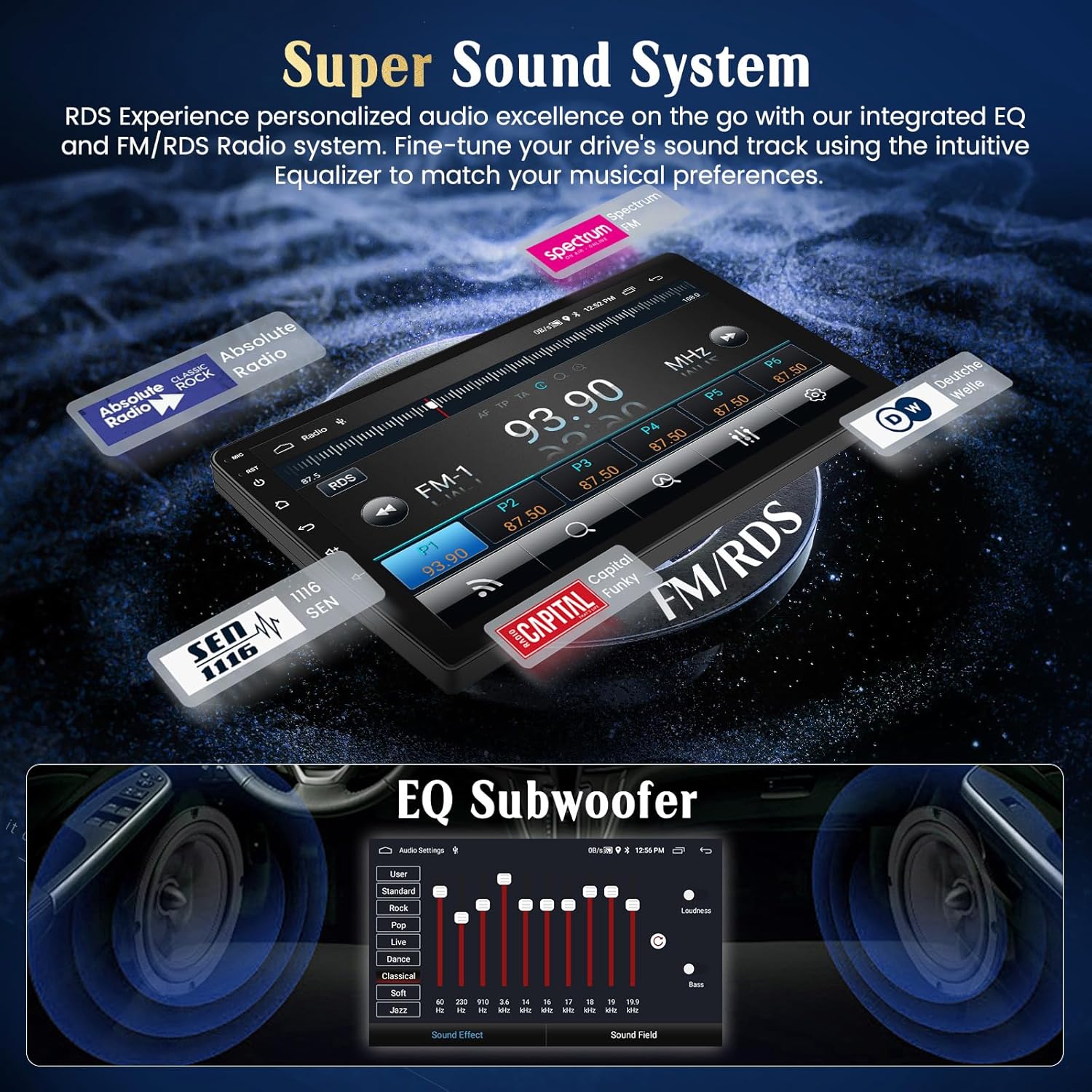
Tune into your favorite FM radio stations and enjoy real-time broadcast information via RDS (Radio Data System).
- Imbasan Automatik: Use the auto-scan function to find and save available stations.
- Penalaan Manual: Manually adjust the frequency to specific stations.
5.6 Kefungsian Bluetooth
Sambungkan telefon pintar anda melalui Bluetooth untuk panggilan bebas tangan dan penstriman audio.
- Berpasangan: Enable Bluetooth on your phone and search for the autoradio unit. Select it to pair.
- Panggilan Bebas Tangan: Make and receive calls directly from the touchscreen.
- Penstriman Audio: Mainkan muzik dari telefon anda melalui pembesar suara kereta.
5.7 Kawalan Roda Stereng
The unit supports your vehicle's original steering wheel controls, allowing you to manage audio and other functions without taking your hands off the wheel.
- Konfigurasi: Access the 'Steering Wheel Control' settings in the system menu to map your vehicle's buttons to the desired functions (e.g., volume up/down, track skip, mode).

5.8 AHD Reversing Input (Backup Camera)
When your vehicle is shifted into reverse gear, the system automatically switches to the rear camera view, providing a clear image to assist with parking and maneuvering.
- ciri-ciri: The supported AHD camera offers HD image quality, waterproof design, night vision, and a wide-angle view dengan garis panduan tempat letak kereta.


5.9 Sistem Bunyi
Customize your audio experience with the integrated equalizer (EQ) and subwoofer output.
- Penyama: Adjust various frequency bands to tailor the sound to your preferences.
- Keluaran Subwoofer: Sambungkan subwufer luaran untuk bass yang dipertingkatkan.
5.10 Pautan Cermin Telefon
Mirror your Android or iOS smartphone screen directly onto the autoradio display.
- Android: Connect via USB or WiFi.
- iOS: Connect via USB or WiFi.

5.11 Kawalan Suara Pintar
Utilize voice commands through Siri (for CarPlay) or Google Assistant (for Android Auto) to control various functions, keeping your hands on the wheel and eyes on the road.
- Pengaktifan: Activate voice control through your connected smartphone's interface.
- Perintah: Use commands for navigation, music playback, calls, and messages.

5.12 UI Themes
Personalize your user interface with a selection of 28 different UI themes.
- Menukar Tema: Long-press on an empty space on the desktop to access theme options and switch between different designs.

6. Penyelenggaraan
- Membersihkan Skrin: Gunakan kain lembut dan tidak berbulu untuk membersihkan skrin sentuh. Untuk calitan degil, ringan dampen kain dengan air atau pembersih selamat skrin. Elakkan bahan kimia yang keras.
- Kemas Kini Perisian: Semak secara berkala untuk kemas kini perisian melalui tetapan sistem atau pengeluar webtapak untuk memastikan prestasi optimum dan akses kepada ciri baharu.
- Penjagaan Am: Avoid placing heavy objects on the unit or exposing it to direct sunlight for extended periods when parked.
7. Penyelesaian masalah
If you encounter issues with your Hikity Autoradio, refer to the following common problems and solutions:
| Masalah | Kemungkinan Punca | Penyelesaian |
|---|---|---|
| Unit tidak dihidupkan. | Sambungan kuasa longgar, fius putus, pendawaian tidak betul. | Check all power cables (B+, ACC, GND) for secure connection. Inspect vehicle fuses and the unit's fuse. Ensure correct 12V DC connection. |
| Tiada bunyi. | Kelantangan terlalu rendah, redam diaktifkan, pendawaian pembesar suara tidak betul, ampisu penguat. | Increase volume. Check if mute is active. Verify speaker connections. If using an external ampliifier, periksa kuasa dan sambungannya. |
| Isyarat GPS hilang atau tidak tepat. | GPS antenna obstructed or improperly placed, antenna faulty. | Pastikan antena GPS mempunyai jernih view of the sky. Check antenna connection. Try repositioning the antenna. |
| CarPlay/Android Auto tidak bersambung. | Bluetooth/USB connection issue, phone compatibility, app not updated. | Ensure Bluetooth is on and paired. Try a different USB cable. Update phone OS and CarPlay/Android Auto apps. Restart both phone and autoradio. |
| Kamera belakang tidak dipaparkan. | Camera not powered, incorrect camera input connection, reverse trigger wire issue. | Check camera power supply. Verify camera input cable is securely connected. Ensure the reverse trigger wire is correctly connected to the vehicle's reverse light circuit. |
| Kawalan stereng tidak berfungsi. | Canbus connection issue, incorrect configuration. | Ensure Canbus decoder is correctly installed and connected. Re-enter the steering wheel control learning interface and re-map buttons. |
If the problem persists after trying these solutions, please contact Hikity customer support.
8. Spesifikasi
| Ciri | Perincian |
|---|---|
| Jenama | Kembara berjalan kaki |
| Nombor Model | ManJu-A7195A3195A4MI2 |
| Saiz Skrin | 9 Inci |
| Resolusi Skrin | 1024*600 |
| Sistem Operasi | Android 13 |
| Pemproses | Teras Empat |
| RAM | 2GB |
| ROM (Storan Dalaman) | 64GB |
| CarPlay/Android Auto | Wayarles & Berwayar |
| Navigasi GPS | Integrated receiver, supports online/offline maps |
| Kesambungan WiFi | ya |
| Bluetooth | Hands-free calls, audio streaming |
| Radio | FM with RDS |
| Port USB | 2 |
| Peranti Serasi | Telefon pintar |
| Ciri Khas | EQ settings, Subwoofer output, Steering Wheel Control, AHD Reversing Input, Phone Mirror Link, Voice Control, 28 UI Themes |
9. Waranti dan Sokongan
9.1 Maklumat Waranti
This Hikity Autoradio comes with a Waranti pengilang selama 2 tahun. Please retain your proof of purchase for warranty claims. The warranty covers manufacturing defects and malfunctions under normal use. It does not cover damage caused by improper installation, misuse, accidents, or unauthorized modifications.
9.2 Sokongan Pelanggan
For technical assistance, troubleshooting, or warranty inquiries, please contact Hikity customer support:
- e-mel: hikityservices@163.com
- Sumber Dalam Talian: Visit the official Hikity weblaman web untuk Soalan Lazim, manual terkini dan muat turun perisian.