
TomTom Lite 5 inches
TomTom GO Classic Lite (5 Inch) User Manual
Model: Lite 5 inches
1. Pengenalan
The TomTom GO Classic Lite (5 Inch) is a budget-friendly car satellite navigation device designed to provide cost-effective and reliable navigation. This device offers high-quality maps with monthly updates, live TomTom Traffic information, and the intuitive TomTom RouteBar for quick route overviews. It is engineered to provide confident and informed driving, ensuring peace of mind on the road.
Ciri-ciri utama termasuk:
- Trafik TomTom: Real-time updates to avoid traffic jams and provide reliable estimated times of arrival (ETAs).
- Europe Map Updates: Monthly map updates included to ensure the latest road information.
- Clear and Responsive Screen: A 5-inch capacitive touchscreen with higher resolution for clear guidance.
- Speed Camera Alerts: Live notifications to help maintain speed limits (free for three months, then subscription-based).
- Updates via Wi-Fi: Conveniently update maps and software directly from the device without a computer.
- Exclusive TomTom Features: Includes the RouteBar, user-friendly interface, and smart search engine.
2. Persediaan
2.1. Apa yang ada di dalam Kotak
Sebelum anda memulakan, pastikan semua komponen hadir:
- TomTom GO Classic Lite device with integrated mount
- Kabel USB-C
- Installation poster
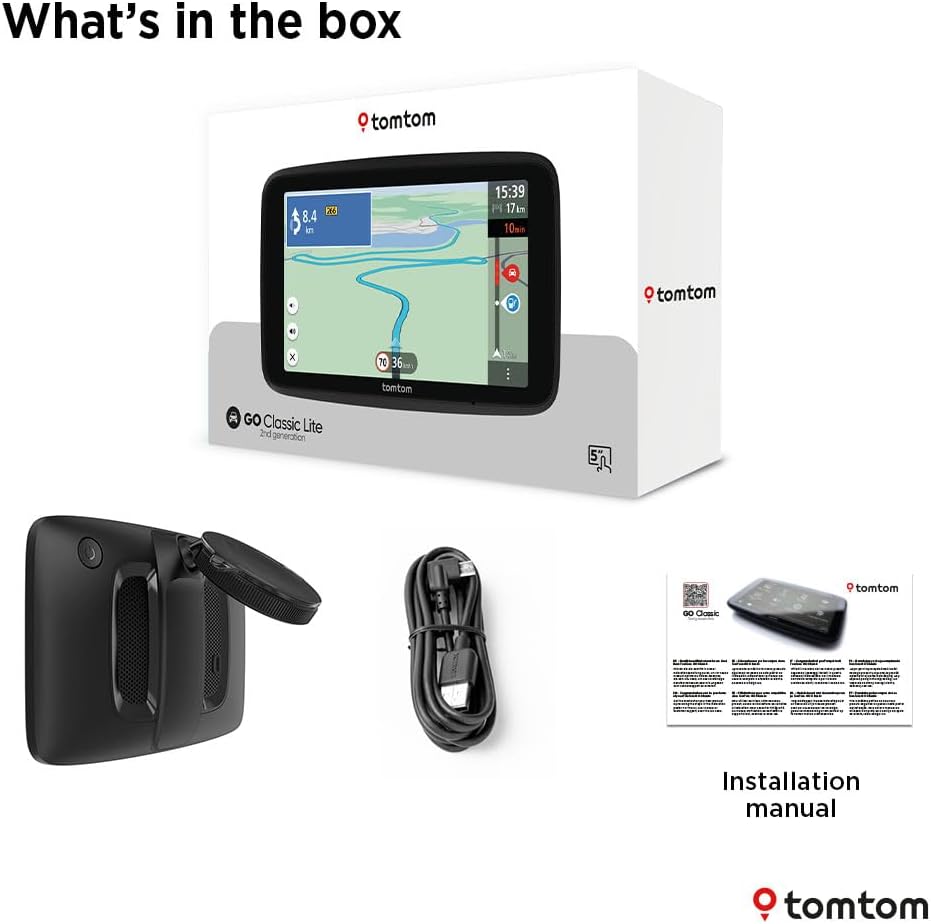
Image: Contents of the TomTom GO Classic Lite box.
2.2. Peranti Lebihview
Biasakan diri anda dengan komponen fizikal peranti:

Imej: Belakang view of the TomTom GO Classic Lite, highlighting the On/Off button, 5-inch capacitive touch screen, integrated reversible mount, powerful speaker, and USB-C port.
- Butang Hidup/Mati: Terletak di tepi atas.
- Port USB-C: Untuk pengecasan dan pemindahan data.
- Pemasangan Boleh Balik Bersepadu: Allows mounting on either the windscreen or dashboard.
- Powerful Speaker: Untuk arahan suara yang jelas.
2.3. Memasang Peranti
The TomTom GO Classic Lite features an integrated reversible mount for flexible placement in your vehicle.

Image: Mounting options for the TomTom GO Classic Lite, showing placement on a windscreen and dashboard. Note that dashboard mounting may require additional accessories.
- Windscreen Mounting: Attach the suction cup of the integrated mount firmly to a clean, dry area of your windscreen.
- Pemasangan Papan Pemuka: For dashboard mounting, an adhesive disk or beanbag (sold separately) is required. Attach the mount to this accessory.
Pastikan peranti dipasang dengan selamat dan tidak menghalang anda view di jalan raya atau mengganggu beg udara.
2.4. Initial Power On and Wi-Fi Setup
Upon first power-on, the device will guide you through the initial setup process, including connecting to a Wi-Fi network. This connection is crucial for downloading map updates and software updates.
- Tekan dan tahan butang Hidup/Mati untuk menghidupkan peranti.
- Follow the on-screen prompts to select your language, region, and connect to your home or mobile Wi-Fi network.
- Once connected, the device will check for available updates.
3. Mengendalikan Peranti
3.1. Navigation Basics
The TomTom GO Classic Lite provides clear visual and spoken instructions for navigation.

Image: The TomTom GO Classic Lite displaying an active navigation route.
- Memasuki Destinasi: Tap the search icon on the main menu to enter an address, point of interest, or coordinates.
- Route Calculation: After entering your destination, the device will calculate the fastest route.
- Arahan berikut: Follow the spoken turn-by-turn directions and visual cues on the screen.
3.2. Trafik TomTom
TomTom Traffic provides real-time traffic information to help you avoid delays and find faster routes.

Image: TomTom GO Classic Lite displaying real-time traffic updates on the screen.
- Traffic information is automatically integrated into route planning.
- The device will suggest alternative routes if significant delays are detected on your current path.
3.3. TomTom RouteBar
The RouteBar provides a condensed summary of your route, showing upcoming traffic, points of interest, and potential delays at a glance.

Image: The TomTom RouteBar providing a quick overview of route information.
- View realistic ETAs, including potential traffic delays.
- See icons for road works, fuel stations, and other relevant information along your route.
3.4. Map Updates and Coverage
The device includes monthly map updates for Europe, ensuring you always have the most current road information.
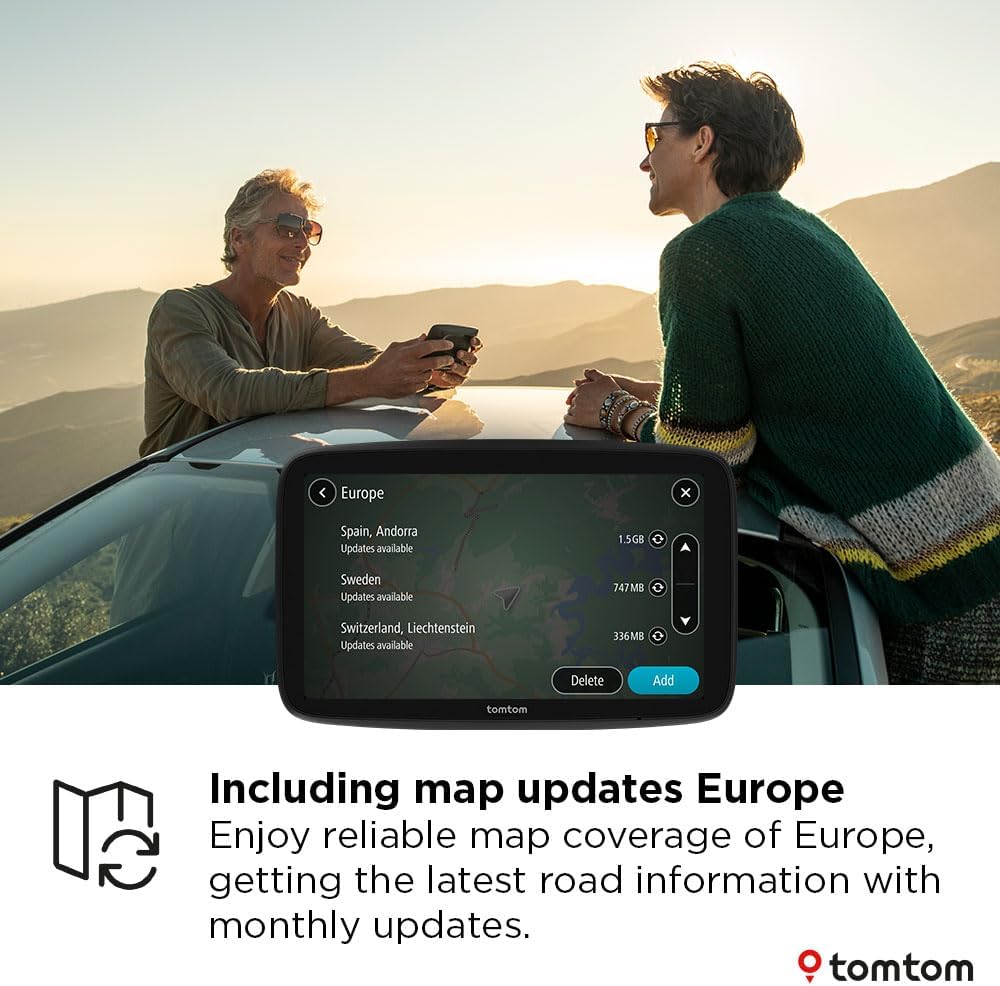
Image: TomTom GO Classic Lite displaying available map updates for various European countries.
- Map updates are delivered via Wi-Fi directly to your device.
- No computer is needed for these updates.
3.5. Speed Camera Alerts
Receive live notifications for speed cameras to help you stay informed and adhere to speed limits.
- Speed camera alerts are free for the first three months.
- A subscription is required to continue receiving alerts after the trial period.
4. Penyelenggaraan
4.1. Membersihkan Peranti
- Use a soft, lint-free cloth to clean the screen and exterior of the device.
- Jangan gunakan pembersih atau pelarut yang melelas.
4.2. Kemas Kini Perisian dan Peta
Regularly check for and install software and map updates to ensure optimal performance and the most accurate navigation data.
- Sambungkan peranti anda ke rangkaian Wi-Fi yang stabil.
- Navigate to the 'Settings' menu on your device and look for 'Updates' or 'Maps & Software'.
- Ikut arahan pada skrin untuk memuat turun dan memasang sebarang kemas kini yang tersedia.
5. Penyelesaian masalah
5.1. Peranti Tidak Dihidupkan
- Pastikan peranti dicas sepenuhnya. Sambungkannya ke sumber kuasa menggunakan kabel USB-C yang disediakan.
- Press and hold the On/Off button for at least 10-15 seconds to perform a soft reset.
5.2. Isu Isyarat GPS
- Pastikan peranti mempunyai jelas view langit. Halangan seperti bangunan tinggi atau terowong boleh mengganggu isyarat GPS.
- Move the device to a different location in your vehicle, such as closer to the windscreen.
5.3. Wi-Fi Connection Problems
- Sahkan kata laluan Wi-Fi anda betul.
- Pastikan peranti berada dalam julat penghala Wi-Fi anda.
- Restart your Wi-Fi router and then try connecting the device again.
5.4. Map Update Failures
- Ensure you have a stable and strong Wi-Fi connection.
- Check if there is sufficient storage space on your device for the update.
- Try performing the update at a different time, as server load can sometimes affect download speeds.
6. Spesifikasi
| Ciri | Perincian |
|---|---|
| Jenama | TomTom |
| Nama Model | Lite 5 inch |
| Saiz Skrin | 5 Inci |
| Jenis Skrin | Skrin Sentuh Kapasitif |
| Jenis Peta | Europe (monthly updates included) |
| Teknologi Ketersambungan | USB-C, Wi-Fi, Bluetooth |
| Jenis Pemasangan | Integrated Reversible Mount (Dashboard Mount requires separate accessory) |
| Sistem Operasi | Windows CE |
| Bateri | 1 bateri Polimer Litium (termasuk) |
| Dimensi Pakej | 18.5 x 12.7 x 4.8 cm |
| Berat Barang | 380 g |
| Negara Asal | China |
7. Waranti dan Sokongan
Untuk maklumat jaminan dan sokongan teknikal, sila rujuk kepada TomTom rasmi website or contact TomTom customer service directly. Details can typically be found on the TomTom support pages or within the device's digital documentation.
Lawati TomTom Store on Amazon untuk maklumat lanjut produk dan aksesori.
Ask a question about this manual
Ask about setup, troubleshooting, compatibility, parts, safety, or missing instructions. Manuals+ will review the question and use this page’s manual context to help answer it.