
1. Pengenalan
The iGear Trinity is a versatile, portable audio device combining an MP3 player, a 3-band radio (FM/AM/SW), and a Bluetooth speaker. Designed for convenience and eco-friendliness, it features a 1200 mAh rechargeable battery and an integrated solar charging panel, ensuring continuous entertainment wherever you go. This manual provides detailed instructions for safe and effective use of your iGear Trinity.
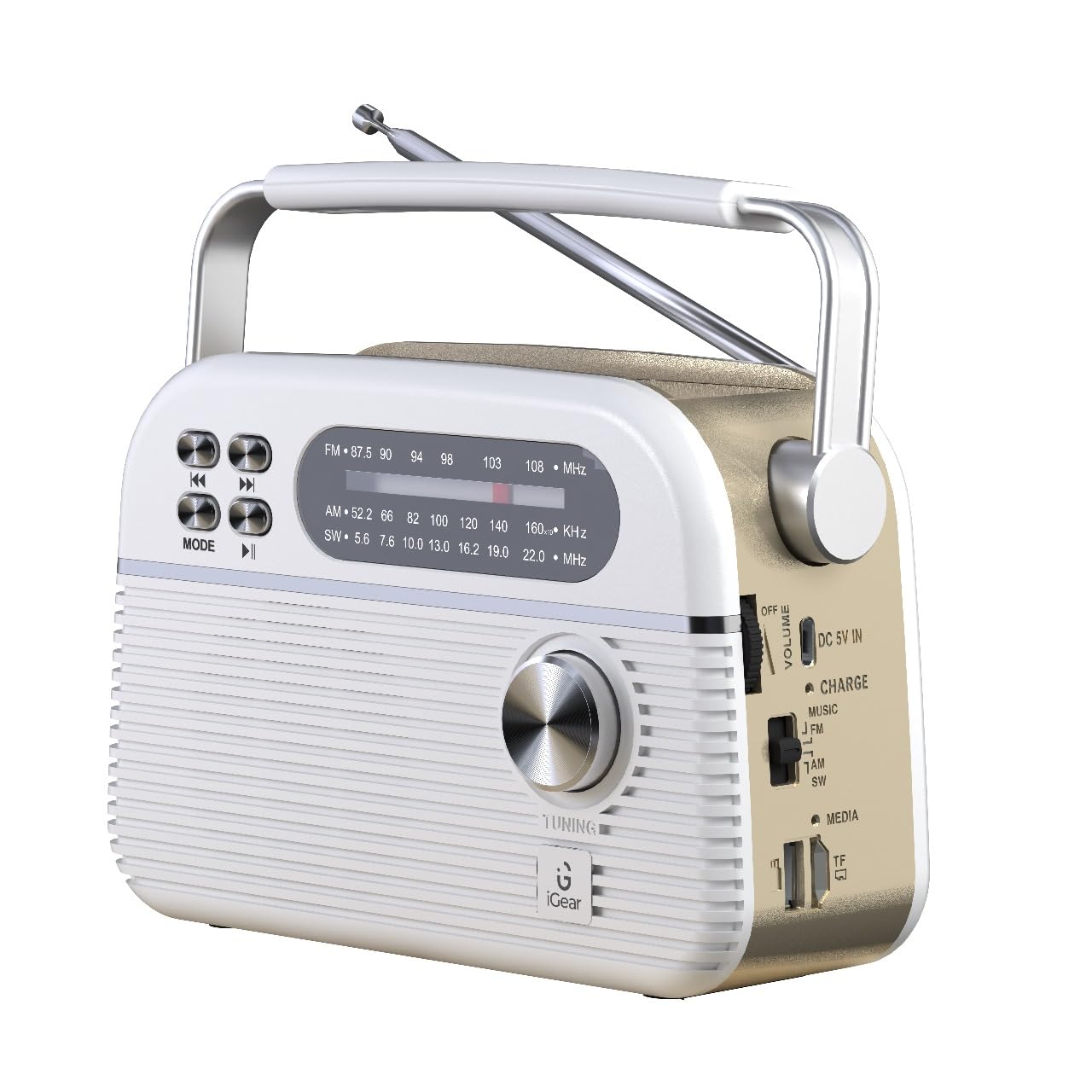
Figure 1: iGear Trinity device overview.
2. Ciri-ciri Produk
- All-in-One Audio Solution: Integrates FM/AM/SW radio, MP3 player, and Bluetooth speaker.
- Pelbagai Kesambungan: Supports Bluetooth 5.0, USB, and TF/SD card for diverse music sources.
- Pengecasan Mesra Alam: Equipped with a 1200mAh rechargeable battery and a solar panel for convenient charging.
- Reka Bentuk Mudah Alih: Compact and durable construction, ideal for indoor and outdoor use.
3. Kandungan Pakej
Sila tandai kotak untuk item berikut:
- iGear Trinity Solar-Powered MP3 Player & 3-Band Radio
- Manual Pemilik (dokumen ini)
- Kabel Pengecasan (USB Jenis-C)
4. Reka Letak Peranti

Rajah 2: Depan dan sisi view of the iGear Trinity, highlighting connectivity options.
- FM/AM/SW Dial: Displays current radio frequency.
- Tombol Penalaan: Melaraskan frekuensi radio.
- Butang Mod: Switches between FM/AM/SW radio, Bluetooth, MP3 (USB/TF/SD).
- Butang Kawalan Main Semula: Skip back, skip forward, play/pause.
- Kawalan Kelantangan: Melaraskan tahap output audio.
- Port USB: Untuk main balik pemacu USB.
- Slot Kad TF/SD: For TF/SD card playback.
- DC 5V IN Port: For external power charging.
- Panel Suria: Located on top for solar charging.
- Antena: Extendable for improved radio reception.
5. Persediaan
Before first use, fully charge the iGear Trinity using the provided USB Type-C cable. Connect the cable to the DC 5V IN port on the device and a standard USB power adapter (not included). The charging indicator will illuminate during charging and turn off or change color when fully charged.
6. Arahan Operasi
6.1 Hidupkan/Mati Kuasa
To power on the device, rotate the volume knob clockwise. To power off, rotate it counter-clockwise until it clicks.
6.2 Operasi Radio (FM/AM/SW)
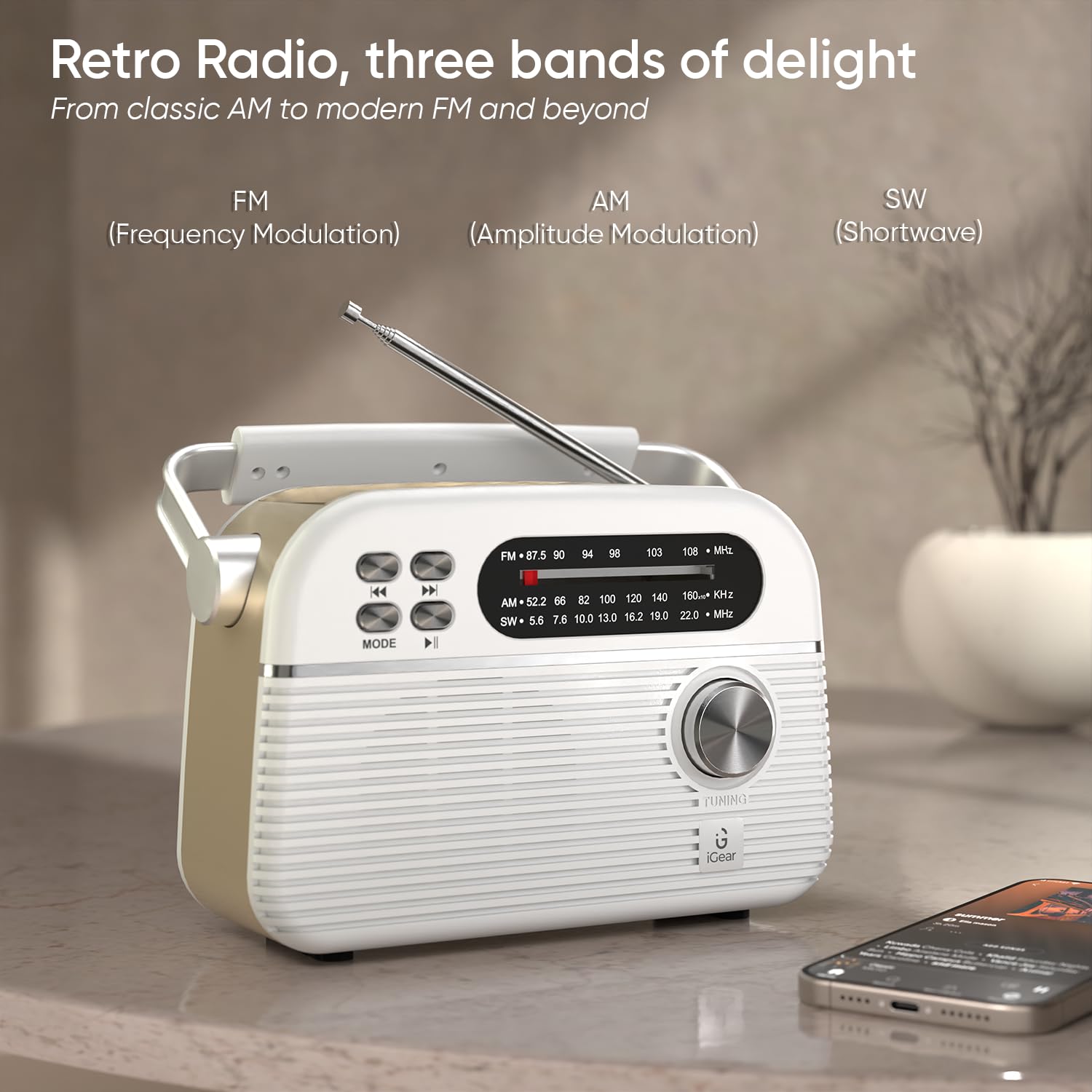
Figure 3: Radio mode with extended antenna for optimal reception.
- Pilih Band: Use the mode switch on the side to select FM, AM, or SW.
- Stesen Tune: Rotate the tuning knob to scan for radio stations.
- Laraskan Antena: Extend and adjust the telescopic antenna for best reception, especially for FM and SW bands.
6.3 Mod Bluetooth
- Aktifkan Bluetooth: Switch the mode to Bluetooth. The device will enter pairing mode, indicated by a flashing light or audio prompt.
- Pasangkan Peranti: On your smartphone or other Bluetooth-enabled device, search for "iGear Trinity" and select it to pair.
- Main Muzik: Once paired, you can play audio from your connected device. Use the playback control buttons on the Trinity or your device to manage music.
6.4 MP3 Playback (USB/TF/SD Card)
- Sisipkan Media: Insert a USB drive into the USB port or a TF/SD card into the corresponding slot.
- Pilih Mod: Switch the mode to MP3 (often labeled as "MUSIC" or similar). The device will automatically detect and play audio files.
- Kawalan Main Semula: Use the playback control buttons (skip back, skip forward, play/pause) to navigate your music.
7. Mengecas Peranti
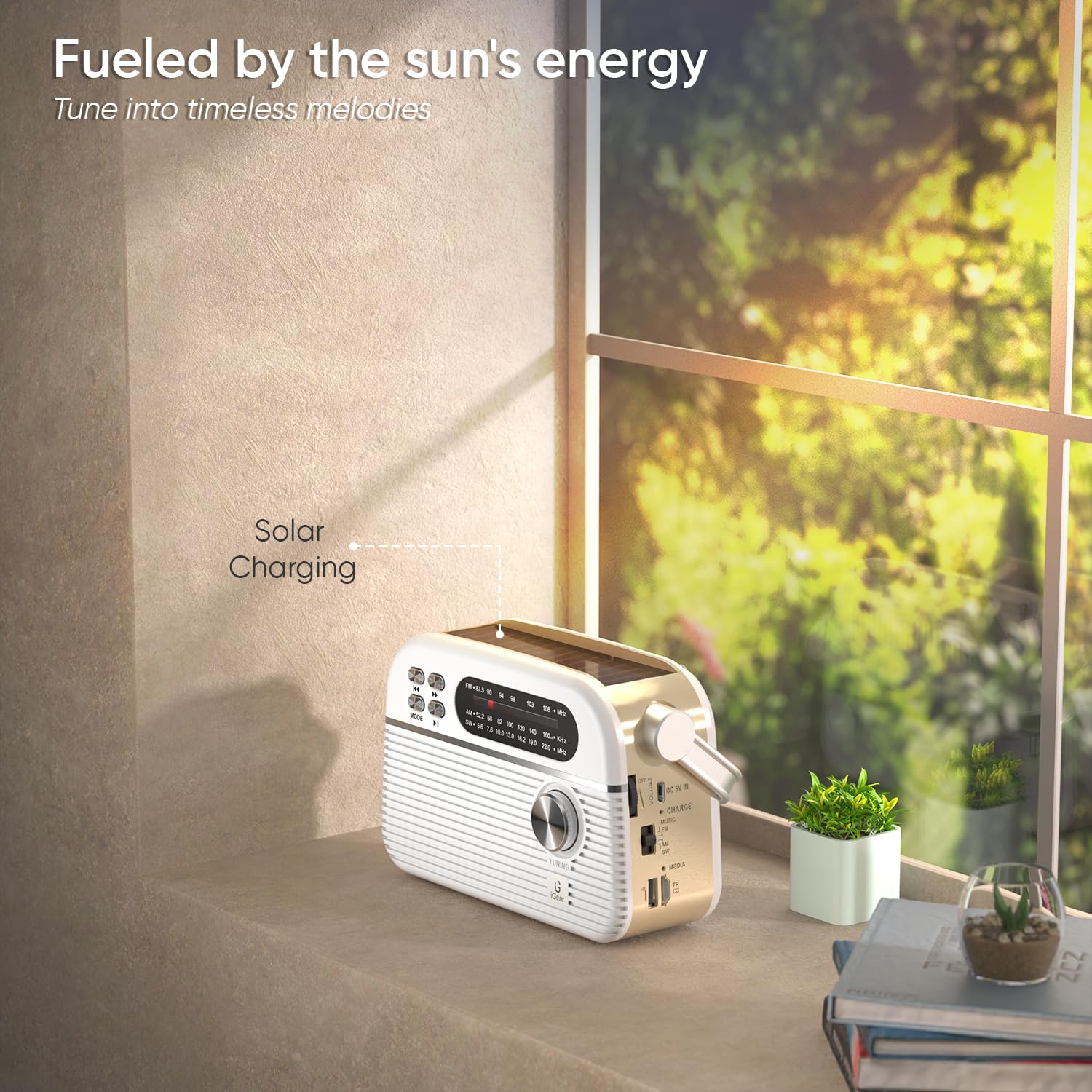
Figure 4: Solar panel charging in direct sunlight.
The iGear Trinity offers two charging methods:
- Pengecasan USB Jenis-C: Connect the provided USB Type-C cable to the DC 5V IN port and a compatible USB power source. This is the fastest charging method.
- Pengecasan Suria: Place the device in direct sunlight. The integrated solar panel on top will convert solar energy into electrical energy to charge the internal battery. Solar charging is slower than USB charging and is best for maintaining charge or for emergency power.
Lampu penunjuk pengecasan akan menunjukkan status pengecasan.
8. Penyelenggaraan
- Bersihkan peranti dengan kain lembut dan kering. Jangan gunakan pembersih atau pelarut yang melelas.
- Keep the device away from water and excessive moisture. It is not water-resistant.
- Avoid exposing the device to extreme temperatures or direct heat sources.
- Apabila tidak digunakan untuk tempoh yang lama, simpan peranti di tempat yang sejuk dan kering dan casnya secara berkala untuk mengekalkan kesihatan bateri.
9. Penyelesaian masalah
| Masalah | Kemungkinan Punca | Penyelesaian |
|---|---|---|
| Peranti tidak dihidupkan. | Bateri habis. | Charge the device using the USB Type-C cable or solar panel. |
| Penerimaan radio yang lemah. | Antena tidak dilanjutkan atau kawasan isyarat lemah. | Extend the telescopic antenna fully and adjust its position. Try moving to an open area. |
| Bluetooth tidak bersambung. | Device not in pairing mode or already connected to another device. | Ensure the Trinity is in Bluetooth mode and not connected to another device. Restart Bluetooth on both devices. |
| MP3 playback not working. | tak betul file format or faulty USB/TF/SD card. | Pastikan audio files are in a compatible format (e.g., MP3). Check if the USB drive or TF/SD card is properly inserted and functional. |
10. Spesifikasi
- Jenama: iGear
- Nombor Model: iG-1112 (Trinity)
- warna: putih
- Teknologi Ketersambungan: Bluetooth, USB
- Dimensi Produk (L x W x H): 19.2 x 7.9 x 12.2 Sentimeter
- Berat Barang: 660 Gram
- Jenis Penala: AM, FM
- Pancaragam Radio Disokong: AM/FM/SW
- Kekerapan: Sehingga 108 MHz (FM)
- Sumber Kuasa: Battery Powered (1200 mAh rechargeable battery)
- Antara muka perkakasan: USB
- Jenis Paparan: LCD
- Tahap Rintangan Air: Bukan Tahan Air
11. Waranti dan Sokongan
Waranti: A 1-year limited warranty is provided. This warranty is non-transferable and valid for 1 year from the original date of purchase. The warranty does not cover damage caused by mishandling, water, fire, or normal wear and tear.
Sokongan Pelanggan: For any queries or support, please contact iGear Tech Private Limited.
Maklumat Hubungan:
- Pengilang / Pengimport: iGear Tech Private Limited, Goregaon East, Mumbai 400063.
- telefon: +919324058553