
pengenalan
This manual provides detailed instructions for the assembly, operation, and maintenance of your FLEXISPOT 180x80cm motorized standing desk. Please read all instructions carefully before use to ensure proper function and safety. The desk is designed to offer a healthy work environment by allowing seamless transitions between sitting and standing positions, reducing fatigue and improving concentration.
Key features include a high-quality desktop, a digital control panel with memory presets, and robust, stable legs made from industrial carbon steel.
Maklumat Keselamatan
Sentiasa patuhi langkah keselamatan berikut:
- Pastikan semua sambungan selamat sebelum mengendalikan meja.
- Do not overload the desk. The maximum recommended weight capacity is 70 kg.
- Jauhkan kanak-kanak dan haiwan peliharaan daripada meja semasa operasi untuk mengelakkan kemalangan.
- The control panel includes a child lock function to prevent accidental adjustments. Activate this function when the desk is not in use.
- Elakkan meletakkan cecair terus pada panel kawalan atau berhampiran komponen elektrik.
- Do not attempt to disassemble or repair the motor or control system yourself. Contact qualified service personnel for assistance.
- Ensure there are no obstructions in the desk's path when adjusting its height.
Senarai Komponen
Sebelum pemasangan, pastikan semua komponen ada dan tidak rosak. Pakej tersebut hendaklah merangkumi:
- Desktop (180 x 80 cm)
- Desk Frame (legs and crossbar)
- Digital Control Panel with Memory Function
- Penyesuai Kuasa dan Kabel
- Cangkuk Fon Kepala
- Pemegang Cawan
- Perkakasan Pemasangan (skru, alatan)
- Manual Arahan
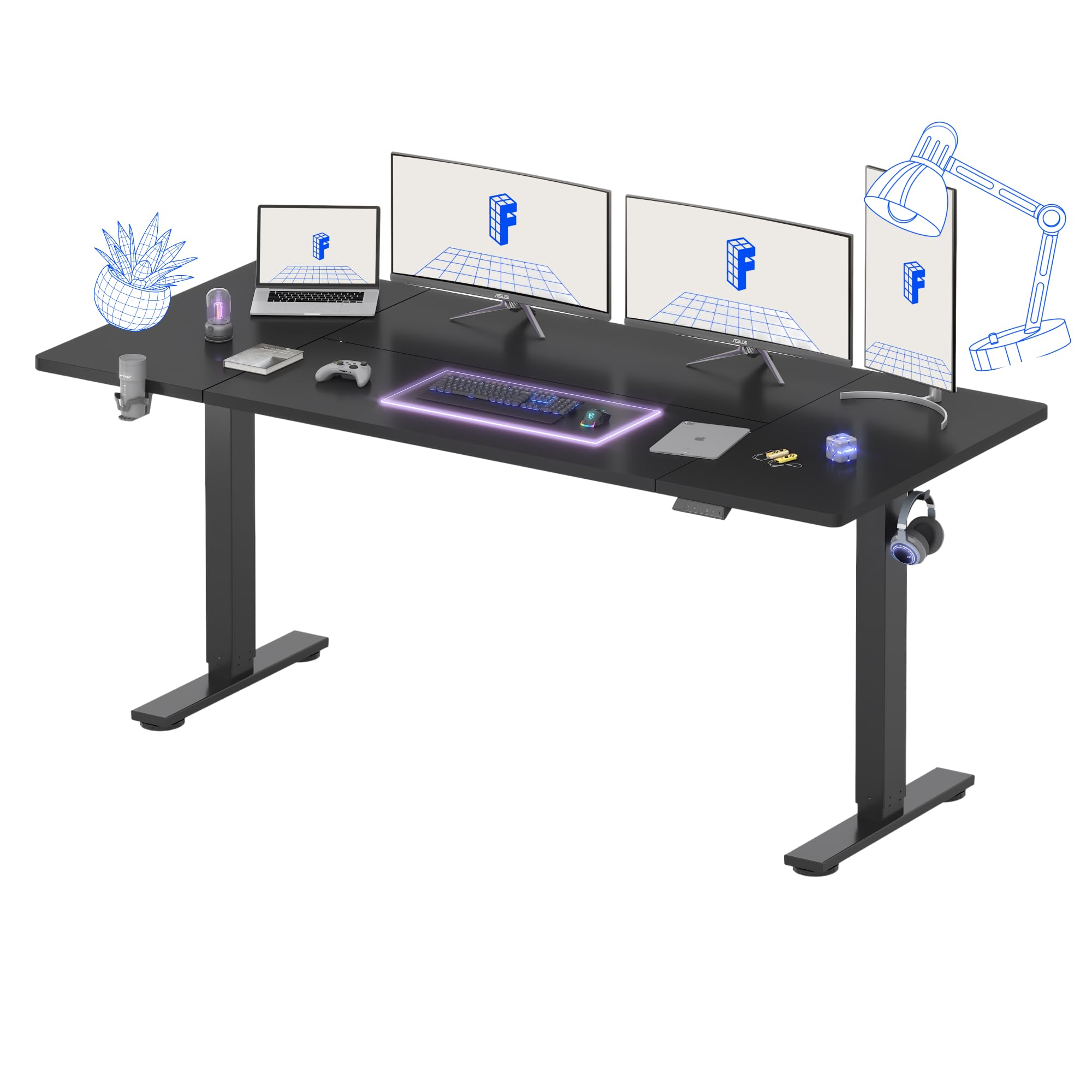
Gambar 1: Lebihview of the FLEXISPOT Standing Desk.
Arahan Persediaan
Assembly is recommended for one person. Follow the included assembly instructions carefully. Ensure you have adequate space and a clean work area.
- Buka Pembungkusan Komponen: Tanggalkan semua bahagian dari pembungkusan dengan berhati-hati dan letakkannya di atas permukaan yang lembut dan bersih untuk mengelakkan calar.
- Pasang Kerangka Meja: Attach the desk legs to the crossbar according to the diagrams in the separate assembly guide. Ensure all screws are tightened securely.
- Lampirkan Desktop: Place the desktop upside down on a soft surface. Carefully align the assembled frame with the pre-drilled holes on the desktop and secure it with the provided screws.
- Install Control Panel and Accessories: Mount the digital control panel, headphone hook, and cup holder in your desired positions using the provided hardware.
- Sambungkan Kuasa: Sambungkan kabel kuasa ke kotak kawalan dan kemudian ke alur keluar kuasa.
- Pengurusan Kabel: Organize cables using the integrated cable management features to maintain a tidy workspace.
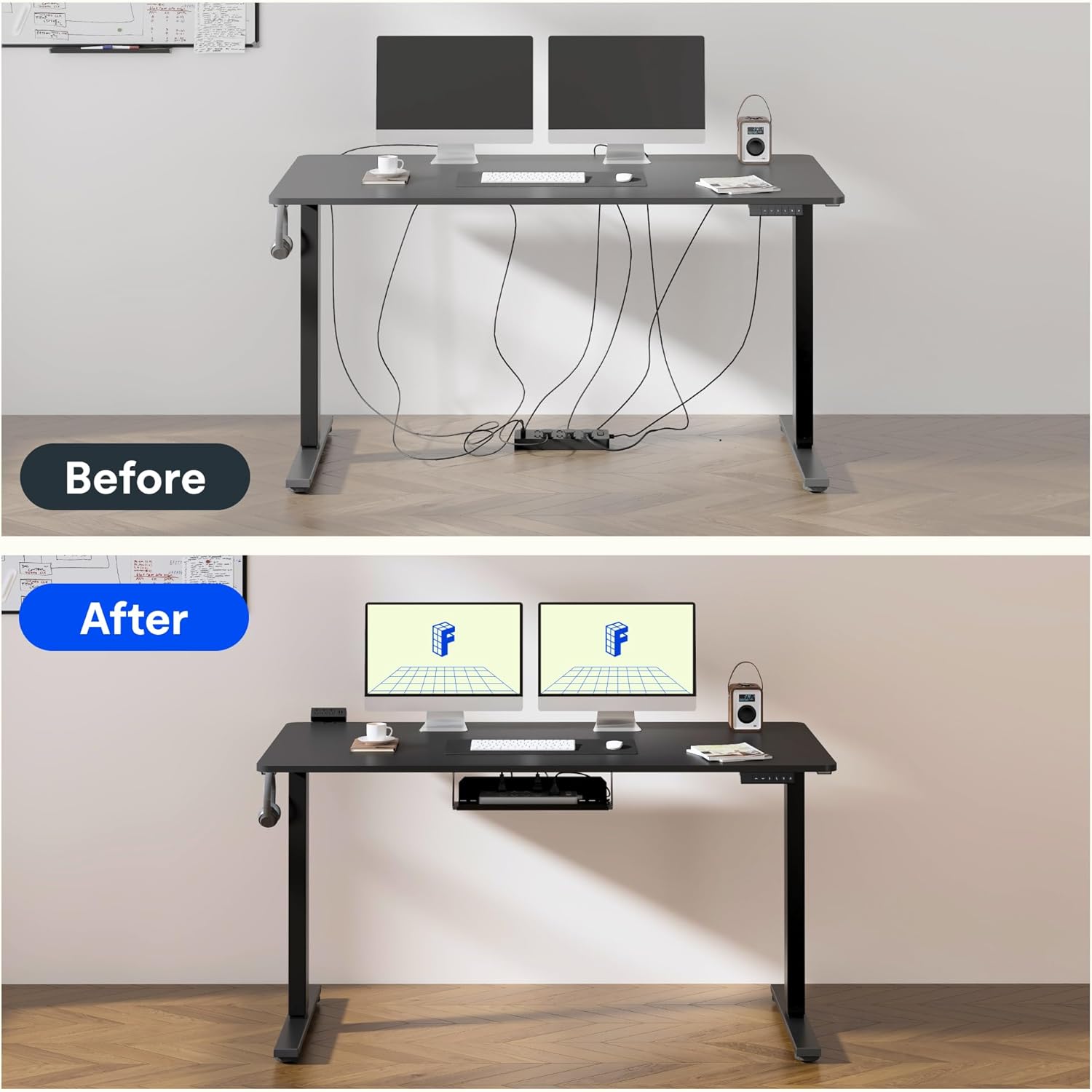
Figure 2: Effective cable management for a tidy workspace.

Figure 3: Close-up of integrated cable organization features.
Arahan Operasi
Your FLEXISPOT standing desk features an intuitive digital control panel for easy height adjustments and memory functions.

Figure 4: Digital control panel with LED display and memory buttons.
Pelarasan Ketinggian
- Butang Naik / Turun: Use the ▲ (Up) and ▼ (Down) buttons on the control panel to manually adjust the desk height. The current height will be displayed on the LED screen.
- The desk can be adjusted from a minimum height of 75 cm to a maximum height of 120 cm.

Figure 5: Desk height adjustment range, illustrating minimum and maximum positions.
Pratetap Memori
Panel kawalan membolehkan anda menyimpan ketinggian duduk dan berdiri pilihan untuk pelarasan pantas.
- Laraskan meja pada ketinggian yang diingini menggunakan butang Atas/Bawah.
- Press the 'M' button (Memory) followed by a number button (1 or 2) to save the current height. The LED display will confirm the save.
- To recall a saved height, simply press the corresponding number button (1 or 2). The desk will automatically move to the preset position.
Fungsi Kunci Kanak-kanak
To activate the child lock, press and hold the 'M' button for 3 seconds until 'LOC' appears on the display. To deactivate, press and hold 'M' again for 3 seconds.
Operasi Bunyi Rendah
The desk operates with a low noise level of approximately 50dB, ensuring a quiet environment suitable for focused work or shared spaces.

Figure 6: Illustration of the desk's low noise operation, ideal for quiet environments.
Penyelenggaraan
Penyelenggaraan yang kerap memastikan jangka hayat dan prestasi optimum meja anda.
- Pembersihan: Lap desktop dan bingkai dengan lembut, damp kain. Elakkan pembersih yang melelas atau bahan kimia keras yang boleh merosakkan kemasan.
- Pemeriksaan Kabel: Periodically inspect all cables for wear or damage. Ensure they are properly routed and not pinched.
- Pemeriksaan Pengikat: Periksa semua skru dan pengikat sekali-sekala untuk memastikan ia kekal ketat. Ketatkan semula jika perlu.
- Pengagihan Berat: Agihkan berat secara sama rata ke seluruh meja untuk mengelakkan ketegangan pada motor dan rangka.
Menyelesaikan masalah
If you encounter issues with your FLEXISPOT standing desk, refer to the following common problems and solutions:
| Masalah | Kemungkinan Punca | Penyelesaian |
|---|---|---|
| Meja tidak bergerak | Power cable disconnected; Child lock activated; Overload protection triggered. | Check power connection; Deactivate child lock; Reduce weight on desk. |
| Pelarasan ketinggian tidak sekata | Obstruction; Loose connection in frame. | Remove obstructions; Check and tighten frame connections. |
| Kod ralat pada paparan | Kesalahan sistem tertentu. | Refer to the detailed troubleshooting section in the full assembly manual or contact customer support. |
Spesifikasi
Detailed technical specifications for your FLEXISPOT standing desk:
- Jenama: FLEXISPOT
- model: 180 x 80 cm
- Reka bentuk Meja: Meja Berdiri
- Dimensi Produk (D x W x H): 80P x 180p x 73T cm
- warna: Hitam
- Bahan Desktop: kayu
- Bahan asas: Industrial Carbon Steel
- Ciri Khas: Ketinggian Boleh Laras
- Mekanisme Mengangkat: Elektrik
- Ketinggian Minimum: 75 Sentimeter
- Ketinggian Maksimum: 120 Sentimeter
- Ketebalan Desktop: 25 Milimeter
- Maximum Recommended Weight: 70 Kilogram
- Perhimpunan Diperlukan: Yes (1 person recommended)
- Komponen yang Disertakan: Headphone hook, cup holder, control panel with memory function
- GTIN: 810072888365

Figure 7: The robust frame is designed to support up to 70 kg.
Maklumat Waranti
This FLEXISPOT standing desk comes with a Limited Warranty. For specific terms and conditions, please refer to the warranty card included in your product packaging or visit the official FLEXISPOT webtapak. Simpan bukti pembelian anda untuk tuntutan waranti.
Sokongan
For further assistance, technical support, or to order replacement parts, please contact FLEXISPOT customer service. Contact details can typically be found on the official FLEXISPOT webtapak atau dalam pembungkusan produk.
Sumber Dalam Talian: Lawati Kedai FLEXISPOT di Amazon untuk maklumat dan sokongan produk tambahan.