1. Pengenalan
The BENTSAI B85 Wide Format Handheld Inkjet Printer is designed for industrial applications, offering versatile printing capabilities on various surfaces. It features a 4-inch print height, allowing for large format text, QR codes, barcodes, and variable data printing. This manual provides essential information for the proper setup, operation, and maintenance of your B85 printer.

2. Persediaan
2.1 Membongkar dan Menghidupkan Permulaan
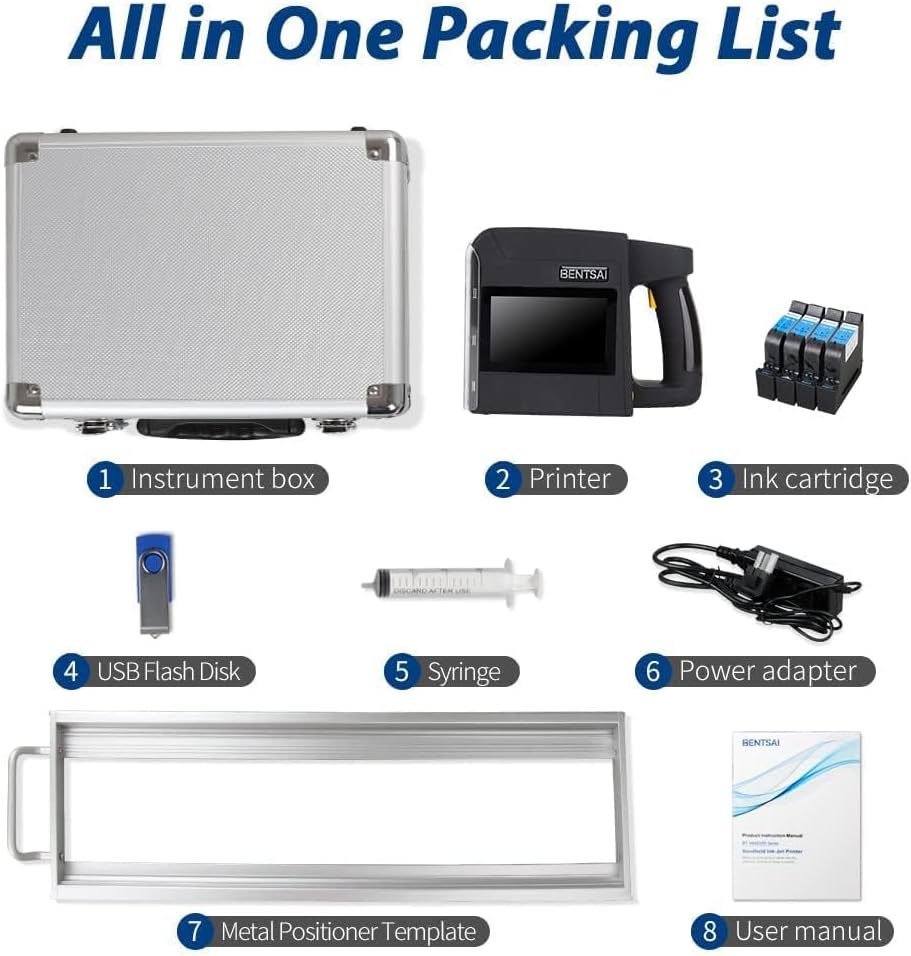
Carefully remove all components from the packaging. Ensure all items listed in the packing list are present. Long press the power button to start the printer.

2.2 Memasang Kartrij Dakwat
- Remove the printer's protective cover from the bottom.
- Match the number on the printer's cartridge slot with the corresponding number on the ink cartridge.
- Remove the protective cap from each ink cartridge.
- Open the cartridge slot cover on the printer.
- Insert each cartridge one by one into its designated slot, ensuring it clicks into place.
- Close the cartridge slot cover.
2.3 Panduan Video Pemasangan
For a visual guide on installing your BENTSAI B85 printer, please watch the official installation video:
Video 2.1: How to install BENTSAI B85/B80 handheld printer. This video provides step-by-step instructions on setting up and installing the ink cartridges for the BENTSAI B80 and B85 handheld printers.
3. Mengendalikan Pencetak
3.1 User Interface and Content Editing
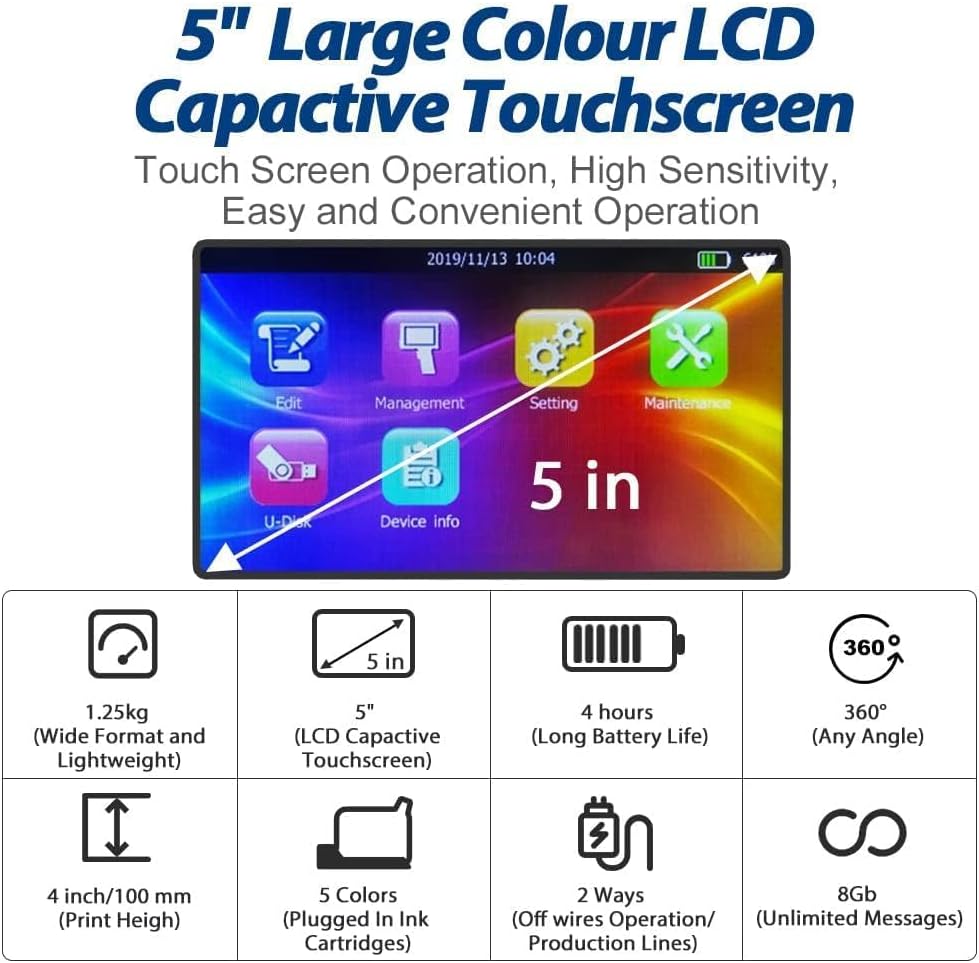
The B85 features a 5-inch large color LCD capacitive touchscreen for intuitive operation. You can edit and adjust your printing content directly on the screen.
3.2 Printing on Various Surfaces
The B85 printer is capable of printing on a wide range of porous and non-porous surfaces, including cardboard, wood, glass, fabric, metal, plastic, and more. Its 4-inch print height allows for large character coding.


3.3 Supported Print Formats
The B85 supports various content formats including text, date and time, QR codes, barcodes, pictures, and variable codes. Content can be customized to meet specific needs.

3.4 Printing in Action
Observe the BENTSAI B85 in action, demonstrating its performance and versatility across different printing scenarios:
Video 3.1: See how well BENTSAI B80/B85 performs. This video showcases the BENTSAI B80 and B85 printers in various applications, including printing on fabric, wood, concrete, and cardboard, demonstrating multi-line printing and different ink color options.
Another demonstration of the printer's marking capabilities on various surfaces:
Video 3.2: BENTSAI B80 B85 Handheld Printer Marking on Various Surfaces. This video illustrates the BENTSAI B80 and B85 printers' ability to mark serial numbers, QR codes, and images on surfaces like concrete poles and electrical boxes, highlighting water-resistant inks and multi-color options.
4. Penyelenggaraan
4.1 Ink Nozzle Cleaning
To ensure optimal print quality and prevent clogging, regular cleaning of the ink nozzle is essential. If prints are unclear or incomplete, it may be due to ink drying or nozzle clogging. This can be resolved by following the cleaning procedure:
- Wet a tissue with alcohol.
- Cover the ink cartridge nozzle with the tissue and shake the cartridge vigorously up and down.
- Drag the ink cartridge across the tissue to print two lines.
- If streaks persist, repeat the above steps.
4.2 Penjagaan Selepas Penggunaan
After each use, remember to remove the ink cartridge from the printer. Wipe the nozzle surface again and clean any residual ink on the protection cap. Cover the protective cap to prevent ink from drying. Store the cartridge in a cool, dry, and shaded area.
Video 4.1: Ink Nozzle Cleaning Guide. This video demonstrates the proper procedure for cleaning the ink nozzle of the BENTSAI printer to ensure clear and complete prints.
5. Penyelesaian masalah
5.1 Isu Percetakan Biasa
- Unclear or Incomplete Prints: This is often caused by dried ink or a clogged nozzle. Refer to Section 4.1 for detailed cleaning instructions.
- Pencetak Tidak Memberi Respons: Ensure the printer is fully charged and powered on. Check all connections.
- Kartrij Dakwat Tidak Dikenali: Verify that the ink cartridges are correctly inserted and that the protective caps have been removed.
- Kemerosotan Kualiti Cetakan: This may indicate low ink levels or a need for nozzle cleaning. Replace cartridges if necessary and perform cleaning as described in Section 4.1.
6. Spesifikasi
| Ciri | Perincian |
|---|---|
| Nama Model | B85 |
| Dimensi Produk | 14"D x 9"W x 7"H |
| Berat Barang | 2.75 paun |
| Teknologi Percetakan | Inkjet |
| Output Pencetak | Monokrom |
| Maximum Print Height | 4 inci / 100mm |
| Maximum Print Length | Sehingga 9.00 kaki |
| Resolusi Cetakan Maksimum | 300 x 300 dpi |
| Jenis Paparan | Skrin Sentuh 5" |
| Warna Dakwat | Black (multiple color options available for purchase) |
| Jenis Dakwat | Solvent-based and water-based |
| Teknologi Ketersambungan | USB |
| Komponen yang Disertakan | BENTSAI B85 Handheld Inkjet Printer, User Manual, Aluminum Protective Box, Power Adapter, USB Flash Disk, Stylus Pen, BENTSAI EB22B-L Fast Dry Black Ink Cartridge *4, Positioning Bracket, Ink Suction Tool, Empty Spray Bottle |
7. Waranti & Sokongan
BENTSAI is committed to providing high-quality products and excellent customer service. For any inquiries, technical assistance, or warranty claims, please contact the BENTSAI STORE directly through your purchase platform.
We value our customers' experience and strive for continuous improvement. Hear what one of our partners has to say about working with BENTSAI:
Video 7.1: "Happy to work with Bentsai Product". This video features a testimonial from Kamarsjah, Managing Director of PT. Digital Teknologi, discussing their positive experience and long-standing partnership with BENTSAI, highlighting the fast response and good support received.