
pengenalan
The Dyson Airstrait straightener is designed to dry and straighten hair simultaneously, from wet to dry, using airflow instead of hot plates. This innovative approach helps prevent heat damage, simplifies your styling routine, and maintains natural hair volume and shine. It combines two steps into one, offering an efficient and effective way to achieve a natural straight style.

Image: The Dyson Airstrait Straightener, showcasing its sleek design in Bright Nickle / Bright Copper.
Maklumat Keselamatan Penting
Always read and follow all safety instructions before use.
- Jauhkan daripada kanak-kanak.
- Jangan gunakan berhampiran air.
- Cabut plag perkakas semasa ribut petir atau apabila tidak digunakan untuk jangka masa yang lama.
- Jangan kendalikan sebarang perkakas dengan kord atau palam yang rosak.
- Refer to the full safety manual for comprehensive guidelines.
Apa yang ada dalam Kotak
Your Dyson Airstrait package includes the following components:
- Pelurus Airstrait Dyson
Persediaan
- Membongkar: Carefully remove the Dyson Airstrait straightener from its packaging. Retain packaging for future storage or transport.
- Sambungan Kuasa: Plug the appliance into a suitable electrical outlet. The Dyson Airstrait is equipped with a PRCD (Portable Residual Current Device) plug for enhanced safety.
- PRCD Test: Before each use, press the 'TEST' button on the PRCD plug. The 'RESET' button should pop out. Press 'RESET' to continue. If the 'TEST' button does not function as described, do not use the appliance and contact customer support.

Image: The PRCD plug, featuring 'TEST' and 'RESET' buttons for safety verification.
Arahan Operasi
Menghidupkan/Mematikan
To power on the Dyson Airstrait, press and hold the power button until the display illuminates. To power off, press and hold the power button again.
Mode Selection and Temperature Settings
The Airstrait offers three distinct modes for versatile styling:
- Mod Basah: Designed for straightening hair from wet. Available temperatures: 80°C, 100°C, and 115°C.
- Mod Kering: For touch-ups or refreshing your style on dry hair. Available temperatures: 100°C and 115°C.
- Mod Rangsangan: An optional setting within Dry Mode for maximum styling impact, reaching 130°C.
Select your desired mode and temperature using the controls on the device. The high-definition colour LCD screen will display your current settings.
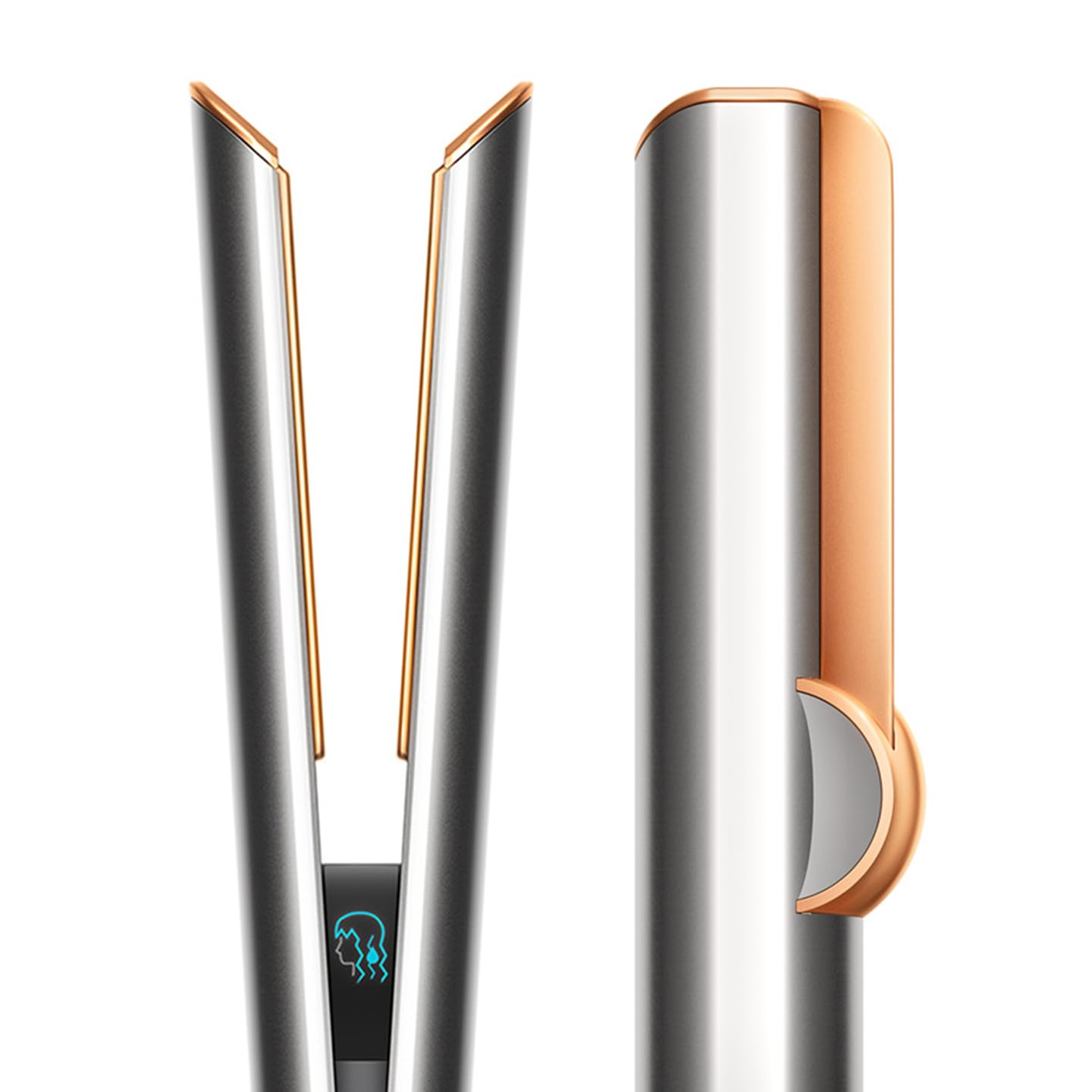
Image: The Dyson Airstrait being used to straighten wet hair, demonstrating its wet-to-dry capability.
Teknik Penggayaan
- Wet to Dry Straightening: Ensure hair is towel-dried. Select Wet Mode and your preferred temperature. Pass the straightener slowly through sections of hair, allowing the airflow to dry and straighten simultaneously.
- Dry Styling: For refreshing or light straightening on dry hair, select Dry Mode.
- Root Volume: Use the lock feature to close the arms of the machine. With the arms locked, gently pre-dry hair at the roots to create volume before unlocking for full straightening.

Image: An internal diagram illustrating how the Dyson Airstrait uses directional airflow to straighten hair without hot plates.
Intelligent Heat Control
The Dyson Airstrait features intelligent heat control, which regulates the airflow temperature 16 times per second. This precise regulation ensures that hair is straightened without extreme heat, helping to maintain hair strength and reduce breakage.
Intuitive Airflow
The machine is designed with intuitive airflow, sensing when hair is between its arms. When hair is detected, the airflow automatically adjusts to the optimal level for styling. When no hair is present, the airflow reduces to a lower setting, contributing to quieter and more efficient operation.
Skrin LCD
The high-definition colour LCD screen provides clear visual feedback on airflow and temperature settings, allowing for easy monitoring and adjustment during styling.

Image: Close-up of the Dyson Airstrait's LCD screen, showing temperature and airflow indicators.
Ciri Kunci
A sliding button allows you to lock and unlock the arms of the straightener. This feature is particularly useful for pre-drying hair or creating root volume when the arms are locked.

Image: Detail of the lock button on the Dyson Airstrait, used to secure the arms.
Auto Jeda
For energy efficiency and convenience, the machine will automatically pause airflow after three seconds of inactivity. Simply move the straightener to restart the airflow.
Penyelenggaraan
Regular maintenance ensures optimal performance and longevity of your Dyson Airstrait straightener.
- Membersihkan Penapis: Periodically check and clean the filter located at the base of the handle. Dust and hair buildup can restrict airflow and affect performance. Refer to the full user manual for detailed filter cleaning instructions.
- Wiping Surfaces: Gunakan yang lembut, damp cloth to wipe down the exterior surfaces of the straightener. Do not use abrasive cleaners or immerse the device in water.
- Storan: Store the straightener in a dry place, away from direct sunlight and extreme temperatures. Ensure the arms are locked for compact storage.
Menyelesaikan masalah
If you encounter issues with your Dyson Airstrait, refer to the following common troubleshooting steps:
| Masalah | Kemungkinan Punca | Penyelesaian |
|---|---|---|
| Peranti tidak dihidupkan. | No power supply; PRCD tripped. | Ensure the plug is fully inserted. Press the 'RESET' button on the PRCD plug. Check the power outlet. |
| Tiada aliran udara atau aliran udara yang lemah. | Filter is blocked; arms are locked; auto-pause engaged. | Clean the filter. Unlock the arms. Move the device to reactivate airflow. |
| Rambut tidak diluruskan dengan berkesan. | Incorrect mode/temperature; hair sections too large; device moved too quickly. | Ensure correct mode (Wet for wet hair) and appropriate temperature. Use smaller hair sections. Pass the device through hair more slowly. |
| LCD screen not displaying correctly. | Gangguan perisian sementara. | Power off and restart the device. If the issue persists, contact customer support. |
If the problem persists after attempting these steps, please contact Dyson Customer Support.
Spesifikasi
| Ciri | Perincian |
|---|---|
| Nombor Model | 408213-01 |
| Dimensi Produk (LxWxH) | 33 x 4.1 x 4.1 cm |
| Berat Barang | 998 g |
| Sumber Kuasa | Elektrik Bertali |
| Tetapan Suhu Maks | 130 Degrees Celsius (Boost Mode) |
| Keserasian Jenis Rambut | Semua |
| bahan | aluminium |
Waranti dan Sokongan
The Dyson Airstrait Straightener comes with a Waranti 2 tahun dari tarikh pembelian, meliputi kecacatan pembuatan dan pincang fungsi di bawah penggunaan biasa. Sila simpan bukti pembelian anda untuk tuntutan waranti.
For technical assistance, warranty claims, or further inquiries, please contact Dyson Customer Support:
- Pengeluar: Dyson
- Pengimport: Dyson Technology India Pvt Ltd
- Maklumat Hubungan: Refer to the official Dyson website or your product packaging for the most current contact details and service center locations in your region.
You can also visit the official Dyson store for more information: Dyson Store on Amazon.in