
MESWAO MES-B3
MESWAO 15.6 Inch Android 14 Tablet MES-B3 User Manual
Arahan komprehensif untuk persediaan, operasi dan penyelenggaraan.
1. Pengenalan
This manual provides detailed instructions for the MESWAO 15.6 Inch Android 14 Tablet, model MES-B3. It covers essential information regarding product features, setup, operation, maintenance, and troubleshooting to ensure optimal performance and user experience. Please read this manual thoroughly before using your device.
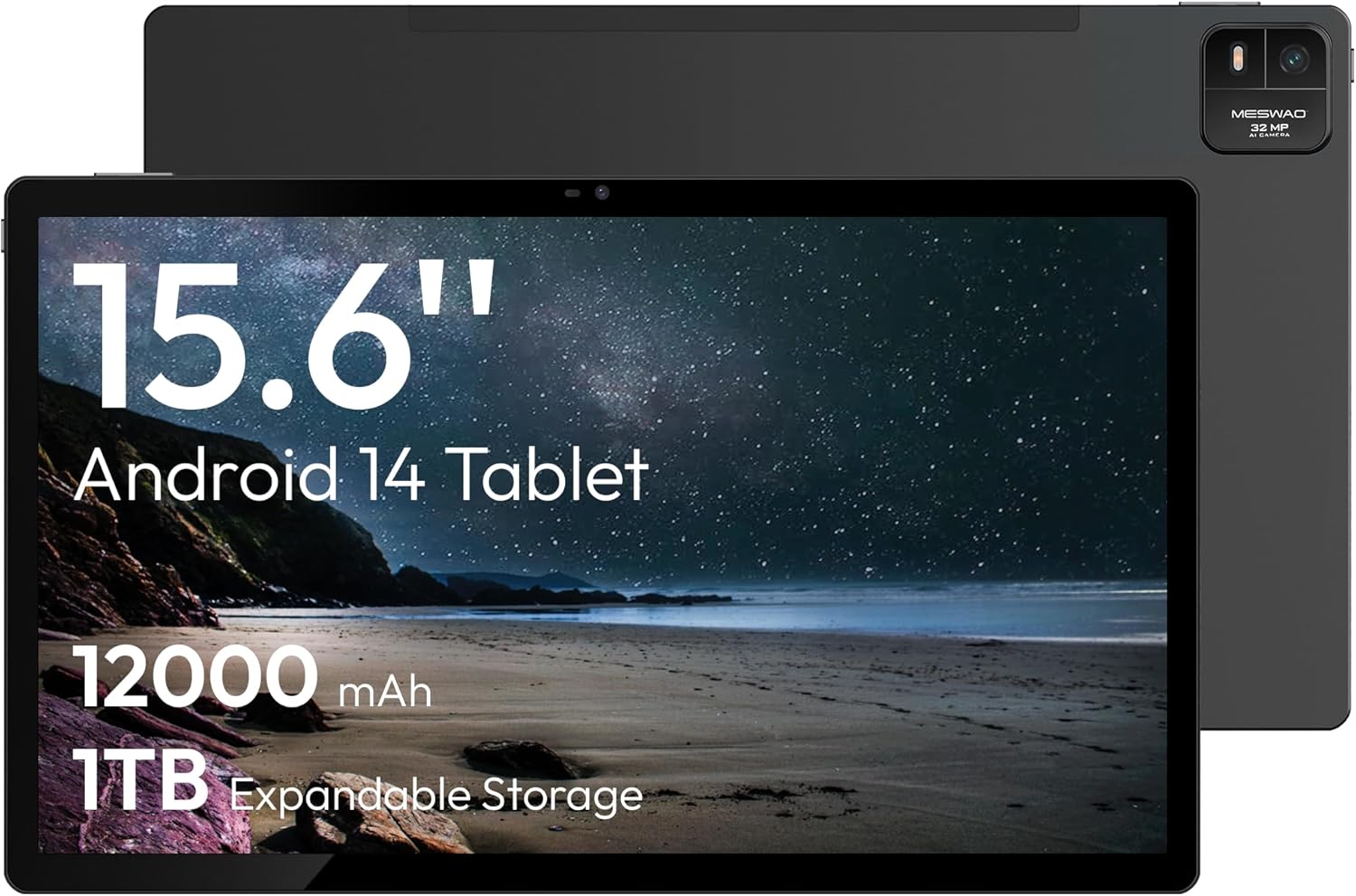
Figure 1.1: MESWAO 15.6 Inch Android 14 Tablet. This image displays the front and back view of the tablet, highlighting its large screen and rear camera module.
2. Maklumat Keselamatan
To prevent damage to your device or injury to yourself or others, please observe the following precautions:
- Jangan dedahkan tablet kepada suhu yang melampau, cahaya matahari langsung atau kelembapan yang tinggi.
- Elakkan daripada menjatuhkan atau meletakkan tablet kepada kesan yang teruk.
- Gunakan hanya pengecas dan aksesori yang diluluskan.
- Do not attempt to disassemble or repair the tablet yourself.
- Jauhkan tablet daripada air dan cecair lain.
- Observe all local regulations regarding the use of electronic devices.
3. Kandungan Pakej
Sahkan bahawa semua item terdapat dalam pakej:
- 15.6-inch Tablet x1
- Pengecas 15W x1
- Type-C to 3.5mm Adapter x1
- USB-A to Type-C Adapter x1
- Stuck Pin x1 (for SIM/TF card tray)
4. Peranti Lebihview
Familiarize yourself with the physical components of your MESWAO tablet.
4.1. Ciri Fizikal
- Kamera Depan: Located at the top center of the screen when held horizontally.
- Kamera Belakang dengan Flash: Located on the back, typically in a corner.
- Butang Kuasa: Usually on the side, used to power on/off or wake/sleep the device.
- Butang Kelantangan: Laraskan tahap audio.
- Port USB-C: Untuk pengecasan dan pemindahan data.
- Slot Kad TF: Untuk storan yang boleh dikembangkan.
- Penceramah: Quad speakers with 8 sound chambers for audio output.

Gambar 4.1: Lebihview of MESWAO Tablet's physical features. This image illustrates the location of stereo speakers, power and volume buttons, front camera, rear camera with flashlight, Type-C port, and TF card slot.
5. Persediaan
5.1. Pengecasan Awal
Before first use, fully charge the tablet using the provided 15W charger and USB-C cable. Connect the charger to the USB-C port on the tablet and plug it into a power outlet. The battery indicator on the screen will show charging progress.

Figure 5.1: Tablet charging illustration. This image shows the tablet connected to a charger, displaying a charging icon and indicating 100% charge in 3.5 hours.
5.2. Menghidupkan/Mematikan
- Untuk Menghidupkan: Press and hold the Power button until the MESWAO logo appears.
- Untuk Mematikan: Tekan dan tahan butang Kuasa sehingga menu pilihan kuasa muncul, kemudian pilih "Matikan".
- Untuk Tidur/Bangun: Tekan butang Kuasa sebentar.
5.3. Konfigurasi Awal
Setelah dihidupkan pertama, ikut gesaan pada skrin untuk menyediakan tablet anda:
- Pilih bahasa pilihan anda.
- Sambung ke rangkaian Wi-Fi.
- Log masuk dengan akaun Google anda atau buat yang baharu.
- Review dan terima terma dan syarat.
- Sediakan kunci skrin (PIN, corak atau kata laluan).
5.4. Memasukkan Kad TF
To expand storage, insert a TF (microSD) card:
- Cari slot kad TF di sisi tablet.
- Use the provided stuck pin to gently eject the card tray.
- Place the TF card into the tray with the gold contacts facing down.
- Masukkan semula dulang ke dalam tablet dengan berhati-hati.

Figure 5.2: Tablet storage capabilities. This image highlights the 128GB ROM and support for up to 1TB expandable storage via TF card.
6. Arahan Operasi
6.1. Navigasi Asas
The MESWAO tablet uses Android 14, offering intuitive touch-based navigation:
- Ketik: Pilih item atau buka aplikasi.
- Leret: Tatal melalui skrin atau senarai.
- Cubit-untuk-Zum: Besarkan atau kecilkan kandungan pada skrin.
- Tekan lama: Akses menu kontekstual atau alihkan ikon.

Figure 6.1: Android 14 operating system interface. This image displays various application icons and highlights features like smooth multitasking, parental control, and enhanced privacy.
6.2. Menyambung ke Wi-Fi
- Pergi ke tetapan > Rangkaian & internet > Wi-Fi.
- Togol Wi-Fi On.
- Pilih rangkaian yang anda inginkan daripada senarai.
- Masukkan kata laluan jika digesa, kemudian ketik Sambung.
6.3. Menguruskan Aplikasi
- Pasang Apl: Muat turun dari Gedung Google Play.
- Nyahpasang Apl: Long-press an app icon, then drag it to "Uninstall" or go to tetapan > Apl.
- Tutup Aplikasi: Swipe up from the bottom of the screen and swipe away the app card.
6.4. Penggunaan Kamera
The tablet features a 32MP rear camera with flash and a 5MP front camera.
- Buka Kamera permohonan.
- Ketik butang pengatup untuk mengambil foto.
- Beralih antara kamera hadapan dan belakang menggunakan ikon suis kamera.
- Access settings for flash, modes, and other options.
6.5. Pengurusan Bateri
Bateri 12000mAh menyediakan penggunaan yang lebih lama. Untuk mengoptimumkan hayat bateri:
- Laraskan kecerahan skrin.
- Tutup aplikasi yang tidak digunakan.
- Enable battery saver mode in tetapan > Bateri.
6.6. Ketersambungan
- Bluetooth: Pair with wireless headphones, speakers, or other devices via tetapan > Peranti yang disambungkan > Bluetooth.
- USB-C: Sambung ke komputer untuk file transfer or use with compatible USB-C accessories.
- Penghantaran Skrin Tanpa Wayar: Share your tablet's screen to a compatible smart TV or monitor. Access this feature from the Quick Settings panel or tetapan > Peranti yang disambungkan > Pelakon.
6.7. Tetapan Bunyi
Adjust volume and audio output options:
- Use the physical volume buttons on the side of the tablet.
- Access detailed settings in tetapan > Bunyi & getaran.
- The tablet supports multiple audio options, including USB-C audio and 3.5mm via the provided adapter.
7. Penyelenggaraan
7.1. Membersihkan Tablet Anda
Untuk membersihkan tablet, gunakan kain lembut dan tidak berbulu. Untuk kotoran degil, gunakan sedikit kainampen kain dengan air atau pembersih skrin yang direka untuk elektronik. Elakkan bahan kimia yang keras atau bahan yang melelas.
7.2. Kemas Kini Perisian
Semak dan pasang kemas kini perisian secara kerap untuk memastikan prestasi optimum, keselamatan dan akses kepada ciri baharu. Pergi ke tetapan > Sistem > Kemas kini sistem.
7.3. Pengurusan Storan
To maintain performance, periodically manage your tablet's storage:
- Padam aplikasi yang tidak diperlukan dan files.
- Bergerak besar files to the TF card or cloud storage.
- Kosongkan data cache untuk aplikasi dalam tetapan > Apl > [Nama Apl] > Storan & cache.
8. Penyelesaian masalah
Rujuk isu dan penyelesaian biasa berikut:
| Masalah | Penyelesaian |
|---|---|
| Tablet tidak dihidupkan. | Pastikan bateri dicas. Sambungkan pengecas dan tunggu beberapa minit sebelum cuba menghidupkan semula. |
| Tidak dapat menyambung ke Wi-Fi. | Check if Wi-Fi is enabled. Verify the Wi-Fi password. Restart your router and the tablet. |
| Aplikasi ranap atau beku. | Close background apps. Clear the app's cache. Restart the tablet. Ensure the app is updated. |
| Prestasi perlahan. | Free up storage space. Close unused apps. Restart the tablet. |
| Bateri cepat habis. | Reduce screen brightness. Disable unused features like Bluetooth or GPS. Close background apps. Check battery usage in settings. |
9. Spesifikasi
Key technical specifications for the MESWAO 15.6 Inch Android 14 Tablet (MES-B3):
| Ciri | Perincian |
|---|---|
| Jenama | MESWAO |
| Nama Model | MES-B3 |
| Sistem Operasi | Android 14 |
| Saiz Skrin | 15.6 Inci |
| Resolusi Skrin | 1920 x 1080 Pixels (IPS HD) |
| Pemproses | Octa-Core (MediaTek Helio G99, up to 2.2 GHz) |
| Pemproses bersama Grafik | Mali-G57 |
| RAM (Memory Storage Capacity) | 6GB (DDR3 SDRAM) |
| Internal Storage (Flash Memory Size) | 128 GB |
| Storan Boleh Dikembangkan | Sehingga 1TB melalui Kad TF |
| Resolusi Kamera Belakang | 32 MP |
| Resolusi Kamera Depan | 5 MP |
| Kapasiti Bateri | 12000mAh |
| Purata Hayat Bateri | 12 Jam |
| Jenis Wayarles | 802.11a/b/g/n/ac (Wi-Fi 5) |
| warna | Kelabu |
| Berat Barang | 2.35 paun |
| Dimensi Produk (LxWxH) | 14.53 x 8.78 x 0.43 inci |
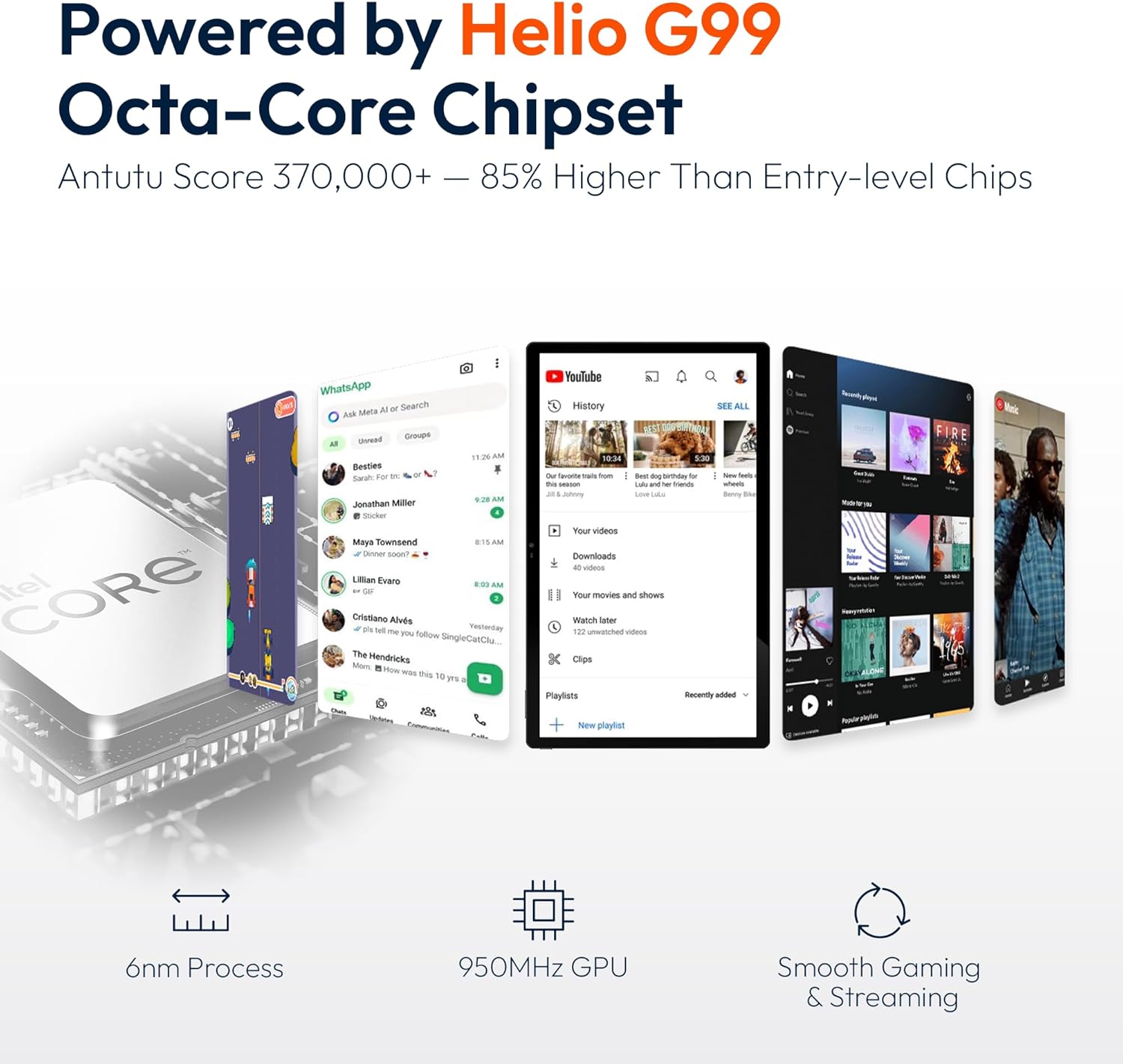
Figure 9.1: Processor and performance details. This image highlights the Helio G99 Octa-Core chipset, 6nm process, 950MHz GPU, and smooth gaming/streaming capabilities.
10. Waranti dan Sokongan
10.1. Maklumat Waranti
The MESWAO 15.6 Inch Android 14 Tablet comes with a Waranti 12 bulan meliputi kecacatan pembuatan. Sila simpan bukti pembelian anda untuk tuntutan jaminan.
10.2. Sokongan Pelanggan
For technical assistance, troubleshooting, or warranty inquiries, please contact MESWAO customer support. They offer Sokongan pelanggan 24 jam dan mempunyai local service centers in the US, EU, and Japan.
- Kaedah Hubungan: Refer to the contact information provided with your product packaging or visit the official MESWAO webtapak.
- Penyelesaian Isu: Issues reported are typically responded to within 24 hours, with problems resolved or replaced according to policy.

Figure 10.1: MESWAO customer support and warranty details. This image highlights the 12-month warranty, 24-hour customer support, local after-sales centers, and quick response flow.
Ask a question about this manual
Ask about setup, troubleshooting, compatibility, parts, safety, or missing instructions. Manuals+ will review the question and use this page’s manual context to help answer it.