
1. Pengenalan
Thank you for choosing the MECHEN H1-Pro Bluetooth MP3 Player with WiFi. This device is designed to provide a versatile and enjoyable audio and video experience. Featuring a 4-inch touchscreen and running on Android 9.0, it supports various applications and connectivity options. This manual provides essential information for setting up, operating, and maintaining your device.
2. Kandungan Pakej
Sahkan bahawa semua item yang disenaraikan di bawah disertakan dalam pakej anda. Jika ada item yang hilang atau rosak, sila hubungi sokongan pelanggan.
- MECHEN H1-Pro MP3 Player
- Kabel USB
- Fon kepala
- Filem Pelindung
- Kes Pelindung
- Manual Pengguna

Image: The MECHEN H1-Pro MP3 Player displayed with its accessories, including a USB cable, headphones, protective film, and a clear protective case.
3. Peranti Lebihview
Familiarize yourself with the physical components and controls of your MECHEN H1-Pro MP3 Player.
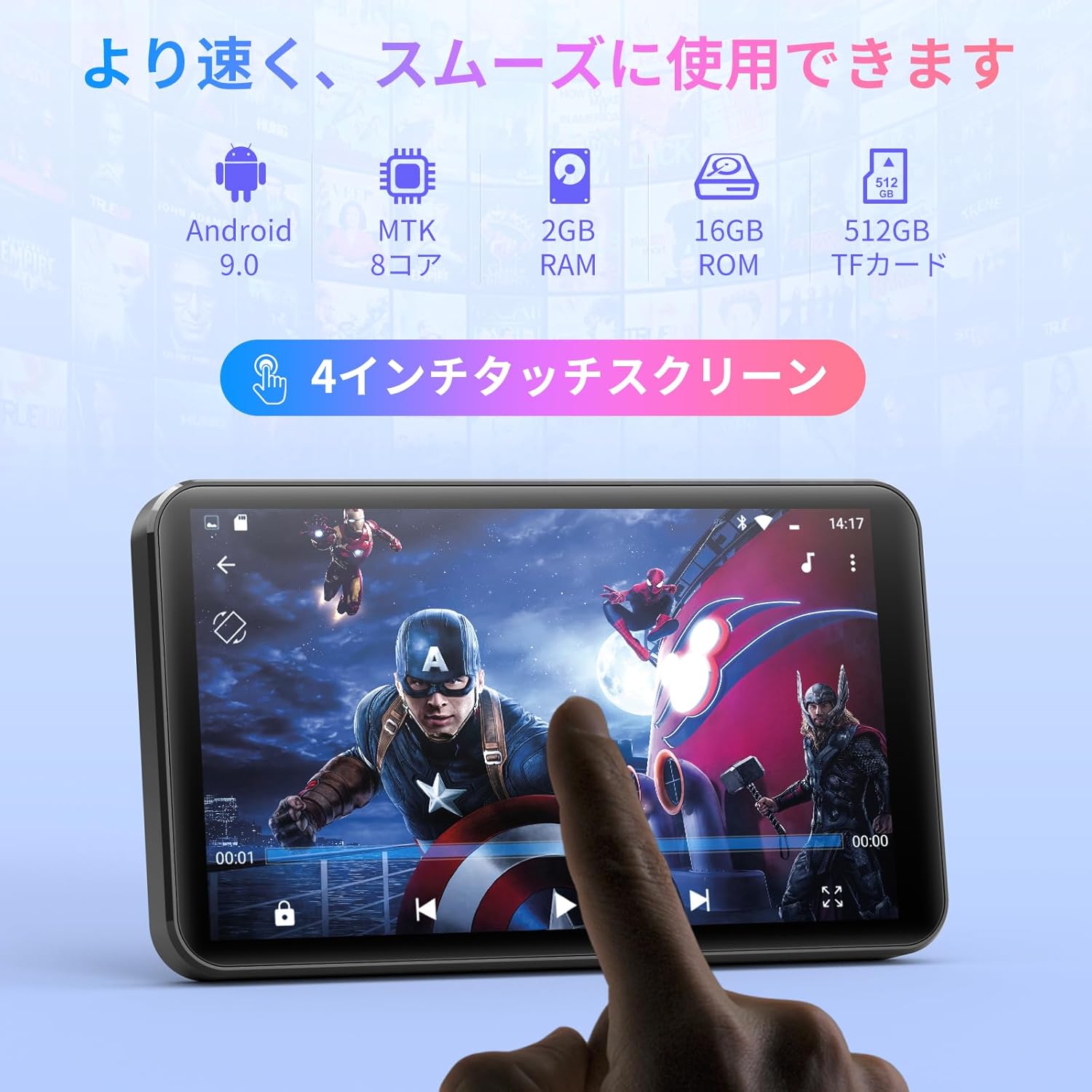
Imej: Depan view of the MECHEN H1-Pro MP3 Player, showcasing its 4-inch touchscreen display.

Imej: Sisi view of the MECHEN H1-Pro MP3 Player, highlighting the power button and volume controls.

Imej: Atas dan bawah views of the MECHEN H1-Pro MP3 Player, illustrating the USB-C charging port, headphone jack, and Micro SD card slot.
4. Persediaan
4.1 Pengecasan Awal
Before first use, fully charge the device. Connect the provided USB cable to the player's USB-C port and the other end to a USB power adapter (not included) or a computer's USB port. The charging indicator will show the charging status.
4.2 Hidupkan/Mati Kuasa
- Untuk Menghidupkan: Press and hold the Power button on the side of the device until the screen lights up.
- Untuk Mematikan: Press and hold the Power button until a power-off menu appears on the screen. Select 'Power Off' to shut down the device.
4.3 Menyambung ke Wi-Fi
To access online features and download apps, connect your device to a Wi-Fi network.
- Pergi ke tetapan > Rangkaian & Internet > Wi-Fi.
- Togol Wi-Fi On.
- Pilih rangkaian Wi-Fi yang anda inginkan daripada senarai.
- Masukkan kata laluan jika digesa dan ketik Sambung.

Image: The MECHEN H1-Pro MP3 Player screen showing Wi-Fi settings and available networks.
4.4 Memasukkan Kad SD Mikro
The device supports Micro SD cards for expanded storage. Locate the Micro SD card slot on the side of the device. Gently insert the card with the gold contacts facing down until it clicks into place.
5. Arahan Operasi
5.1 Basic Navigation (Touchscreen)
The MECHEN H1-Pro features a responsive 4-inch touchscreen. Use standard touch gestures:
- Ketik: Untuk memilih item atau membuka aplikasi.
- Leret: Untuk menatal senarai atau bertukar antara skrin.
- Cubit: To zoom in or out (in supported applications).
5.2 Main balik Muzik
The device supports various audio formats including MP3, WAV, WMA, APE, OGG, and FLAC for high-fidelity music playback.
- Buka Muzik permohonan.
- Semak imbas pustaka muzik anda mengikut artis, album, lagu atau senarai main.
- Tap on a song to begin playback.
- Gunakan kawalan pada skrin untuk main/jeda, langkau trek dan pelarasan kelantangan.

Image: The MECHEN H1-Pro MP3 Player screen showing a music playback interface with album art and controls.
5.3 Main balik Video
Enjoy 720P/1080P full-format HD video playback without conversion. Supported formats include RM, RMVB, FLV, MP4, DAT, MKV, MPG, MOV, TS, etc.
- Buka Pemain Video permohonan.
- Pilih video file daripada storan anda.
- Tap to play. Use on-screen controls for playback options.

Image: The MECHEN H1-Pro MP3 Player screen showing a video playing in full-screen mode.
5.4 Kesambungan Bluetooth
Connect to Bluetooth headphones, speakers, or other compatible devices.
- Pergi ke tetapan > Peranti yang disambungkan > Bluetooth.
- Togol Bluetooth On.
- Pastikan aksesori Bluetooth anda berada dalam mod berpasangan.
- Select the accessory from the list of available devices to pair.

Image: The MECHEN H1-Pro MP3 Player shown alongside a pair of wireless headphones, indicating Bluetooth connectivity.
5.5 Wi-Fi Connectivity & App Downloads
With Android 9.0 and Wi-Fi, you can download and install various applications from the Google Play Store.
- Ensure the device is connected to Wi-Fi (see Section 4.3).
- Buka Gedung Play permohonan.
- Log masuk dengan akaun Google anda.
- Cari untuk and download desired applications (e.g., Spotify, Amazon Music, Audible).

Image: The MECHEN H1-Pro MP3 Player screen showing a variety of installed applications, including music streaming services and web penyemak imbas.
5.6 Radio FM
Dengarkan stesen radio FM kegemaran anda.
- Connect wired headphones to the 3.5mm audio jack; they act as the antenna.
- Buka Radio FM permohonan.
- Gunakan kawalan pada skrin untuk mengimbas stesen atau menala secara manual.
5.7 File Pengurusan
Gunakan terbina dalam file pengurus untuk mengatur anda files on internal storage and the Micro SD card.
- Buka File Pengurus permohonan.
- Navigate through folders to view, copy, move, or delete files.
6. Penyelenggaraan
6.1 Pembersihan
Lap peranti dengan kain lembut, kering dan bebas bulu. Jangan gunakan pembersih cecair atau bahan kasar.
6.2 Penyimpanan
Store the device in a cool, dry place away from direct sunlight and extreme temperatures. If storing for an extended period, ensure the battery is partially charged (around 50%) to prolong its lifespan.
6.3 Penjagaan Bateri
To maximize battery life, avoid fully discharging the battery frequently. Use the original charging cable for optimal performance.
7. Penyelesaian masalah
| Masalah | Penyelesaian yang Mungkin |
|---|---|
| Peranti tidak dihidupkan. | Ensure the battery is charged. Connect to a charger for at least 30 minutes. If unresponsive, perform a hard reset by holding the power button for 10-15 seconds. |
| Tidak dapat menyambung ke Wi-Fi. | Check if Wi-Fi is enabled. Verify the Wi-Fi password. Restart your router and the MP3 player. |
| Peranti Bluetooth tidak berpasangan. | Ensure Bluetooth is enabled on both devices and the accessory is in pairing mode. Move devices closer together. |
| Aplikasi perlahan atau ranap. | Close unnecessary background apps. Clear app cache (Settings > Apps > [App Name] > Storage > Clear Cache). Restart the device. Too many apps can lead to slowdowns. |
| Tiada bunyi dari fon kepala. | Periksa sambungan fon kepala. Pastikan kelantangan tidak diredamkan atau terlalu rendah. Uji dengan fon kepala yang berbeza. |
8. Spesifikasi
| Ciri | Perincian |
|---|---|
| Jenama | MECHEN |
| Nama Model | H1-Pro (EU-H11) |
| Sistem Operasi | Android 9.0 |
| Pemproses | MTK 8-core |
| RAM | 2 GB |
| Storan Dalaman | 16 GB |
| Storan Boleh Dikembangkan | Micro SD (sehingga 512GB) |
| Saiz Skrin | 4 inci |
| Teknologi Skrin | LCD |
| Ketersambungan | Bluetooth, USB, Wi-Fi |
| Ciri Khas | FM Radio, Equalizer, Video Playback |
| Format Audio yang Disokong | MP3, WAV, WMA, APE, OGG, FLAC |
| Format Video yang Disokong | RM, RMVB, FLV, MP4, DAT, MKV, MPG, MOV, TS, etc. |
| Kapasiti Bateri | 2000 mAh |
| Hayat Bateri (Muzik) | Sehingga 50 jam |
| Hayat Bateri (Video) | Sehingga 8 jam |
| Dimensi (D x W x H) | 10.5 x 6.2 x 1.2 cm (4.14 x 2.44 x 0.46 inci) |
| Berat Barang | 97.5 gram (3.45 oz) |

Image: The MECHEN H1-Pro MP3 Player shown with its physical dimensions and weight specifications.
9. Waranti dan Sokongan
For warranty information and technical support, please refer to the warranty card included in your package or visit the official MECHEN webtapak. Simpan resit pembelian anda sebagai bukti pembelian untuk tuntutan waranti.