
1. Pengenalan
This manual provides essential information for the proper installation, operation, and maintenance of your SURRYN SDS3MS 3-Axis Digital Readout (DRO) Display Set. This system is designed to enhance precision and efficiency in various machining applications, including lathes and milling machines. Please read this manual thoroughly before using the product to ensure safe and optimal performance.
2. Produk Lebihview
The SURRYN SDS3MS Digital Readout Display Set is a high-precision measurement system for machine tools. It includes a 3-axis DRO display unit and three KA300 series glass linear scales (rulers) with encoder sensors, ranging from 120mm to 1020mm in travel length. The system is engineered for stable performance and user-friendly operation.
2.1 Kandungan Pakej
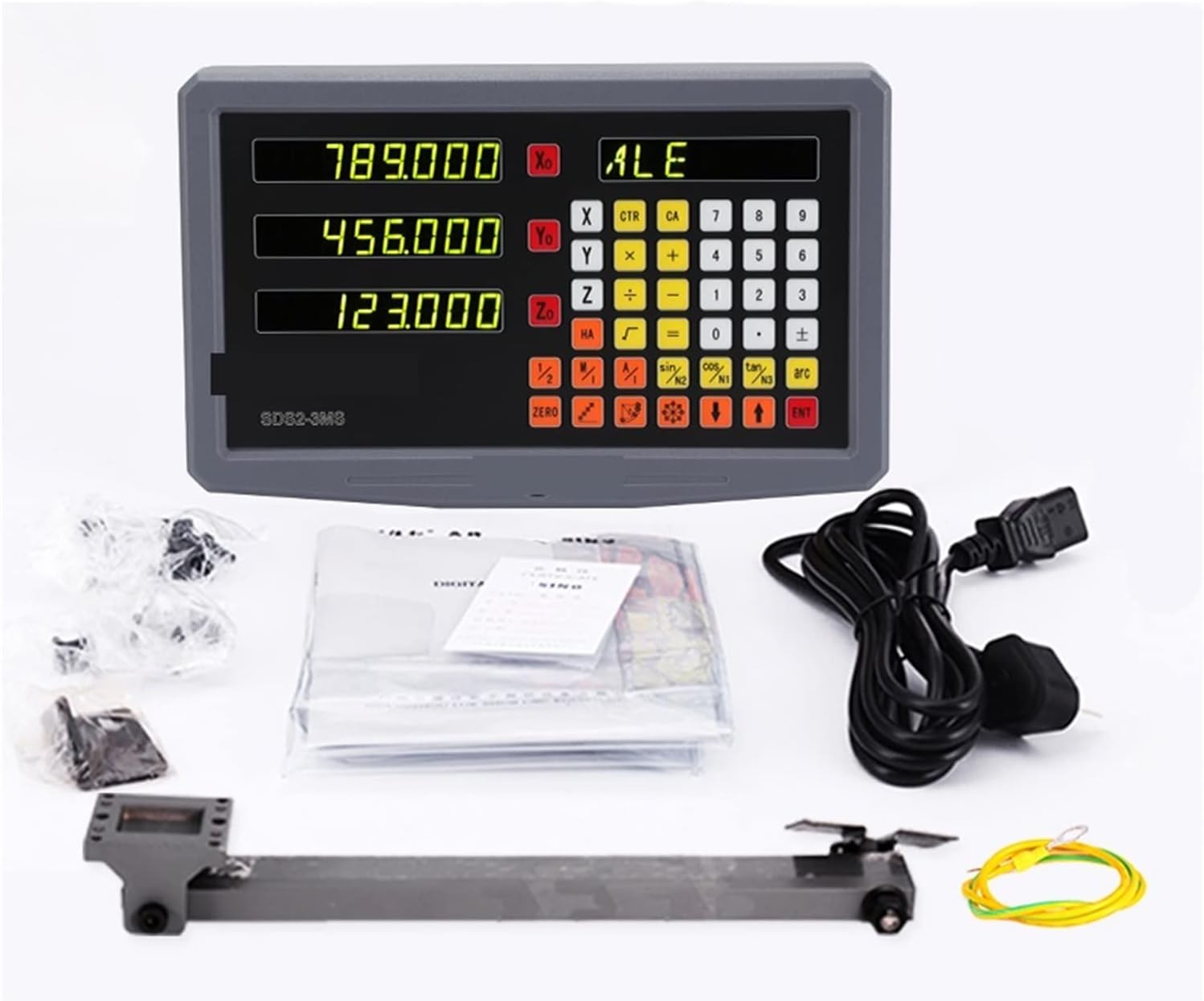
The complete package typically includes:
- One (1) SDS3MS 3-Axis Digital Readout Display Unit
- Three (3) KA300 Series Glass Linear Scales (various lengths)
- Mounting brackets and hardware for scales and display
- Kabel kuasa
- Manual Pengguna (dokumen ini)

2.2 Ciri-ciri Utama
- Reka Bentuk Profesional: Features a robust die-casting alloy shell with electric pensu processing for dustproof and wear-resistant properties, ensuring good shielding.
- Kestabilan Tinggi: Independent power supply design contributes to high stability and strong anti-jamming capabilities.
- Prestasi Dipertingkat: Utilizes a low-power consumption, high-sampling rate, and high-precision chip for powerful data processing and improved program stability.
- Antara Muka Mesra Pengguna: Humanized design with a 7-level brightness adjustment function for display, square-shaped ergonomic buttons for comfortable and efficient operation.
- Fungsi Lanjutan: Supports mm/inch conversion, absolute/relative conversion, and direct functional operations such as sine, cosine, and tangent.
3. Persediaan dan Pemasangan
Proper installation is crucial for the accuracy and longevity of your DRO system. It is recommended that installation be performed by individuals familiar with machine tool setup.
3.1 Membongkar dan Pemeriksaan
- Buka semua komponen dengan berhati-hati dan sahkannya dengan senarai kandungan pakej.
- Inspect all items for any signs of shipping damage. Report any damage to your supplier immediately.
3.2 Mounting the Linear Scales
The linear scales (KA300 series rulers) must be mounted parallel to the machine's axis of travel. Ensure the mounting surface is clean and flat.
- Select the appropriate scale length for each axis (X, Y, Z).
- Attach the scale body securely to the stationary part of the machine using the provided brackets and hardware.
- Mount the reading head to the moving part of the machine, ensuring it moves freely along the scale without binding.
- Maintain a small, consistent gap between the reading head and the scale body as specified in the detailed installation guide (refer to the included manual for precise measurements).

3.3 Mounting the DRO Display Unit
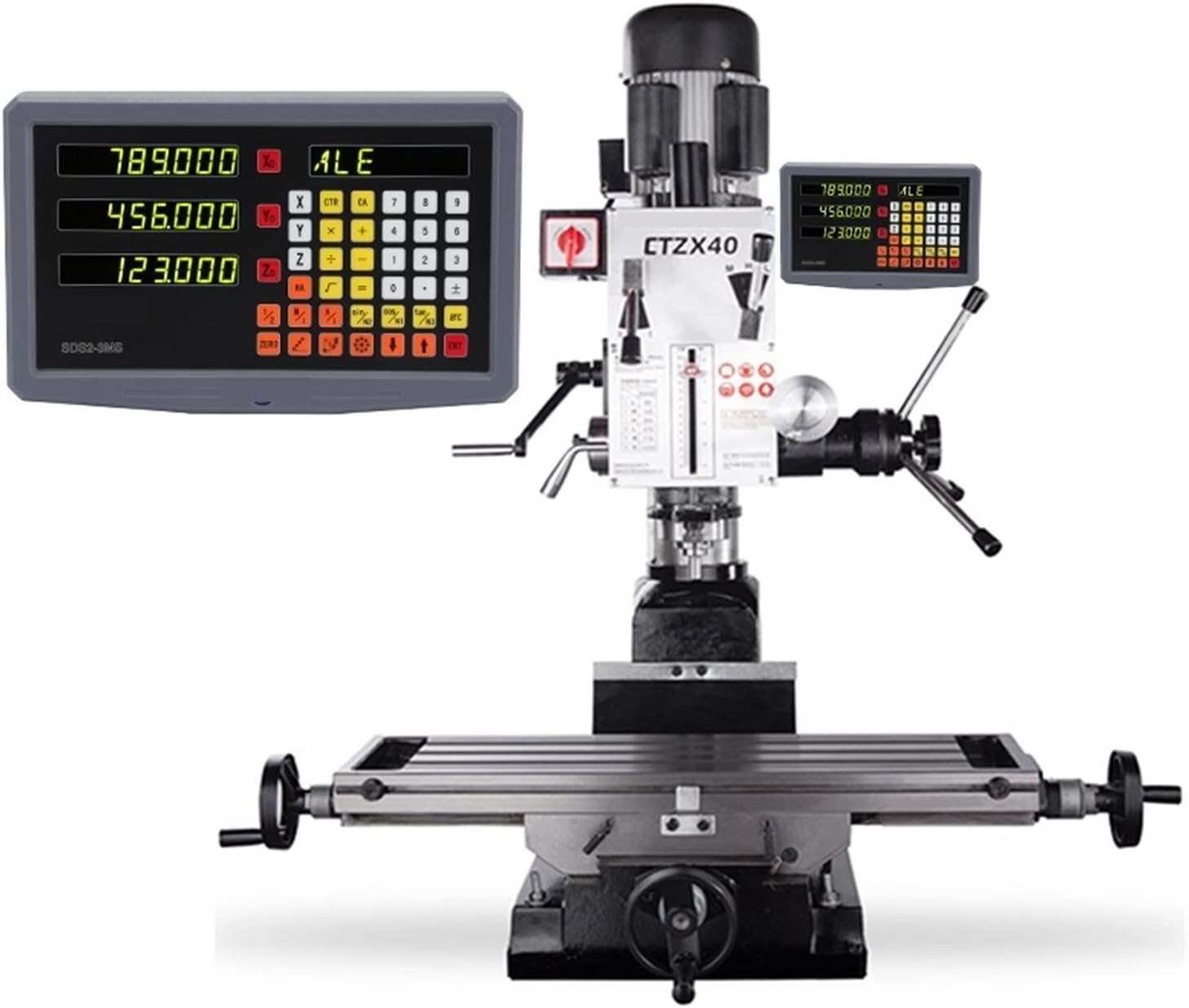
- Choose a location for the display unit that is easily visible and accessible to the operator, away from excessive vibration or heat.
- Use the provided mounting arm and brackets to secure the display unit. The watch box, made of ABS high-strength material, allows for adjustment of the tilt angle for optimal viewing.
3.4 Sambungan Elektrik
- Connect each linear scale's cable to the corresponding axis input port on the back of the DRO display unit (X, Y, Z). Ensure connections are firm.
- Plug the power cable into the display unit and then into a suitable power outlet (50 Hz ~ 60 Hz).
- Verify all connections before powering on the unit.
4. Arahan Operasi
The SDS3MS DRO unit offers a range of functions to assist with precise machining operations.
4.1 Fungsi Asas
- Hidupkan/Mati Kuasa: Tekan butang kuasa untuk menghidupkan atau mematikan unit.
- Tetapan Sifar: Press the 'ZERO' button for the desired axis (X, Y, or Z) to set the current position to zero.
- mm/inch Conversion: Use the dedicated 'mm/inch' button to switch between metric and imperial units.
- Absolute/Relative Conversion: Toggle between absolute (ABS) and incremental (INC) measurement modes using the 'ABS/INC' button.
- Pelarasan Kecerahan: The display features a 7-level brightness adjustment. Refer to the detailed manual for specific button combinations to adjust brightness according to your environment.
4.2 Fungsi Lanjutan
The SDS3MS supports various advanced functions for complex machining tasks:
- 200-Point Auxiliary Z: This function assists with specific Z-axis operations.
- Fungsi trigonometri: Direct access to sine, cosine, and tangent functions for calculations.
- Hole Pattern Calculations: Features for calculating bolt circle patterns and linear hole patterns.
- Tool Compensation: Functions for tool radius and length compensation.
For detailed instructions on advanced functions, please consult the comprehensive user manual included with your product.
5. Penyelenggaraan
Regular maintenance ensures the accuracy and extends the lifespan of your DRO system.
- Pembersihan: Keep the display unit and linear scales clean. Use a soft, dry cloth to wipe surfaces. Avoid abrasive cleaners or solvents.
- Scale Protection: Ensure the linear scales are protected from chips, coolant, and dust. Regularly check the integrity of the scale covers.
- Pemeriksaan Kabel: Periodically inspect all cables for wear, cuts, or damage. Replace damaged cables immediately to prevent electrical hazards or signal loss.
- Keadaan Persekitaran: Operate the DRO system within its specified environmental conditions (temperature, humidity) to prevent damage.
6. Penyelesaian masalah
This section addresses common issues you might encounter with your DRO system.
6.1 Display Not Powering On
- Semak Sambungan Kuasa: Ensure the power cable is securely plugged into the display unit and a live power outlet.
- Sumber Kuasa: Sahkan alur keluar kuasa berfungsi dengan memasang peranti lain.
- Fius: Check if the internal fuse (if accessible) has blown. Consult a qualified technician for fuse replacement.
6.2 Inaccurate Readings or Jumps
- Scale Alignment: Ensure the linear scales are perfectly parallel to the machine's travel axis and the reading head is properly aligned.
- Kebersihan: Clean the surface of the glass scales and the reading head. Dust, oil, or debris can interfere with accurate readings.
- Sambungan Kabel: Verify that the encoder cables are securely connected to both the scales and the display unit.
- Getaran: Excessive machine vibration can affect readings. Ensure the DRO display and scales are mounted securely.
6.3 Buttons Unresponsive
- Kitaran Kuasa: Turn off the DRO unit, wait a few seconds, and then turn it back on.
- Halangan Fizikal: Check for any physical debris or damage preventing button presses.
If you encounter issues not covered here, or if troubleshooting steps do not resolve the problem, please contact SURRYN customer support.
7. Spesifikasi
Detailed technical specifications for the SURRYN SDS3MS Digital Readout Display Set.
| Ciri | Spesifikasi |
|---|---|
| Pengeluar | SURRYN |
| Nombor Model | 1005003773324178 |
| Nombor Bahagian | 1005003773324178 |
| Jenis Paparan | SDS3MS Digital Readout |
| Coordinate Number | Three coordinates (3-axis) |
| Isyarat input | TTL |
| Allowable Input Signal Frequency | >100 KHz |
| Pilihan Resolusi | 0.1 microns, 0.2 microns, 0.5 microns, 1 micron, 2 microns, 5 microns, 10 microns |
| Bekalan Kuasa | 50 Hz ~ 60 Hz |
| Penggunaan Kuasa | 25 VA |
| Linear Scales | KA300 series glass linear scales (3 PCS) |
| Scale Travel Lengths | 120mm ~ 1020mm (various options) |
| Berat Barang | 0.353 ounces (Display unit only, approximate) |
| Dimensi Pakej | 1.18 x 0.79 x 0.39 inches (Display unit only, approximate) |
| Tarikh Mula-mula Tersedia | 18 Jun 2024 |
7.1 KA-300 Series Dimensions
The following table provides general dimensions for the KA-300 series linear scales. Refer to the specific scale's documentation for exact measurements.

8. Waranti dan Sokongan
SURRYN products are manufactured to high-quality standards. For specific warranty information, please refer to the warranty card included with your product or contact SURRYN customer service directly.
8.1 Sokongan Pelanggan
If you have any questions regarding the installation, operation, or maintenance of your SURRYN SDS3MS Digital Readout Display Set, please contact SURRYN customer support through the official channels provided on the product packaging or weblaman web. Sila sediakan nombor model anda (1005003773324178) dan butiran pembelian semasa menghubungi sokongan.