
LEMNOI SG7
LEMNOI SG7 Educational Day/Night Alarm Clock - User Manual
Model: SG7 (Rabbit)
pengenalan
Thank you for choosing the LEMNOI SG7 Educational Day/Night Alarm Clock. This device is designed to assist children in developing healthy sleep habits through visual cues, gentle alarms, and a comforting night light. Please read this manual carefully to ensure proper use and maintenance of your new alarm clock.

Imej: Depan view of the LEMNOI SG7 Educational Day/Night Alarm Clock, Rabbit Model, displaying time and temperature.
Ciri-ciri Utama
- Day/Night Educational Function: Visual cues (sun/moon icons, green/blue light) to indicate wake-up and sleep times.
- Musical Alarm: 7 musical alarm options for a gentle wake-up.
- Digital Display & Temperature Monitor: 12/24-hour format, F/C temperature conversion. Screen activates with sound or touch.
- Dual Alarm & Snooze Function: Two customizable alarms with a 9-minute snooze, repeatable up to 3 times.
- Lampu Malam 5 Warna: Functions as a wake-up light, multi-color night light, or room clock.
- USB-C boleh dicas semula: Built-in 2000 mAh lithium battery.
Persediaan
1. Pengecasan Awal
Before first use, fully charge the alarm clock using the provided USB-C cable. Connect the cable to the device and a compatible USB power adapter (not included). The charging indicator will show status. A full charge typically takes approximately 3 hours.

Image: The alarm clock connected to a power source via a USB-C cable for charging.
2. Button Overview
Familiarize yourself with the buttons located on the back of the device:
- ALARM 1 / ALARM 2: Set and activate individual alarms.
- MASA: Adjust current time and date.
- SUN/MOON: Configure day/night educational settings.
- JILID +/-: Adjust alarm and sound volume.
- °C/°F: Switch temperature display unit.
- SOUND & LIGHT: Select alarm sounds and light colors.
- HIDUP/MATI/LAMPU: Power on/off, activate/deactivate screen light.
Video: A demonstration of the buttons on the back of the LEMNOI SG7 alarm clock and their functions.
Arahan Operasi
1. Menetapkan Masa
- Tekan dan tahan butang MASA button for 3 seconds. The hour display will flash.
- Gunakan JILID +/- butang untuk melaraskan jam.
- Tekan MASA again to switch to minute adjustment. Use JILID +/- untuk menetapkan minit.
- Tekan MASA untuk mengesahkan dan keluar.
2. Setting Alarms (ALARM 1 / ALARM 2)
- Tekan dan tahan sama ada PENGGERA 1 or PENGGERA 2 button for 3 seconds. The hour display will flash.
- guna JILID +/- untuk menetapkan jam penggera yang diingini.
- Tekan masing-masing PENGGERA button again to switch to minute adjustment. Use JILID +/- untuk menetapkan minit.
- Tekan ke PENGGERA button to select the alarm sound (7 options available).
- Tekan ke PENGGERA button to select the alarm days (e.g., Mon-Fri, Sat-Sun, or all days).
- Tekan ke PENGGERA button to confirm and activate the alarm. An alarm icon will appear on the display.
To activate the snooze function when an alarm sounds, press the MENGEJUTKAN button on top of the clock. The alarm will pause for 9 minutes and sound again. This can be repeated up to 3 times.

Image: A child sleeping with the alarm clock on a bedside table, illustrating the snooze function.
3. Day/Night Educational Settings
This feature uses visual cues to help children understand when it's time to wake up or sleep.
- Tekan dan tahan butang MATAHARI BULAN button for 3 seconds. The wake-up time hour will flash.
- guna JILID +/- to set the desired wake-up hour.
- Tekan MATAHARI BULAN again to set wake-up minutes.
- Tekan MATAHARI BULAN again to set the sleep time hour.
- Tekan MATAHARI BULAN again to set sleep minutes.
- Tekan MATAHARI BULAN untuk mengesahkan.
When the set wake-up time approaches, the clock will display a green light and sun icon. For sleep time, a blue light and moon icon will appear.
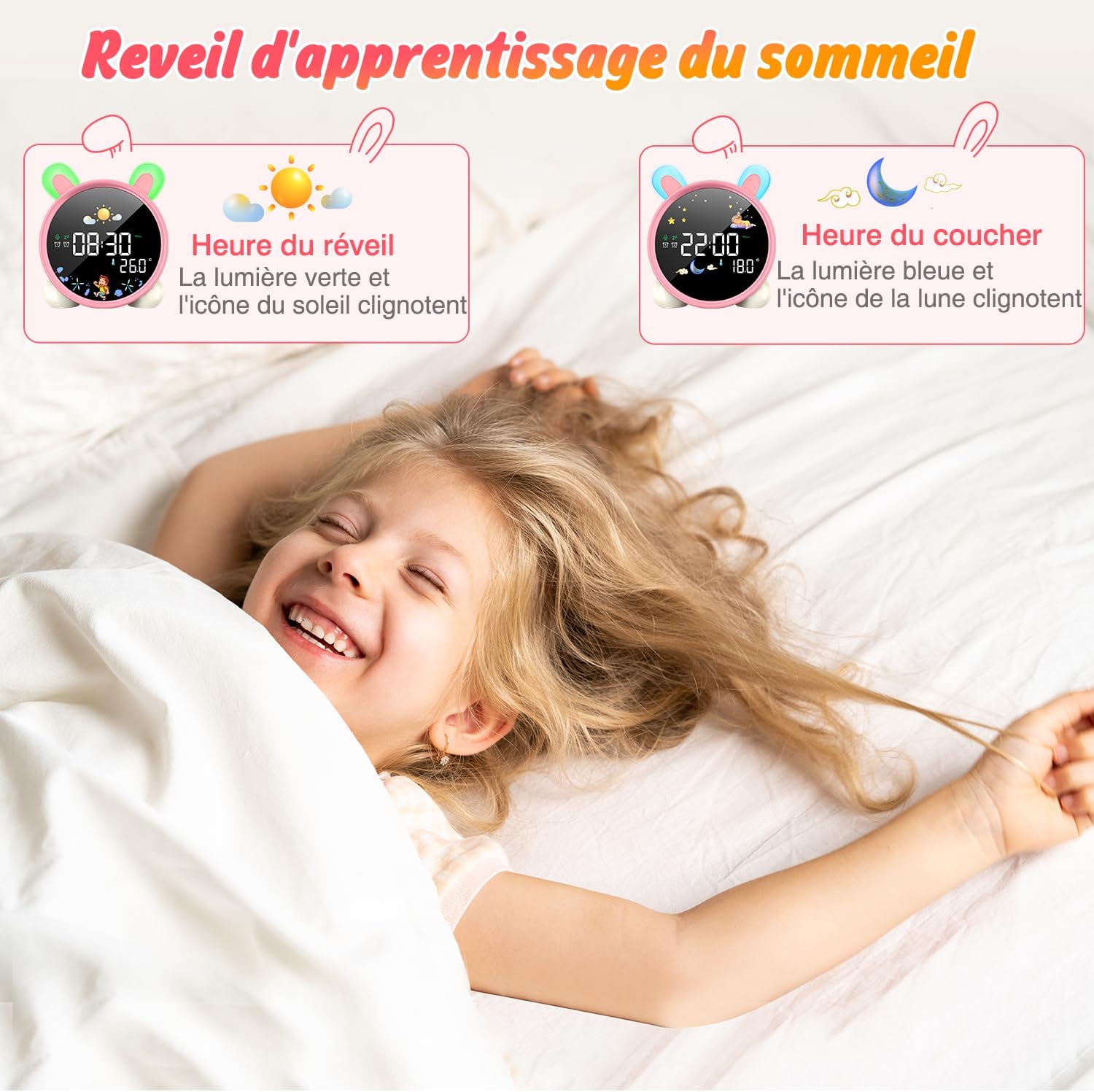
Image: The alarm clock displaying green light and sun icon for wake-up time, and blue light with moon icon for sleep time.
4. Fungsi Lampu Malam
The alarm clock features a 5-color night light. To adjust:
- Tekan ke HIDUP/MATI/CAHAYA button to cycle through the 5 colors.
- Tekan dan tahan HIDUP/MATI/CAHAYA untuk melaraskan tahap kecerahan.

Image: The alarm clock displaying various night light colors (yellow, blue, purple, white, gradient).
5. Paparan Suhu
The clock displays ambient temperature. Press the ° C / ° F butang untuk bertukar antara Celsius dan Fahrenheit.
Video: A demonstration of switching between Celsius and Fahrenheit temperature display on the alarm clock.
6. Sound-Activated Screen
The screen can be activated by sound or touch. When the screen is off, a light tap or sound will illuminate it for 20 seconds.
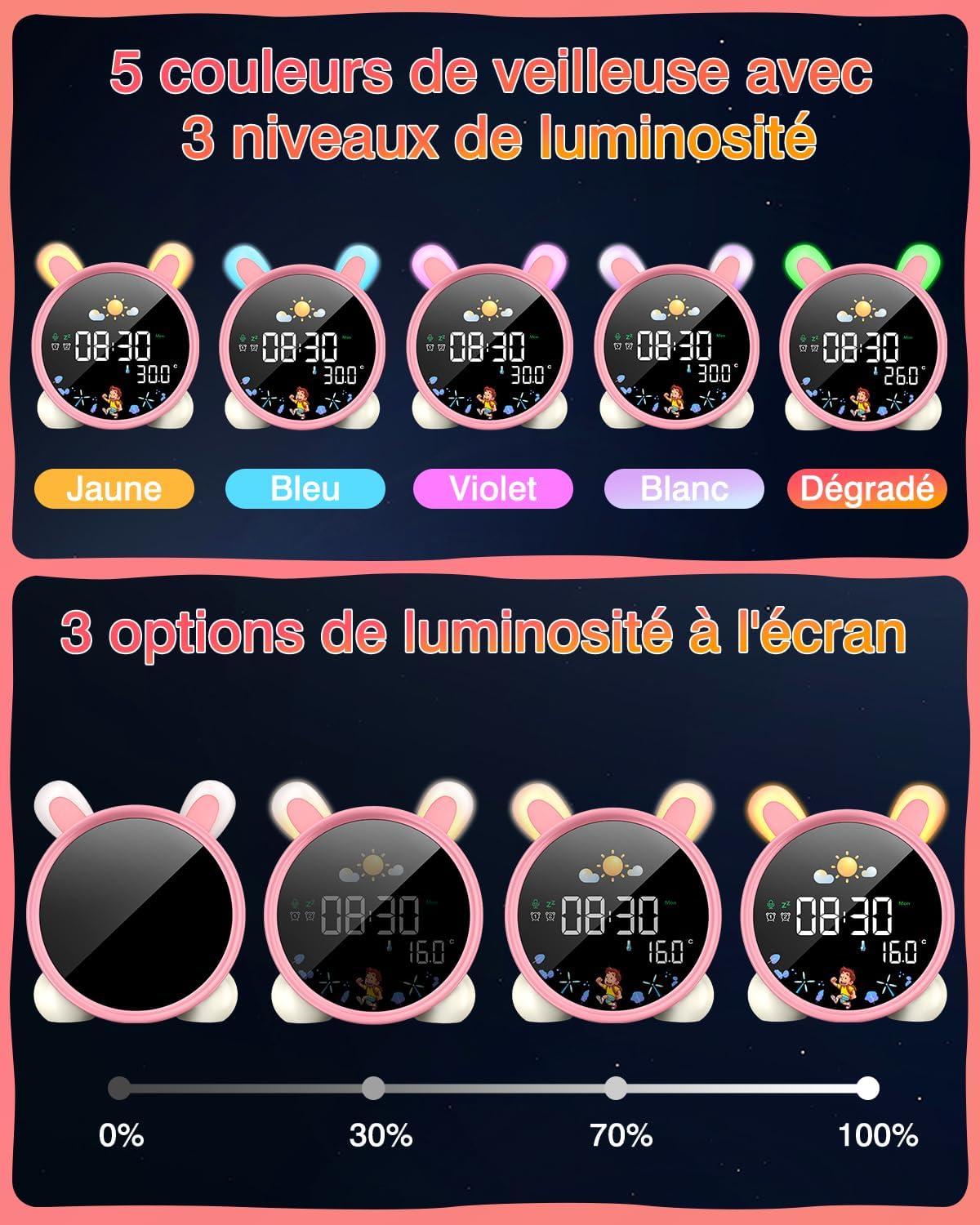
Image: A hand touching the alarm clock to activate its display.
7. Pemasa Undur
The alarm clock includes a countdown timer for various activities.
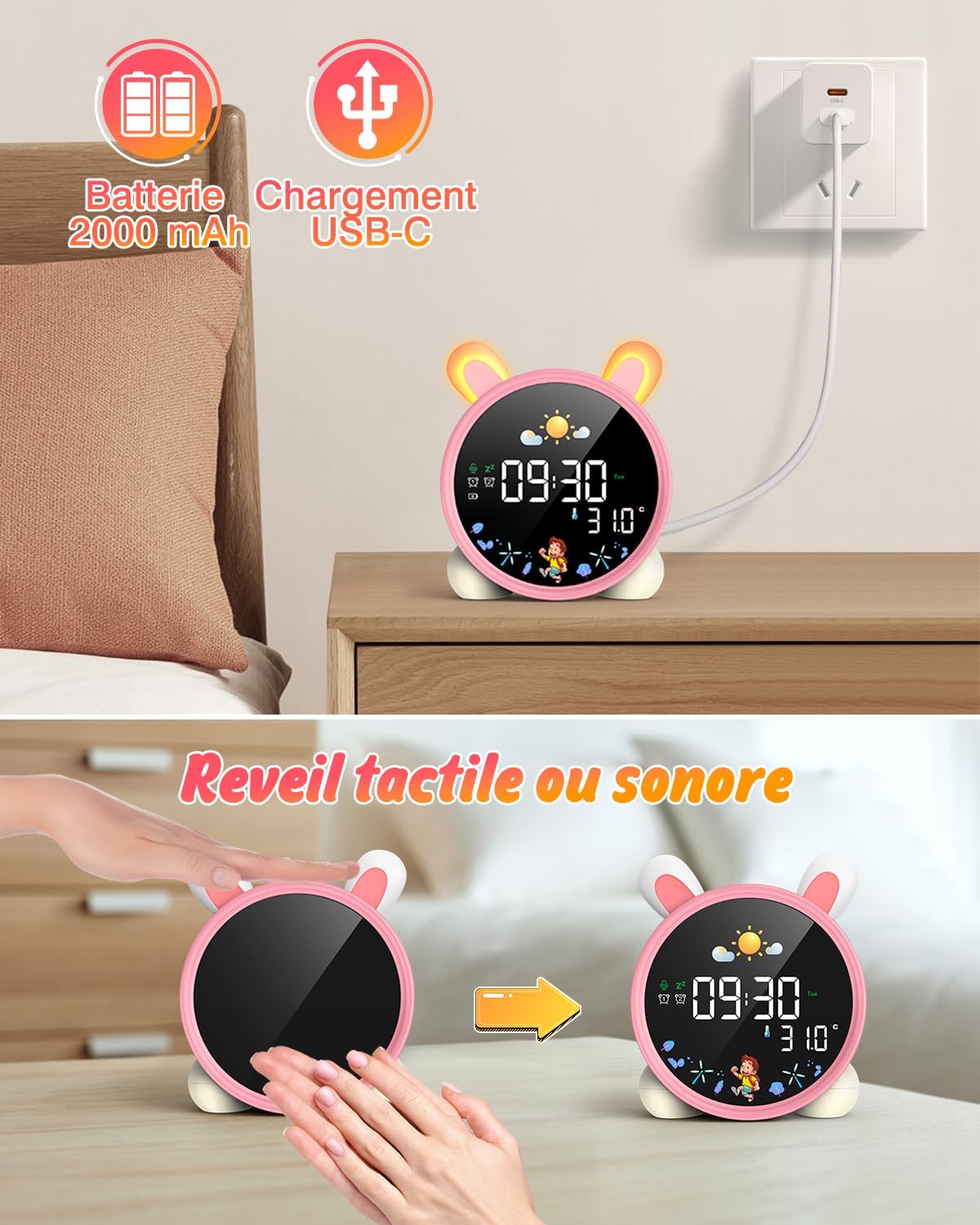
Image: The alarm clock displaying a countdown timer, useful for activities like reading or cooking.
Penyelenggaraan
- Bersihkan peranti dengan kain lembut dan kering. Jangan gunakan pembersih atau pelarut yang melelas.
- Keep the alarm clock away from water and excessive moisture.
- Elakkan daripada menjatuhkan peranti atau terkena impak yang kuat.
- Simpan di tempat yang sejuk dan kering apabila tidak digunakan untuk tempoh yang lama.
Menyelesaikan masalah
| Masalah | Kemungkinan Punca | Penyelesaian |
|---|---|---|
| Peranti tidak dihidupkan. | Bateri lemah atau tidak dicas. | Cas peranti sepenuhnya menggunakan kabel USB-C. |
| Penggera tidak berbunyi. | Penggera tidak ditetapkan atau kelantangan terlalu rendah. | Verify alarm settings and adjust volume. |
| Screen does not light up. | Screen light is off or battery is low. | Tap the device or make a sound to activate. Check battery level. |
| Day/Night function not working. | Settings not configured correctly. | Review and adjust the SUN/MOON settings. |
Spesifikasi
- Jenama: LEMNOI
- Nombor Model: SG7
- warna: Pink (Rabbit)
- Dimensi (L x W x H): 10 x 3.81 x 10 cm
- Berat: 265 gram
- Bahan: plastik
- Sumber Kuasa: Battery Powered (2000 mAh Lithium Battery)
- Jenis Paparan: digital
- Ciri Khas: Display, Alarm, Snooze, Temperature, Night Light
Maklumat Waranti
This product comes with a standard manufacturer's warranty. Please refer to the product packaging or contact your retailer for specific warranty terms and conditions. Keep your proof of purchase for any warranty claims.
Sokongan
For further assistance, technical support, or inquiries regarding your LEMNOI SG7 Educational Day/Night Alarm Clock, please contact the seller directly through the platform where the purchase was made. You may also visit the official LEMNOI brand store for additional resources.
LEMNOI Brand Store: Lawati Kedai
Ask a question about this manual
Ask about setup, troubleshooting, compatibility, parts, safety, or missing instructions. Manuals+ will review the question and use this page’s manual context to help answer it.