
pTron Bassbuds Astra
pTron Bassbuds Astra TWS Earbuds User Manual
Model: Bassbuds Astra
pengenalan
Thank you for choosing the pTron Bassbuds Astra TWS Earbuds. This manual provides essential information for setting up, operating, and maintaining your earbuds to ensure optimal performance and longevity. Please read this manual thoroughly before use.

Image: The pTron Bassbuds Astra TWS Earbuds with their charging case, showcasing the product design.
Kandungan Pakej
Pastikan semua item ada dalam pakej anda:
- pTron Bassbuds Astra TWS Earbuds
- Kes Pengecasan
- Kabel Pengecasan USB Jenis-C
- Silicone Eartips (S/M/L sizes)
- Manual Pengguna
Produk Selesaiview
Familiarize yourself with the components of your pTron Bassbuds Astra.

Imej: Atas ke bawah view of the pTron Bassbuds Astra earbuds removed from their charging case, illustrating their compact design.
- Earbud: Left and Right earbuds with touch control areas and charging contacts.
- Sarung Pengecasan: Houses and charges the earbuds, with a Type-C charging port and LED indicator.
- Telinga: Replaceable silicone tips for a secure and comfortable fit.
Persediaan
1. Mengecas Fon Telinga dan Sarung
Sebelum penggunaan pertama, cas sepenuhnya fon telinga dan bekas pengecas.
- Letakkan fon telinga ke dalam bekas pengecasan. Pastikan mereka duduk dengan betul.
- Sambungkan kabel USB Jenis-C ke port pengecasan pada kes dan hujung satu lagi ke penyesuai kuasa USB (tidak disertakan) atau port USB komputer.
- Penunjuk LED pada bekas akan menunjukkan status pengecasan. Setelah dicas sepenuhnya, penunjuk akan berubah atau padam.
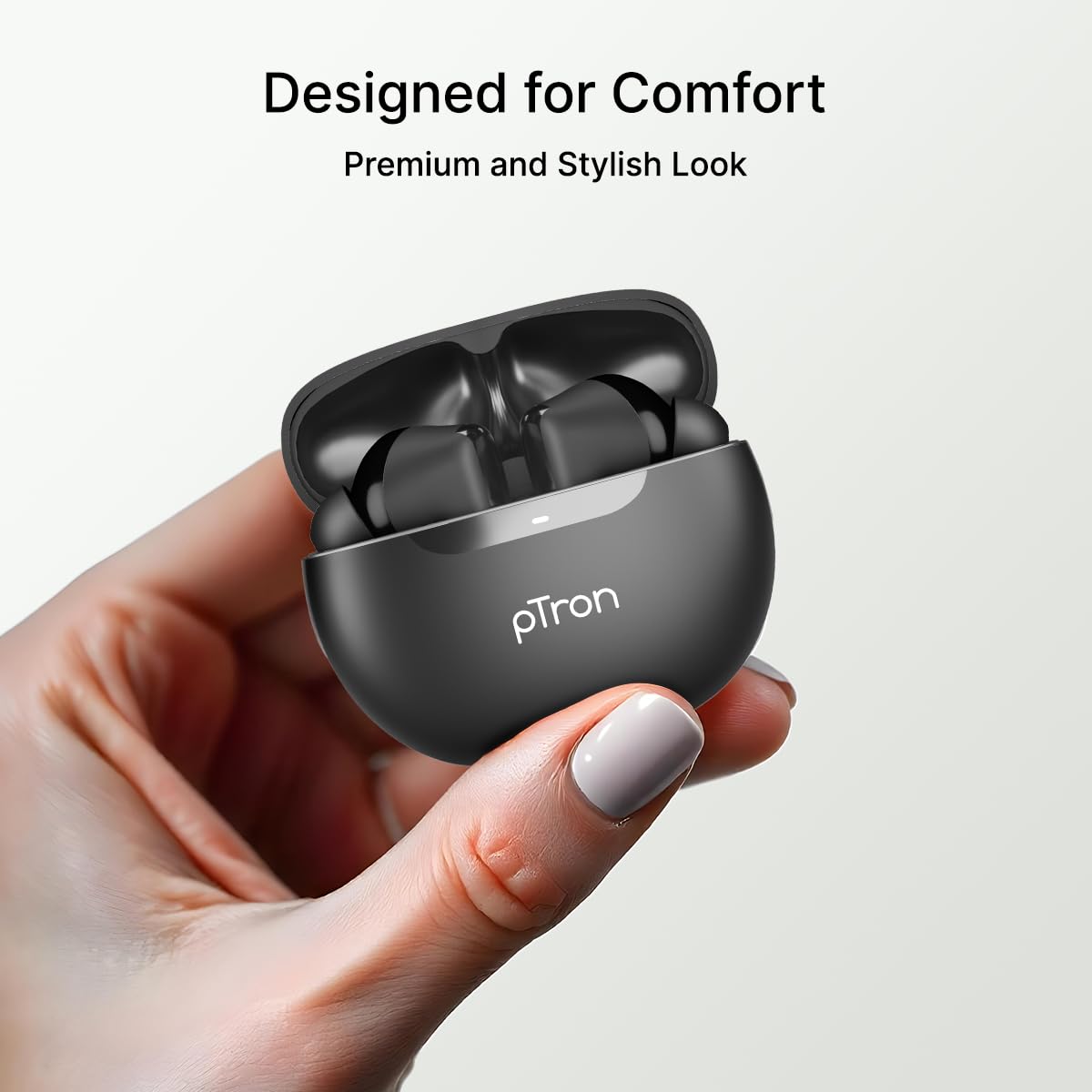
Image: An illustration highlighting the Type-C charging port and the fast charging capability of the earbuds.
Nota: The earbuds offer approximately 34 hours of total playtime with the charging case.
2. Berpasangan dengan Peranti Anda
Follow these steps to connect your earbuds via Bluetooth:
- Buka bekas pengecas. Fon telinga akan memasuki mod berpasangan secara automatik.
- Dayakan Bluetooth pada telefon pintar atau peranti anda yang lain.
- Cari untuk "pTron Bassbuds Astra" in the list of available Bluetooth devices.
- Select "pTron Bassbuds Astra" to connect. A voice prompt will confirm successful pairing.

Image: A smartphone screen showing an incoming call from "pTron" next to the earbuds and charging case, demonstrating quick Bluetooth v5.3 connectivity.
Fon telinga akan menyambung semula secara automatik ke peranti gandingan terakhir apabila dikeluarkan daripada sarung, jika Bluetooth didayakan pada peranti.
Arahan Operasi
1. Memakai Earbud
For optimal sound quality and comfort, choose the correct size eartips and wear the earbuds properly.
- Select the eartips (S/M/L) that provide a snug fit in your ear canal.
- Masukkan fon telinga ke dalam telinga anda dan putarkan perlahan-lahan sehingga terasa selamat dan selesa.

Image: A woman wearing a pTron Bassbuds Astra earbud, illustrating the ergonomic design for comfortable and secure fit during use.
2. Kawalan Sentuh
The pTron Bassbuds Astra feature intuitive touch controls on each earbud:
| Fungsi | Tindakan |
|---|---|
| Main/Jeda Muzik | Ketik sekali pada salah satu fon telinga |
| Trek Seterusnya | Ketik dua kali pada fon telinga kanan |
| Trek Sebelumnya | Ketik dua kali pada fon telinga kiri |
| Jawab/Tamatkan Panggilan | Ketik sekali pada salah satu fon telinga |
| Tolak Panggilan | Tekan lama pada kedua-dua fon telinga |
| Aktifkan Pembantu Suara | Ketik tiga kali pada salah satu fon telinga |
Image: A visual representation of key features including IPX4 water resistance, voice assistant activation, fast charging, and touch controls.
3. Mono and Stereo Mode
The earbuds support both stereo (using both earbuds) and mono (using a single earbud) modes. Simply take one earbud out of the case to use it in mono mode. The other earbud can remain in the case or be used simultaneously for stereo audio.
Penyelenggaraan
1. Pembersihan
- Bersihkan fon telinga dan bekas pengecas dengan kerap menggunakan kain yang lembut, kering dan tidak berbulu.
- Keluarkan telinga dan bersihkannya dengan sabun dan air lembut, kemudian keringkan dengan teliti sebelum disambungkan semula.
- Pastikan kanta pengecas pada kedua-dua fon telinga dan sarung bebas daripada habuk dan serpihan.
2. Rintangan Air (IPX4)
The pTron Bassbuds Astra are IPX4 rated, meaning they are resistant to splashing water from any direction. This makes them suitable for workouts and light rain.
- Jangan tenggelamkan fon telinga dalam air.
- Avoid exposing them to high-pressure water jets.
- Pastikan fon telinga kering sebelum meletakkannya semula ke dalam bekas pengecas untuk mengelakkan kerosakan.
3. Penyimpanan
Apabila tidak digunakan, simpan fon telinga dalam bekas pengecasnya untuk melindunginya dan memastikan ia dicas. Simpan di tempat yang sejuk dan kering jauh dari suhu yang melampau.
Menyelesaikan masalah
Jika anda menghadapi sebarang masalah, rujuk kepada penyelesaian biasa berikut:
| Masalah | Penyelesaian |
|---|---|
| Fon telinga tidak berpasangan | Ensure earbuds are charged. Turn off and on Bluetooth on your device. Forget "pTron Bassbuds Astra" from your device's Bluetooth list and re-pair. |
| Hanya satu fon telinga berfungsi | Letakkan kedua-dua fon telinga kembali ke dalam bekas pengecasan, tutup penutupnya, kemudian bukanya semula. Pastikan kedua-dua fon telinga telah dicas. |
| Tiada bunyi | Periksa kelantangan peranti. Pastikan fon telinga disambungkan. Cuba mainkan audio yang berbeza. |
| Kawalan sentuhan tidak bertindak balas | Ensure your fingers are clean and dry. Try restarting the earbuds by placing them in the case and taking them out. |
| Isu pengecasan | Check the charging cable and adapter. Ensure charging contacts on earbuds and case are clean. |
Spesifikasi
Key technical specifications for the pTron Bassbuds Astra TWS Earbuds:
- Nama Model: Bassbuds Astra
- Ketersambungan: Bluetooth V5.3
- Julat Tanpa Wayar: Sehingga 10 meter
- Saiz Pemacu Audio: Pemacu Dinamik 13mm
- Hayat Bateri: Hingga 34 jam (dengan cas pengecasan)
- Port Pengecasan: USB Jenis-C
- Tahan Air: IPX4
- Kaedah Kawalan: Sentuh
- Bahan: Akrilonitril Butadiena Stirena (ABS)
- Berat Barang: 40 gram
- Komponen yang Disertakan: Earbuds, Charging Case, USB Type-C Cable, Eartips, User Manual

Image: A detailed diagram of a 13mm sonic surge driver alongside the pTron Bassbuds Astra charging case, emphasizing the audio technology and extended 34-hour playtime.
Waranti dan Sokongan
Your pTron Bassbuds Astra TWS Earbuds come with a Waranti pengilang 6 bulan from the date of purchase, covering manufacturing defects only.
For warranty claims, technical support, or any other inquiries, please contact pTron customer care:
- telefon: 040-67138888
- e-mel: support@ptron.in
Please retain your purchase receipt for warranty validation.
Ask a question about this manual
Ask about setup, troubleshooting, compatibility, parts, safety, or missing instructions. Manuals+ will review the question and use this page’s manual context to help answer it.