
1. Pengenalan
Terima kasih kerana membeliasing the Zenwire D300S Mini Projector. This manual provides essential information for the safe and efficient operation of your device. Please read it thoroughly before use and retain it for future reference.
Langkah-langkah Keselamatan
- Jangan lihat terus ke dalam kanta projektor apabila lamp sedang aktif.
- Pastikan pengudaraan yang betul untuk mengelakkan terlalu panas. Jangan sekat bukaan pengudaraan.
- Gunakan hanya penyesuai kuasa yang disediakan.
- Jauhkan projektor daripada air atau cecair lain.
- Elakkan meletakkan projektor pada permukaan yang tidak stabil.
- Jangan cuba membuka atau membaiki projektor sendiri. Hubungi kakitangan servis yang berkelayakan.
2. Kandungan Pakej
Sila pastikan semua item ada dalam pakej anda:
- Zenwire D300S Mini Projector
- Alat Kawalan Jauh
- Penyesuai Kuasa
- AV kabel
- Manual Pengguna (dokumen ini)
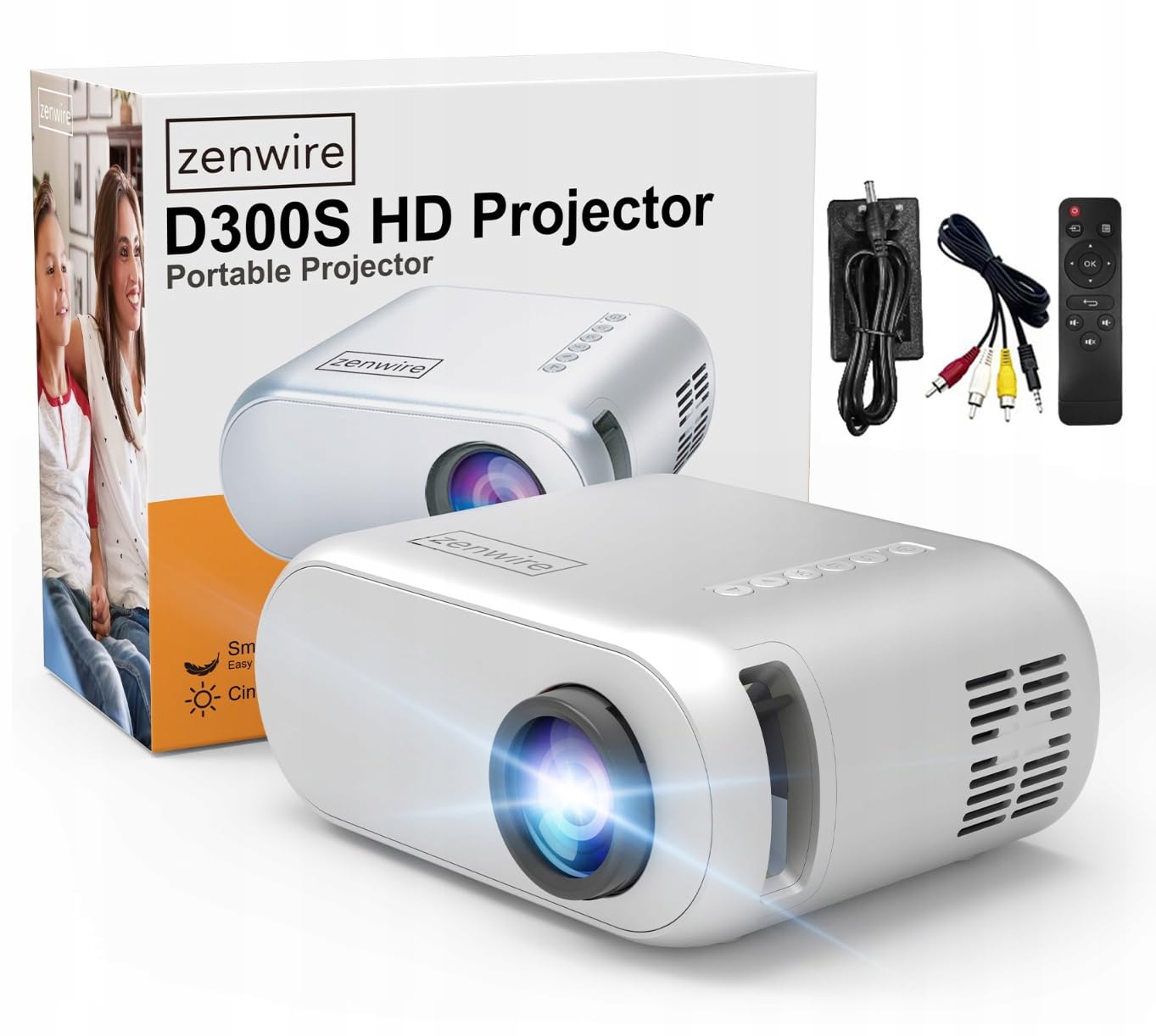
Image 2.1: Zenwire D300S Mini Projector and included accessories.
3. Produk Lebihview
Projector Front and Top View
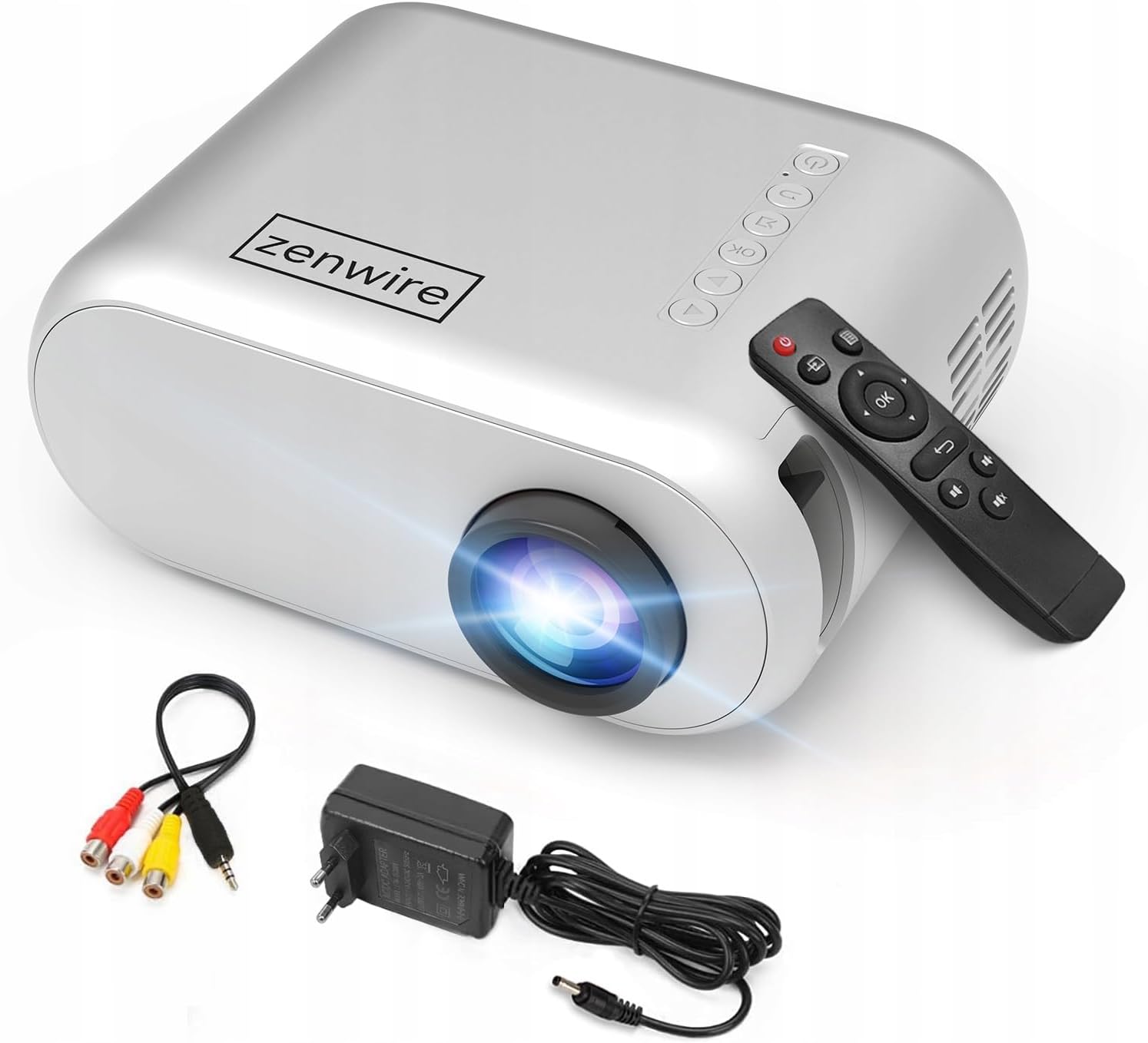
Imej 3.1: Bahagian hadapan dan atas view of the projector, showing the lens and top control panel.
Panel Belakang dan Kesambungan
The rear panel of the projector features various ports for connecting external devices:

Imej 3.2: Belakang view of the projector, highlighting the input/output ports.
- Input AV: For connecting devices using the included AV cable.
- Input HDMI: For connecting devices such as laptops, gaming consoles, or streaming sticks.
- Port USB: Untuk menyambungkan pemacu kilat USB untuk memainkan media files secara langsung.
- Output AUX: Untuk menyambungkan pembesar suara luaran atau fon kepala.
- Input Kuasa DC: Untuk menyambungkan penyesuai kuasa.
Panel Kawalan Atas
The top of the projector features a control panel for basic operations:
- Butang Kuasa: Menghidupkan atau mematikan projektor.
- Butang Navigasi (Atas/Bawah/Kiri/Kanan): Digunakan untuk menavigasi menu.
- Butang OK: Mengesahkan pilihan.
- Butang Belakang: Kembali ke menu atau skrin sebelumnya.
- Butang Sumber: Selects input source (HDMI, AV, USB).
4. Persediaan
4.1 Penempatan
Place the projector on a stable, flat surface. Ensure there is adequate space around the projector for ventilation. The projection distance affects the screen size. Refer to the image below for recommended distances and corresponding screen sizes.

Image 4.1: Recommended projection distances and screen sizes.
- For a 30-inch screen, place the projector approximately 0.9 meters away.
- For a 50-inch screen, place the projector approximately 1.5 meters away.
- For an 80-inch screen, place the projector approximately 2.4 meters away.
- For a 100-inch screen, place the projector approximately 3.0 meters away.
4.2 Sambungan Kuasa
Connect the power adapter to the DC Power Input port on the projector, then plug the adapter into a power outlet.
4.3 Menyambung Peranti
The Zenwire D300S supports various input sources:
Imej 4.2: Cthamples of devices that can be connected to the projector.
- HDMI: Connect your laptop, gaming console, or streaming device using an HDMI cable.
- USB: Masukkan pemacu kilat USB ke dalam port USB untuk memainkan media files secara langsung.
- DARI: Use the included AV cable to connect older devices like DVD players.
- Audio Out (AUX): Sambungkan pembesar suara atau fon kepala luaran ke port AUX untuk audio yang dipertingkatkan.
4.4 Pelarasan Fokus
Turn on the projector. Adjust the focus ring located near the lens until the projected image is clear and sharp.
5. Arahan Operasi
5.1 Hidupkan/Mati Kuasa
Press the Power button on the projector or the remote control to turn the device on or off.
5.2 Pemilihan Sumber
After powering on, use the 'Source' button on the projector or remote control to select the desired input source (HDMI, AV, USB).
5.3 Menu Navigasi
Use the navigation buttons (Up/Down/Left/Right) on the projector or remote to browse through menus. Press 'OK' to confirm a selection and 'Back' to return.
5.4 Kawalan Kelantangan
Laraskan kelantangan menggunakan butang kelantangan pada alat kawalan jauh.
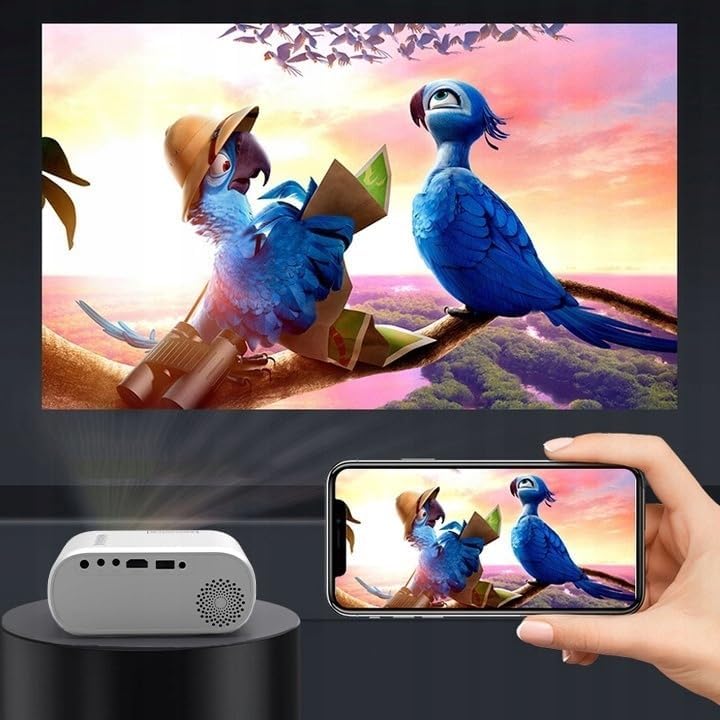
5.5 Connecting to a Phone/Laptop
To project content from a phone or laptop:
- Untuk Komputer riba: Connect via HDMI cable. Select HDMI as the input source on the projector.
- Untuk Telefon: Depending on your phone model, you may need an adapter (e.g., USB-C to HDMI, Lightning to HDMI) to connect via HDMI. Alternatively, some phones support wireless display technologies that can be used with a compatible streaming stick connected to the projector's HDMI port.

Image 5.1: Projecting content from a smartphone to the Zenwire D300S Mini Projector.
6. Penyelenggaraan
6.1 Membersihkan Lensa
Gunakan kain lembut dan bebas lin yang direka khusus untuk kanta optik untuk mengelap kanta projektor dengan perlahan. Jangan gunakan pembersih yang melelas atau kekerasan yang berlebihan.
6.2 Membersihkan Badan Projektor
Lap bahagian luar projektor dengan kain lembut dan kering. Untuk tanda degil, sedikit damp kain boleh digunakan, diikuti dengan kain kering.
6.3 Pengudaraan
Periksa dengan kerap bahawa bukaan pengudaraan bebas daripada habuk dan halangan untuk memastikan aliran udara yang betul dan mengelakkan terlalu panas.
7. Penyelesaian masalah
Jika anda menghadapi masalah dengan projektor anda, sila rujuk masalah dan penyelesaian biasa berikut:
| Masalah | Kemungkinan Punca | Penyelesaian |
|---|---|---|
| Tiada imej ditayangkan | Power not connected, incorrect input source, device not sending signal. | Check power connection, select correct input source, ensure connected device is on and outputting video. |
| Imej kabur | Focus not adjusted, projector too close/far. | Adjust the focus ring, reposition the projector according to recommended distances. |
| Tiada bunyi | Volume too low, external speakers not connected, audio format not supported. | Increase volume, connect external speakers via AUX, check audio settings on source device. |
| Alat kawalan jauh tidak berfungsi | Batteries dead, obstruction between remote and projector. | Gantikan bateri, pastikan garis penglihatan yang jelas ke penerima IR projektor. |
8. Spesifikasi
- model: Zenwire D300S
- Resolusi Asli: 1280 x 720p HD
- Kecerahan: 3000 Lumen (100 ANSI Lumen)
- Ketersambungan: HDMI, USB, AUX, AV
- Nisbah Aspek: 16:9 / 4:3
- Jarak Unjuran: 0.9m - 3.0m (approx. 30-100 inches)
9. Waranti dan Sokongan
The Zenwire D300S Mini Projector comes with a standard manufacturer's warranty. Please refer to the warranty card included in your package for specific terms and conditions. For technical support or service inquiries, please contact your retailer or the Zenwire customer service department.