
1. Arahan Keselamatan Penting
Please read this manual carefully before using the DaranEner Portable Power Station NEOK2. Failure to follow these instructions may result in electric shock, fire, or serious injury. Keep this manual for future reference.
- Jangan membongkar, memperbaiki atau mengubah unit.
- Keep the unit away from fire or direct sunlight.
- Jangan gunakan atau simpan unit di dalam bilik mandi atau di kawasan yang terdedah kepada air atau lembapan.
- Gunakan hanya aksesori yang disediakan atau diluluskan.
- Pastikan pengudaraan yang betul semasa penggunaan dan pengecasan.
- Jangan jatuhkan, hentam atau tertakluk kepada hentaman kuat pada unit ini.
- Jauhkan daripada kanak-kanak.
- Buang produk mengikut peraturan tempatan.
2. Kandungan Pakej
Sahkan bahawa semua item terdapat dalam pakej anda:
- 1x DaranEner Portable Power Station NEOK2
- 1x Kabel Pengecas AC
- 1x Manual Pengguna
3. Produk Lebihview
The DaranEner Portable Power Station NEOK2 is a versatile power solution designed for outdoor activities, RVs, and home emergency use. It features a 288Wh LiFePO4 battery and provides up to 600W (1200W surge) of power output.

Rajah 3.1: Depan view of the DaranEner Portable Power Station, highlighting its multiple output ports.
The unit is equipped with a digital display that shows real-time status, including battery level, input/output wattage, dan baki masa jalan.

Figure 3.2: Close-up of the digital display on the power station.
It offers a variety of output options to power different devices:
- 2x AC Outlets (600W, 1200W Surge)
- 1x USB-C PD100W Port
- 2x USB-A (18W) Ports
- 1x DC Output (Car Socket)
Video 3.1: Tamatview of the DaranEner 600W Portable Power Station, demonstrating its features and ports.
4. Persediaan
4.1 Pengecasan Awal
Before first use, fully charge the power station. Connect the provided AC charging cable to the input port on the unit and then to a wall outlet. The digital display will indicate the charging status.
4.2 Menyambung Peranti
Once charged, you can connect your devices to the appropriate output ports. Ensure that the total power consumption of your devices does not exceed the power station's rated output of 600W.
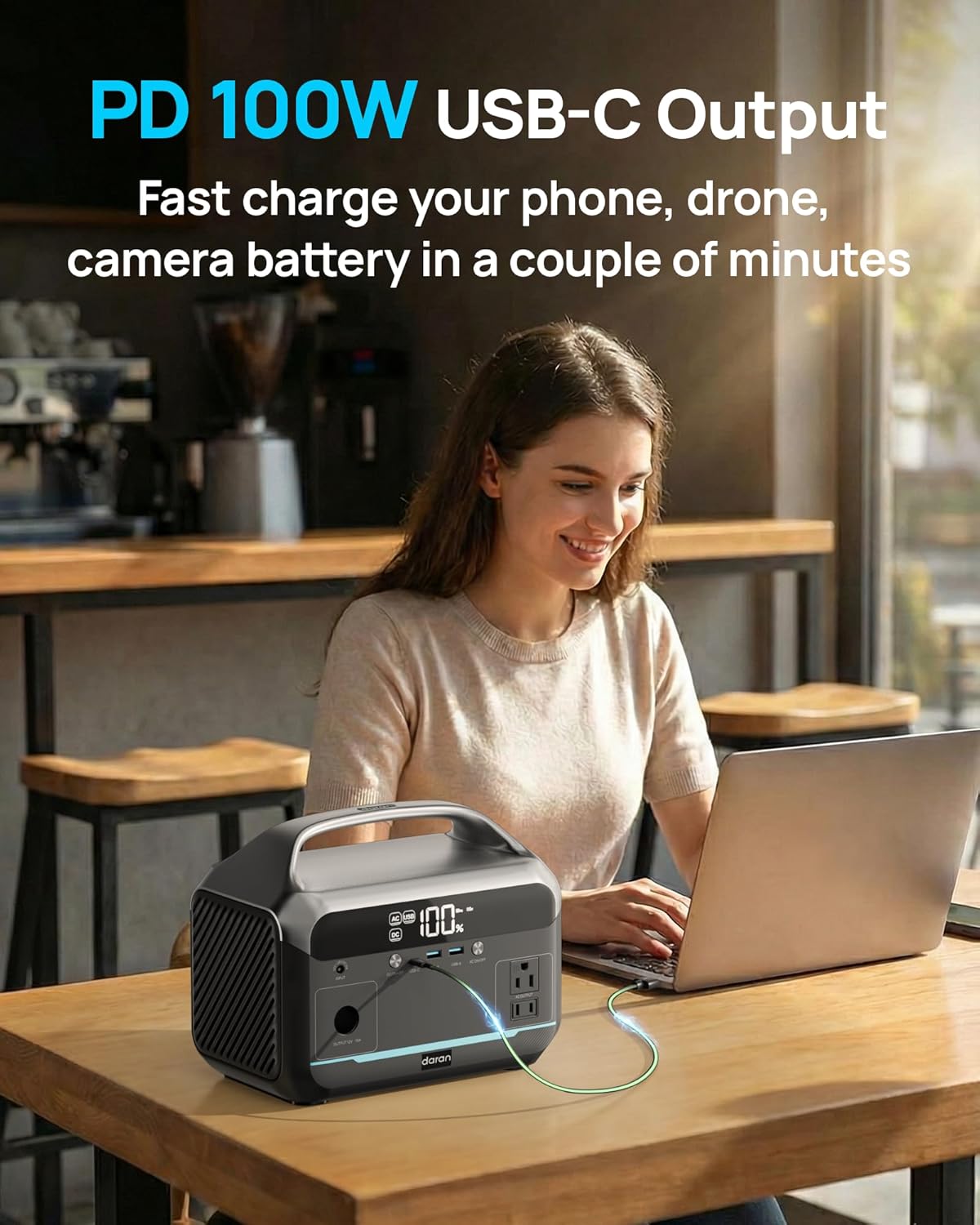
Figure 4.1: The power station simultaneously charging a laptop and a smartphone.
5. Mengendalikan Stesen Janakuasa
5.1 Menghidupkan/Mematikan
Tekan dan tahan butang kuasa utama untuk menghidupkan atau mematikan unit. Paparan digital akan menyala setelah diaktifkan.
5.2 Menggunakan Soket AC
Press the AC ON/OFF button to activate the AC outlets. Plug your devices into the 110V AC ports. Ensure the device's wattage is within the 600W limit. The AC port will automatically turn off if the battery level drops below 10% to prevent damage.

Figure 5.1: Close-up of the AC outlets on the power station.
5.3 Menggunakan Port USB
The power station includes 1x USB-C PD100W port and 2x USB-A 18W ports. These ports are always active when the unit is on. Connect your USB-compatible devices for fast charging.

Figure 5.2: A smartphone being fast-charged using the PD 100W USB-C port.
5.4 Using DC Output (Car Socket)
Press the DC ON/OFF button to activate the 12V car socket output. This is suitable for devices like car refrigerators or CPAP machines that use a 12V car adapter.
5.5 Fungsi Lampu LED
The integrated LED light can be activated by pressing its dedicated button. Press once for steady illumination, and press again to cycle through different modes, including an SOS signal for emergencies.
5.6 Power Limit Warning
Do not connect devices that exceed the 600W output limit. Overloading the power station can cause it to shut down or result in damage. Exampkurang daripada wat tinggitage appliances to avoid include microwaves, rice cookers, electric drills, hair dryers, and induction cookers.

Figure 5.3: Visual warning against connecting high-wattagperalatan elektronik.
6. Mengecas Semula Stesen Janakuasa
The DaranEner NEOK2 offers multiple recharging options:

Figure 6.1: Illustration of the three recharging methods.
6.1 Pengecasan AC
Use the included AC charging cable to recharge the unit from a standard wall outlet. The power station can reach 80% charge in approximately 2 hours.
6.2 Pengecasan Suria
The power station supports solar input for charging (solar panel not included). Connect a compatible solar panel to the input port. Charging time will vary depending on solar panel wattage dan keadaan cahaya matahari.
6.3 Mengecas Kereta
The unit can be recharged via a car charger (car charging cable not included). Connect the appropriate cable to your vehicle's 12V outlet and the power station's input port.
7. Battery Information and Maintenance
The DaranEner NEOK2 uses a durable LiFePO4 battery, known for its long lifespan and safety features.
7.1 LiFePO4 Battery Lifespan
The LiFePO4 battery is designed for over 3500 charge cycles to 80%+ capacity, offering years of reliable use.

Figure 7.1: Illustration of the LiFePO4 battery structure and its extended cycle life.
7.2 Sistem Pengurusan Bateri (BMS)
An advanced Battery Management System (BMS) protects the unit against overheating, short circuits, and overloads, ensuring safe operation.
7.3 Garis Panduan Penyimpanan
For optimal battery health, store the power station in a cool, dry place away from direct sunlight. If storing for extended periods, recharge the unit to 50-80% every 3-6 months.
7.4 Low Battery Protection
When the battery level reaches 10%, the AC output ports will automatically shut off to prevent deep discharge and protect the battery. DC and USB ports will remain available until the battery is fully depleted.
8. Penyelesaian masalah
8.1 Unit Does Not Turn On or Charge
- Ensure the power button is pressed and held for a few seconds to activate the unit.
- Verify that the AC charging cable is securely connected to both the power station and a working wall outlet.
- Check if the AC charging cable is damaged.
- If using solar or car charging, ensure connections are secure and the power source is active.
8.2 AC Outlets Not Working
- Ensure the AC ON/OFF button has been pressed to activate the AC output.
- Check the battery level. AC output automatically disables below 10% charge.
- Verify that the connected device's wattage does not exceed 600W. Overload protection may have activated. Disconnect the device and restart the AC output.
8.3 USB/DC Ports Not Working
- Pastikan stesen janakuasa dihidupkan.
- For DC output, ensure the DC ON/OFF button has been pressed.
- Check if the USB or DC cable is securely connected and undamaged.
- Try a different port or device to isolate the issue.
9. Spesifikasi
| Ciri | Spesifikasi |
|---|---|
| Jenama | DaranEner |
| Nama Model | NEOK2 |
| Kapasiti Bateri | 288Wh (equivalent to 15 Amp Hours at 19.2V) |
| Komposisi Sel Bateri | LiFePO4 (Litium Besi Fosfat) |
| Output Wattage | 600 Watts (1200W Surge) |
| Kedai AC | 2x 110V AC |
| Output USB-C | 1x PD 100W |
| Keluaran USB-A | 2x 18W |
| Keluaran DC | 1x Car Socket (12V) |
| Sumber Kuasa | Battery-Powered, Solar Powered (optional), AC/DC (10V-26V max) |
| Masa Cas Semula (AC) | 80% in approximately 2 hours |
| Dimensi | 9.3 x 6 x 7.5 inci |
| Berat badan | 8.7 lb (2600 Grams battery weight) |
| Ciri Khas | Portable, USB Port, Integrated LED Light with SOS mode |
10. Waranti dan Sokongan
DaranEner is committed to providing reliable products and support. If you encounter any issues or have questions regarding your Portable Power Station NEOK2, please do not hesitate to contact our customer service team.
We strive to provide a satisfactory solution for all inquiries. Please refer to your purchase documentation or the official DaranEner webtapak untuk butiran waranti khusus dan maklumat hubungan.