
1. Produk Lebihview
The KBOD Smartwatch S95 Pro is a high-quality, durable, and technologically advanced smartwatch designed for daily use. It features a vibrant 2.01-inch display with a resolution of 240px x 296px, offering a clear and crisp visual experience. Built with premium materials, including a splash-resistant design and scratch-resistant glass, it ensures reliable performance in various conditions. The anatomical design provides ergonomic comfort, and its long-lasting battery keeps you connected throughout your day. The S95 Pro also includes interchangeable silicone straps for personalized style and enhanced durability.

Image: The KBOD Smartwatch S95 Pro in grey, showcasing reka bentuk dan paparannya yang anggun.
2. Apa yang ada di dalam Kotak
Upon unboxing your KBOD Smartwatch S95 Pro, please verify that all components are present and in good condition. The standard package includes:
- 1 x KBOD Smartwatch S95 Pro
- 1 x Silicone Strap (interchangeable)
- 1 x Wireless Magnetic Charger
- 1 x Manual Pengguna
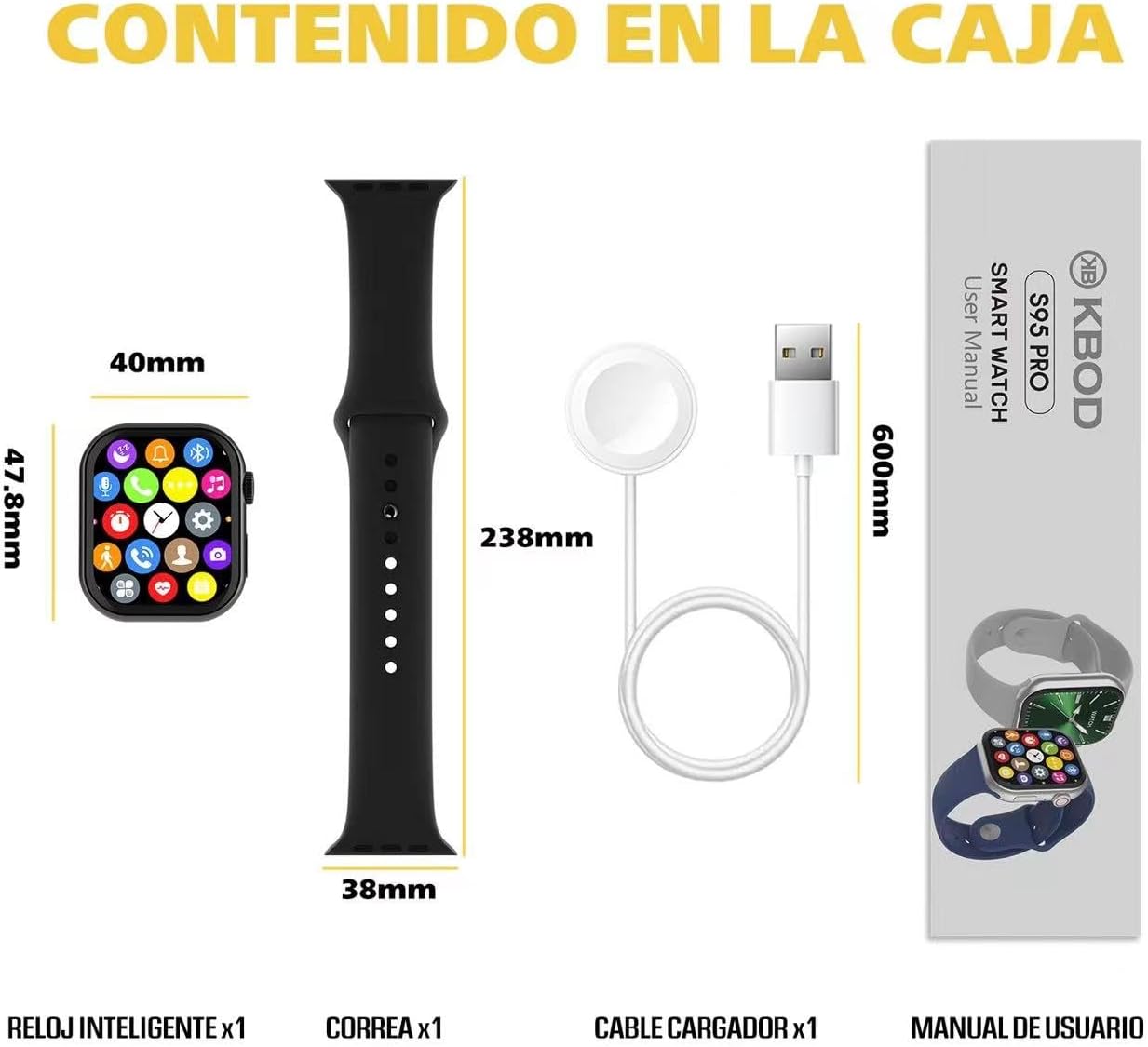
Image: Contents of the KBOD Smartwatch S95 Pro package, including the watch, strap, charger, and manual.
3. Panduan Persediaan
3.1 Mengecas Jam Pintar
Before first use, fully charge your smartwatch. The S95 Pro features a long-lasting battery and a convenient wireless magnetic charger.
- Connect the USB end of the magnetic charger to a compatible USB power adapter (not included) or a computer USB port.
- Place the back of your smartwatch onto the magnetic charging pad. Ensure the charging pins align correctly. The watch screen will indicate charging status.
- A full charge typically takes approximately 1.5 hours. The watch offers over 7 days of typical usage and 30+ days of standby time on a single charge.
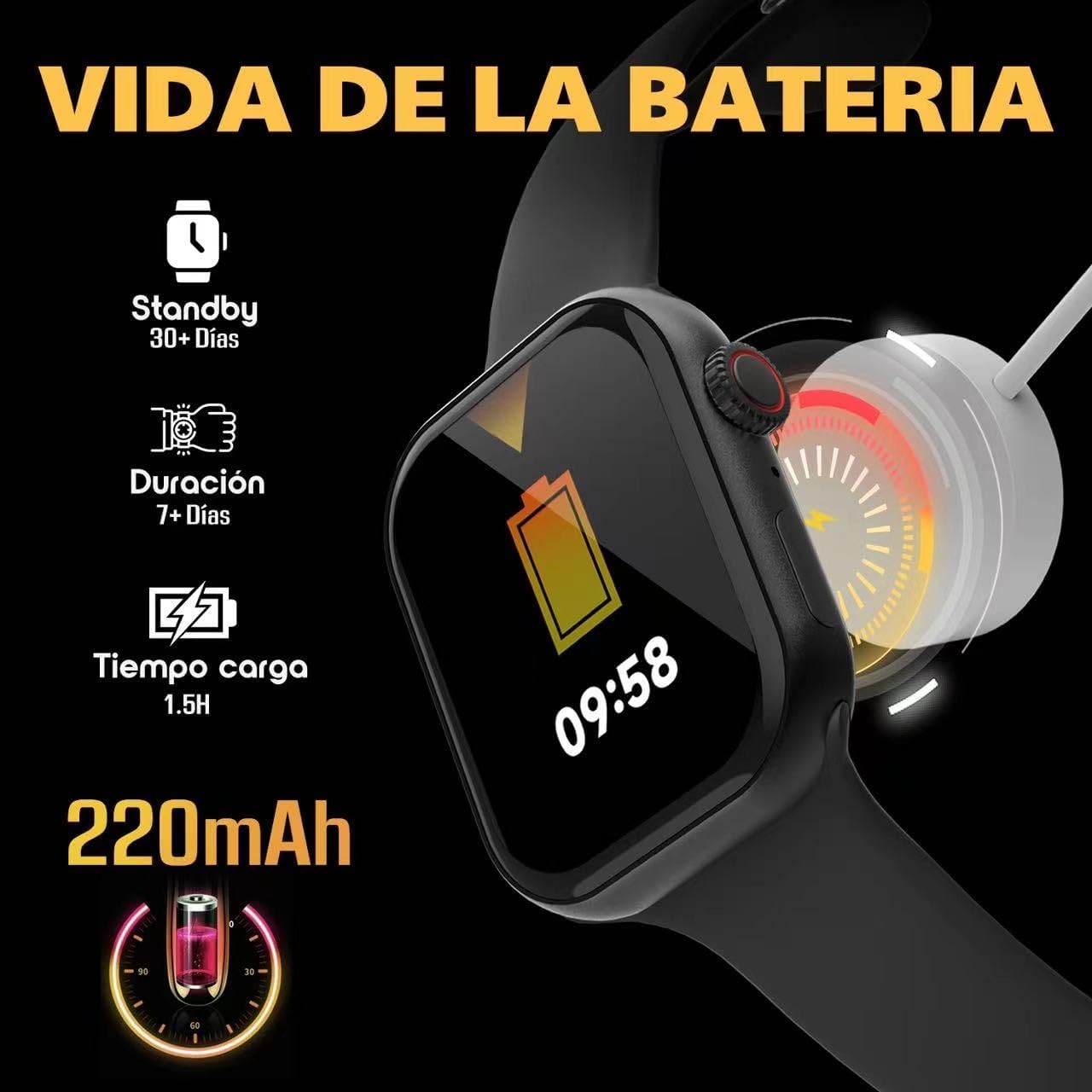
Image: Visual guide to charging the S95 Pro, highlighting battery life and charging time.
3.2 Berpasangan dengan Telefon Pintar Anda
To unlock the full potential of your S95 Pro, pair it with your smartphone via Bluetooth. The smartwatch is compatible with universal electronic devices.
- Download the official KBOD companion app from your smartphone's app store (iOS or Android).
- Pastikan Bluetooth didayakan pada telefon pintar anda.
- Open the KBOD app and follow the on-screen instructions to search for and connect to your S95 Pro.
- Sahkan permintaan berpasangan pada telefon pintar dan jam tangan pintar anda.
4. Arahan Operasi
4.1 Navigasi Asas
The S95 Pro features a responsive touch screen and a side button for navigation.
- Skrin Sentuh: Leret ke kiri/kanan, ke atas/bawah untuk menavigasi menu dan widget. Ketik untuk memilih item.
- Butang Sisi: Tekan untuk kembali ke skrin utama atau mengaktifkan peranti. Tekan lama untuk pilihan kuasa.
4.2 Membuat dan Menerima Panggilan
With Bluetooth connectivity, you can manage calls directly from your smartwatch.
- Menjawab Panggilan: Apabila panggilan masuk, ketik ikon jawapan hijau pada skrin jam tangan anda.
- Membuat Panggilan: Akses senarai pendail atau kenalan pada jam tangan anda untuk memulakan panggilan.

Image: The S95 Pro's Bluetooth call feature, allowing users to answer calls directly from the watch.
4.3 Pemberitahuan
Receive real-time notifications from your paired smartphone directly on your S95 Pro.
- Ensure notification permissions are enabled in the KBOD app on your smartphone.
- Leret ke bawah dari bahagian atas muka jam tangan ke view sejarah pemberitahuan anda.
4.4 Menyesuaikan Muka Jam
Personalize your smartwatch with over 500 available watch faces.
- Long press on the current watch face to enter the customization mode.
- Swipe left or right to browse through pre-installed watch faces.
- Use the companion app to download and install additional watch faces.

Image: A selection of the 500+ watch faces available for the S95 Pro, allowing for personalized display.
4.5 Health and Sport Modes
The S95 Pro supports various health monitoring and sports tracking features.
- Akses ke
Ask a question about this manual
Ask about setup, troubleshooting, compatibility, parts, safety, or missing instructions. Manuals+ will review the question and use this page’s manual context to help answer it.