
1. Pengenalan
This manual provides detailed instructions for the setup, operation, and maintenance of your WOOPKER HY300 PRO Mini Projector. Please read this manual thoroughly before using the product to ensure proper functionality and to extend its lifespan.
2. Produk Lebihview
2.1 Ciri-ciri Utama
- Sistem Pengendalian Android 11: Built-in Android 11 for direct access to streaming content and applications.
- WiFi6 Connectivity: Utilizes the latest WiFi6 technology for higher transmission rates and lower latency, enabling quick wireless synchronization.
- Bluetooth 5.0 and HiFi Speaker: Features a built-in 1*3W HiFi speaker for immersive audio and Bluetooth 5.0 for connecting headphones or external speakers (note: does not support connecting to smartphone/laptop Bluetooth).
- Reka Bentuk Boleh Putar 180°: The projector base allows for flexible adjustment of projection angles, including wall-to-ceiling projection, without fixed installation.
- Auto Horizontal Keystone Correction: Automatically corrects skewed images for a perfect picture, complemented by manual focus adjustment.
- 4K 1080P Full HD Support: Delivers sharp and clear images with 260 ANSI Lumens (8000 Lumens), a 10000:1 contrast ratio, and support for 4K content.
- Aplikasi luas: Equipped with HDMI, USB, and 3.5mm headphone ports for compatibility with various devices such as TV Sticks, game consoles, PCs, smartphones, tablets, laptops, and DVD players.
2.2 Kandungan Pakej
Sahkan bahawa semua item terdapat dalam pakej:
- WOOPKER HY300 PRO Mini Projector
- Alat Kawalan Jauh
- Kord Kuasa
- Manual Pengguna (dokumen ini)
Note: An HDMI cable is not included and must be purchased separately if needed.

Image: The WOOPKER HY300 PRO Mini Projector, a compact white cylindrical device with a rotatable base, showcasing its lens and ventilation. This is the main product image.
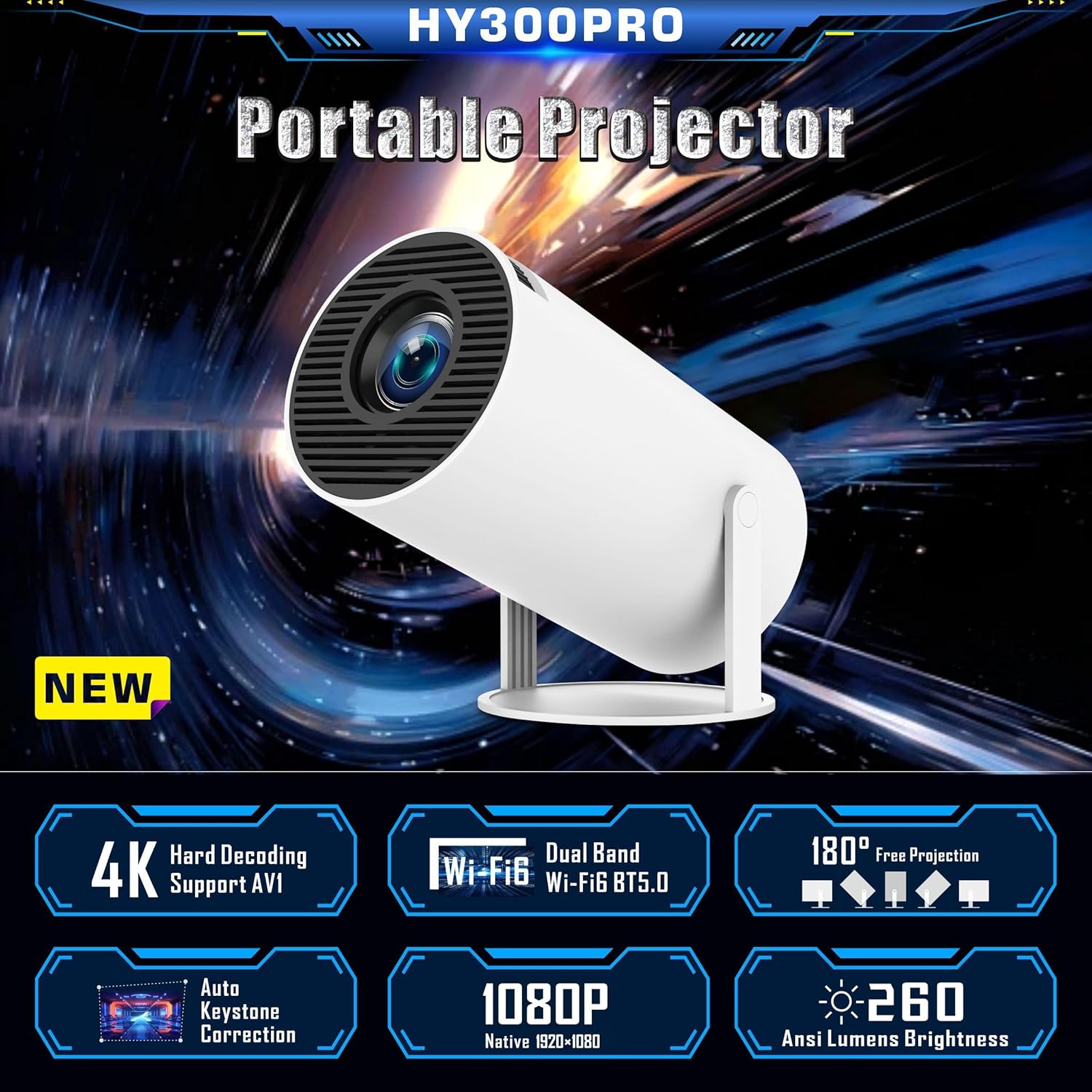
Image: A graphic highlighting key features of the HY300 PRO Portable Projector, including 4K support, WiFi6, Bluetooth 5.0, 180° free projection, auto keystone correction, 1080P native resolution, and 260 ANSI Lumens brightness.
3. Persediaan
3.1 Penempatan Awal
Place the projector on a stable, flat surface. The 180° rotatable base allows for flexible positioning to project onto a wall or ceiling. Ensure there is adequate ventilation around the device.

Image: Demonstrates the 180° flexible projection angle of the HY300 PRO, showing how it can project onto a wall or ceiling from various positions within a room.
3.2 Sambungan Kuasa
Connect the provided power cord to the projector's power input port and then plug it into a standard electrical outlet.
3.3 First Use and Language Setting
Upon first power-on, the projector will guide you through the initial setup. You can select your preferred language from the settings menu.
Video: A demonstration of navigating the projector's settings menu, including selecting the language and adjusting other system preferences.
4. Arahan Operasi
4.1 Fokus dan Pembetulan Keystone
The projector features automatic horizontal keystone correction. For optimal image clarity, manually adjust the focus ring located on the projector body until the image is sharp.

Image: Illustrates the automatic keystone correction feature, showing how the projector corrects a skewed image to a perfect rectangular display.

Image: Shows the projector's keystone correction capabilities, including 4P keystone correction and automatic vertical correction, along with an icon indicating manual focus adjustment.
4.2 Ketersambungan
The HY300 PRO offers multiple connectivity options:
- WiFi6: Connect to your home network for internet access and screen mirroring. Navigate to "Networking Setting" in the menu to connect to a WiFi network.
- Bluetooth 5.0: Pair with Bluetooth headphones or external speakers for enhanced audio. Access "Bluetooth Setting" in the menu. Note: Bluetooth is for audio output only and does not support connection to smartphones or laptops for input.
- HDMI: Connect external devices such as TV sticks, game consoles, laptops, or DVD players using an HDMI cable (not included).
- USB: Palamkan pemacu USB untuk main balik media.
- Bicu Fon Kepala 3.5mm: For wired audio output to headphones or speakers.
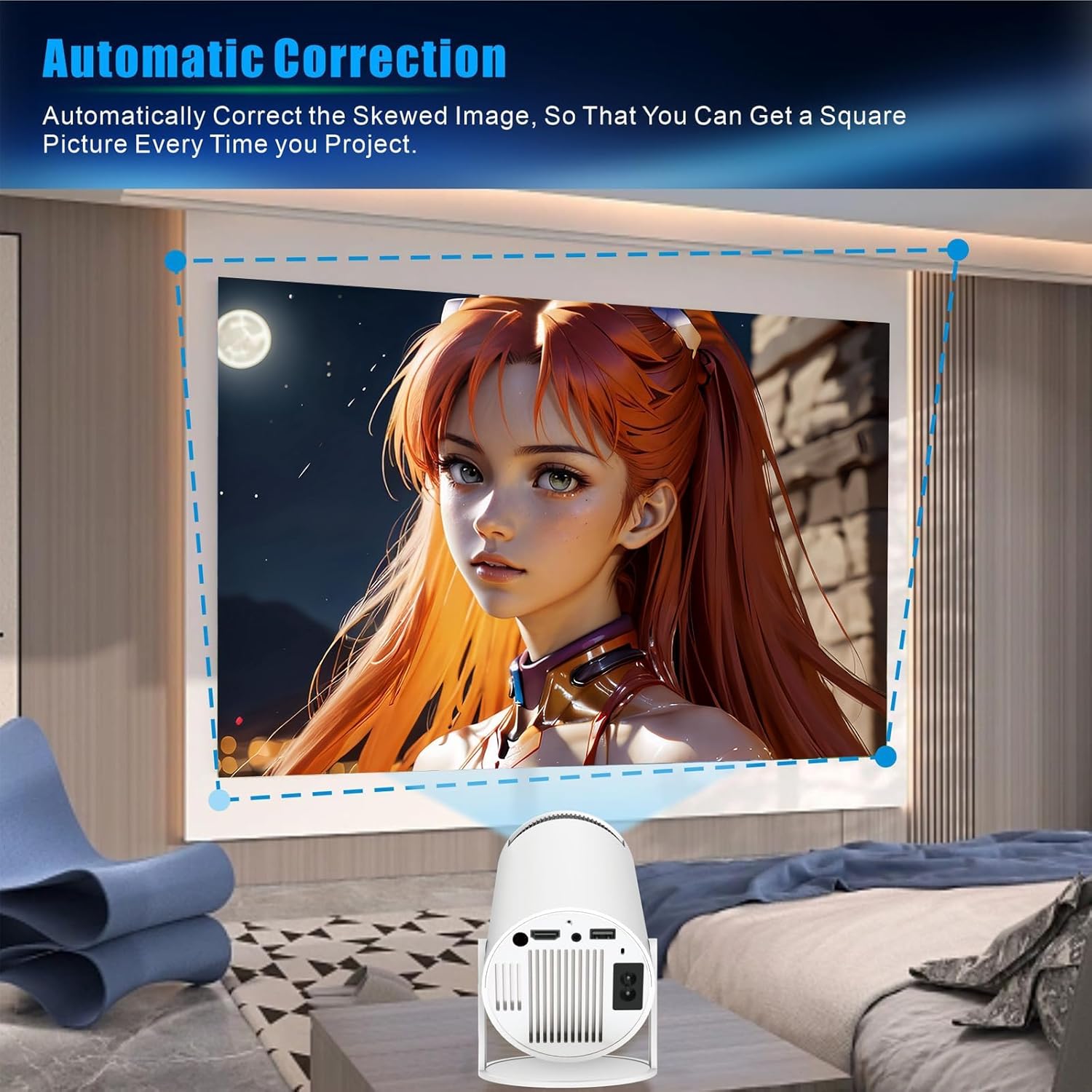
Image: Displays the projector's compatibility with various devices, including Android/iOS/iPad/Tablet, Xbox/Fire Stick/PS3/4, and U Disk/Audio/DVD player/PC, highlighting the HDMI, AU3.5, and USB ports.

Image: A visual representation of the WOOPKER Smart Projector's connectivity options, including HD Connection (Android, iOS, Laptop), Audio Connection (Earphone, Speaker), and USB Connection (TV Stick, USB memory), along with icons for WiFi 6, Bluetooth 5.0, 4K/1080P, and 180° flexible projection.
4.3 Smart Features (Android 11)
The built-in Android 11 operating system allows you to access a wide range of applications directly from the projector. Connect to WiFi to download and stream content from platforms like Netflix, YouTube, Amazon Prime, and more.

Image: Shows the Android 11 interface on the projector, displaying various application icons such as Netflix, YouTube, Amazon Prime, and Google Play, indicating access to over 4000 entertainment apps.

Image: Highlights the ease of connecting with a TV Stick and the Android 11 OS, showing popular streaming app logos like YouTube, Netflix, Hulu, Disney+, Google Play, and Roku, along with the projector and its remote control.
5. Penyelenggaraan
- Membersihkan Lensa: Gunakan kain lembut dan bebas lin yang direka khusus untuk kanta optik untuk mengelap kanta projektor dengan perlahan. Elakkan bahan yang melelas atau bahan kimia yang keras.
- Membersihkan Bahagian Luar: Lap bahagian luar projektor dengan kain lembut dan kering. Jangan gunakan pembersih cecair terus pada peranti.
- Pengudaraan: Ensure the ventilation openings are clear of dust and obstructions to prevent overheating. Do not block the air vents during operation.
- Storan: Apabila tidak digunakan untuk tempoh yang lama, simpan projektor di tempat yang sejuk dan kering, jauh daripada cahaya matahari langsung dan suhu yang melampau.
6. Penyelesaian masalah
| Masalah | Kemungkinan Punca | Penyelesaian |
|---|---|---|
| Tiada kuasa | Kord kuasa tidak disambungkan; masalah soket kuasa. | Pastikan kord kuasa dipasang dengan selamat. Uji alur keluar dengan peranti lain. |
| Tiada imej ditayangkan | Input source not selected; device not connected; lens cap on. | Select the correct input source (HDMI, USB). Check cable connections. Remove lens cap. |
| Imej kabur | Out of focus; incorrect projection distance. | Adjust the manual focus ring. Ensure the projector is within the optimal projection distance (5.51 feet for 40-130 inches). |
| Imej adalah trapezoid | Projektor tidak berserenjang dengan skrin. | The projector has auto horizontal keystone correction. For vertical adjustments, check projection settings. |
| Tiada bunyi | Volume too low; external audio device not connected/paired. | Increase volume. Check Bluetooth connection for external speakers/headphones. Ensure internal speaker is enabled. |
| Tidak dapat menyambung ke Wi-Fi | Kata laluan salah; di luar julat; isu rangkaian. | Sahkan kata laluan Wi-Fi. Alihkan projektor lebih dekat dengan penghala. Mulakan semula penghala. |
7. Spesifikasi
| Ciri | Perincian |
|---|---|
| Jenama | PEMERIKSA |
| Nombor Model | HY300 PRO |
| Sistem Operasi | Android 11 |
| Teknologi Ketersambungan | Wi-Fi (WiFi6), USB, HDMI, Bluetooth 5.0 |
| Resolusi Paparan | 1280 x 1024 (Native 1080P Full HD Support, 4K Supported) |
| Kecerahan | 260 ANSI Lumens (8000 Lumens) |
| Nisbah Kontras | 10000:1 |
| Saiz Skrin Tayangan | 40-130 inci |
| Jarak Unjuran Optimum | 5.51 kaki (lebih kurang 1.68 meter) |
| Berat Barang | 1.17 paun |
| Dimensi Pakej | 7.95 x 5.28 x 4.72 inci |
| warna | putih |
| Ciri Khas | Built-In Wi-Fi, 180° Rotatable, Auto Keystone Correction, HiFi Speaker |
8. Waranti dan Sokongan
For warranty information and technical support, please refer to the contact details provided with your purchase or visit the official WOOPKER webtapak. Simpan resit pembelian anda untuk tuntutan waranti.
- 24 Jam: Quick response within 24 hours for inquiries.
- 30 Day Return: Return within 30 days for an exchange or refund.
- Sokongan Teknikal Seumur Hidup: Lifetime technical customer support is available.

Image: A graphic detailing WOOPKER's customer support commitments: 24-hour quick response, 30-day return policy, and lifetime technical support.