
pengenalan
Thank you for choosing Topsung K-12 FRS Walkie Talkies. This manual provides essential information for the safe and efficient use of your new two-way radios. These rechargeable, long-range walkie talkies are designed for reliable communication in various environments, featuring NOAA weather alerts, hands-free iVOX operation, and a durable design. Please read this manual thoroughly before operation and retain it for future reference.
Apa yang ada dalam Kotak
- 4 * American Multi-purpose Walkie Talkies
- 4 * Detachable Lanyards & Belt Clips
- 2 * Multi-port USB Charging Cables
- 4 * 4500mAh Rechargeable Batteries (pre-installed or separate)
- 1 * User Manual & 3 Year Manufacturer Service Information
Produk Selesaiview
Familiarize yourself with the components and controls of your Topsung K-12 Walkie Talkie:

- Antena: Untuk menghantar dan menerima isyarat.
- Stepless Volume Knob: Rotate to adjust listening volume.
- LCD Bercahaya Belakang HD: Displays channel, battery status, and other settings.
- Butang PTT (Push-to-Talk): Tekan dan tahan untuk menghantar, lepaskan untuk mendengar.
- Call/Keypad Lock Button: Press to send a call tone. Press and hold to lock/unlock the keypad.
- Menu/Butang Kuasa: Press to enter menu. Press and hold to power on/off.
- Butang Naik / Turun: Navigate menu options and change channels/settings.
- mikrofon: Speak into this when transmitting.
- AAA Sound Speaker: For clear audio output.
- 2.5mm Earpiece Jack: For connecting compatible audio accessories.
- Bicu USB Mikro: For charging the walkie talkie.
Persediaan
1. Pemasangan Bateri
- Pastikan walkie talkie dimatikan.
- Tanggalkan klip tali pinggang dengan menolak tab dan menggesernya ke atas.
- Open the back cover by gently prying it open from the bottom notch.
- Insert the 4500mAh rechargeable battery pack, ensuring correct polarity.
- Replace the back cover and reattach the belt clip.
2. Mengecas Bateri
Your walkie talkies come with a 4500mAh rechargeable battery. For optimal performance, fully charge the battery before first use.
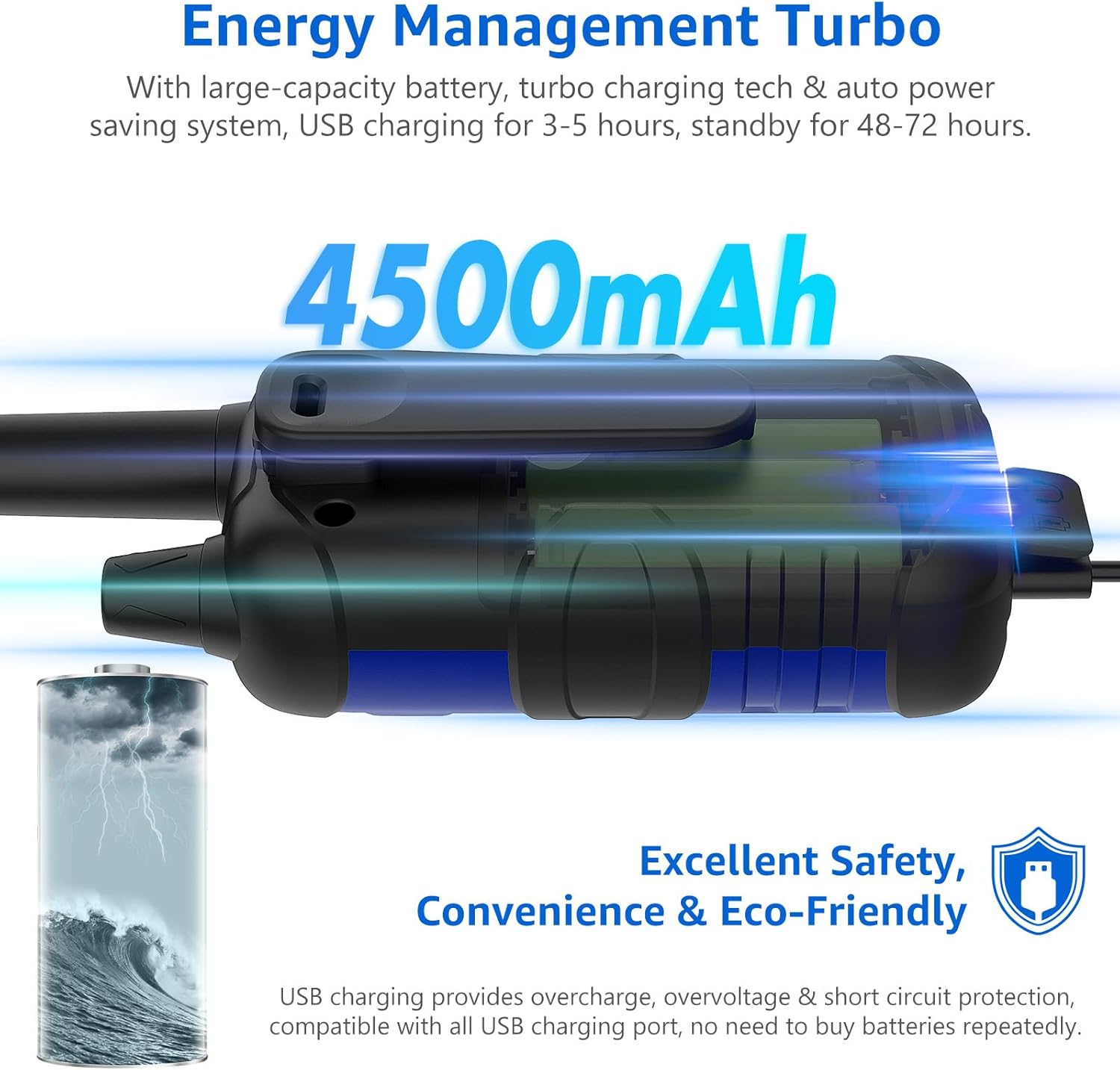
- Connect the micro USB charging cable to the Micro USB Jack on the walkie talkie.
- Plug the other end of the USB cable into a compatible USB power source (e.g., wall adapter, car charger, power bank, computer USB port).
- The charging indicator on the LCD will show charging status.
- A full charge typically takes 3-5 hours and provides approximately 48-72 hours of standby time.
3. Attaching Belt Clip and Lanyard
- Slide the belt clip onto the back of the walkie talkie until it clicks into place.
- Pasangkan lanyard pada gelung yang ditetapkan pada walkie-talkie untuk memudahkan dibawa.
Arahan Operasi
1. Hidupkan/Mati Kuasa
- Untuk menghidupkan, tekan dan tahan MENU/KUASA butang sehingga skrin LCD menyala.
- Untuk mematikan, tekan dan tahan MENU/KUASA butang sehingga skrin LCD mati.
2. Melaraskan Kelantangan
- Putar Stepless Volume Knob mengikut arah jam untuk meningkatkan kelantangan dan lawan arah jam untuk mengurangkan kelantangan.
3. Memilih Saluran
- Tekan ke MENU/KUASA button once to enter channel selection mode. The channel number will flash.
- Gunakan UP or TURUN buttons to select one of the 22 available FRS channels.
- Tekan ke PTT butang atau MENU/KUASA button again to confirm your selection and exit the menu.
4. Setting Privacy Codes (CTCSS/DCS)
Privacy codes help reduce interference from other users on the same channel. Both radios must be set to the same channel and privacy code to communicate.
- Tekan ke MENU/KUASA button twice to enter privacy code selection mode. The privacy code will flash.
- Gunakan UP or TURUN buttons to select one of the 142 available privacy codes (CTCSS/DCS).
- Tekan ke PTT butang atau MENU/KUASA butang sekali lagi untuk mengesahkan pilihan anda.
5. Menghantar dan Menerima (PTT)
- Untuk menghantar, tekan dan tahan butang PTT butang. Bercakap dengan jelas ke dalam mikrofon.
- Lepaskan PTT butang untuk mendengar jawapan.
6. iVOX Hands-Free Operation
The iVOX feature allows for voice-activated transmission without pressing the PTT button.

- Tekan ke MENU/KUASA button until the iVOX icon appears on the LCD.
- Gunakan UP or TURUN buttons to select the iVOX sensitivity level (e.g., 1-3, with 3 being most sensitive).
- Tekan ke PTT butang atau MENU/KUASA butang untuk mengesahkan.
- When iVOX is active, the radio will transmit automatically when you speak.
7. Amaran Cuaca NOAA
Stay informed about severe weather conditions with the integrated NOAA Weather Radio feature.

- Tekan ke NOAA/Imbasan button to access NOAA weather channels.
- Gunakan UP or TURUN buttons to cycle through the available NOAA channels.
- The radio will automatically alert you to severe weather broadcasts when this feature is active.
8. Kunci Pad Kekunci
- Untuk mengelakkan perubahan tetapan yang tidak disengajakan, tekan dan tahan CALL/KEYPAD LOCK button until the lock icon appears on the LCD.
- Untuk membuka kunci, tekan dan tahan butang CALL/KEYPAD LOCK butang sekali lagi sehingga ikon kunci hilang.
9. Scanning Channels
- Tekan ke NOAA/Imbasan button (short press) to activate the auto-scan feature. The radio will scan all channels for activity.
- It will stop on an active channel. Press PTT to transmit on that channel or NOAA/Imbasan sekali lagi untuk menyambung semula pengimbasan.
10. Nada Panggilan
- Tekan singkat daripada CALL/KEYPAD LOCK button will send an audible call tone to other radios on the same channel and privacy code.
Penyelenggaraan
- Pembersihan: Gunakan yang lembut, damp kain untuk membersihkan bahagian luar walkie talkie. Jangan gunakan bahan kimia yang keras atau pembersih yang kasar.
- Penjagaan Bateri: To prolong battery life, avoid fully discharging the battery frequently. Store the walkie talkie with a partially charged battery if not used for extended periods.
- Storan: Simpan walkie-talkie di tempat yang sejuk dan kering, jauh daripada cahaya matahari langsung dan suhu yang melampau.
- Tahan Air: Walkie-talkie ini adalah Bukan Tahan AirElakkan daripada terdedah kepada hujan, percikan air atau rendaman dalam air.
Menyelesaikan masalah
| Masalah | Kemungkinan Punca | Penyelesaian |
|---|---|---|
| Tiada kuasa | Bateri lemah atau tidak dipasang dengan betul. | Charge the battery. Ensure the battery is correctly inserted with proper polarity. |
| Tidak boleh menghantar atau menerima | Different channels or privacy codes. Out of range. Keypad locked. | Ensure all radios are on the same channel and privacy code. Move closer to the other radio. Unlock the keypad. |
| Kualiti audio yang lemah / Statik | Isyarat lemah. Gangguan. Kelantangan terlalu rendah. | Move to an open area. Adjust squelch level (if available in menu). Increase volume. |
| Julat terhad | Obstructions (buildings, hills). Environmental factors. | Range can be significantly reduced by terrain and structures. For optimal range, use in open areas with clear line of sight. The advertised maximum range is under ideal conditions. |
| Pad kekunci tidak bertindak balas | Pad kekunci dikunci. | Tekan dan tahan butang CALL/KEYPAD LOCK butang untuk membuka kunci pad kekunci. |
Spesifikasi
| Ciri | Perincian |
|---|---|
| Jenama | Topsung |
| Nombor Model | b0d3ab2e-c7c0-4cd3-acdb-7baf16851dfe |
| warna | Blue Green Red Yellow |
| Bilangan Saluran | 22 Saluran FRS |
| Kod Privasi | 142 (CTCSS/DCS) |
| Julat Kekerapan | FRS |
| Julat Percakapan Maksimum | Up to 5 Miles (under ideal conditions) |
| Kapasiti Bateri | 4500mAh (Boleh dicas semula) |
| Masa Mengecas | 3-5 jam |
| Masa Tunggu Sedia | 48-72 jam |
| Ciri Khas | iVOX Hands-Free, NOAA Weather Service, Keypad Lock, Auto Squelch, Auto Memory, Auto Scan, Auto Power Saver, Low Battery Alert, Turbo Charging Tech, Drop Protection |
| Tahap Ketahanan Air | Bukan Tahan Air |
| Berat Barang | 2.16 paun (untuk pek) |
| Dimensi Pakej | 8.74 x 6.81 x 2.56 inci |
Waranti dan Sokongan
Your Topsung K-12 FRS Walkie Talkies are covered by a 3-Year Manufacturer's Service.
For any product-related concerns, technical assistance, or warranty claims, please contact Topsung Technology directly. Seller customer service is often more knowledgeable about the product and can provide personalized after-sales support, including single piece or accessory replacement.
How to Get Timely Reply from Seller:
- Locate the store name "topsung technology" on the product detail page (usually below the "Add to Cart" button).
- Click on "topsung technology".
- Click "Ask a question".
- Follow the Messaging Assistant instructions, selecting "An item for sale" — "Something else" — "Other".
- Send your message detailing your concern.