
pengenalan
Thank you for choosing the TECKNET TK-MS317 Bluetooth Wireless Mouse. This manual provides detailed instructions for setting up, operating, and maintaining your mouse to ensure optimal performance. Please read this manual thoroughly before use and retain it for future reference.
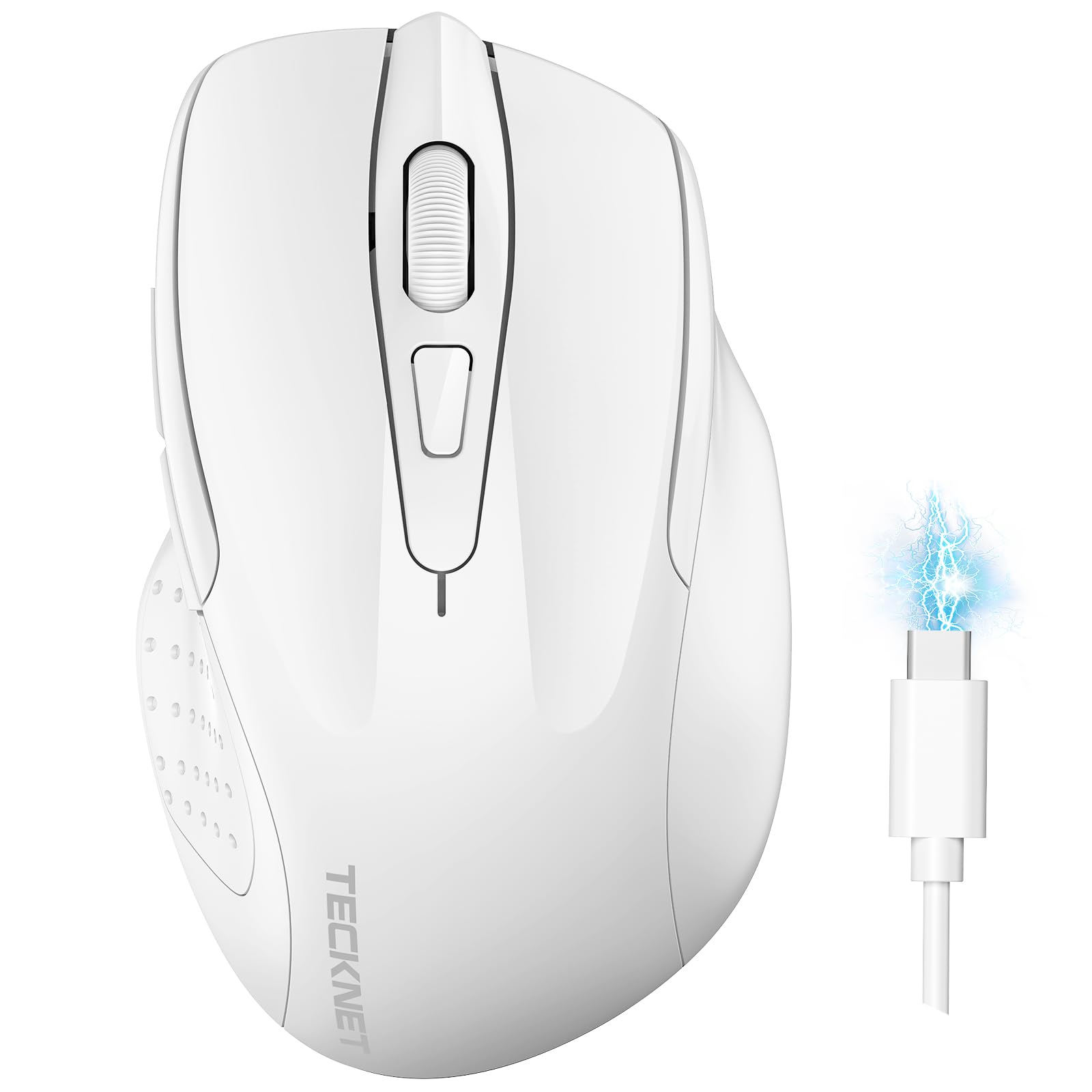
Image: The TECKNET TK-MS317 Bluetooth Wireless Mouse, showcasing its ergonomic design and sleek white finish.
Ciri-ciri Produk
- Mod Sambungan Tiga Kali: Supports Bluetooth 5.0, Bluetooth 3.0, and 2.4GHz wireless connectivity, allowing seamless switching between up to two devices.
- DPI boleh laras: Six adjustable DPI levels (800/1200/1600/2400/3200/4800) for precise control and adaptability to various tasks.
- Bateri boleh dicas semula: Equipped with a 700 mAh rechargeable battery, providing extended usage on a single charge. Can be used while charging via USB-C.
- Klik Senyap: Designed for quiet operation, reducing click noise by 90% for a focused work environment.
- Reka bentuk ergonomik: Contoured shape fits comfortably in the palm, reducing hand fatigue during prolonged use.
- Penjimatan Tenaga: Features a key-wake function and automatic sleep mode to conserve battery life.
- Keserasian Universal: Compatible with Windows 11/10/8/7/XP/Vista, Mac OS, Linux, Android, and iOS (BT 5.0 for iOS 10.4+).

Image: Illustration highlighting the silent click feature of the mouse, showing a quiet work environment.

Image: Diagram illustrating the ergonomic curvature of the TECKNET TK-MS317 mouse, designed for comfortable hand fit.
Arahan Persediaan
1. Mengecas Tetikus
Before first use, or when the battery is low, connect the mouse to a power source using the provided USB-C cable. The charging indicator light will illuminate. A full charge typically takes about two hours and can last for 1 to 2 months of intensive use.

Image: The TECKNET TK-MS317 mouse connected via a USB-C cable for charging, highlighting its 700mAh battery capacity.
2. Menyambung melalui Wayarles 2.4GHz
- Locate the USB 2.4G receiver, usually stored in a compartment on the underside of the mouse.
- Pasangkan penerima USB ke port USB-A yang tersedia pada komputer anda.
- Switch the mode selector on the bottom of the mouse to the "2.4G" position.
- The mouse should automatically connect to your computer. If not, try moving the mouse or restarting your computer.
3. Menyambung melalui Bluetooth (BT5.0 / BT3.0)
- Switch the mode selector on the bottom of the mouse to either "BT5.0" or "BT3.0" position.
- Press and hold the Bluetooth pairing button (usually located near the mode switch) for 3-5 seconds until the indicator light starts flashing, indicating pairing mode.
- On your device (computer, laptop, tablet, smartphone), go to Bluetooth settings.
- Cari untuk new devices. You should see "TECKNET Mouse" or a similar name appear in the list.
- Select the mouse to pair. Once connected, the indicator light on the mouse will stop flashing.
- To switch between paired Bluetooth devices or to the 2.4G mode, simply use the mode selector switch on the bottom of the mouse.

Image: Diagram showing the three connection modes (2.4G, Bluetooth 5.0, Bluetooth 3.0) of the TECKNET TK-MS317 mouse, connecting to a laptop and a tablet.
Arahan Operasi
1. Pelarasan DPI
The mouse features a DPI button, typically located behind the scroll wheel. Press this button to cycle through the six available DPI settings: 800, 1200, 1600, 2400, 3200, and 4800. Select the DPI that best suits your task and preference for cursor speed and precision.

Image: Visual representation of the TECKNET TK-MS317 mouse highlighting its 6 levels of adjustable DPI, up to 4800 DPI.
2. Penukaran Mod
Use the physical switch on the underside of the mouse to select your desired connection mode: 2.4G, BT5.0, or BT3.0. This allows you to quickly switch between different devices without re-pairing.
3. Mod Penjimatan Kuasa
The mouse will automatically enter sleep mode after a period of inactivity to conserve battery. To wake the mouse, simply move it or click any button.
Penyelenggaraan
1. Pembersihan
Untuk membersihkan tetikus anda, gunakan kain lembut dan kering. Untuk kotoran degil, sedikit damp kain dengan sabun lembut boleh digunakan, memastikan tiada cecair memasuki tetikus. Elakkan menggunakan bahan kimia yang keras atau bahan yang melelas.
2. Penjagaan Bateri
- Elakkan menyahcas sepenuhnya bateri dengan kerap.
- Simpan tetikus di tempat yang sejuk dan kering apabila tidak digunakan untuk tempoh yang lama.
- Gunakan hanya kabel USB-C yang disediakan atau setara yang diperakui untuk mengecas.
Menyelesaikan masalah
- Tetikus tidak bertindak balas:
- Pastikan tetikus dicas.
- Check if the mode switch is set correctly (2.4G, BT5.0, or BT3.0).
- Untuk mod 2.4G, pastikan penerima USB dipasang dengan selamat.
- For Bluetooth mode, ensure Bluetooth is enabled on your device and the mouse is paired. Try re-pairing if necessary.
- Try connecting the mouse to a different USB port or device to rule out port/device issues.
- Sambungan terputus-putus:
- Gerakkan tetikus lebih dekat dengan penerima/peranti.
- Elakkan menggunakan tetikus pada permukaan logam, yang boleh mengganggu isyarat wayarles.
- Pastikan tiada sumber gangguan wayarles kuat lain yang berdekatan.
- Cursor movement is erratic:
- Bersihkan sensor optik di bahagian bawah tetikus.
- Cuba gunakan tetikus pada permukaan atau pad tetikus yang berbeza.
- Laraskan tetapan DPI kepada nilai yang lebih rendah.
Spesifikasi
| Nombor Model | TK-MS317 |
| Jenama | TEKNET |
| Mod Sambungan | 2.4GHz Wireless, Bluetooth 5.0, Bluetooth 3.0 |
| Tahap DPI | 800, 1200, 1600, 2400, 3200, 4800 |
| Bilangan Butang | 6 |
| Jenis Bateri | Built-in 700 mAh Rechargeable Lithium Battery |
| Port Pengecasan | USB-C |
| Berat badan | 150 Gram |
| Keserasian | Windows 11/10/8/7/XP/Vista, Mac OS, Linux, Android, iOS (10.4+ for BT 5.0) |
Waranti dan Sokongan
TECKNET offers a 36-month warranty for registered users of this product. If you encounter any issues with your TECKNET TK-MS317 Bluetooth Wireless Mouse, please do not hesitate to contact our professional customer service team for assistance.
For warranty claims or technical support, please visit the official TECKNET webtapak atau rujuk maklumat hubungan yang diberikan bersama pembungkusan produk anda.