
1. Pengenalan
Welcome to the HOTWAV Hyper 7 Pro rugged smartphone user manual. This guide will assist you in understanding and utilizing all the features of your new device. The Hyper 7 Pro is designed for durability and high performance, featuring Android 14, 5G connectivity, a 200MP camera, and a large 10800mAh battery.
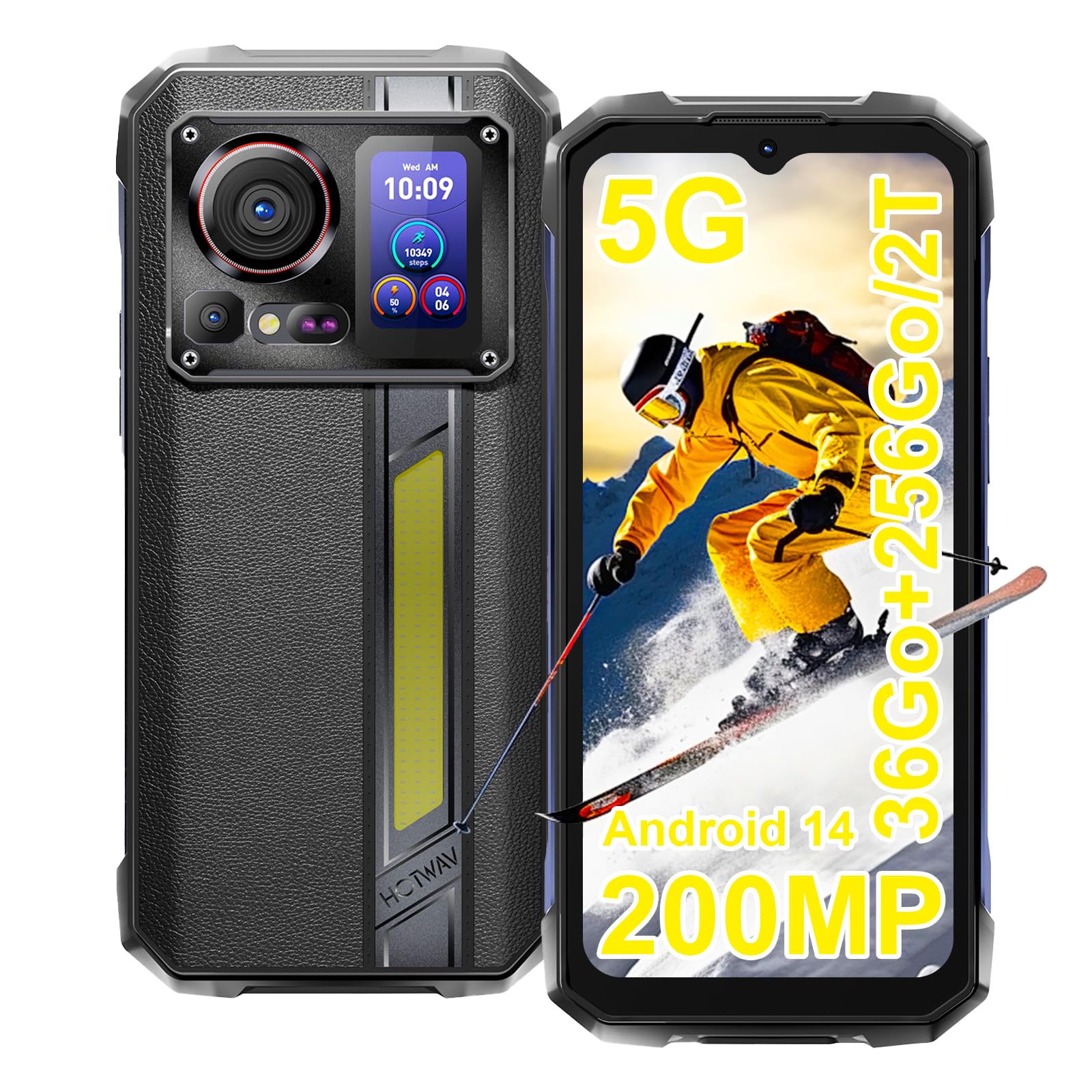
Image: The HOTWAV Hyper 7 Pro rugged smartphone, showcasing its robust design and rear display.
2. Apa yang ada di dalam Kotak
Upon unboxing your HOTWAV Hyper 7 Pro, please ensure all the following items are present:
- HOTWAV Hyper 7 Pro Smartphone
- Kabel Jenis-C USB
- Penyesuai Kuasa (33W)
- Alat Ejector SIM
- Pre-applied Screen Protector (Gorilla Glass)
- Pelindung Skrin Tambahan
- Manual Pengguna

Image: All items included in the HOTWAV Hyper 7 Pro package, including the phone, charger, cables, and documentation.
3. Panduan Persediaan
3.1. Memasang Kad SIM dan Kad MicroSD
- Cari dulang kad SIM di sebelah kiri peranti.
- Masukkan alat ejektor SIM ke dalam lubang kecil di sebelah dulang dan tekan perlahan-lahan sehingga dulang terkeluar.
- Letakkan kad Nano-SIM dan/atau kad microSD (sehingga 2TB) anda ke dalam slot yang ditetapkan pada dulang. Pastikan kenalan emas menghadap ke bawah.
- Masukkan semula dulang dengan berhati-hati ke dalam telefon sehingga ia berbunyi klik pada tempatnya.
3.2. Kuasa Awal Hidup dan Konfigurasi Asas
- Press and hold the Power button (located on the right side) until the HOTWAV logo appears.
- Ikut gesaan pada skrin untuk memilih bahasa anda, menyambung ke rangkaian Wi-Fi dan menyediakan akaun Google anda.
- Configure your preferred security methods, such as Face ID and Fingerprint Unlock.
3.3. Mengecas Peranti
Sebelum penggunaan pertama, disyorkan untuk mengecas peranti anda sepenuhnya.
- Sambungkan kabel USB Jenis-C ke port pengecasan di bahagian bawah telefon.
- Connect the other end of the cable to the provided 33W power adapter.
- Plug the power adapter into a wall outlet. The charging indicator will appear on the screen.

Image: The HOTWAV Hyper 7 Pro charging with its 33W fast charger, highlighting the OTG function.
4. Arahan Operasi
4.1. Paparan Utama dan Navigasi
The Hyper 7 Pro features a 6.6-inch FHD+ display with a 120Hz refresh rate for smooth interactions. Navigate through the Android 14 interface using standard touch gestures: tap, swipe, pinch-to-zoom.

Image: The vibrant 6.6-inch FHD+ display of the Hyper 7 Pro, showcasing its visual quality.
4.2. Secondary Rear Screen
The innovative secondary screen on the back provides quick access to essential information and controls without activating the main display.
- Paparan Masa: View masa dan tarikh semasa.
- Kawalan Kamera: Gunakan sebagai a viewfinder for rear camera selfies or quick shots.
- Music Applications: Control playback for music apps.
- Pemberitahuan: See incoming call and message alerts.
- Battery Status & Step Count: Monitor battery level and daily steps.

Image: The versatile secondary display on the back of the Hyper 7 Pro, showing different information widgets.
4.3. Fungsi Kamera
The Hyper 7 Pro is equipped with a powerful camera system:
- Kamera Belakang: 200MP main sensor for high-resolution photos and a 24MP night vision camera with infrared LEDs for clear images in low light.
- Kamera Depan: 32MP for sharp selfies and video calls.
- AI Algorithms: Enhance saturation for night scenes, portraits, and landscapes.
- Rakaman Video: Supports 4K video capture.

Image: A visual comparison demonstrating the superior detail captured by the Hyper 7 Pro's 200MP camera.
4.4. Customizable Side Button
The red side button can be configured for three different actions:
- Akhbar Tunggal: Assign to open a specific app or function.
- Tekan dua kali: Assign to open a different app or function.
- Tekan lama: Assign to open a third app or function.
Configure these settings in the phone's 'Side Key Function' menu.

Image: The customizable side button on the Hyper 7 Pro, showing how different press actions can launch various applications.
4.5. Connectivity and Special Features
- Rangkaian 5G: Enjoy high-speed internet connectivity.
- Wi-Fi 6 & Bluetooth 5.2: Advanced wireless connectivity for faster speeds and stable connections.
- NFC: For contactless payments and quick pairing with other devices.
- GPS: Integrated GPS, Beidou, Galileo, and GLONASS for precise navigation.
- Campdalam Cahaya: A powerful 280-lumen LED light on the back, with timer and SOS/Flash functions.
- Fungsi OTG: Connect USB devices or use your phone as a power bank to charge other devices.
- Mod Sarung Tangan: Enhanced touch sensitivity for use with gloves.
- Radio FM: Dengar stesen radio kegemaran anda.

Image: The powerful LED camping light of the Hyper 7 Pro, demonstrating its illumination capabilities.
5. Penyelenggaraan
5.1. Membersihkan Peranti Anda
The HOTWAV Hyper 7 Pro is IP68/IP69K rated for water and dust resistance. To clean, gently wipe the device with a soft, damp cloth. For stubborn dirt, you may rinse it under low-pressure fresh water, ensuring all ports are securely closed. Avoid using harsh chemicals or abrasive materials.

Image: The Hyper 7 Pro enduring water splashes, highlighting its waterproof design.
5.2. Penjagaan Bateri
Untuk memanjangkan hayat bateri 10800mAh anda:
- Elakkan suhu yang melampau.
- Use only the provided 33W charger and USB-C cable.
- Jangan biarkan bateri habis sepenuhnya dengan kerap.
5.3. Kemas Kini Perisian
Regularly check for and install system updates to ensure optimal performance, security, and access to new features. You can usually find this option in your phone's Settings menu under 'System' or 'About phone'.
5.4. Pengurusan Storan
With 256GB of internal storage and support for up to 2TB microSD cards, you have ample space. Periodically review awak files and applications to free up space and maintain performance. Consider backing up important data to cloud storage or an external device.
6. Penyelesaian masalah
If you encounter issues with your HOTWAV Hyper 7 Pro, refer to the following common solutions:
- Peranti Tidak Dihidupkan: Pastikan bateri dicas. Sambungkan telefon ke pengecas selama sekurang-kurangnya 30 minit, kemudian cuba hidupkan semula.
- Isu Pengecasan: Verify that the charger and USB-C cable are securely connected and undamaged. Try a different power outlet. Ensure the charging port is clean and free of debris.
- Network Connectivity Problems (5G/Wi-Fi): Check if Airplane Mode is off. Restart your phone. For mobile data, ensure your SIM card is correctly inserted and your plan is active. For Wi-Fi, forget the network and reconnect.
- Kamera Tidak Berfungsi: Restart the camera app or the phone. Check app permissions for the camera in Settings.
- Prestasi Perlahan: Close unnecessary background apps. Clear cache for frequently used apps. Ensure you have sufficient storage space. Restart the device.
- Skrin Tidak Responsif: Restart the phone by holding the power button for an extended period (usually 10-15 seconds). If a hard reset is needed, consult the online support resources.
- Gangguan Perisian: Ensure your Android 14 system is up to date. If issues persist, a factory reset might be necessary (back up your data first).
If these steps do not resolve your issue, please contact HOTWAV customer support for further assistance.
7. Spesifikasi
| Ciri | Spesifikasi |
|---|---|
| Jenama | HOTWAV |
| Nama Model | Hyper 7 Pro |
| Sistem Operasi | Android 14 |
| Pemproses | MediaTek Dimensity 7050 Okta-teras (2.6 GHz) |
| RAM | 16 GB (expandable to 36 GB with virtual memory) |
| Storan Dalaman | 256 GB |
| Storan Boleh Dikembangkan | Sehingga 2 TB (microSD) |
| Saiz Paparan | 6.6 inci FHD+ |
| Resolusi Paparan | 1080*2408 piksel |
| Kadar Segar Semula | 120 Hz |
| Perlindungan Paparan | Corning Gorilla Glass 3 |
| Kapasiti Bateri | 10800 mAh |
| Mengecas | Pengecasan Pantas 33W, Pengecasan Songsang OTG |
| Kamera Belakang | 200 MP Main, 24 MP Night Vision |
| Kamera Depan | 32 MP |
| Resolusi Video | 4K |
| Penilaian Ketahanan | IP68, IP69K, MIL-STD-810H |
| Ketersambungan | 5G, Wi-Fi 6, Bluetooth 5.2, NFC |
| Navigasi | GPS, Beidou, Galileo, GLONASS |
| Jenis Kad SIM | Dual Nano-SIM |
| Dimensi | 17.5 x 8.2 x 1.8 cm |
| Berat badan | 406 gram |
8. Waranti dan Sokongan
8.1. Maklumat Waranti
Your HOTWAV Hyper 7 Pro comes with a Waranti 2 tahun dari tarikh pembelian. Waranti ini meliputi kecacatan pembuatan dan kerosakan dalam penggunaan biasa. Sila simpan bukti pembelian anda untuk tuntutan waranti.
8.2. Sokongan Pelanggan
For any technical assistance, warranty claims, or product-related inquiries, please contact HOTWAV customer support through their official website or the contact information provided with your purchase. Ensure you have your device model and purchase details ready when contacting support.

Image: HOTWAV's commitment to customer satisfaction, including a 2-year warranty and dedicated customer service.