
1. Pengenalan
The Docooler Humbird Bone Conduction Speaker offers a unique audio experience by transforming various surfaces into sound sources. This compact, wireless, and portable speaker features RGB lighting and IP54 domestic waterproofing, making it suitable for diverse environments. It supports advanced connectivity options for enhanced sound.
2. Apa yang ada di dalam Kotak
Sila semak kandungan pakej semasa membuka kotak:
- Humbird Bone Conduction Speaker(s)
- Lanyard(s)
- Suction Cup Pad(s)
- Magnetic Pad(s)
- Charging Cable(s)
- Manual Pengguna

Image: Contents of the Docooler Humbird Bone Conduction Speaker package.
3. Arahan Persediaan
3.1. Mengisi Speaker
Before first use, fully charge the speaker. Connect the provided charging cable to the Type-C charging port on the speaker and a suitable USB power source. The charging time is approximately 1.5 hours.

Image: Speaker connected to its charging cable.
3.2. Hidupkan/Mati Kuasa
To power on the speaker, press and hold the power button. You will hear an audible prompt. To power off, press and hold the power button again.
3.3. Berpasangan Bluetooth
After powering on, the speaker will automatically enter Bluetooth pairing mode. On your device (smartphone, tablet, laptop), enable Bluetooth and search for 'Hum_Pro SPEAKER' in the available devices list. Select it to connect. A voice prompt will confirm successful pairing.
3.4. Mod Stereo Wayarles Benar (TWS).
To pair two Humbird speakers for stereo sound:
- Menghidupkan kedua-dua pembesar suara.
- On one speaker, press the power button three times to enter TWS mode.
- The two speakers will automatically connect within 3-5 seconds. A voice prompt will confirm 'TWS Connected'.
- Connect your device via Bluetooth to one of the paired speakers.
3.5. Multi-Speaker (CSB) Mode
For connecting multiple speakers (up to 100 units) for a wider sound field:
- Power on all desired speakers.
- On each speaker, press the power button three times, then press it three more times (six presses total) to enter CSB mode.
- The speakers will connect immediately.
- Connect your device via Bluetooth to one of the speakers.
Video: Demonstration of speaker unboxing, power on, TWS mode, CSB mode, LED mode, and EQ mode changes.
4. Arahan Operasi
4.1. Kawalan Asas
- Main/Jeda: Klik butang kuasa sekali.
- Lagu Seterusnya: Klik dua kali butang kuasa.
- Kawalan Kelantangan: Rotate the top surface of the speaker to adjust volume.
4.2. LED Rhythm Lamp Mod
To activate or deactivate the RGB color-changing light effect, press the power button four times after turning on the speaker. The lights will synchronize with the music rhythm.
4.3. EQ Mode Selection
To cycle through different EQ modes (BASS, MIDDLE, TREBLE, NORMAL), press the power button five times. This allows you to customize your sound experience.
4.4. Optimal Surface Placement
The Humbird speaker utilizes bone conduction technology, meaning the sound quality and volume are significantly influenced by the surface it is placed on. Experiment with different surfaces to discover unique sound characteristics. Larger, hollow objects generally produce louder and fuller sound.
- Plastic Surfaces: Can provide rich bass and natural sound.
- Permukaan Logam: May enhance the home theater experience.
- Permukaan Kaca: Often result in clear and loud audio.
- Wooden Objects (e.g., guitar): Can produce resonant and vibrant sound.

Image: Speaker placed on different materials to demonstrate varied sound output.

Image: Speaker attached to a guitar, illustrating enhanced sound resonance.
5. Penyelenggaraan
5.1. Pembersihan
Wipe the speaker with a soft, dry cloth. Do not use abrasive cleaners or solvents. Ensure the charging port is dry before charging.
5.2. Tahan Air
The speaker features IP54 domestic waterproofing, protecting it from splashes and light rain. It is not recommended for submersion in water or use during heavy rain.
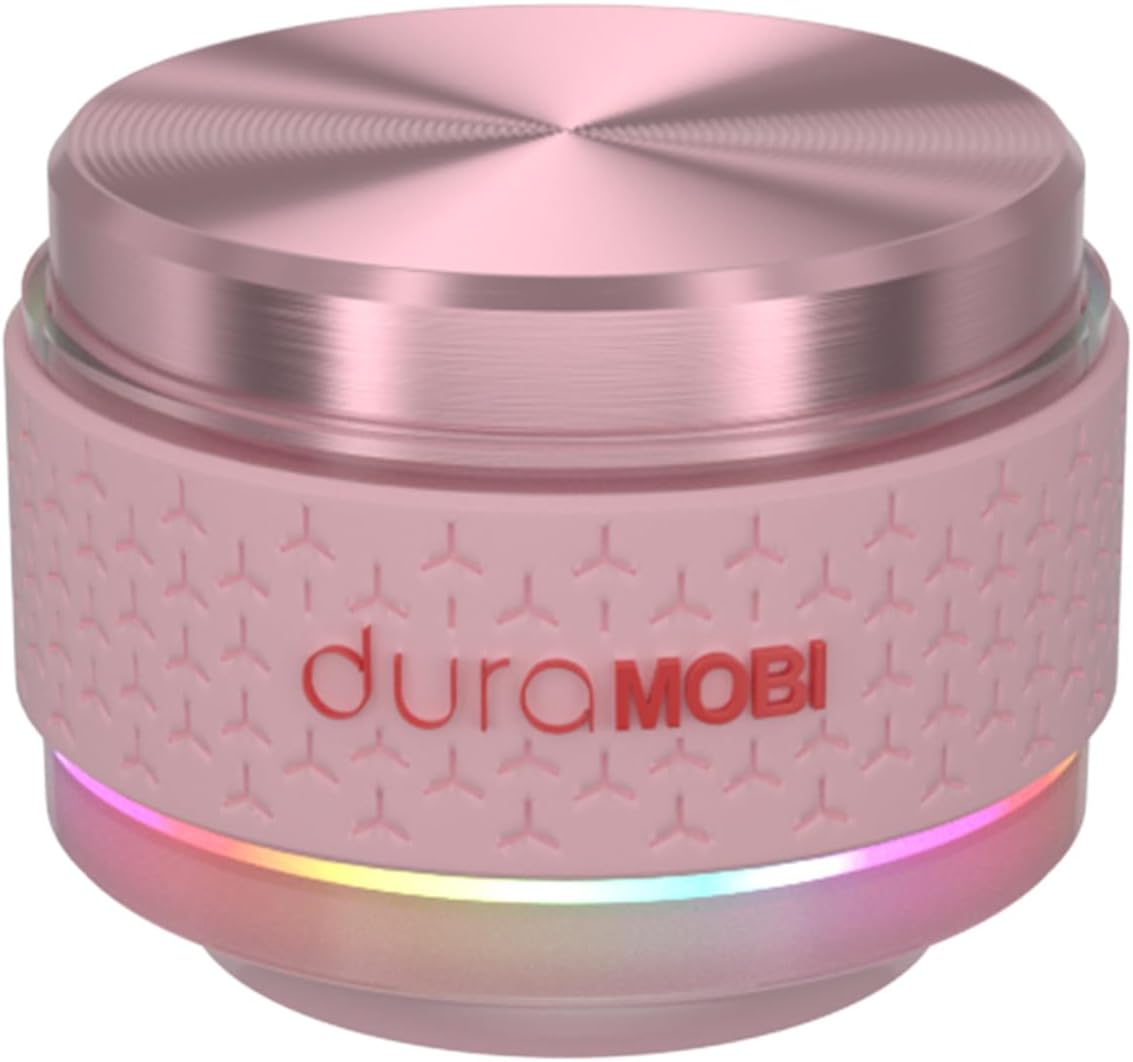
Image: Speaker with water droplets, highlighting its IP54 water resistance.
6. Penyelesaian masalah
- Tiada Kuasa: Pastikan pembesar suara dicas sepenuhnya. Sambungkannya ke sumber kuasa dan cuba hidupkannya semula.
- Tidak Dapat Berpasangan melalui Bluetooth: Make sure the speaker is in pairing mode (indicated by flashing lights). Turn off and on your device's Bluetooth, then try searching again. Ensure no other devices are connected to the speaker.
- Tiada Bunyi/Kelantangan Rendah: Check the volume levels on both the speaker and your connected device. Experiment with different surfaces for optimal sound projection. Ensure the speaker is not obstructed.
- TWS/CSB Pairing Issues: Ensure both/all speakers are powered on and follow the specific pairing instructions for TWS or CSB mode carefully. Try resetting the speakers by powering them off and on.
- Bunyi Herot: Reduce the volume on both the speaker and your connected device. Try placing the speaker on a different surface.
7. Spesifikasi
| Ciri | Perincian |
|---|---|
| Jenama | Docooler |
| Nama Model | Humbird Speaker |
| Kuasa Output Maksimum Pembesar Suara | 4 Watt |
| Teknologi Ketersambungan | Bluetooth |
| Mod Keluaran Audio | Keliling |
| Jenis Pemasangan | Pemasangan Atas Meja |
| Jenis Pembesar Suara | Outdoor, Surround Sound |
| Jenis Pengawal | Dikuasakan Bateri |
| Purata Hayat Bateri | 4 Jam |
| Kalis air | IP54 (Domestic Waterproofing) |
| Kaedah Kawalan | Sentuh |
| Speaker Size (Diameter) | 4.3 cm (1.69 inci) |
| Julat Bluetooth | 10 Meter |
| Kapasiti Bateri | 450 Miliamp jam |
| Masa Pengecasan Bateri | 1.5 Jam |
| Bilangan Saluran Audio | 2.0 |
| Berat Barang | 312.45 Gram |
| Peranti Serasi | Telefon Pintar, Tablet, Komputer Riba, Desktop |
| Jenis Pemacu Audio | Pemacu Pengaliran Tulang |

Imej: Selesaiview of key speaker features including waterproofing and connectivity.
8. Waranti dan Sokongan
8.1. Maklumat Waranti
This product comes with a limited warranty. Please refer to the warranty card included in your package for specific terms and conditions. The warranty covers manufacturing defects under normal use.
8.2. Sokongan Pelanggan
For any questions, technical assistance, or warranty claims, please contact Docooler customer support through the retailer where you purchased the product or visit the official Docooler webtapak untuk maklumat hubungan.