
pengenalan
This manual provides comprehensive instructions for the setup, operation, maintenance, and troubleshooting of your QRD Spark N5 Wireless Controller. Please read this manual carefully before using the product to ensure optimal performance and longevity.
Produk Selesaiview
The QRD Spark N5 Wireless Controller is designed for a versatile gaming experience across multiple platforms. It features advanced Hall Effect technology for precise control, customizable macro functions, and immersive vibration feedback.

Rajah 1: Depan view of the QRD Spark N5 Wireless Controller, showcasing its ergonomic design and illuminated buttons.
Ciri-ciri Utama:
- Hall Effect Joysticks & Analog Triggers: Provides drift-free and highly accurate control with less than 0.1mm accuracy.
- Pad sentuh pelbagai fungsi: Supports touch control for PS4 and acts as a mouse on other compatible platforms.
- 6-Axis Gyroscope & Motion Sensor: Integrated for immersive gaming experiences and precise motion control.
- Motor Getaran Dwi: Adjustable vibration levels (0%, 30%, 70%, 100%) for realistic feedback.
- Macro Back Paddles (N1 & N2): Customizable for assigning complex shortcuts and executing multiple actions.
- Fungsi Turbo: Adjustable turbo speed with auto and manual modes for various buttons.
- 3.5mm Audio Port, Speaker & Mic: Enables audio output and communication during gameplay.
- Wired & Wireless Compatibility: Supports Bluetooth 5.3 for wireless connection and USB-C for wired connection (D-input default, X-input available).
Persediaan dan Sambungan
Mengecas Pengawal:
Before first use, fully charge the controller using the provided USB-C cable. Connect the USB-C end to the controller and the USB-A end to a compatible power source (e.g., console, PC, USB wall adapter).
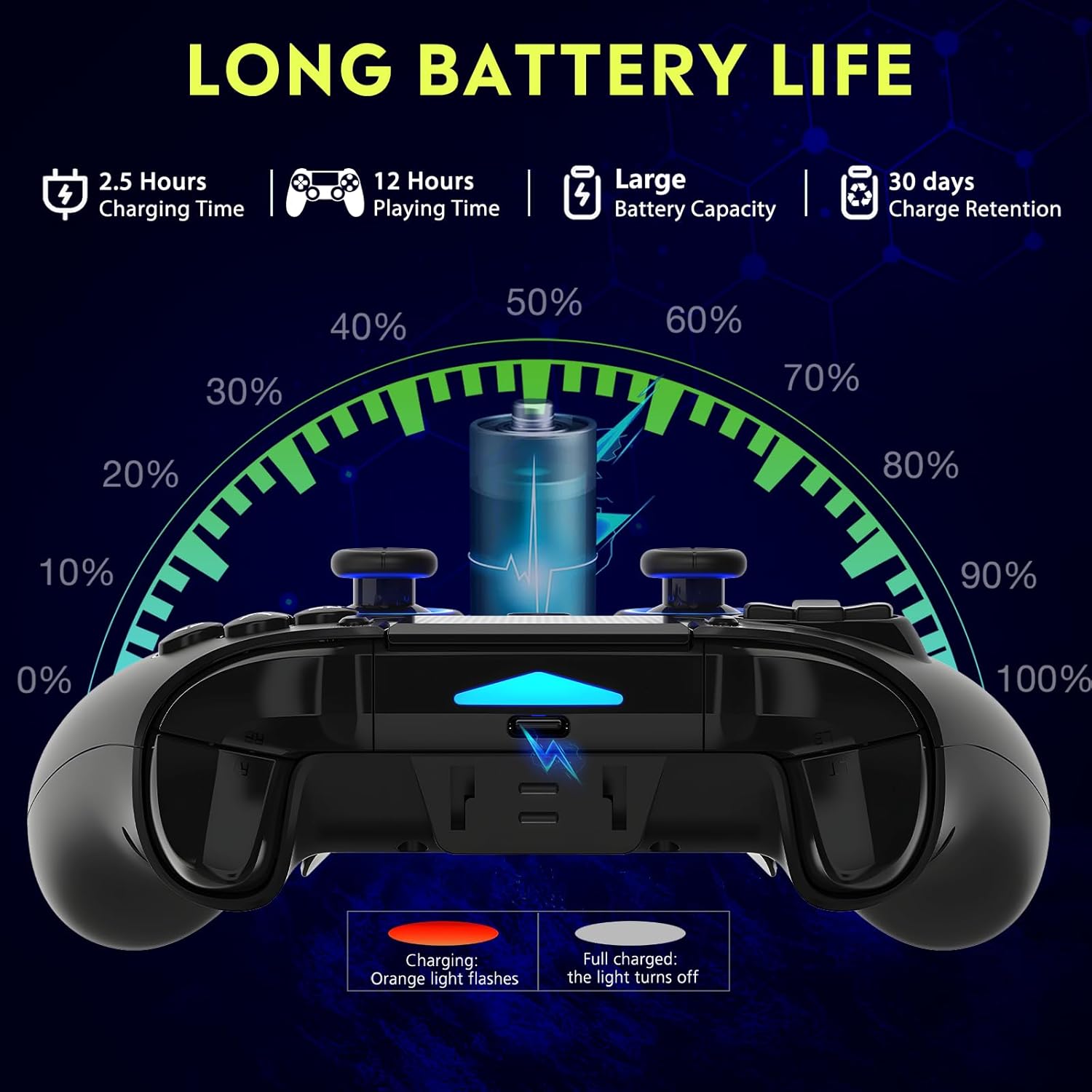
Rajah 2: Battery life illustration. The orange light flashes during charging and turns off when fully charged. A full charge takes approximately 2.5 hours and provides up to 12 hours of playing time.
Wireless Connection (Bluetooth 5.3):
The controller supports wireless connection via Bluetooth 5.3 for PS4, PS3, PS2, Steam Deck, PC (Windows/macOS), iOS, and Android TV Box/phones. For PS5 compatibility, a separate QRD Wireless Converter is required.

Rajah 3: Keserasian berakhirview showing the controller connecting to Windows, PS4, Steam, Mobile, PS3.
- Pastikan pengawal dicas.
- Turn on the controller by pressing the "Q" (Home) button.
- On your device, navigate to Bluetooth settings.
- Select "Spark N5" or similar from the list of available devices to pair.
- Setelah dipasangkan, lampu penunjuk pada pengawal akan stabil.
Nota: For PS5 games, an additional QRD Wireless Converter is necessary. This converter allows the Spark N5 controller to function with PS5 titles, expanding your gaming options.
Video 1: This video demonstrates the QRD Spark N5 Wireless Controller's compatibility with various game devices, including setup and initial connection steps.
Sambungan Berwayar (USB-C):
Connect the controller directly to your PC or console using the provided USB-C cable. The controller will operate in D-input mode by default. X-input mode is available for PC connections only.
Arahan Operasi
Kawalan Asas:
The controller features standard gamepad buttons, joysticks, and triggers. Familiarize yourself with the layout for optimal gameplay.

Rajah 4: The multi-function touchpad on the controller, which can be used for navigation and specific game interactions.
Hall Effect Joysticks and Triggers:
The Hall Effect technology ensures precise, drift-free input for both joysticks and triggers. This provides enhanced accuracy and responsiveness in games.

Rajah 5: Meletup view of the Hall Effect Joystick, illustrating its magnetic sensing mechanism for drift-free operation.

Rajah 6: Illustration of the Hall Sensing Analog Triggers, highlighting their sub-millimeter accuracy for precise control.
Macro Back Paddles (N1 & N2):
The N1 and N2 back paddles can be programmed to execute complex actions or button combinations with a single press. This feature is useful for competitive gaming or simplifying repetitive tasks.

Rajah 7: belakang view of the controller showing the N1 and N2 macro back paddles, which can be assigned to perform complex combos.
Refer to the controller's quick start guide or the official QRD website for detailed instructions on programming macro functions.
Fungsi Turbo:
The Turbo function allows for rapid, continuous input of a button press. You can set three different turbo speeds for most buttons (excluding macro paddles) and choose between auto and manual turbo modes.
Consult the quick start guide for specific button combinations to activate and adjust turbo settings.
Getaran boleh laras:
The dual vibration motors provide haptic feedback. You can adjust the intensity to your preference: 0% (off), 30%, 70% (default), or 100%.

Rajah 8: Visual representation of the dual vibration shock feature and its adjustable intensity levels.
Instructions for adjusting vibration intensity are typically found in the quick start guide or by holding specific button combinations.
6-Axis Gyroscope & Motion Sensor:
The integrated 6-axis gyroscope and motion sensor enable precise motion control in supported games, enhancing immersion and aiming accuracy.

Rajah 9: Depiction of the 6-axis gyroscope and motion control, showing how controller movements translate into in-game actions.
Ciri-ciri audio:
The controller includes a 3.5mm audio port for headphones, a built-in speaker, and a microphone. This allows for in-game audio, voice chat, and immersive sound effects.
Video 2: This video demonstrates the smartphone connection and gaming experience with the QRD Spark N5 Wireless Controller, including audio functionality.
Penyelenggaraan
- Pembersihan: Gunakan kain lembut dan kering untuk membersihkan pengawal. Untuk kotoran degil, gunakan sedikit kainamp Kain boleh digunakan, tetapi pastikan tiada kelembapan memasuki liang atau rekahan.
- Storan: Simpan pengawal di tempat yang sejuk dan kering jauh dari cahaya matahari langsung dan suhu yang melampau.
- Penjagaan Bateri: Untuk memanjangkan hayat bateri, elakkan daripada kerap mencas sepenuhnya pengawal. Caskannya secara berkala, walaupun tidak digunakan secara berterusan.
- Elakkan Kesan: Jangan jatuhkan atau tundukkan pengawal kepada hentaman kuat, kerana ini boleh merosakkan komponen dalaman.
Menyelesaikan masalah
| Masalah | Kemungkinan Punca | Penyelesaian |
|---|---|---|
| Pengawal tidak dihidupkan. | Bateri lemah atau tiada cas. | Charge the controller using the provided USB-C cable. |
| Cannot connect wirelessly. | Bluetooth not enabled on device; controller not in pairing mode; interference. | Ensure Bluetooth is on. Press and hold the "Q" button to enter pairing mode. Move closer to the device. Restart both controller and device. |
| Input lag or unresponsive buttons. | Low battery; wireless interference; outdated firmware. | Charge the controller. Reduce wireless interference. Check QRD website for firmware updates. Try wired connection. |
| Joysticks or triggers drifting. | Calibration issue; rare hardware defect. | The Hall Effect technology minimizes drift. If persistent, try recalibrating (refer to quick start guide) or contact customer support. |
| Tiada maklum balas getaran. | Vibration setting is off (0%); game does not support vibration. | Adjust vibration intensity to 30%, 70%, or 100%. Ensure the game supports vibration. |
Spesifikasi
- model: Spark N5
- Ketersambungan: Bluetooth 5.3 (Wayarles), USB-C (Berwayar)
- Keserasian: PS4, PS4 Slim, PS4 Pro, PS3, PS2, Steam Deck, PC (Windows, macOS), iOS, Android TV Box, Phone. (PS5 via separate converter)
- Kayu Ria/Pemicu: Kesan Dewan
- Penderia Gerakan: Giroskop 6-Paksi
- Getaran: Dual Motors, Adjustable (0%, 30%, 70%, 100%)
- Audio: 3.5mm Audio Port, Built-in Speaker, Microphone
- Ciri Khas: Multi-function Touchpad, Macro Back Paddles (N1, N2), Turbo Function
- Bateri: 1 bateri Polimer Litium (termasuk)
- Masa Pengecasan: Lebih kurang 2.5 jam
- Masa Bermain: Sehingga 12 jam
- Dimensi: 6.38 x 4.06 x 2.56 inci
- Berat: 13.7 auns
Waranti dan Sokongan
QRD products are designed for durability and performance. For warranty information and technical support, please refer to the official QRD webtapak atau hubungi perkhidmatan pelanggan mereka secara langsung.
- rasmi Webtapak: QRD Store on Amazon
- Perkhidmatan Pelanggan: Contact information may be available on the product packaging or the official webtapak.
Sila simpan bukti pembelian anda untuk sebarang tuntutan waranti.